






AI-Based Golf Swing Analysis and Coaching Platform
- 15K+ users across iOS and Android platforms
- 6 viewing angles from a single 2D video
- 30+ kinematic parameters tracked per swing
- <3 sec 3D model generation from captured video
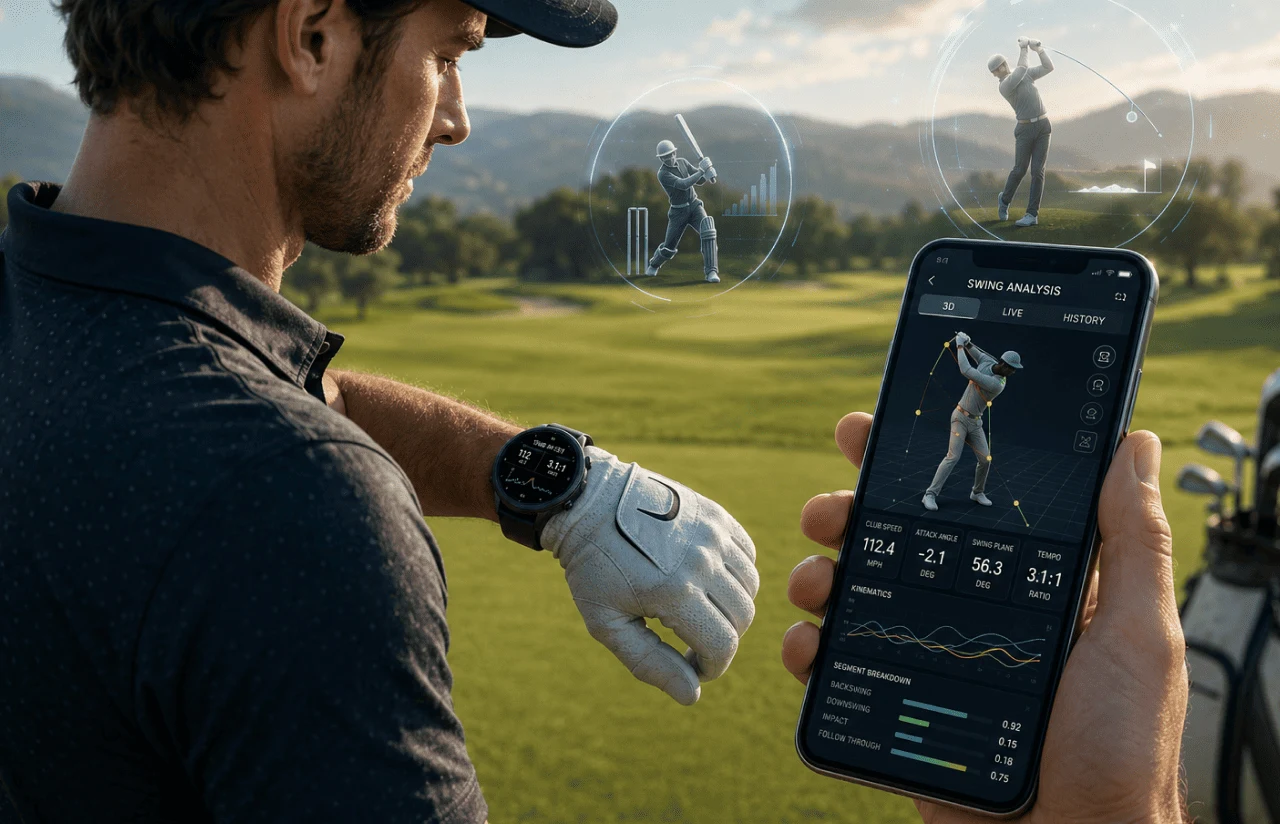
We helped Sportsbox build an AI golf swing analyzer that transforms single-camera phone videos into 3D biomechanical data, giving coaches lab-grade insights without sensors, markers, or specialized equipment.
Request Similar Solution
Project Details
Sportsbox is a US-based sports technology company building an AI golf swing analyzer for coaches and players who need lab-grade motion data without sensors or markers. LITSLINK helped develop the computer vision, 2D-to-3D pose estimation, cloud infrastructure, and app backend behind the platform.
 Client
- Sportsbox
 Industry
- Sports & Fitness
 Solution
- AI-powered 3D golf swing analysis app
 Service
- AI Dev + Computer Vision Engineering + Cloud & MLOps
 Platform
- iOS / Android / Web Portal
 Scope
Scope- 2D/3D pose model training · semi-supervised labeling pipeline · backend & WebAPI · GCP/Kubernetes deployment · QA across 12 phone models
 Duration
- ~8 months (ongoing support)
 Location
- US
Business Challenge
Traditional golf coaching often depends on 2D video, visual judgment, and separate lab-based tools for deeper biomechanical analysis.
The client wanted to change that. Their vision was a markerless, sensor-free system that could sit inside a phone app and rival motion-capture labs costing $50,000+. Before LITSLINK joined, the early prototype struggled with accuracy on outdoor footage, had no automated labeling pipeline, and couldn’t run inference fast enough for a live session. Coaches were stuck stitching screenshots together — legacy golf coaching software offered no real-time path from swing to feedback.
-

Accuracy gap between lab and field
Existing pose estimation models were trained mostly on indoor, controlled lighting. Golf courses introduce sun glare, moving backgrounds, and partial body occlusion from the club and cap. Error rates for joint angles exceeded 8°, too high for meaningful coaching feedback.
-

No scalable data pipeline
Every training image required manual annotation – roughly 15 minutes per frame. With thousands of frames needed for a production-grade model, the team was burning weeks on labeling alone, and still lacked edge-case coverage for left-handed swings and non-standard stances.
-

Latency killed the coaching loop
Processing a single swing took 12–15 seconds on the cloud endpoint. Coaches working a lesson tee with three students couldn’t wait that long. If the feedback doesn’t arrive before the golfer resets, it’s useless.
Technologies









Our Golf Analysis App Solution
The question that shaped every architecture decision was simple: how do we get 3D biomechanical data from a 2D phone camera – and do it fast enough that a coach can react between swings?
The gap was clear. The golfer’s intent lived on the driving range; the data lived in a biomechanics lab 200 miles away. Traditional solutions required the golfer to wear markers or sensors, book lab time, and wait days for a report. We needed to collapse that distance to zero and deliver it through a golf swing analysis app that fits in a coach’s pocket.
LITSLINK’s team chose a two-stage pipeline. The first stage runs a 2D keypoint detector (fine-tuned on golf-specific body positions) to identify 17+ joint landmarks per frame. The second stage lifts those 2D coordinates into 3D space using a proprietary depth-estimation model trained on paired data from high-end motion-capture rigs and phone cameras.
Semi-supervised learning was the accelerator. We built an auto-labeling UI that ran the current best model on unlabeled footage, let a human reviewer accept or correct each frame, and fed corrections back into the next training cycle. Labeling time dropped from 15 minutes per frame to under 2 minutes – an 87% reduction. That speed mattered: it kept the AI golf swing analysis app improving on a bi-weekly cycle instead of monthly.
Every golf swing is different, and the system had to handle face-on and down-the-line camera angles, left- and right-handed players, partial occlusions from hats and clubs, and variable frame rates from different phone models. Off-the-shelf pose-estimation models were not reliable enough for outdoor golf footage. To deliver field-accurate analysis, the platform needed models trained around golf-specific movement, camera angles, and occlusion patterns.
-
3D Avatar Reconstruction
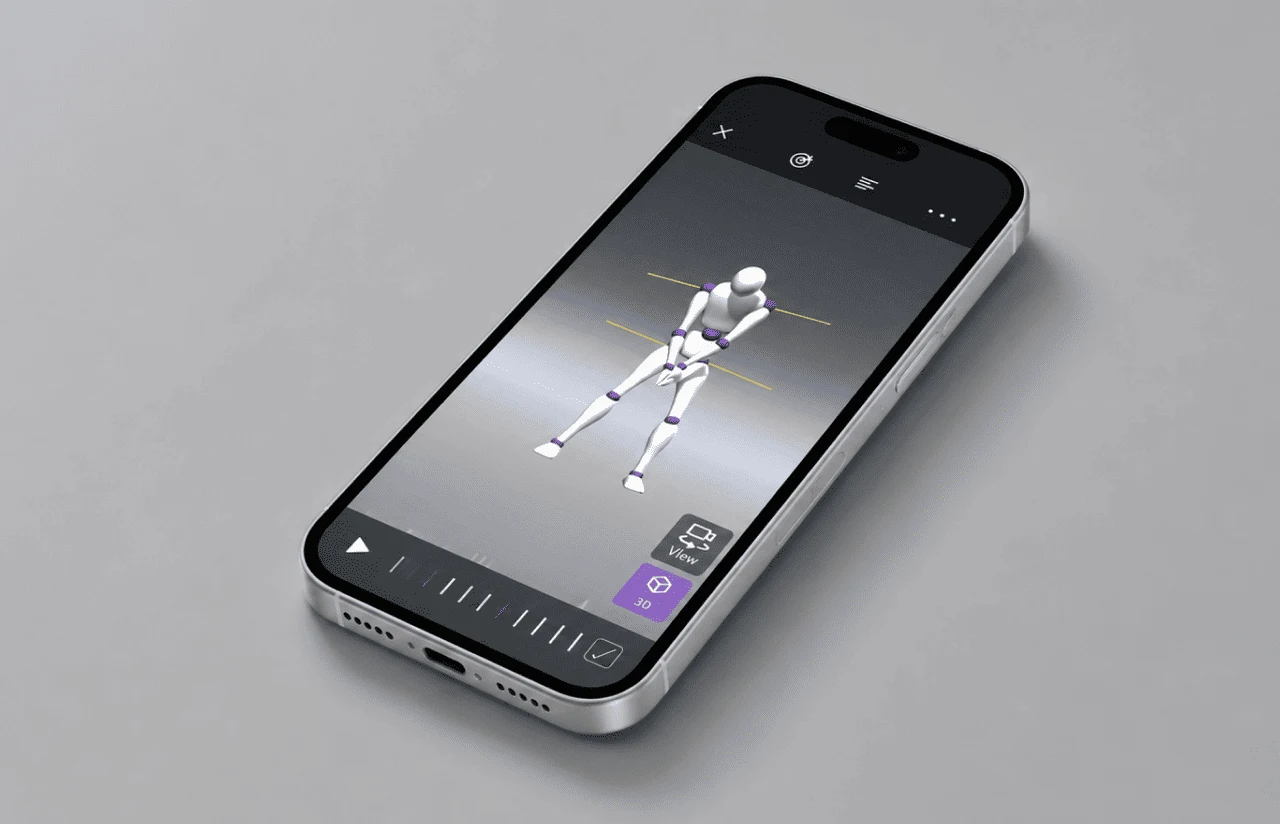
Converts a single slow-motion 2D video into a full 3D skeletal model that can be rotated and viewed from six angles: Face-on, Down-the-Line, Behind, From Target, Above, and Below. Coaches see what no 2D video can show.
-
Kinematic Tracker Dashboard
. Measures 30+ biomechanical parameters – turn, bend, side bend, flexion, sway, and lift – at every key position in the swing. Each metric includes PGA Tour reference ranges so players know exactly where they stand.
-
Goal-Based Training System
Coaches set custom numerical goals for each student (e.g., ‘add 5° of pelvis turn at top of backswing’). The app tracks progress over time and provides color-coded feedback: red, yellow, green.
-
Swing Comparison Engine
Overlays two 3D avatars side by side or stacked. Players compare their current swing to a previous one, or measure themselves against a tour pro’s motion data – quantified, not guessed.
-
Semi-Supervised Data Labeling UI
An internal tool that used the production model’s predictions as initial labels and routed frames to human reviewers for correction. This reduced annotation time by 87% and helped the team improve models faster.
Ready to build an AI-powered sports analysis platform for your users?
Request a Similar SolutionScrum Methodology
Project Journey
We ran two-week sprints from day one. The first sprint surfaced a key constraint: slow-motion video at 240 fps generated 4× more frames than standard video, and the inference pipeline wasn’t designed for that volume. We redesigned the frame-selection logic in sprint 2 – picking only biomechanically significant frames.
Discovery covered three areas: model architecture selection (comparing HRNet, MediaPipe, and custom ResNet backbones), deployment topology (edge vs. cloud vs. hybrid), and the data labeling bottleneck. By the end of week 4, we had a working prototype that ran on-device for 2D detection and hit the cloud only for the 3D lift – a split that kept latency under 3 seconds.
- Weeks sprint cycles
- 2
- Sprints completed
- 12
- On-time delivery
- 97%
- Team members
- 6
How the Golf Analysis Platform Works
-
How the Golf Analysis Platform Works
The golfer records a slow-motion, face-on video using the app on a standard smartphone – no sensors or markers required.
-
2D Keypoint Detection
An on-device ML model identifies 17+ body landmarks in each frame, tracking joints from ankles to wrists throughout the swing.
-
3D Pose Estimation
A cloud model lifts the 2D coordinates into 3D space, producing a full skeletal animation viewable from six different angles.
-
Kinematic Analysis
The system calculates 30+ biomechanical parameters – turn, bend, sway, lift – and compares them against PGA Tour reference ranges
-
Feedback & Goals
Players receive color-coded results. Coaches assign custom goals with specific degree targets to guide improvement between sessions.
-
Progress Tracking
Every swing is saved. The app tracks changes over time, letting players and coaches measure whether adjustments are actually sticking.
Scrum Process Flow
AI development in sports doesn’t benefit from big-bang releases. Scrum’s sprint cadence meant the client saw working model improvements every two weeks and could redirect priorities before a wrong assumption became expensive to fix.

Inside Each Sprint
-
Daily Scrum
15-min sync every morning
-
Retrospective
Inspect & adapt process
-
Sprint Review
Demo to stakeholders
-
Increment
Shippable product update
-Timeline
Five Phases of Delivering the AI Golf Analyzer
-
Discovery & Product Workshop
2 weeks
- Auditing existing 2D keypoint model accuracy on outdoor golf footage
- Benchmarking latency targets for real-time coaching use cases
- Mapping data pipeline gaps and labeling bottlenecks
-
Model Prototyping
3 weeks
- Comparing HRNet, MediaPipe, and custom ResNet backbones for 2D detection
- Building the semi-supervised auto-labeling UI
- Validating 3D lift accuracy against Gears motion-capture ground truth
-
Agile Development (Sprints)
~4 months
- Training and deploying golf-specific 2D/3D models on GCP/Kubernetes
- Building Web API endpoints for iOS/Android and web portal consumption
- Implementing swing comparison, goal tracking, and coach-student workflows
-
QA & Testing
3 weeks
- Testing across 12 phone models and 3 OS versions for frame-rate consistency
- Validating kinematic output against professional biomechanics lab data
- Load-testing cloud inference under 500+ concurrent swing uploads
-
Launch & Support
Ongoing
- Deploying containerized model APIs on GCP Kubernetes Engine
- Monitoring inference latency and error-rate dashboards post-launch
- Iterating models monthly with new labeled data from the semi-supervised pipeline
UI/UX Design
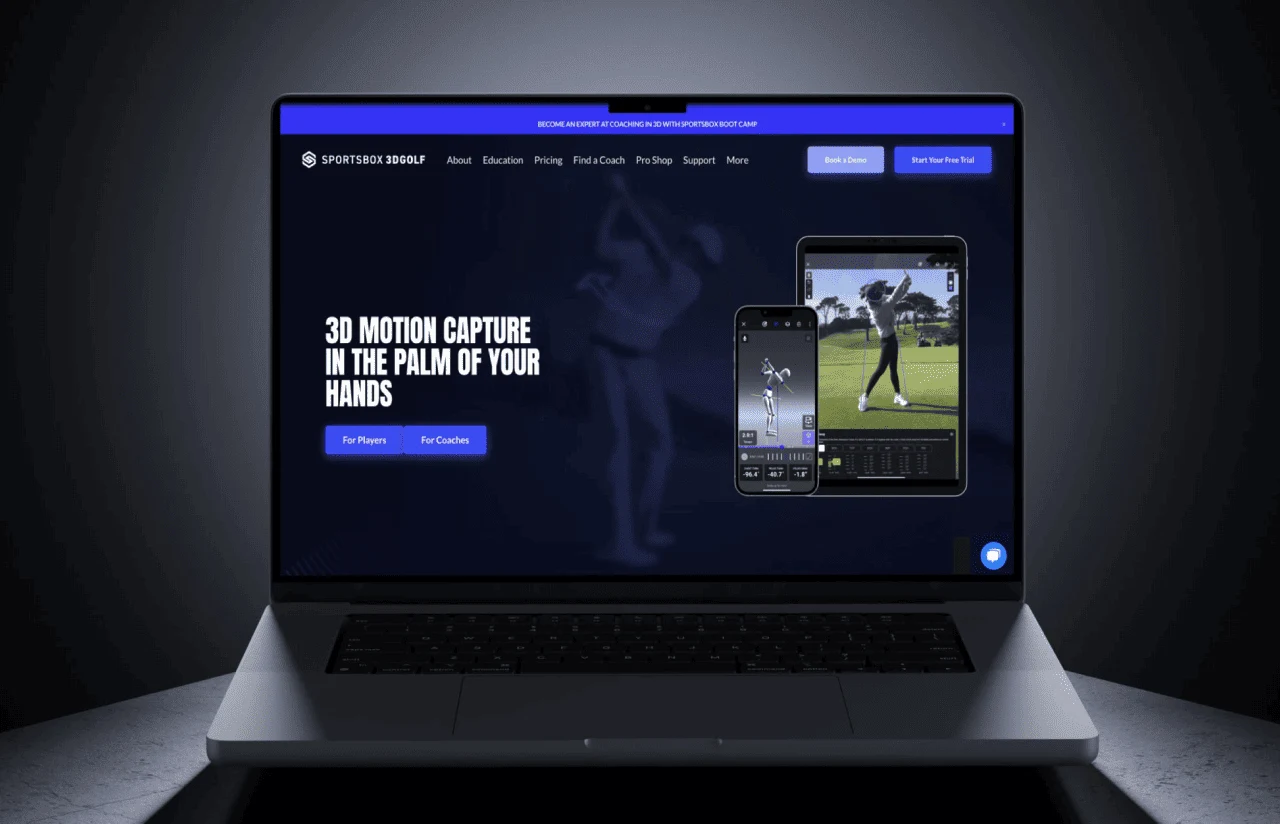
The core UX goal was to make 3D biomechanical data feel as simple as watching a video replay. Most golf analysis software buries the golfer under dozens of charts and numbers. We designed the interface around a split-screen view: 2D video on one side, 3D avatar on the other, with a data bar below showing only the metrics relevant to the golfer’s current goal.
User research revealed that coaches and players speak different languages. Coaches want angular measurements to the tenth of a degree; players want to know, “Am I turning enough?” We solved this with a layered information architecture: the default view shows color-coded tiles (red/yellow/green against tour ranges), and a tap reveals the raw numbers underneath. Coaches toggle into a detail mode; players stay on the surface.
The comparison feature – overlaying two 3D avatars – was the most-requested tool in early beta. We designed it to animate synchronously, with a timeline scrubber that locks both swings to the same phase of the motion. A golfer can freeze at impact and see exactly how far their lead hip is behind where it was last month.
Results
Before
- 3D motion data required $50K+ lab equipment and an in-person visit.
- Joint-angle errors exceeded 8° – too imprecise for coaching adjustments.
- Manual frame labeling took ~15 min per image, slowing model iteration to monthly cycles.
- Swing processing latency sat at 12–15 seconds, breaking the coaching feedback loop.
- No unified platform connecting coach analysis, player goals, and progress history.
After
- Single phone video produces full 3D motion data – no sensors, no markers, no lab.
- Joint-angle accuracy improved to under 3°, matching professional motion-capture benchmarks.
- Semi-supervised labeling UI cut annotation time by 87%, accelerating model updates to bi-weekly.
- End-to-end processing dropped to under 3 seconds, fast enough for live lesson-tee use.
- One app serves players, coaches, and remote students – with shared goals, comparisons, and progress history in a single interface.

The Impact
15,000+ users across iOS and Android now use this AI golf swing analyzer app to access 3D swing analysis that was previously available only in professional biomechanics labs. "The data has made my remote lessons just as effective as in-person sessions. I tracked one student drop from an 8 to a 4 handicap in a few months – purely by using the goal-tracking features between sessions," said J.S., PGA professional, Florida, who adopted the platform early.
The AI golf swing analysis engine didn’t just replicate lab results; it changed how coaches communicate. Instead of saying ‘turn more,’ they now say ‘add 4° of pelvis rotation at P4.’ Specificity eliminates guessing and gives the student a measurable target to chase between lessons.
What’s Next
The current platform handles golf with 30+ kinematic trackers. Three directions we’re exploring next:
- Expanded Sport Coverage
Adapting the 3D pose pipeline to additional rotational sports – tennis serve analysis, cricket bowling – using transfer learning from the golf-trained models. - AI Coaching Recommendations
An LLM-powered layer that translates kinematic data into natural-language drill suggestions, giving coaches a faster way to explain key metrics and guide remote students between lessons. - Wearable Integration
Pairing phone-based 3D data with smartwatch accelerometer and heart-rate feeds to correlate physical fatigue with swing degradation over a practice session.
-Verified Reviews
Our Reputation on Top Platforms
LITSLINK is consistently rated among the top AI and software development companies on Clutch, GoodFirms, and other industry review platforms. Client reviews highlight the team’s technical depth in computer vision and ML, communication throughout the engagement, and ability to navigate complex deployment requirements.
Have the Sports Project in Mind?
Got a sports app idea that needs AI or computer vision behind it? Tell us what you’re working on and we’ll get back to you within 48 hours with a project roadmap.
Next steps:
- LITSLINK specialist reviews your request and contacts you to discuss the details;
- If needed, we can sign an NDA before moving forward;
- We send a project proposal – estimates, timeline, and team CVs included;
- After launch, we stay on for any updates your product needs.
- 48h Response
- 1540+ Projects
Thank you for your message. It has been sent.


