






AI-Based Basketball Coaching and Game Analysis Platform with Pose Estimation
- 60-70% faster game film review compared to a manual review
- ~15 hrs/week saved per coaching staff member on video analysis
- 92%+ accuracy on player pose recognition
- <0.8 sec per-frame inference time on standard GPU hardware
Coaches still rewatch game footage to analyze performance. Coachify, a basketball coaching app, automates it – using computer vision to track players, compare movements to elite form, and deliver actionable insights in real time.
Project Details
Coachify is an AI basketball coaching platform that helps coaching teams analyze player movement, compare form to elite standards, and build lessons from game footage. The company came to LITSLINK to develop the computer vision engine, web platform, cloud infrastructure, and analytics workflow.


Business Challenge
Professional and semi-professional basketball coaching still depends heavily on manual video review. Sports organizations spend an average of 15–18 hours per week on film breakdown alone. Time that directly competes with practice, strategy planning, and player development.
Coachify’s founding team had spent two seasons building a library of annotated game footage, but their review pipeline was entirely manual. Coaches would scrub through full-length recordings, tag key moments by hand, and compare player form using side-by-side screenshots. The process was slow, inconsistent, and did not scale beyond a single coaching staff.

Time-intensive manual review
A single game film session consumed 3–4 hours of a coach’s day. Multiply that across a 6-game week, and nearly half the staff’s productive hours went to video work rather than on-court coaching.

Inconsistent form evaluation
Without a quantitative baseline, two coaches watching the same clip could disagree on whether a player’s shooting stance was off. Subjective assessment made it hard to track improvement over time.

No scalable comparison engine
The team had gold-standard gesture data from elite players but no automated way to apply it at scale. Manual review covered only 8–10 possessions per session, while a full game has 180+ possessions. Coachify now analyzes every possession automatically.
Technologies Behind the Virtual Basketball Coaching Platform






Our AI-Based Basketball Coaching Software Solution
The central question was practical: how do you give a coaching staff the analytical depth of a dedicated video coordinator without adding headcount? The answer pointed to computer vision basketball game analysis, specifically a pipeline that could detect, track, and evaluate player poses in near real time.
The gap was clear. Game footage lived in one place, coaching notes lived in another, and the gold-standard gesture library sat in a spreadsheet no one opened after the first week. Coachify needed to pull all three into a single interface.
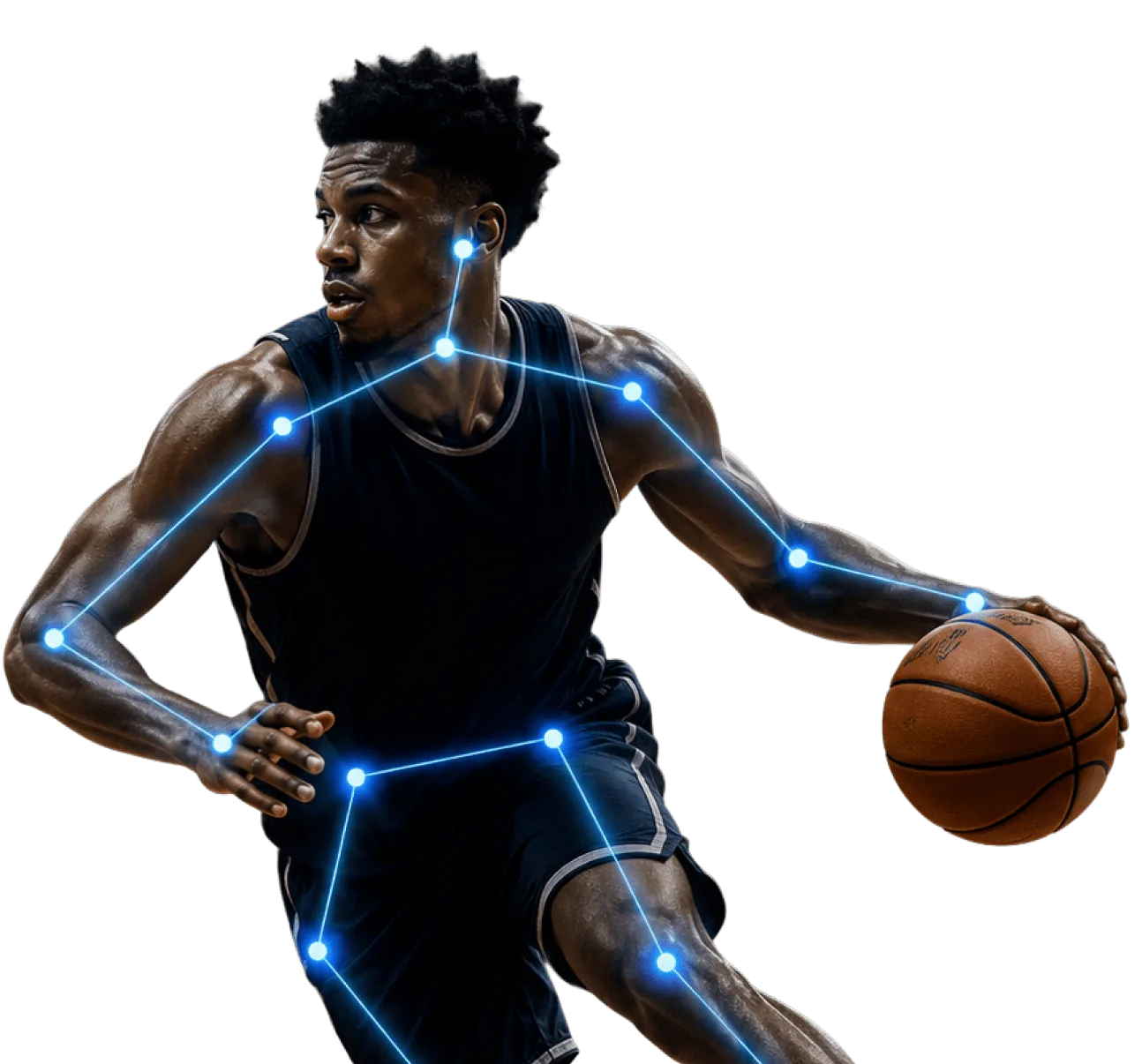
We chose TensorFlow with GPU acceleration for the pose estimation backbone, paired with OpenCV for frame-level preprocessing and MediaPipe for skeletal landmark extraction. The model tracks 17 joint points per player at sub-second inference speeds, which keeps the system responsive even during full-court sequences.
The pose recognition model was trained on a curated dataset of 12,000+ annotated basketball frames, leveraging Coachify’s existing video library, which our engineers processed, labeled, and formatted for ML training. We added a cosine-similarity layer that compares live skeletal data against the gold-standard library, returning a match score between 0 and 100 for each gesture.
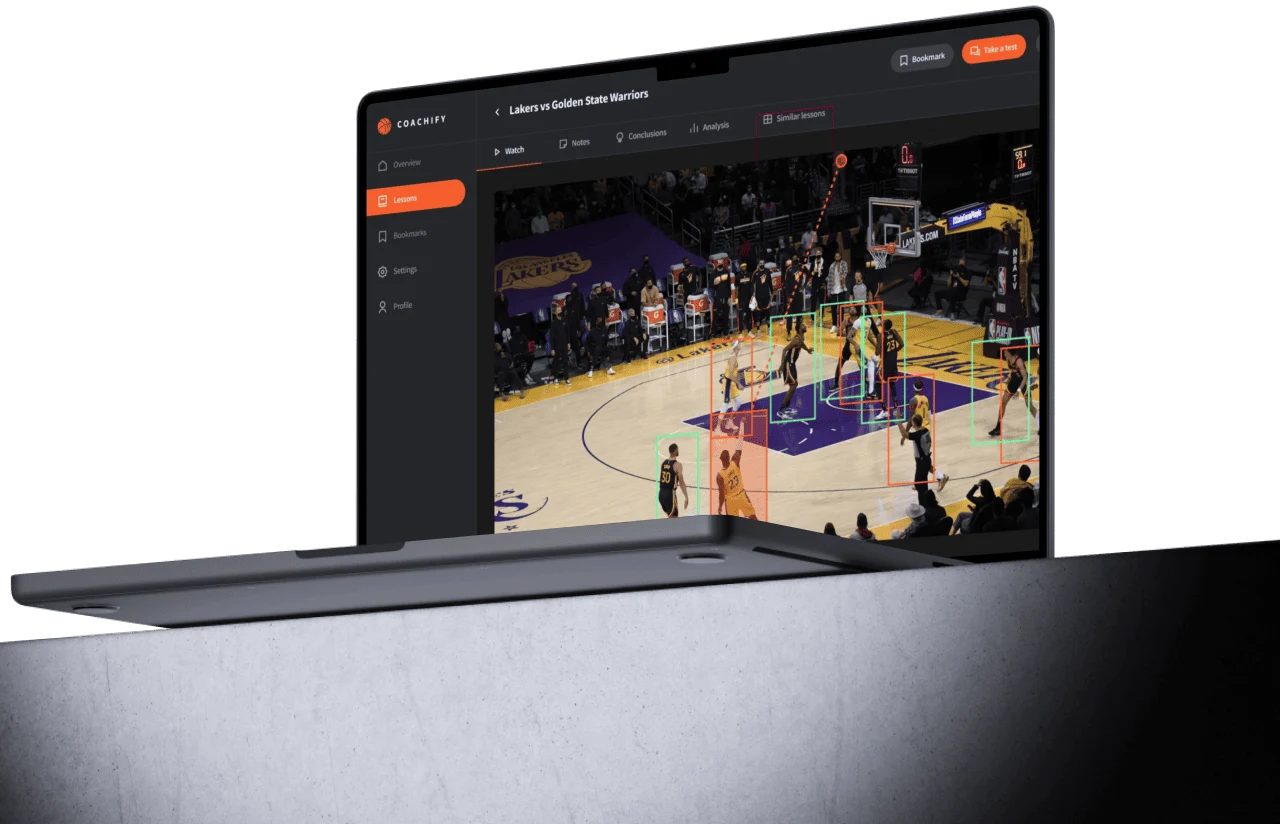
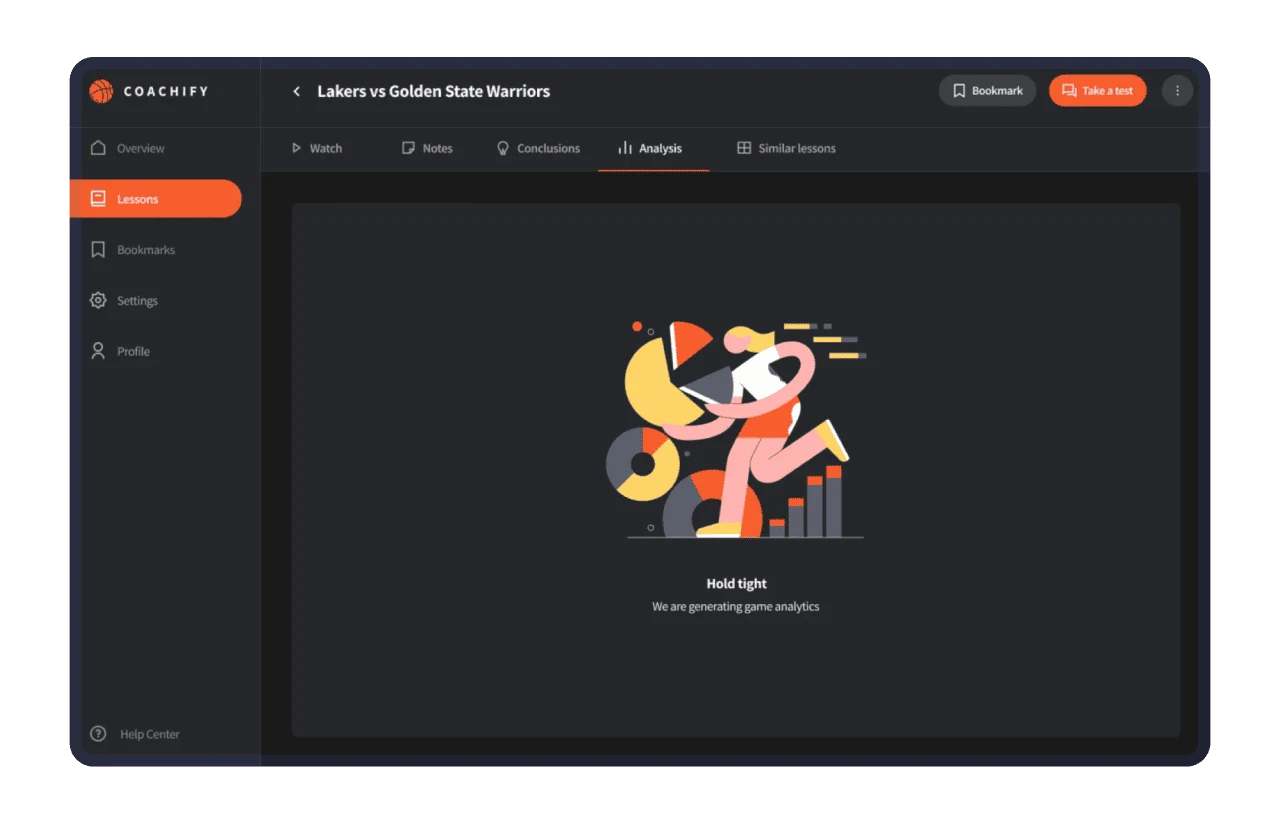
The bounding-box colors, the trajectory overlays, even the analytics loading states were designed around how basketball coaches actually consume film. Sprint 3 feedback from two D1 assistant coaches reshaped the entire annotation flow.
Real-Time Pose Recognition
Detects and maps 17 skeletal joint points per player across every frame. Coaches see an overlay of body position without pausing or rewinding the clip.
Gesture Comparison Engine
. Automatically benchmarks a player’s current form against gold-standard gesture data from elite athletes. Returns a numeric similarity score that coaches use to track progress week over week.
Automated Game Tagging
Flags key game events – shot attempts, defensive breakdowns, fast-break transitions – and creates timestamped bookmarks so coaches jump directly to the moments that matter.
Interactive Lesson Builder
Coaches assemble curated lesson playlists from tagged clips, add notes and conclusions per possession, and share them with players for self-review before the next practice.
Similar Lessons Matching
Surfaces historically similar game situations from the clip archive, letting coaches pull up comparable plays and build pattern-recognition drills for their team.
Analytics Dashboard
Generates per-game and per-player analytics reports covering shot-form accuracy, defensive stance consistency, and movement efficiency trends across the season.
Scrum Methodology
Project Journey
We ran 2-week sprint cycles from day one. The first demo surfaced a critical edge case: occlusion. When two players overlap on screen, the pose estimator would occasionally merge their skeletons into a single figure. We allocated sprint 2 specifically to occlusion handling, which reduced misattribution errors by roughly 78%.
Discovery covered three core areas: the coaching workflow (how film sessions actually run), the basketball gesture-recognition software (how the gold-standard data was structured), and the cloud architecture (GCP Compute Engine for GPU inference, with AWS as a secondary storage layer for raw footage). We mapped 14 user stories in the first week alone.
How the Virtual Basketball Coaching App Works
- Coaches upload full-game or clipped video files to the platform. The system accepts standard formats and queues each file for GPU-accelerated processing.
- Computer vision models apply bounding boxes to every player on the court, assigning persistent IDs that survive occlusion and camera angle changes.
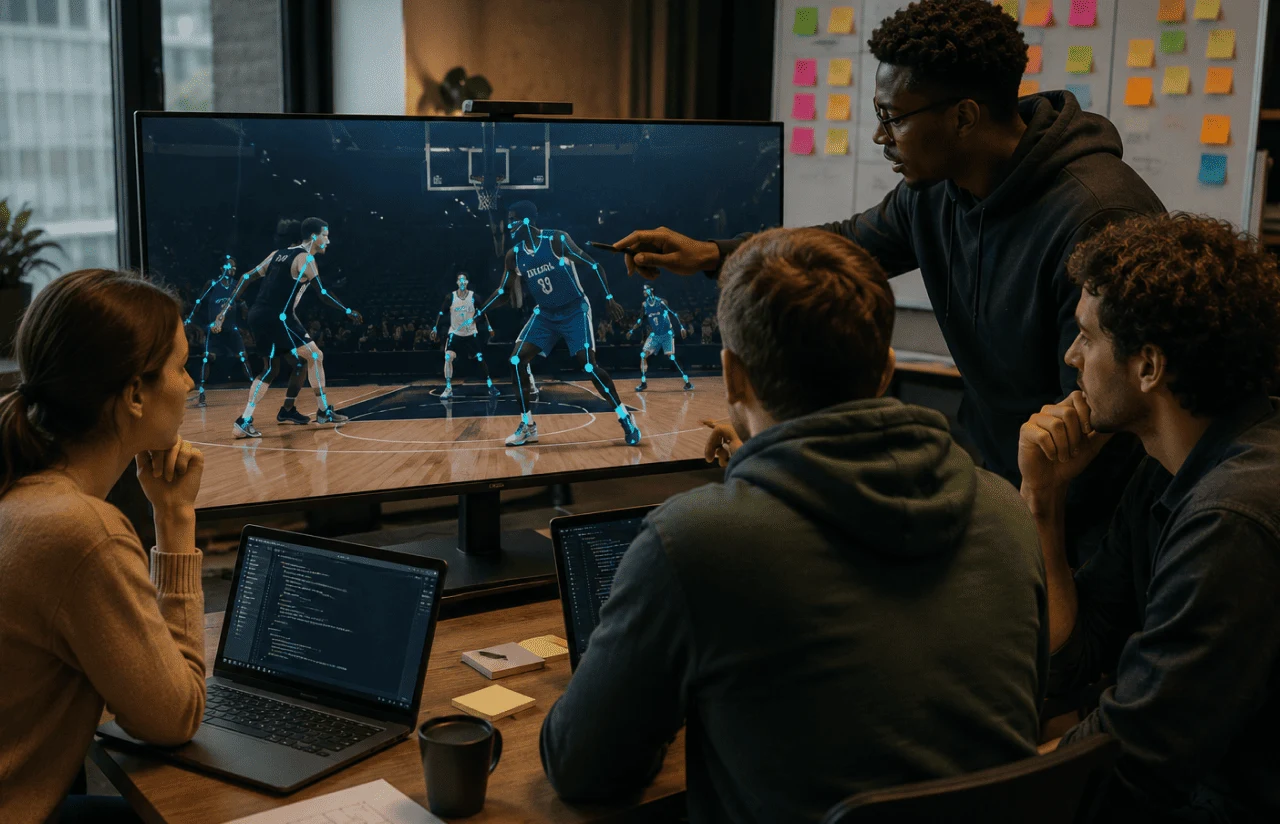
- The pose estimation engine maps 17 joint points per detected player, generating a skeletal overlay for each frame of the clip.
- A cosine-similarity layer benchmarks each player’s pose against the gold-standard gesture library, returning a match score from 0 to 100.
- The system compiles per-player and per-game analytics – shot form accuracy, defensive stance consistency, movement efficiency – into a visual dashboard.
- Coaches tag key moments, assemble them into lesson playlists, attach notes, and share directly with players for self-study.
Scrum Process Flow
AI development for sports technology doesn’t benefit from big-bang releases. Scrum’s sprint cadence meant the coaching staff saw working functionality every two weeks and could redirect priorities before decisions became expensive to reverse.
-Timeline
Five Phases of Delivering the AI Basketball Coaching Platform
Discovery & Product Workshop
- Mapping coaching film workflows with two D1 assistant coaches
- Auditing the gold-standard gesture library schema and coverage
- Defining GPU infrastructure requirements for sub-second inference
UX Prototyping
- Wireframing the dark-themed coaching dashboard
- Testing bounding-box color schemes for offensive vs. defensive readability
- Validating the Lessons-first navigation hierarchy with end users
Agile Development (Sprints)
- Building the basketball coaching platform with pose estimation
- Integrating the cosine-similarity gesture comparison engine
- Integrating the cosine-similarity gesture comparison engine
QA & Testing
- Stress-testing inference speed across 250+ game clips of varying resolution
- Validating pose accuracy against manually annotated ground-truth frames
- Cross-browser testing of the React-based coaching interface
Launch & Support
- Deploying to GCP Compute Engine with auto-scaling GPU instances to optimize cloud operating costs during off-peak hours
- Onboarding the first three coaching staff with live training sessions
UI/UX Design
The interface was designed around one principle: a coach should go from opening a game clip to reviewing a key possession in under three clicks. Dark-themed panels reduce eye strain during long film sessions – a detail the D1 coaches flagged in the very first feedback round.
The left sidebar organizes content into five clear sections: Overview, Lessons, Bookmarks, Settings, and Profile. Lessons take visual priority with an orange highlight, as coaches spend 80% of their session time on them. Every other navigation element stays muted until needed.
The main viewing area displays game footage with real-time bounding boxes and trajectory overlays. Players are outlined in color-coded rectangles – orange for offensive, cyan for defensive – so coaches can instantly parse team positioning without reading labels. The ball trajectory appears as a dotted arc, giving spatial context to every shot attempt.
Above the video, a tab bar surfaces five analytical modes – Watch, Notes, Conclusions, Analysis, and Similar Lessons – each accessible in a single tap. The Analysis tab triggers a loading state with a custom illustration and the message ‘Hold tight – we are generating game analytics,’ which sets expectations during GPU-intensive computation.
Results
Before
- ✕Manual game film review averaged 3–4 hours per session.
- ✕Form evaluation was subjective – two coaches, two different assessments.
- ✕Gold-standard comparison required frame-by-frame manual overlay, limiting analysis to ~10 possessions per session.
- ✕Coaching notes, video clips, and gesture data lived in three separate systems.
- ✕No unified interface for building, sharing, or revisiting lesson plans from game footage.
After
- ✔Automated tagging and pose overlay cut review time by 65% – sessions now average 70 minutes.
- ✔Gesture comparison engine delivers a 0–100 similarity score, replacing subjective assessment with a trackable metric.
- ✔The system processes full-game footage in under 4 minutes, analyzing every possession automatically.
- ✔All coaching data – video, notes, analytics, gesture benchmarks – lives in one platform.
- ✔Lesson builder lets coaches assemble, annotate, and share film playlists with players in a single workflow.
The Impact
-Verified Reviews
Our Reputation on Top Platforms
LITSLINK is consistently rated among the top AI and software development companies on Clutch, GoodFirms, and other industry review platforms. Client reviews highlight the team’s technical depth in computer vision and machine learning, communication throughout the engagement, and ability to navigate complex integration requirements.
Have the Sports Project in Mind?
Need a sports app or AI solution for your organization? Tell us what you’re building – we’ll get back to you within 48 hours.
Thank you for your message. It has been sent.