If you’re in the IT world, your ultimate goal is to create a smart app with a well-organized structure and functional features. To achieve this, integration testing plays a vital role as it ensures your application has coherent logic and flawless performance.
Integration testing (I&T) is a crucial step in the software development process. It involves assessing the behavior of the entire software system by examining its components, modules or units. The process examines components as a group to see how they function together.
The main purpose of I&T is to uncover problems that can arise when software modules are combined and interact in a larger system. By doing so, teams can address problems early in the development cycle, resulting in a more stable and reliable end product.
In this article, we’ll dive into the world of integration testing, covering its importance, different types and best practices. All of this aims to help you craft successful software that brings your brand more customers and revenue.
What is Integration Testing in Software Engineering?
This is a key phase in the development lifecycle where individual code units are brought together and tested as a cohesive whole. It’s like putting together a jigsaw puzzle, where each piece represents a separate module or component and integration testing ensures that the entire picture fits together seamlessly.
This process aims to uncover issues that may arise when different software units interact with each other. It tests the interfaces, communication channels and data flow between various modules and ensures that they function as intended.
Imagine a scenario where the payment module of a mobile banking app calculates the transaction amounts without errors and the account management module debits the amounts correctly. However, when these modules are integrated, an unforeseen bug arises, causing a discrepancy in the transaction records. Software integration testing is a safety net that detects these issues early and allows developers to refine the code and ensure a smooth user experience.
This detects bugs and ensures that changes to one module don’t inadvertently break functionality in another. Thus, this prevents the domino effect of problems that can occur during software development if they aren’t fixed.
Software integration testing methods vary, ranging from top-down and bottom-up approaches to sandwich testing and big-bang integration. Each method has its unique benefits and challenges, and engineers need to choose the most appropriate approach depending on the requirements and constraints of the project.
Differentiating Integration Testing from Other Methodologies
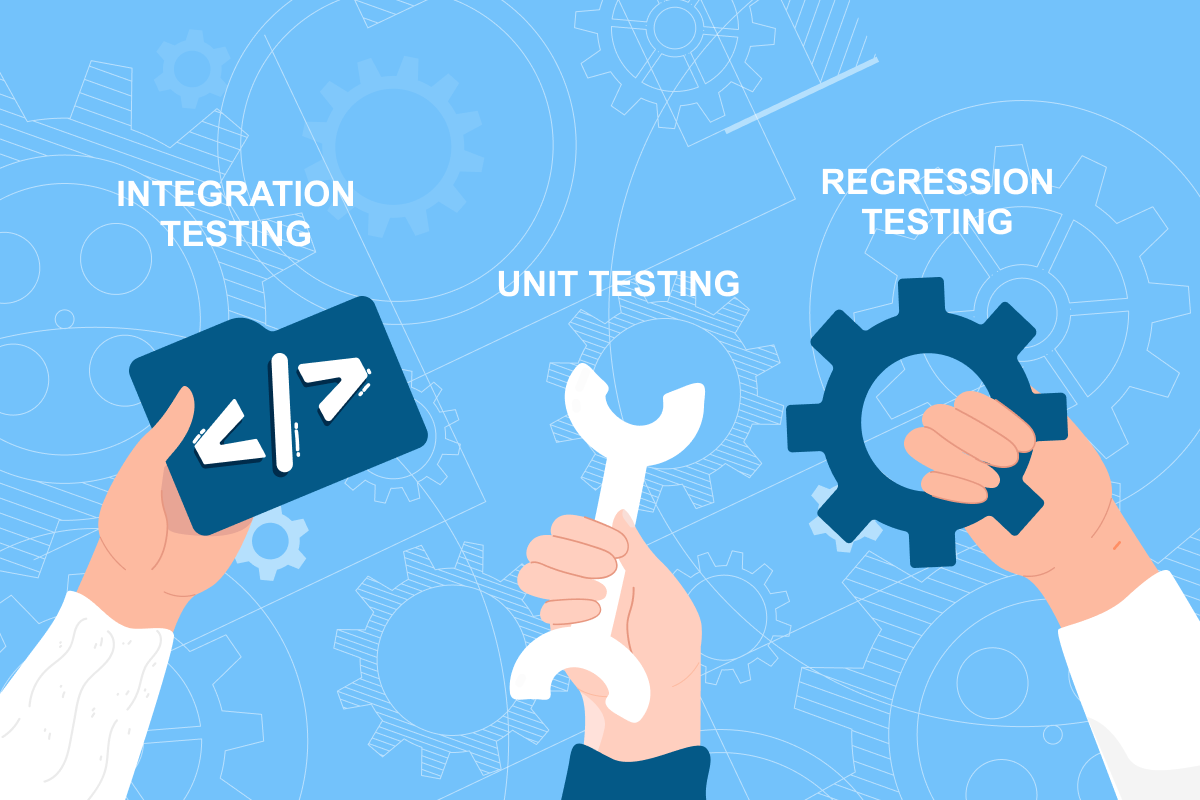
Unit Testing vs Integration Testing
Unit testing is an essential practice in software development that focuses on carefully examining individual code units or components. It’s like closely examining each brick of a building to ensure its structural integrity. The smallest functional units, such as capabilities or methods, are closely scrutinized to ensure that they operate correctly and deliver the expected results.
Unlike integration testing, which examines the interactions between multiple components, unit testing takes a different approach. This is like providing each unit with its own stage to demonstrate its capabilities. This method helps developers identify bugs or glitches in specific functions or modules so that they can be fixed in time during the early stages of the development process.
Regression Testing vs Integration Testing
Regression testing ensures that any updates or fixes made to a system, such as adding new features or resolving bugs, don’t affect the system’s existing functionality. Essentially, it checks if everything still works as it should after changes have been made to the code base.
The benefits of regression testing are numerous and valuable. First of all, it helps catch bugs early in the development phase and prevent them from causing major problems later, when the software is in use. This saves both time and money and reduces the risk of system failure or downtime by identifying potential problems early.
While system integration testing is used to verify that different components or modules are correctly integrated and work well together, regression testing ensures that previously functioning parts of the software remain unaffected by changes and verifies that the software still performs as intended.
Why Should You Apply Integration Testing?
Integration testing ensures that different components work together seamlessly by focusing on the functional aspects. Let’s explore the benefits of this method in your software development process:
Early detection of defects and issues
Software integration testing finds those pesky bugs hiding in the code. By simulating the interactions between different components of a system, it uncovers problems that might go unnoticed in individual unit tests. In fact, bugs found during integration testing are 30 times cheaper to fix than those discovered in later stages of development.
Improved reliability and stability
Integration testing verifies that each component can communicate and exchange data effectively to avoid crashes, malfunctions and 404 errors. Like a trusty bodyguard, this phase keeps the system secure, stable and capable of overcoming any challenge that comes its way. By using software integration testing, we can uncover a significantly higher number of errors—up to 180% more—than if we rely only on unit tests for the same set of features.
Validation of system functionality
By simulating real-world scenarios and interactions between different components, integration testing verifies that the system works as intended and that the different modules work together harmoniously. It helps detect and resolve integration issues such as data inconsistencies, communication errors, or compatibility problems before the system is deployed.
Integration testing can cover 10-20% of the test pyramid and uncover up to 70% of defects. These errors, if left undetected, can significantly impact system performance and UX. By conducting integration testing, we can detect and fix these issues before they reach end users.
Enhanced collaboration among development teams
System integration testing brings together various teams such as developers, testers and system architects to work closely on integrating and validating different components. This collaboration promotes effective communication and coordination among members.
Research shows that effective collaboration between development teams can increase productivity by up to 25%. Working together during integration testing allows them to share knowledge and expertise, quickly identify and resolve problems, and focus their efforts toward a common goal. This synergy leads to greater efficiency and a smoother development process.
Best Practices for Effective Software Integration Testing
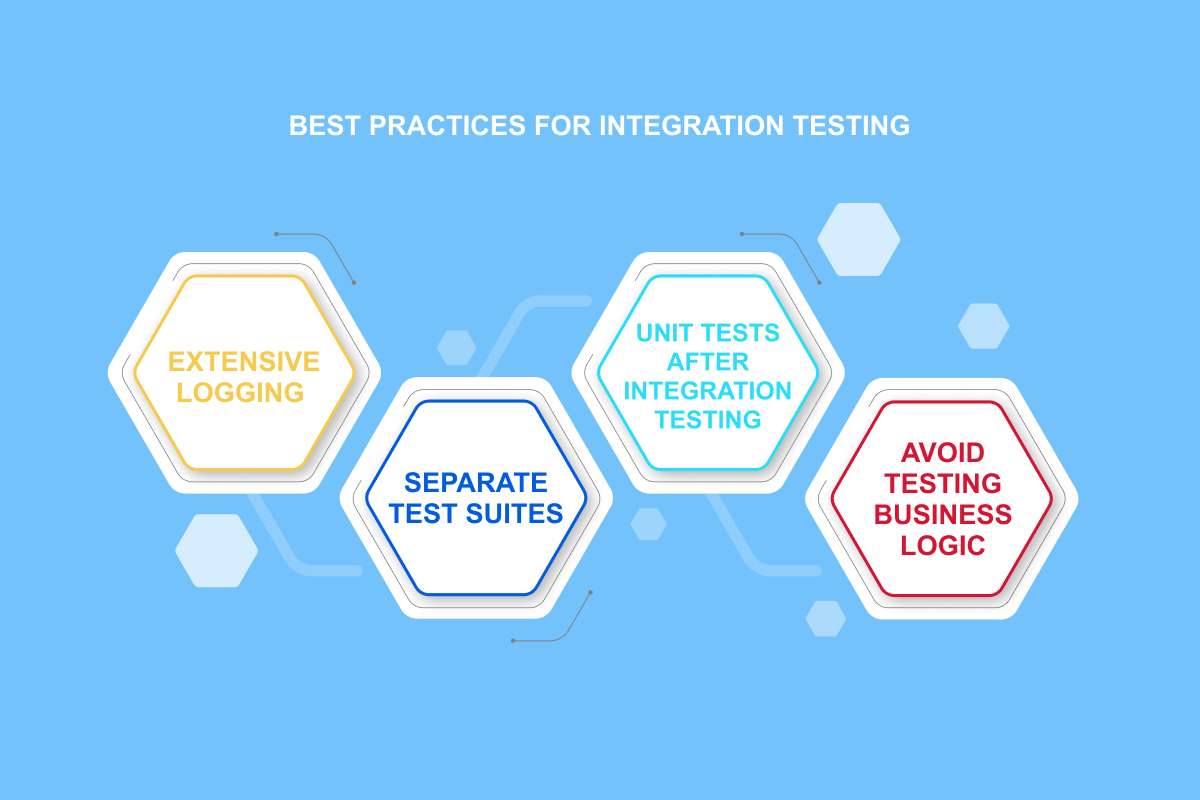
The scope of extensive logging
Unit tests are done on a small part of the application to examine its specific functionality. If they fail, it’s easy to figure out why and fix the problem. Integration testing, on the other hand, is broader in scope and involves multiple software modules, hardware components and different devices in various functional flows. When these tests fail, it can be much more difficult to find the root cause.
To analyze the error, it is effective to use extensive logging to identify the issues properly. However, this can impact performance and should only be used when a real need exists.
Maintain separate test suites
Unit and integration tests should be performed separately. When developers are working on a particular business logic in the code, they need to make sure they get immediate feedback by running unit testing. If the case takes too long, and they can’t wait to be completed before committing the code, they may skip the tests altogether.
By maintaining separate suites, developers can easily run unit testing during development and before committing code. The build server manages integration tests in a separate case that can be run less frequently.
Perform unit tests after integration testing
The waterfall development model emphasizes that fixing bugs found in the later stages of the software development lifecycle is costly. Each phase must be completed in this model before moving on to the next. Agile development, however, takes a completely different approach. It’s flexible and allows changes to be made to the business logic anytime during software development.
Don’t test business logic with integration testing
Running validation suites can get complicated if there is confusion between unit and integration tests. It’s important to prioritize running unit testing for each build in the CI environment, as they are faster.
They specifically target code correctness and should be run frequently to catch errors in business logic at an early stage. Developers can immediately fix any bugs they introduce. However, integration testing takes longer and should not be run in every build cycle.
Wrapping Up
Integration testing is essential for successful software development. This process ensures the seamless interaction of components and saves time and money by catching bugs early on. By creating clear testing plans, establishing a realistic validation environment and prioritizing critical areas, you can use integration tests effectively. Remember to update them regularly throughout the development process to maintain software quality.
To deliver reliable and user-friendly software, get our best-in-class quality assurance services. Hit us up!
“Cultivating innovation and driving digital transformation is not just a goal, but a passion. What matters most is taking risks, making the most of new technology, and opening the path to an…
Key Takeaways:We ranked firms on verified client reviews, named production deployments, and audit history. Whitepaper-stage portfolios didn’t make the cut.Peer-reviewed IEEE research on blockchain supply chain traceability cut record-lookup time overhead by up to 85.1% once records were parallelized.Smart contract...
Key Takeaways:We ranked these nine MLOps consulting companies on named production deployments, monitoring, and governance depth.Precedence Research puts the global MLOps market at $3.33 billion in 2026, heading to $56.6 billion by 2035.RAND found that more than 80% of AI projects fail, twice the rate of ordinary IT...
Key TakeawaysThe AI agent cost breakdown splits by type. Rule-based agents run $5,000 to $20,000. Model-based NLP agents run $20,000 to $80,000.Timelines run from 4-6 weeks for a basic prototype to 6-12 months for an enterprise system with heavy compliance requirements.Integration depth drives more of the cost variance than...
Reach out to us for high-quality software development services, and our software experts will help you outpace you develop a relevant solution to outpace your competitors.