


Building Custom AI Image Generation Software with Stable Diffusion XL
- ~8 sec per generated image at 1024px
- 1,000+ concurrent generation requests supported
- 87% first-pass brand approval rate
- ~18 min to train a new brand concept
An enterprise creative team came to us with 40+ brand concepts and no practical way to render them at volume. We built custom AI image generation software that trains a diffusion model on each concept, then produces on-brand visuals in about eight seconds per image.
Project Details
An enterprise client needed to generate images at scale while keeping every output aligned with specific brand concepts. Off-the-shelf AI image generators work well for general use, but none could enforce the strict visual style, color accuracy, and compositional rules this client required. They wanted a private web app, an API their own products could call, and full control over the training data.


Business Challenge: Brand-Consistent Image Generation at Scale
Before the project started, the client had tested three off-the-shelf AI image tools, including what most buyers would call the best AI image generator options on the market. Each one produced attractive pictures. None kept the same character consistent across a set, and consistency was the entire point.
Their creative team was making brand visuals the traditional way: a shoot, a retoucher, two to three weeks per concept. Volume broke that model. Marketing needed hundreds of AI images per campaign, in several formats, with the same mascot, the same palette, and the same lighting in every frame. A general-purpose text-to-image AI program gets you close on the first attempt, then drifts by the fifth.

Concept Accuracy in AI-Generated Images
Early fine-tunes held the color palette but lost the details that mattered: ear shape, collar, proportions. Roughly one in six AI-generated images came back with a warped face or a drifted brand color, so every batch needed a human pass.

Speed of Image Generation
The first working pipeline ran 50 inference steps and took close to 20 seconds per image. Above 200 concurrent users, the queue backed up within minutes, and generation requests started timing out at the API layer.

Custom Model Training and Management
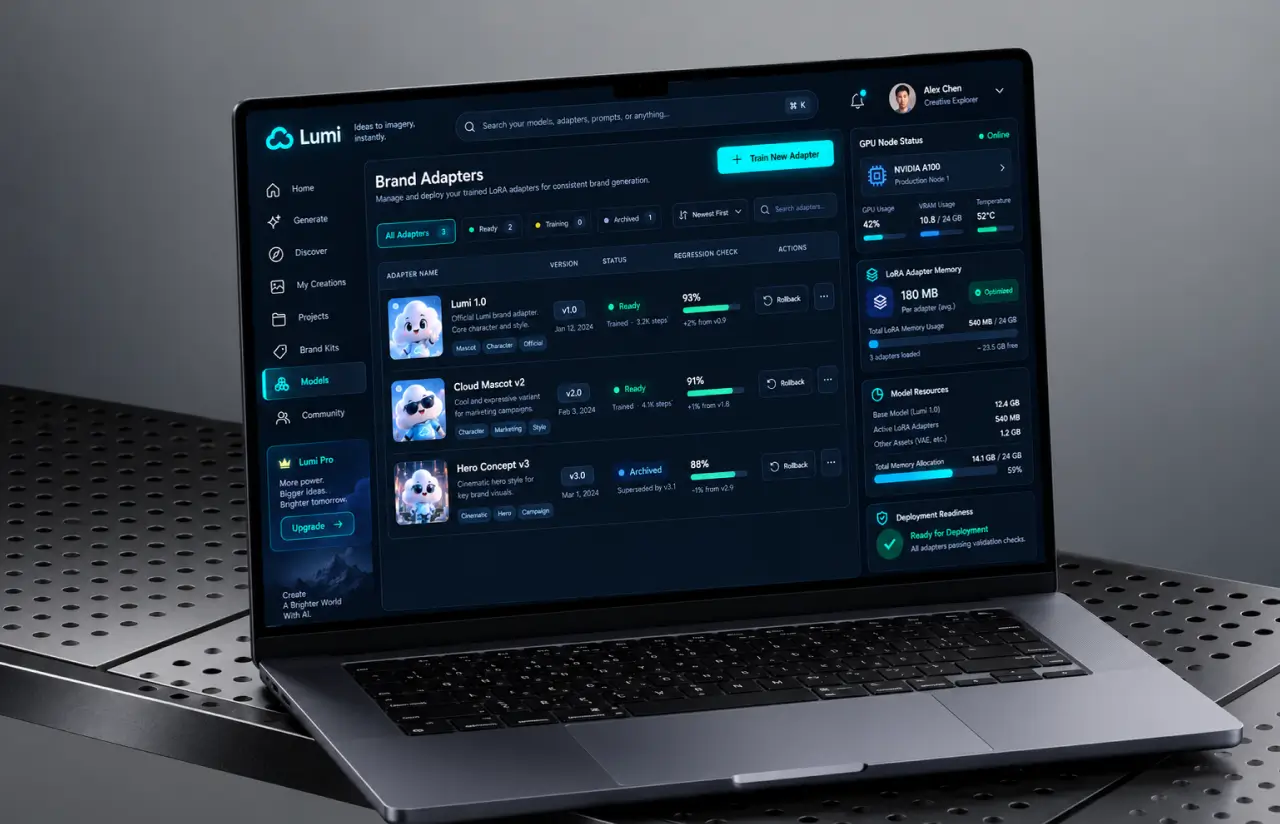
Each concept needed its own image model. Full SDXL checkpoints weigh about 6.9 GB, and the client expected dozens of concepts, each with versions to compare, roll back, or retire without breaking a live campaign.
Technologies Behind the AI Image Generation Software




Our AI Image Generation Software Solution
One question shaped the architecture: how do you keep a separate model per brand concept without paying for a separate GPU for each? Full checkpoints were off the table at 6.9 GB each. We trained LoRA adapters instead, about 180 MB apiece, and load them into a shared Stable Diffusion XL base at request time.
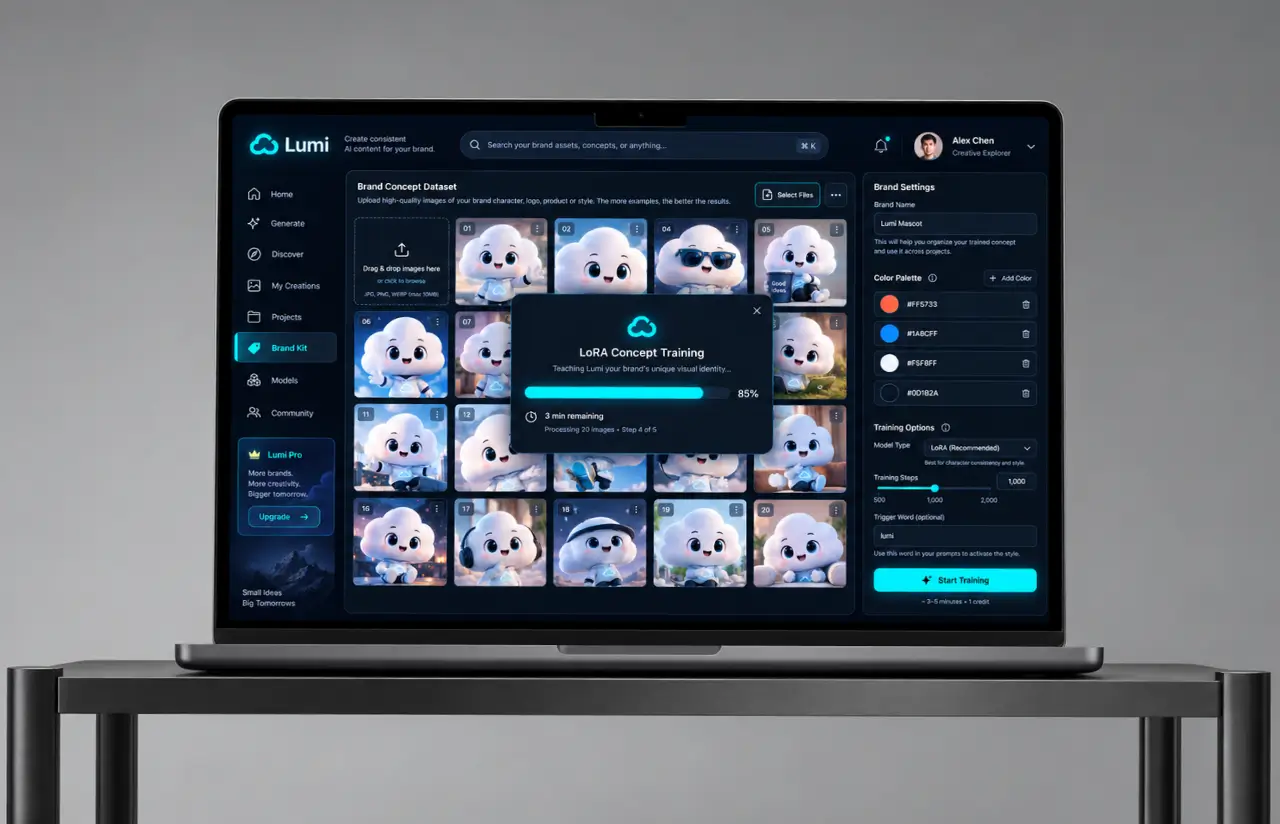
Base SDXL knows a great deal about images in general and nothing at all about this client’s mascots. The training pipeline closes that gap. Fifteen to twenty-five reference images per concept, tagged with palette notes and composition rules, produce a working adapter in roughly 18 minutes on a single GPU node.
Generation runs on a warm pool of GPU workers behind a FastAPI queue, deployed on the cloud infrastructure our DevOps team set up in the client’s own AWS account. Adapter swaps take under a second, so a single worker serves many concepts. We also cut inference from 50 steps to 28 after a blind test with the client’s art director, who picked the 28-step outputs about as often as the 50-step ones. That one change took roughly 40% off render time, and 45% off GPU spend per image.
Quality control sits between the model and the user. Every job runs a scoring pass that checks face geometry, palette distance from the brand hex values, and safety flags before anything reaches the album. Anything below threshold regenerates once, automatically, with a tightened negative prompt. It works well, though only when the reference set is clean, which is why upload validation got its own sprint.
Custom Concept Training
Upload 15 to 25 reference images, and the platform trains a dedicated adapter for that concept. Training finishes in about 18 minutes, and the result holds the character, palette, and proportions across any later prompt.
Fast Image Generation Pipeline
A warm GPU pool keeps render time near 8 seconds for a single image and about 19 seconds for a batch of four. Jobs queue by priority, so a live campaign never waits behind somebody's bulk export.
Multiple Style Variations
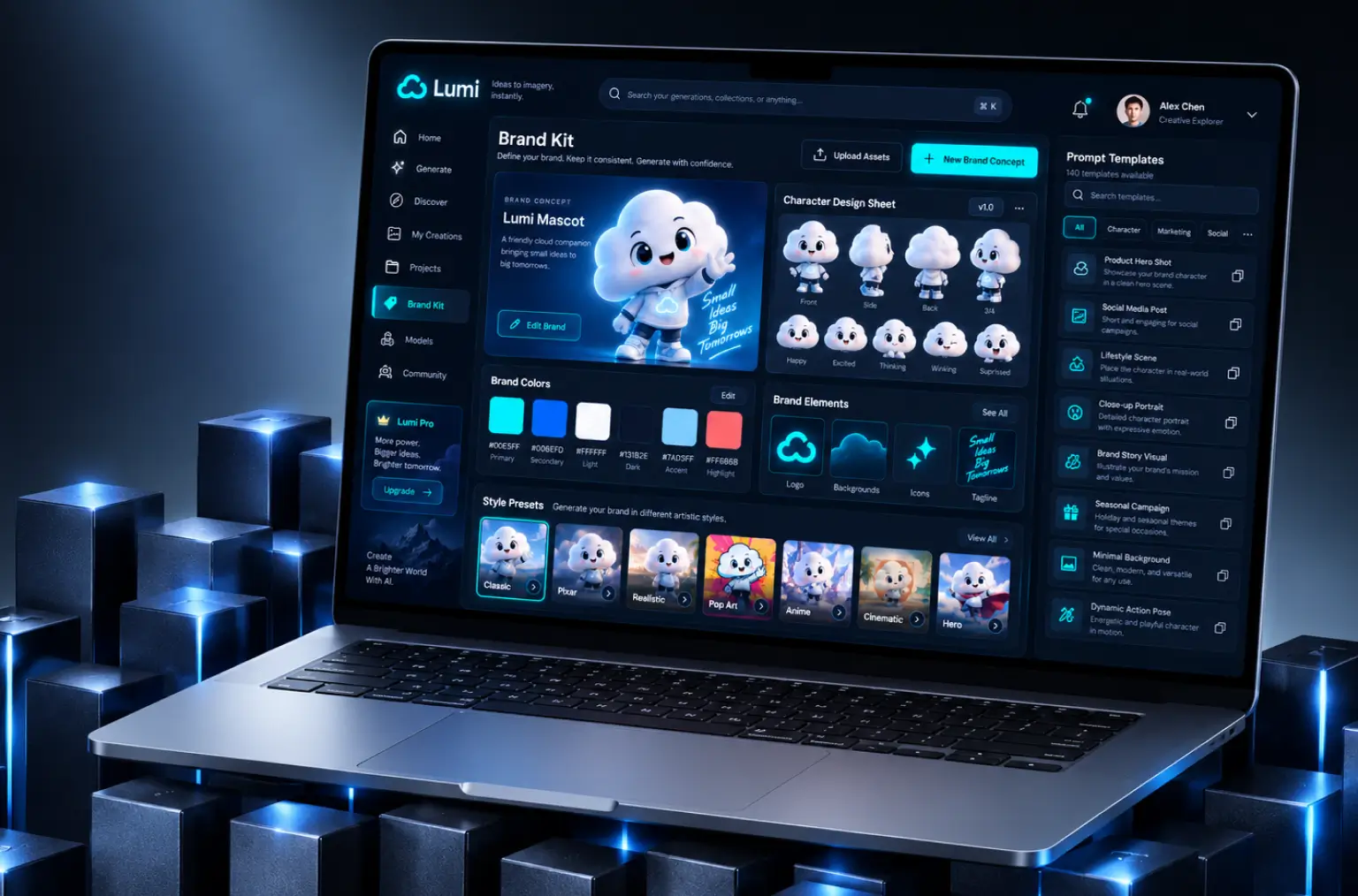
Eight artistic styles ship with the app, from photorealistic images to Pixar-like and pop art. The same prompt can create images in every style at once, which hands the creative team multiple images to compare instead of one lonely frame.
Batch Processing Capabilities
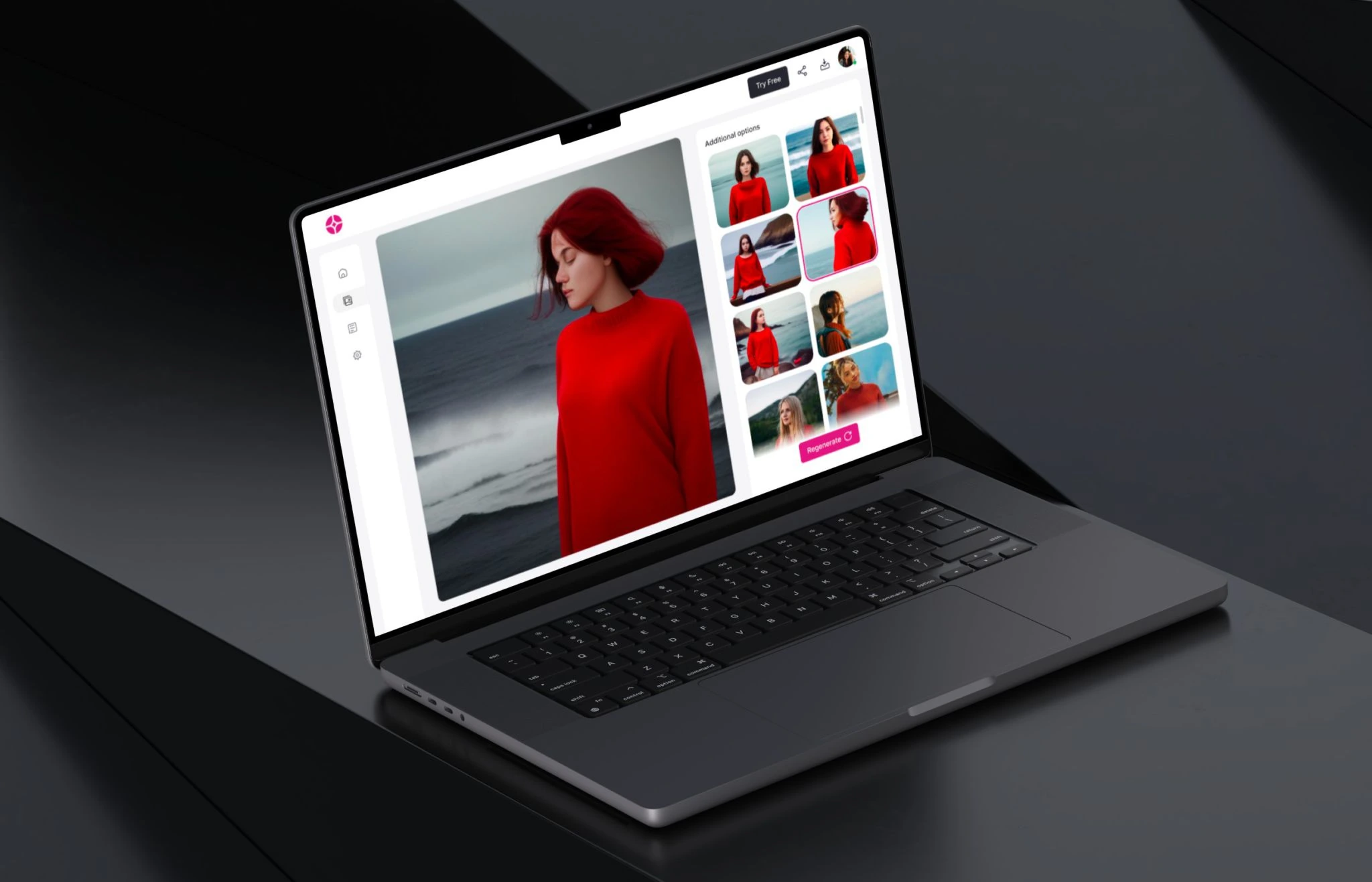
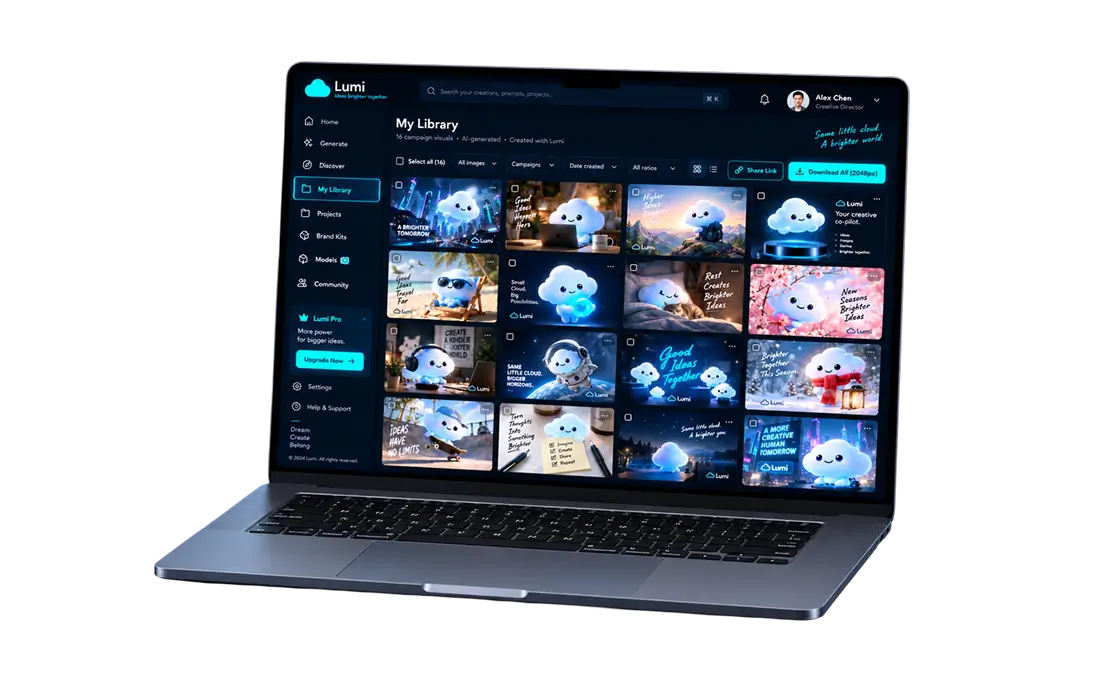
Albums hold up to 20 images per run. Marketing queues several concepts overnight and reviews everything the next morning in a single grid, with per-image select, download, and share controls.
Quality Enhancement Tools
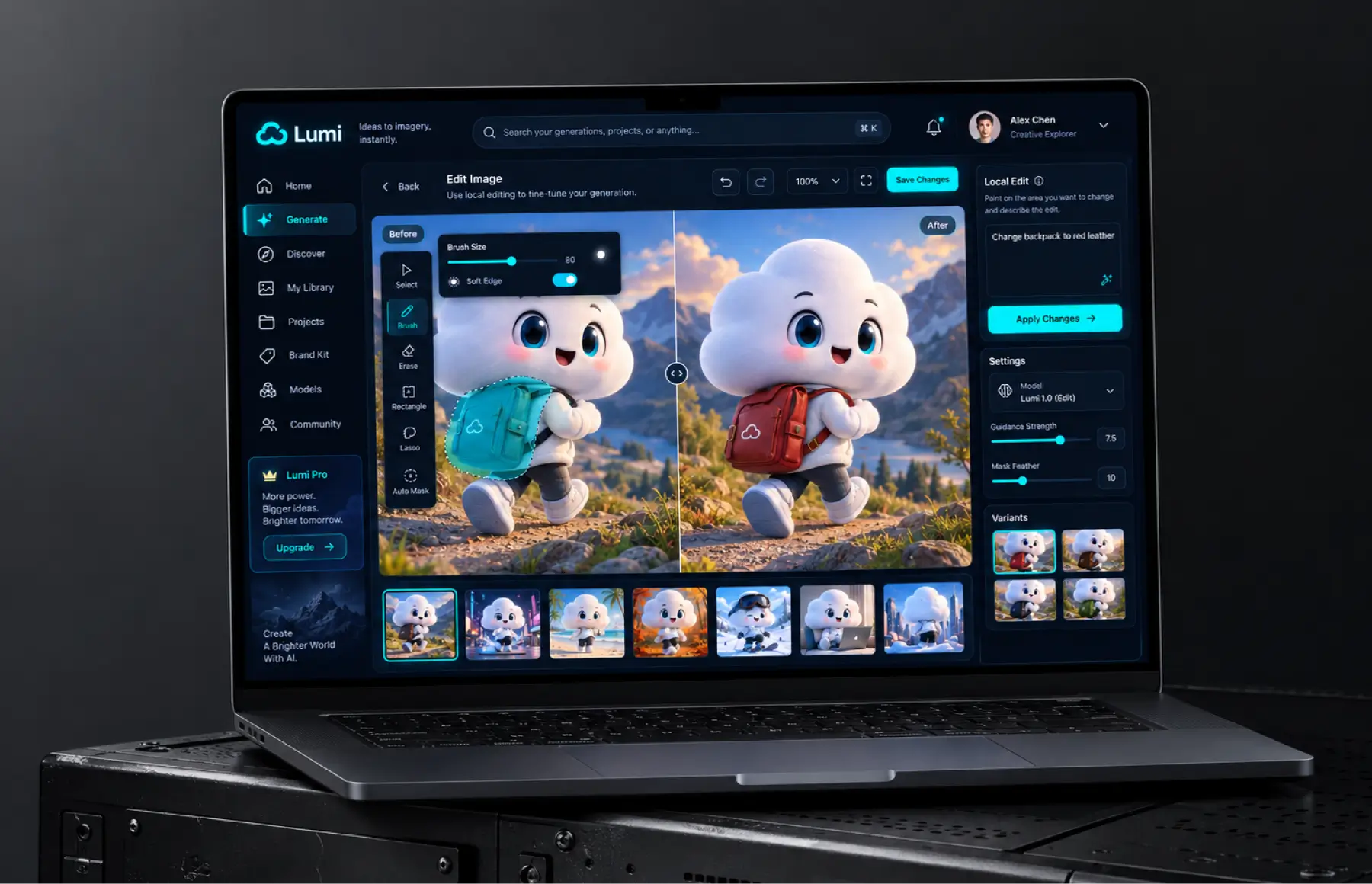
A refiner pass sharpens faces and edges, upscales to 2048 px, and rechecks palette accuracy. Inpainting lets users make light edits in the same screen, so they can fix one detail when one detail is off instead of regenerating the whole frame.
API Integration Ready
A REST API exposes training, generation, and export, so the client's own products generate AI images without opening the web app. Keys are scoped per team, with rate limits and usage reporting per project.
Scrum Methodology
Project Journey
Work ran in two-week sprints with a working demo at the end of each one. Discovery covered three things: how many concepts the client would train in year one, which formats marketing actually publishes, and who owns the models. That last question changed the architecture, because the answer was the client, not us. Teams without an in-house ML group run the same setup through our AI-as-a-service model instead.
How the AI Image Generation Solution Works
- Provide concept images and brand references for model training. The system accepts multiple reference images with metadata: color palettes, style notes, composition guidelines.
- Training starts automatically and finishes in about 18 minutes. The adapter learns character, palette, and proportions, then clears a 60-prompt regression check before going live.
- Pick one of eight artistic styles, set color and light options, then choose an aspect ratio: landscape, portrait, square, or custom. Defaults are pre-selected, so a first render takes two clicks.
- Write a text prompt or start from one of 140 saved templates. The pipeline returns a single image in about 8 seconds, or a batch of four in roughly 19.
- Results land in the photo album with select, compare, and regenerate controls. Users can edit images with inpainting, fix one detail, or rerun the same prompt in a different style.
- Download at 2048 px, share a review link, or pull finished assets through the REST API into the client's own tools. Usage is logged per project for reporting.
Scrum Process Flow
AI development of this kind resists up-front estimation, because model quality only becomes visible once you see real outputs. Two-week sprints handed the art director a fresh set of renders every fortnight, and her notes fed straight into the next ai training run. By sprint six her feedback had moved from “the orange is wrong” to prompt-level detail, which is when we knew the pipeline held.
Project Delivery Process
- We define the project goal together, agree on priority features, and set a realistic delivery date and budget.
- We build a ranked list of everything the product needs, starting with what matters most to the business.
- Work is broken into 2-week cycles. At the start of each, we select the next set of features to deliver.
- The team builds, tests, and integrates features throughout the sprint.
- At the end of every sprint, you see working software and give feedback that shapes the next cycle.
- Each sprint produces a shippable piece of the product. We review what worked, adjust, and move forward.
UI/UX Design: Intuitive Interface for AI Image Generation
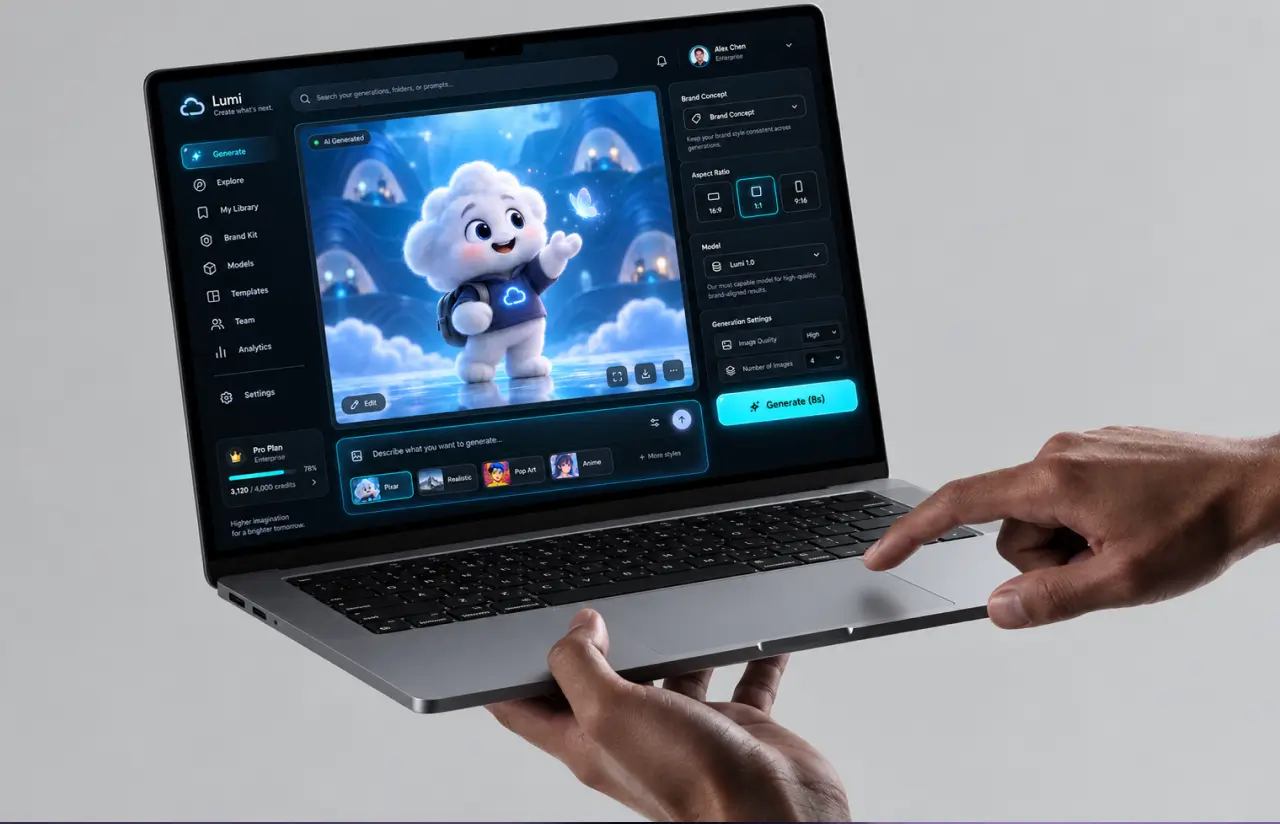
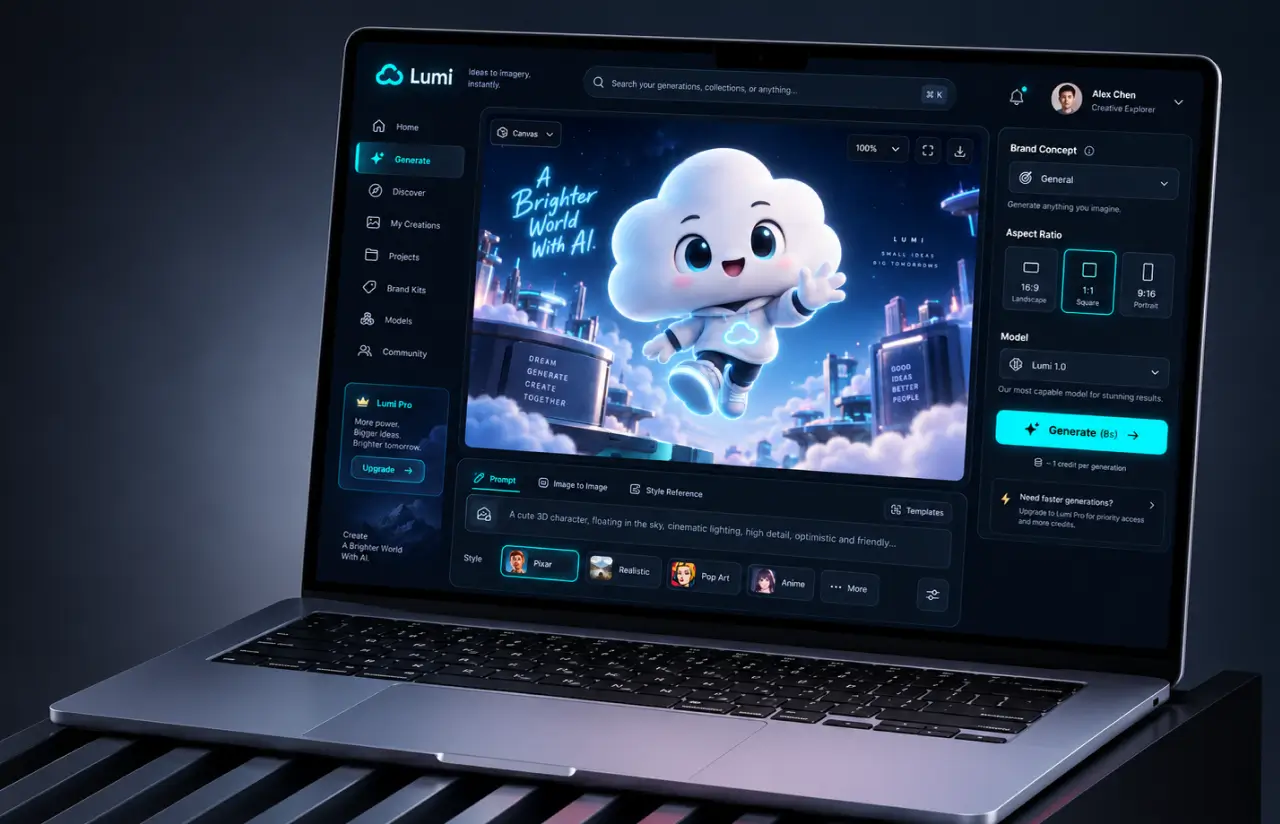
The interface had to work for a marketing manager who had never touched generative AI for visual content. A narrow left rail holds Home, Gallery, and Settings. The canvas sits in the middle at full width. Every control lives in the right-hand panel, which opens with the trained concept at the top, so users always see which character they are generating.
Advanced settings collapse by default. Color and Light sit behind accordions that stay shut until someone needs them, while Style and format stay open. In moderated testing with 12 users, 9 never opened the Color panel in their first session. That told us the defaults carry most of the work, so we spent a sprint tuning default values per style rather than adding more sliders.
The prompt field autosizes as you type and accepts either a free-form image prompt or a saved template. Underneath it sit eight style chips: Classic, Halloween, Realistic, Pixar, Hero, Anime, Vintage, and Pop art. Style Variety came from the client’s own campaign calendar.
Format controls follow the same logic. Four aspect ratio options cover landscape, portrait, square, and custom, matching the placements marketing actually buys. High image quality is the default, so every export runs the refiner and lands at 2048 px unless the user turns it off for a quick draft.
Results
Before
- ✕2 to 3 weeks per brand concept, with a shoot and a retoucher.
- ✕Roughly 1 in 6 outputs unusable because of artifacts or color drift.
- ✕~20 seconds per image on the first pipeline, 50 inference steps.
- ✕Queues collapsed above 200 concurrent users.
- ✕Concept models lived in notebooks. No versioning, no self-serve access.
After
- ✔~8 seconds per image, and about 19 seconds for a batch of four.
- ✔87% first-pass approval at brand review, up from 54% in the first build.
- ✔1,000+ concurrent generation requests handled without queue failures.
- ✔~18 minutes to train a new concept from 15 to 25 reference images.
- ✔One web app plus a REST API, with five versions kept per concept and one-click rollback.
Impact of Custom AI Image Generation Software
Verified Reviews
Our Recognition on Top Platforms
LITSLINK holds a 4.8 rating on top platforms. Reviewers tend to mention two things: ML depth, and the fact that the same engineers stay on a project from discovery through launch. Our AI and software development teams work from Palo Alto, Orlando, and Europe, which keeps daily overlap with US hours.
Ready to Build Custom AI Image Generation Software?
Planning AI image generation software of your own, or an AI content generator for brands that has to stay on-model every single time? Tell us what you need to produce, in what formats, and at what volume. We reply within two business days.
Thank you for your message. It has been sent.