







AI Photo & Video Editing App
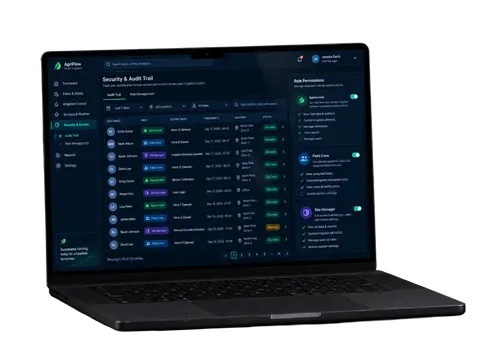
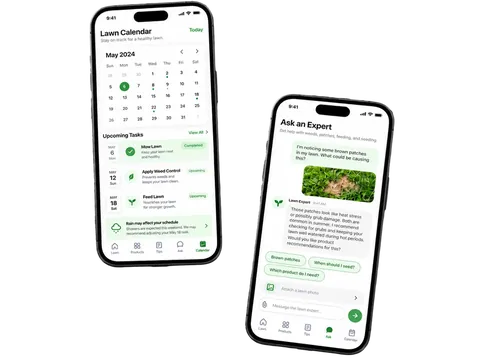
As a photo editing app development company, LITSLINK built an AI photo and video editor that serves both, pairing real-time filters with a marketplace where a human editor finishes the hardest jobs by hand.
View detailsServices.
End-to-end product development — from AI prototypes to scalable web and mobile platforms.
View all services →Not sure where to start?
Book a free discovery call →Software Development
Industries.
Domain expertise that shortens discovery and gets compliance right from day one.
Not sure where to start?
Book a free discovery call →AI Agents.
Custom AI agents that take routine work off your team — built and deployed in weeks.
View all AI agents →Not sure where to start?
Book a free discovery call →AI Agents For
Technologies.
A modern stack for every layer of your product — pick one or let us recommend.
View all technologies →Not sure where to start?
Book a free discovery call →Hire.
Vetted senior engineers who join your team in as little as 48 hours.
View all roles →Not sure where to start?
Book a free discovery call →Case Studies.
1540+ projects delivered for startups and enterprises in 82+ countries.
View all case studies →Not sure where to start?
Book a free discovery call →Resources.
Guides, live sessions and tools to plan your product and budget.
Visit the blog →Not sure where to start?
Book a free discovery call →Company.
The team behind 1540+ projects for 1000+ clients worldwide.
Get in touch →Not sure where to start?
Book a free discovery call →In Numbers
Enter to search·Esc to close
PHOTOGRAPHY & VIDEO
A wedding photographer comes home with thousands of frames and a couple waiting for the gallery. That backlog is where most of our photo and video app development case studies begin.
Start your projectShowing 6 of 6 case studies
As a photo editing app development company, LITSLINK built an AI photo and video editor that serves both, pairing real-time filters with a marketplace where a human editor finishes the hardest jobs by hand.
View detailsOne-way video interview software replaces live phone screens and calendar juggling with an asynchronous workflow. Recruiters post interview questions, candidates record video responses on their own time, and hiring teams review everything when it suits them. We built that workflow for a UK recruitment startup.
View detailsOur client wanted an avatar maker from photo that takes seconds instead, so creators, streamers, and everyday social media users can upload one photo and get back a full set of stylized avatars.
View detailsWe built AI photo culling software that grades sharpness, exposure, and facial expressions on every image, then hands back a ranked shortlist of the best photos in roughly twenty minutes. This lets wedding and event photographers pick the best shots from 3,000+ images much faster.
View detailsAn enterprise creative team came to us with 40+ brand concepts and no practical way to render them at volume. We built custom AI image generation software that trains a diffusion model on each concept, then produces on-brand visuals in about eight seconds per image.
View detailsWe built image tagging software that reads every model photo as it lands, labels posture, gaze, eyes, smile, focus, and exposure, and turns a raw folder into a filterable shortlist.
View detailsNo case studies match your filters. Try clearing the search or picking another category.
LITSLINK builds imaging software for creative teams, marketing departments and media technology companies. The projects on this page follow a picture from the moment it is captured to the moment someone approves it. Each case study names the production problem, the product we built, and how the models were put to work.
Photographers are honest critics. They zoom all the way in before they say a word, so we wrote this page the same way. Read the stages in order, or jump to the one that slows your own team down.
FROM CAPTURE TO APPROVAL
Every image goes through the same four stages, and our work is at each of those stages.
At every stage, the model does the sorting. A human still picks the picture.
IMAGING & AI EXPERTISE
Creative teams have more images than they have hours. Almost every request we get is some variation of that.
After an event, someone manually sorts through near-identical frames, then uses a model that scores technical quality and expression to reduce the job to a shortlist review. Archives grow much faster than they can be labeled, so automatic tagging is essential to make the folder searchable. Brand teams have a need for a large number of assets in one consistent style, and a generation model trained on their own concepts can produce those on demand. Live calls are hard to schedule; recorded answers, by contrast, can be watched, compared, and scored when the team has time.
The engineering of these requests is pretty much the same. CV models do the quality scoring and tagging. Diffusion models (SDXL in this case) handle generation. Cloud APIs allow other tools to call the results. In a photo app, speed on large batches drives adoption, so heavy processing happens in the cloud while the phone interface stays responsive in the photographer's hand.
Trusted by startups and enterprises across FinTech, Healthcare, Real Estate and more
MVP Idea Readiness Checklist (PDF)
Is your product idea ready for an MVP? A short checklist to test it before you spend on development. Leave your email to download it now; we will also send you the link.
Thank you! Your PDF is ready — we have also sent the link to your email.


