






How We Built an AI Fashion App for Style Comparison and Outfit Recommendations
- 6 fashion data sources integrated
- 600K+ items in one vector space
- 30 seconds average time for AI outfit generation
- ~2.4x higher purchase conversion on recommended looks
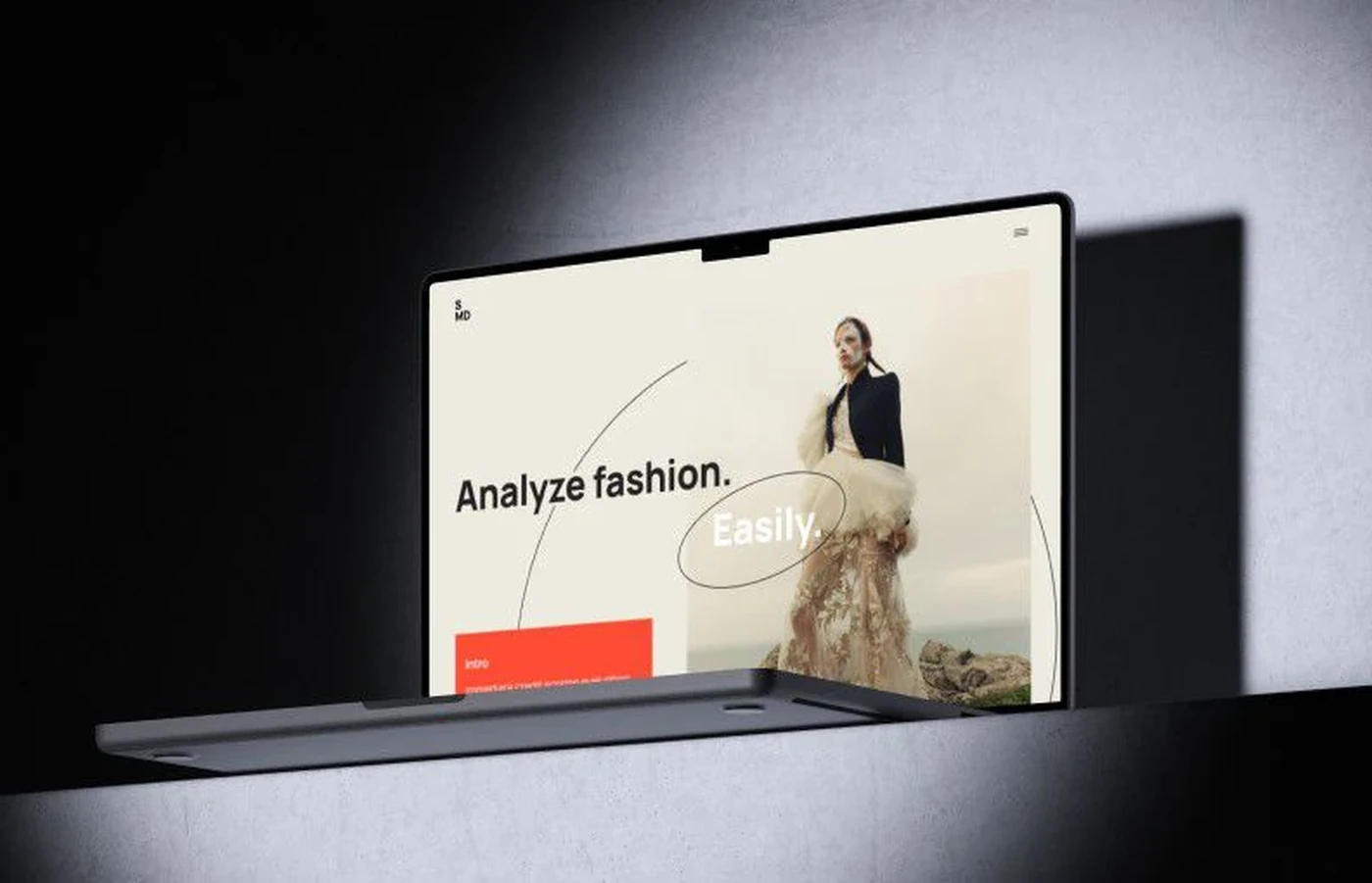
For a fashion and lifestyle company, we built an AI fashion app that reads a shopper's own wardrobe photos, compares clothing styles against what people actually wear in a destination, and returns outfit suggestions a personal stylist would sign off on.
Project Details
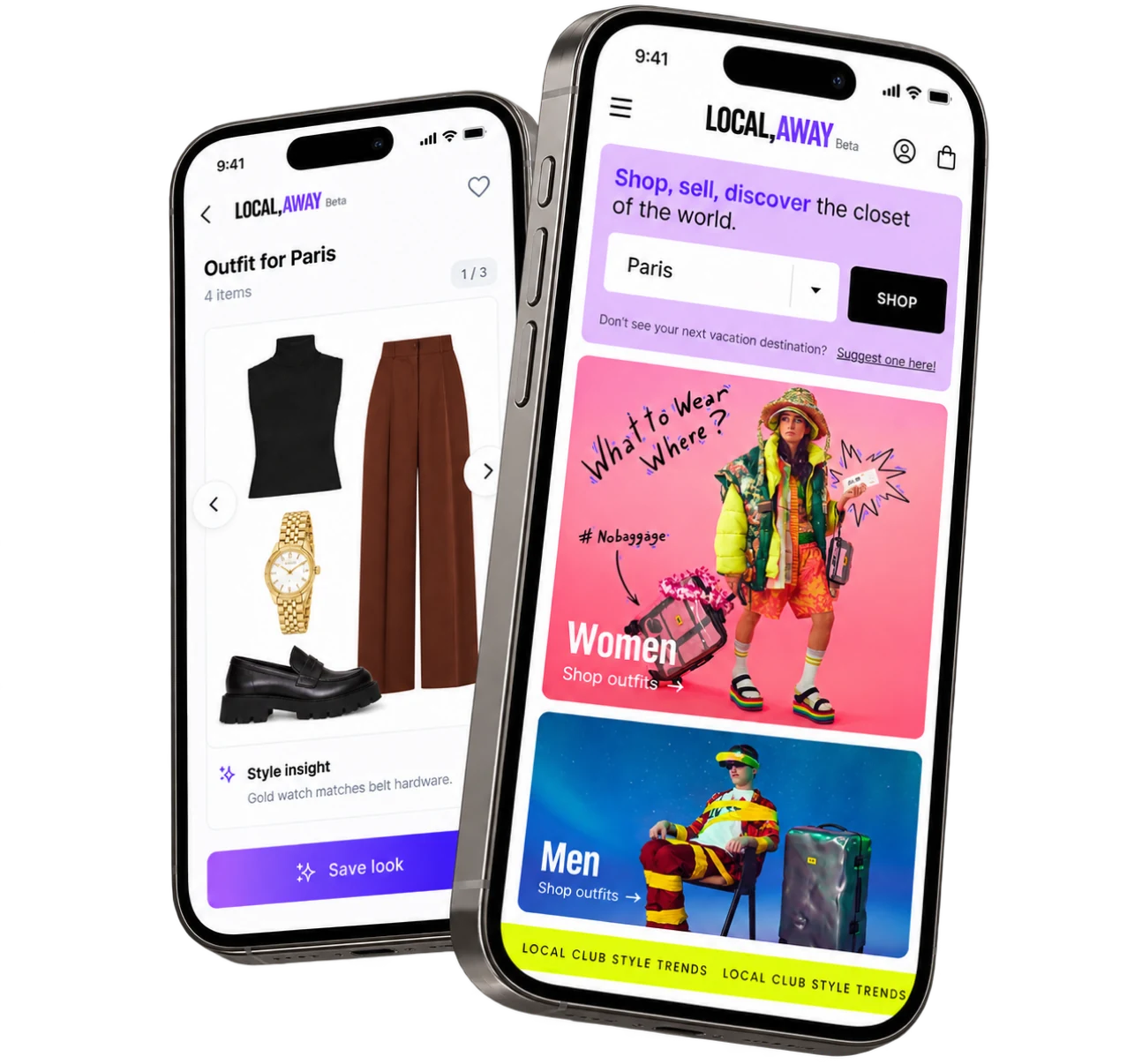
A US fashion and lifestyle company came to us with a marketplace built around travel rather than seasons: shop, sell, and discover looks tied to a destination. They had a community of style-minded travelers, a catalog fed by local online stores and members’ closets, and no way to tell a shopper which pieces matched what was already hanging at home. They wanted an AI stylist inside the product, not another filter menu. Our marketplace app development services support platforms that connect shoppers, sellers, and communities around shared interests.


Business Challenge: Creating an AI Fashion Recommendation App for Modern Style Management
The client’s early beta let users pick a city and browse curated looks for women and men. Browsing worked. Deciding did not. A shopper scrolled through 200 to 300 outfits on a destination page and left without saving one, because nothing there knew what was already in her closet at home.
Styling was manual. Three in-house stylists tagged new items by hand, roughly 40 to 60 pieces a day each, and assembled outfit collages for the top five destinations only. A user who uploaded a photo of her own clothes got a thank-you screen and nothing more. “What do I wear today?” was answered by a human, about two days later, by email.

Accurate Style Comparison and Analysis
Two black turtlenecks can belong to opposite style families. Manual tags caught fabric and color, missed cut and silhouette, and the catalog returned near-duplicates instead of real matches roughly a third of the time.

Wardrobe Integration Without the Friction
Users shot their own clothes on beds, hangers, and floors in bad light. Around 38% of early uploads were rejected or mis-tagged, so the digital closet never filled up enough to be useful.

Personalized Fashion Intelligence
Every user saw the same destination feed. No color analysis, no fit history, no weather, no occasion. The product already held six kinds of data, from closet photos to partner inventory to street shots, and the feed used exactly one of them: the destination.
Technologies Behind the AI Wardrobe Assistant





Our AI Clothes App Solution
One question drove the architecture: can the app answer “what do I wear today?” from a single photo in under a minute? Anything slower than checking the weather loses to the weather app.
Six sources feed the engine: the user’s closet photos, partner store inventory, other members’ closets, street shots from the destination, a 7-day weather feed, and every save, thumbs-down, and purchase the user makes. Before the project, they lived in separate tables and never met, so our computer vision development team team built one shared embedding space, where a jacket from a Paris boutique and a jacket from a bedroom-floor photo are compared on the same axes.
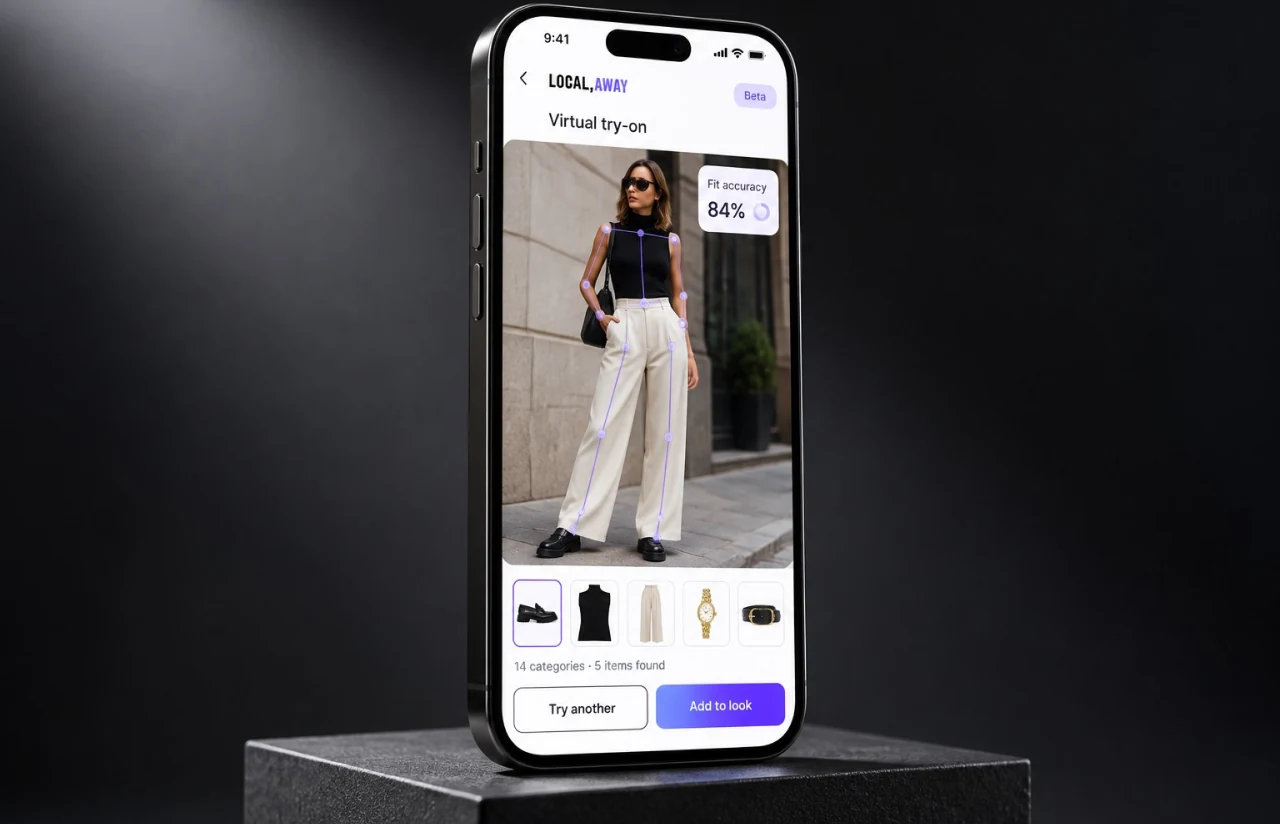
Two PyTorch models carry the load. A clothes detection model finds every garment on a person, 14 categories from headwear to shoes, and crops each one out. A style comparison model turns every crop into a 512-dimension vector, so “similar” becomes a distance instead of a tag. OpenCV cleans up first: straightening, background removal, and exposure correction on closet pictures nobody lit properly. Django REST Framework serves both models on AWS, Redis caches the vectors for a user’s closet and the destination’s active inventory, and PostgreSQL keeps outfits, votes, and purchases. Upload to full outfit recommendation is settled at about 30 seconds.
Off-the-shelf engines rank products by clicks. This one ranks by how a piece works with the rest of a wardrobe and by what locals in that city wear this week. The peer review step is the fun part, and the part no vendor offered: every created look goes to three community members before it reaches the feed, and creators earn cash when their look sells. The key features below are the ones users open daily.
Computer Vision Style Comparison
Upload a photo of your own clothes and the app compares clothing styles against a 600K+ catalog and community items in one vector space. Matches are ranked by silhouette, palette, and formality, not color alone.
Intelligent Clothes Detection
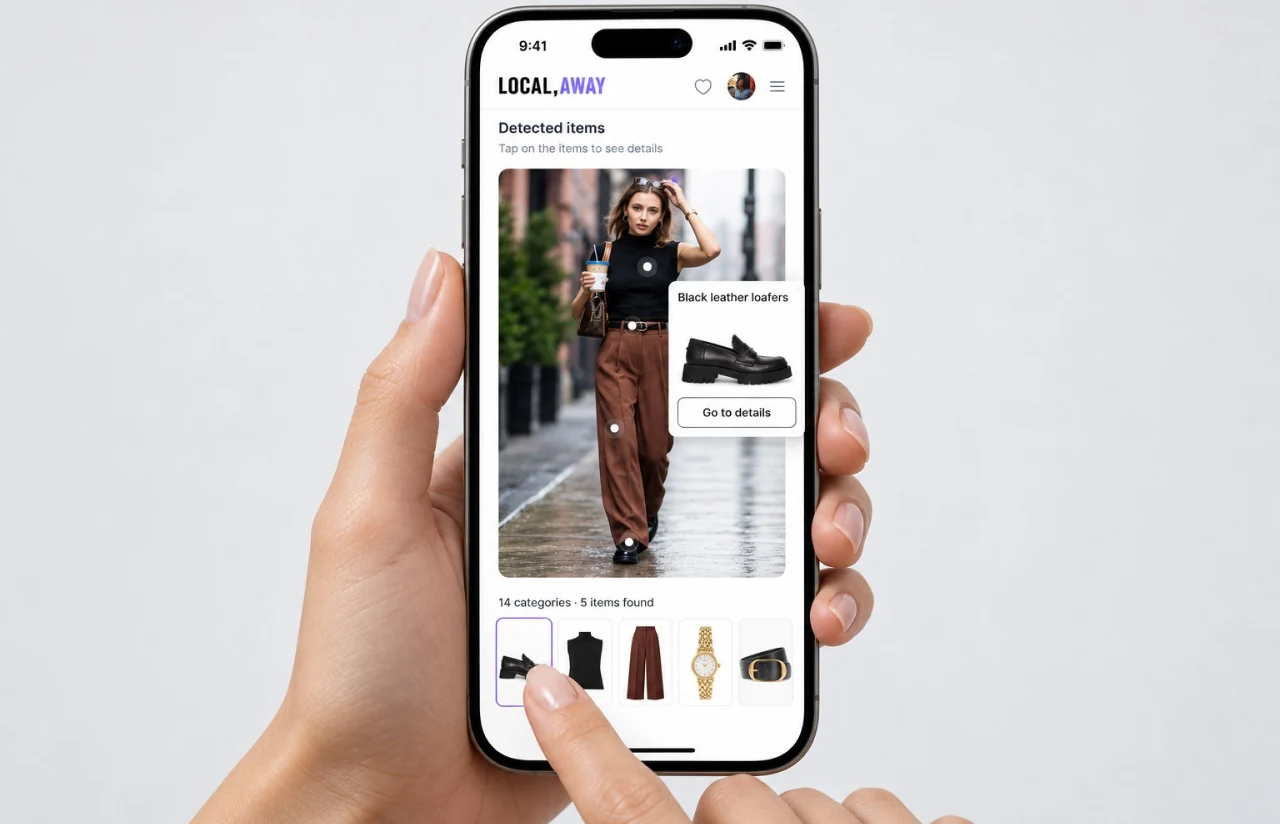
The detection model picks out each garment on a person in street shots and product images, 14 categories and rejects under 8% of real-world uploads. Tap a tagged item, and you land on its clothing details and where to buy it.
Personalized Outfit Recommendations
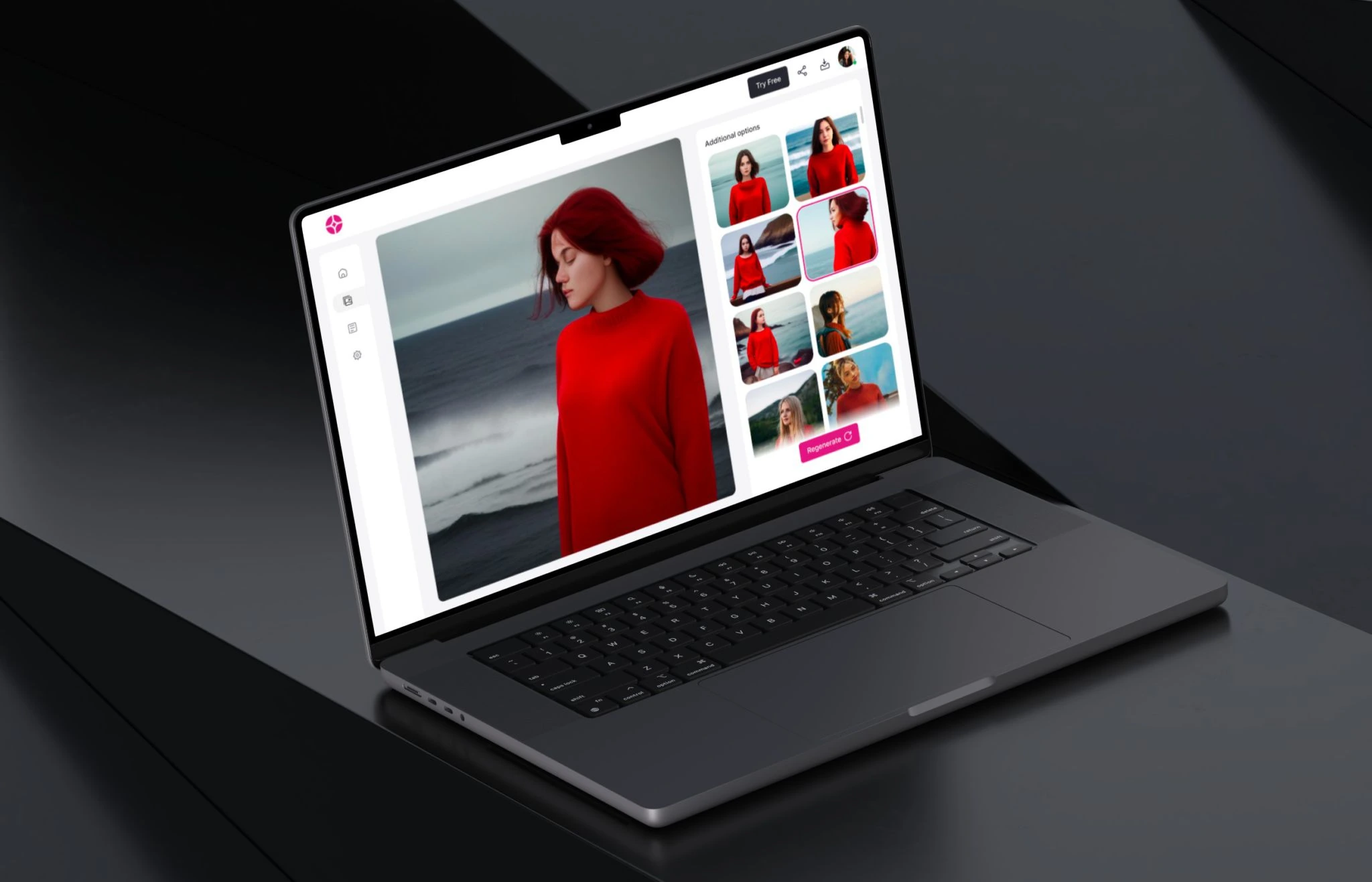
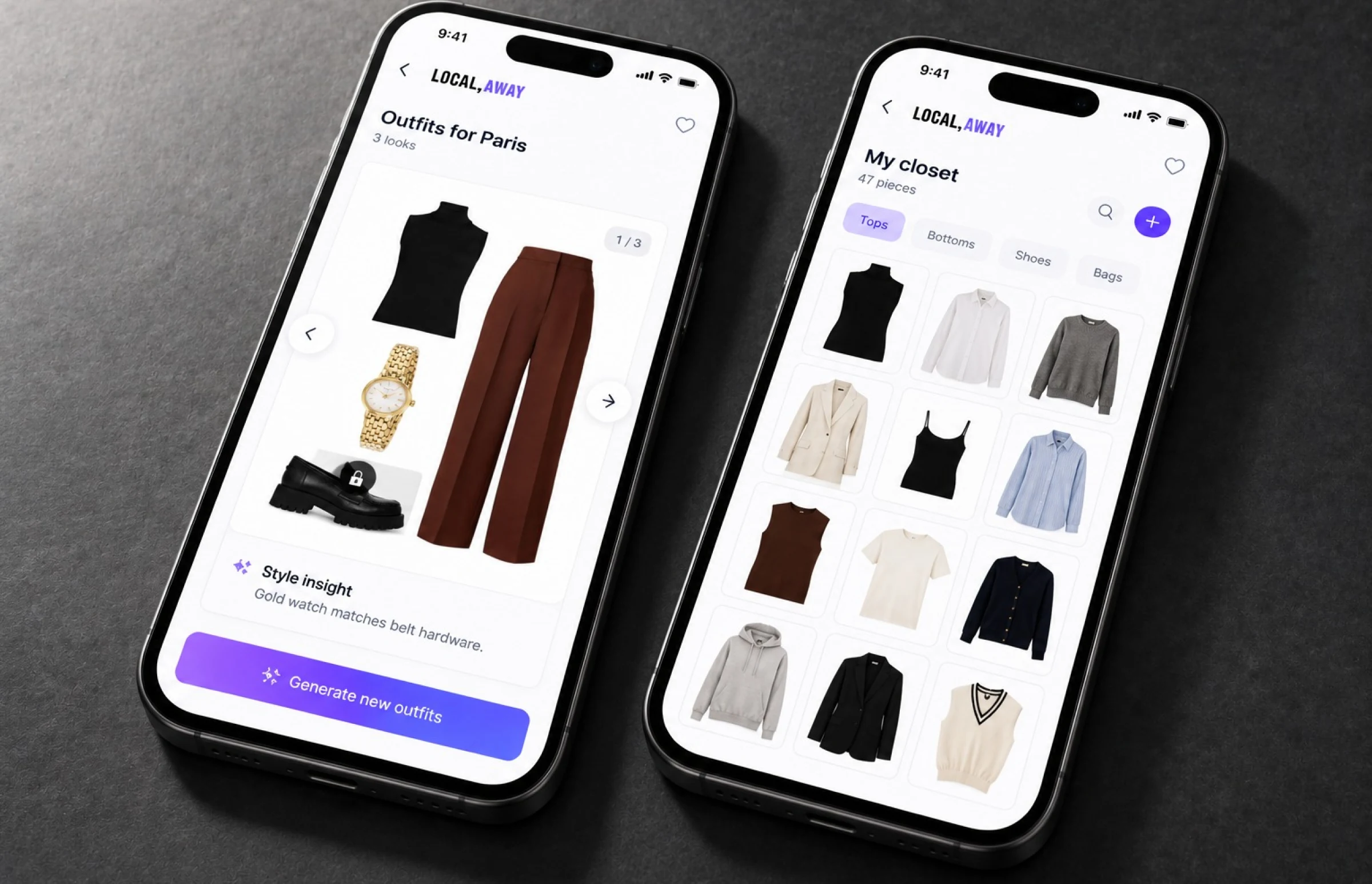
Daily outfit suggestions draw on the digital closet, saved looks, destination, occasion, and a 7-day weather feed. Users lock one piece, say the loafers, and regenerate new outfits around it.
Expert Fashion Advice Engine
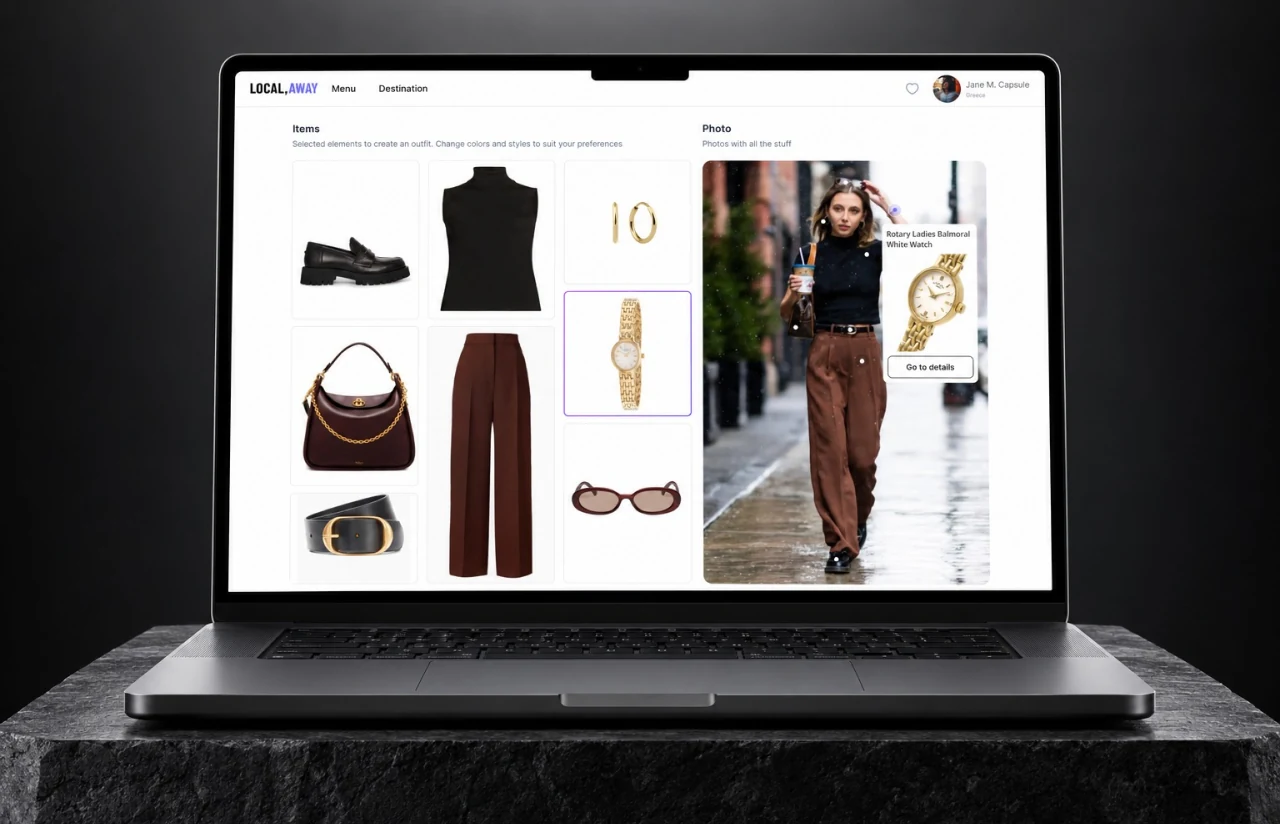
Style tips from the client's stylists, two of them former celebrity stylists, became about 240 rules the model applies, such as matching belt and shoe hardware. Every suggestion carries a one-line reason, and that line, not the score, earned users' trust.
Mobile-First Fashion Experience
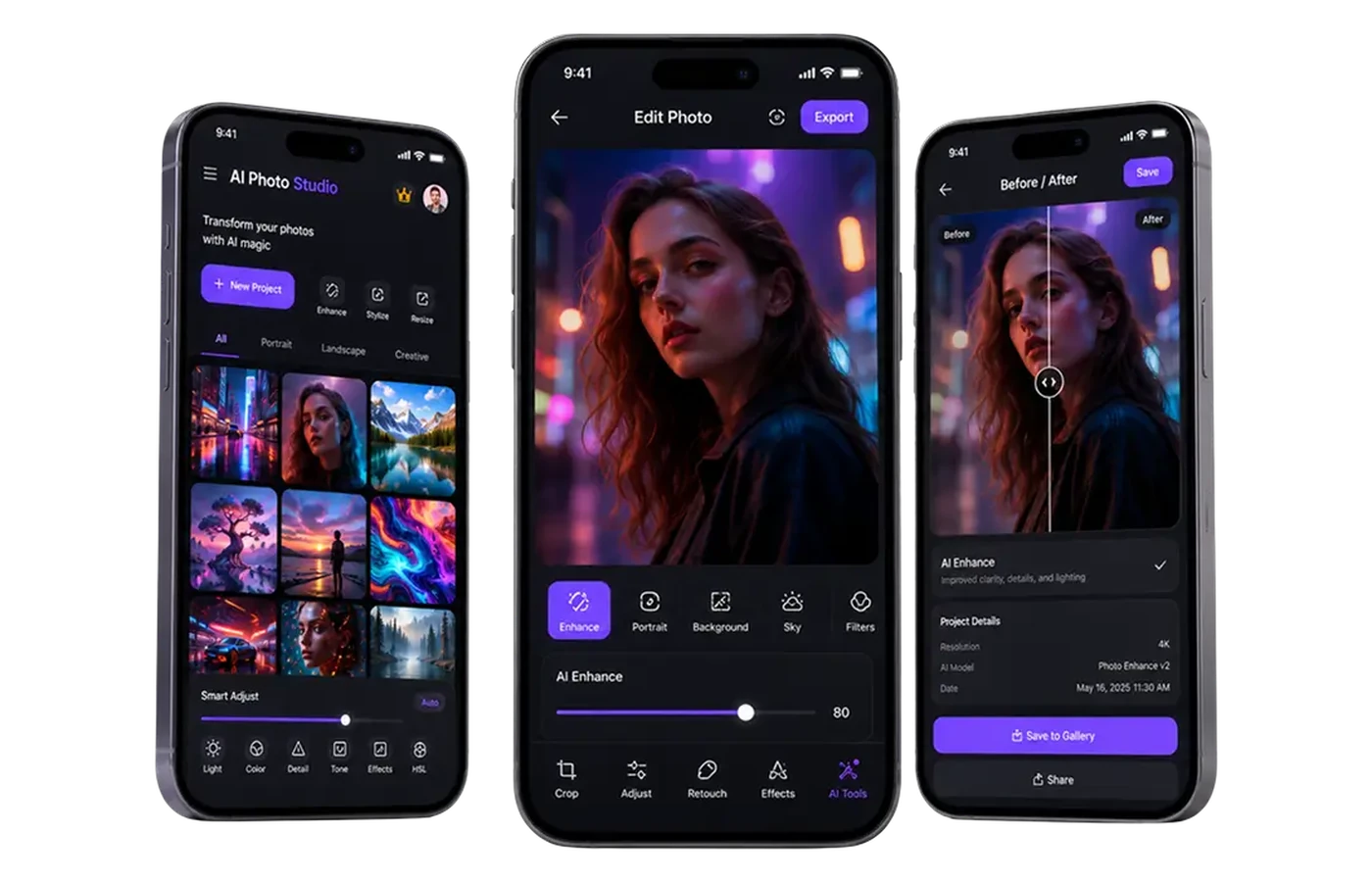
React Native ships one codebase to iOS and Android, and the web app shares the same API. A user can snap new purchases in-store and see them inside three outfit collages before leaving the shop.
Fashion Analytics at Scale
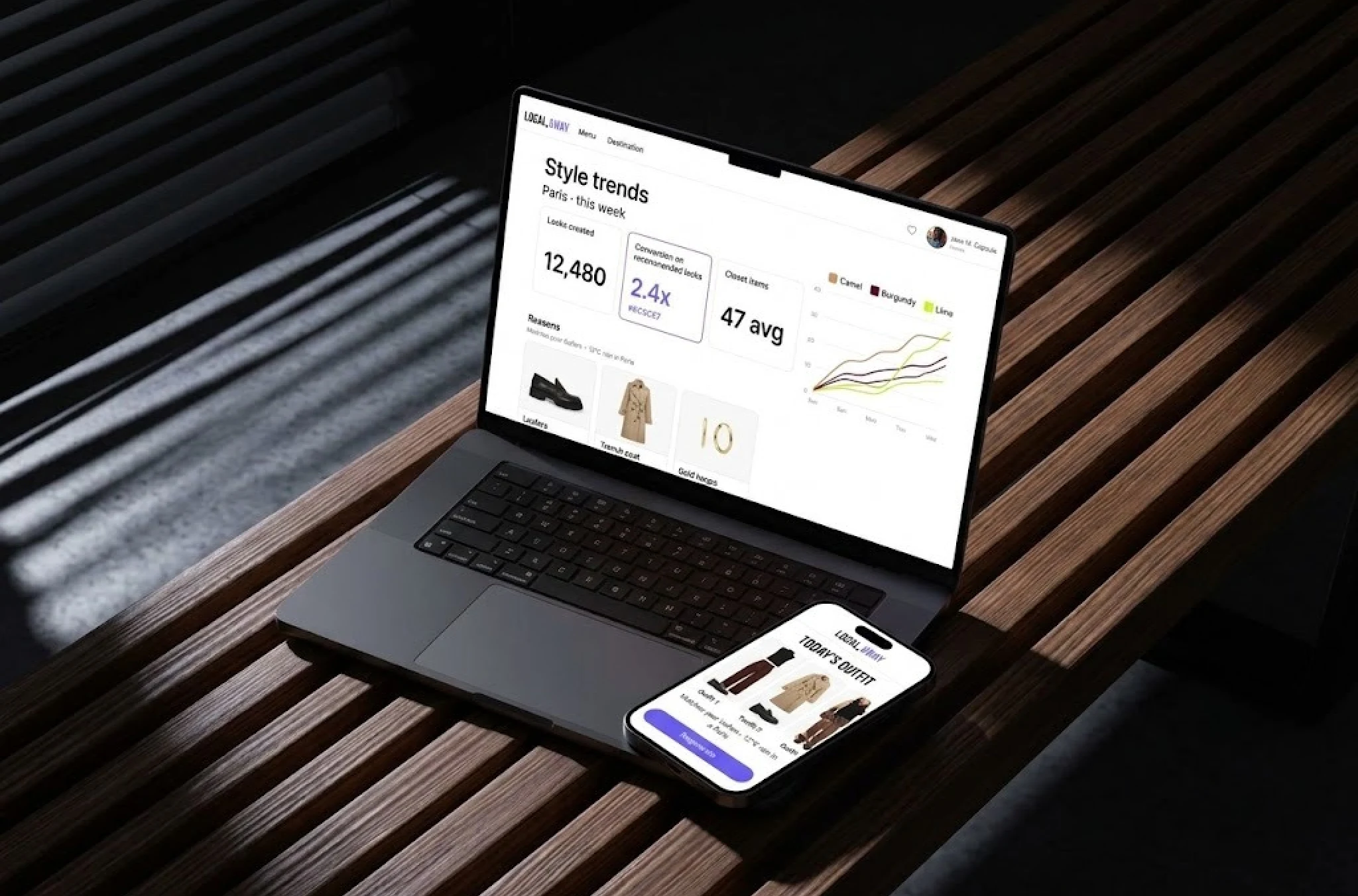
Trend analysis runs nightly across destination shots and community looks, showing which color palettes, brands, and pieces are gaining in each city. The client gets wardrobe insights per market instead of one global feed.
— Development Methodology
Project Journey
The 18-month build ran in two-week sprints, and the first four went entirely to data: 62,000 catalog images and about 9,000 closet uploads had to be cleaned, cropped, and labeled before either model could learn anything. Discovery fixed the 14 garment categories, the style axes to learn, and what to do when the app cannot recognize a piece. Eight people carried the project, including a fashion stylist who sat in every sprint review.
How the AI Wardrobe App Works
- A user photographs her own clothes or a street look. OpenCV straightens, crops, and fixes exposure before anything gets analyzed.
- The detection model finds each garment on the person, 14 categories from hats to shoes, and cuts it into its own crop.
- Each crop becomes a 512-dimension vector, so the app can compare clothing styles across closets and online stores on the same axes.
- Vectors are matched against the digital wardrobe, partner store inventory, and this week's trend index for the destination.
- The engine builds three to five complete outfits in about 30 seconds and attaches a one-line reason to every piece.
- Created looks go to three community reviewers, then to the feed. Creators earn cash when a look sells.
Development Process Flow
AI development for fashion cannot be judged from a validation set alone, because a model that scores well on catalog images can fall apart on a blurry closet shot. Every second sprint, the client’s stylists reviewed live recommendations inside the app and rated 50 outfits by hand, which added up to 900 human-scored looks by launch. Three of those reviews changed the ranking weights outright, including the decision to penalize any outfit with more than two statement pieces.
How We Delivered the Clothes Styler App Project
- We define the project goal together, agree on priority features, and set a realistic delivery date and budget.
- We build a ranked list of everything the product needs, starting with what matters most to the business.
- Work is broken into 2-week cycles. At the start of each, we select the next set of features to deliver.
- The team builds, tests, and integrates features throughout the sprint.
- At the end of every sprint, you see working software and give feedback that shapes the next cycle.
- Each sprint produces a shippable piece of the product. We review what worked, adjust, and move forward.
UI/UX Design: Intuitive Interface for AI Fashion Discovery
The interface had one job: get a user from a photo to an outfit in fewer taps than it takes to scroll a feed. The client’s wishlist had so many features that the first design sprint went to cutting, and the rule we kept was that all the features had to be reachable from that first image. The home screen leads with a destination picker and a women’s or men’s split, because about 70% of early sessions started with a trip, not a shopping list. Personalized product discovery like this is one application of our AI solutions for retail.
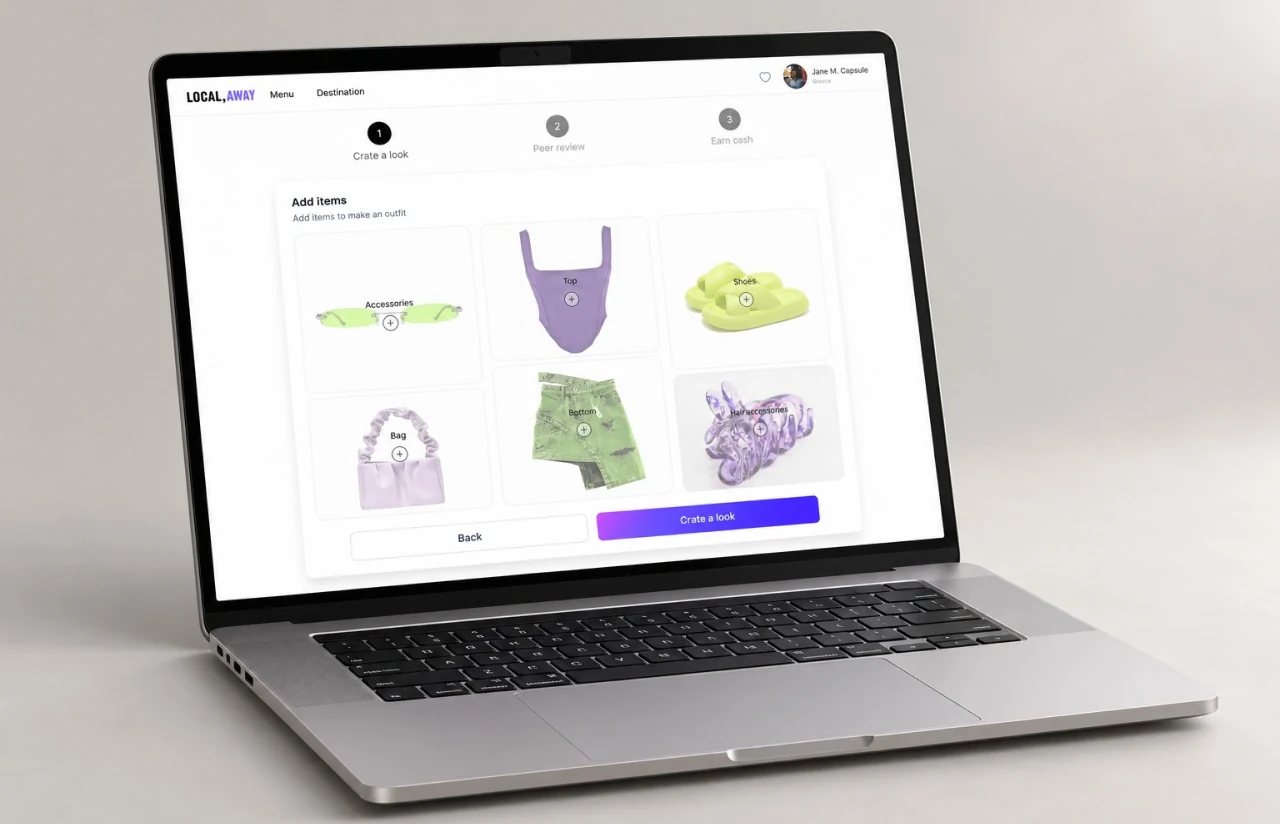
Creating a look follows three numbered steps the user always sees: create, peer review, earn cash. The build screen shows six empty slots (accessories, top, shoes, bag, bottom, hair accessories) drawn as faint outlines, so the user fills a silhouette rather than a form. Locking one slot and asking for fresh outfit ideas around it became the most used control, and the packing list the outfit planner writes for a trip is what testers kept calling the amazing part.
Detected items live inside the image. Tap a tagged point on a street shot and a small card opens with the item name, a picture, and a Go to details button, while the same pieces sit in a grid beside it so the user can swap colors and styles without leaving the page. Users can disagree, too. A thumbs-down asks one question: wrong style, wrong color, or wrong occasion, and about 6,200 of those answers fed retraining in the first six months. Our product design team kept every label as text as well as color, so a colorblind tester’s note in week three never became a support ticket.
Results
Before
- ✕3 stylists tagging 40 to 60 items a day by hand, with about 30% of the catalog untagged at any moment
- ✕~38% of user closet uploads rejected or mis-tagged
- ✕Personal styling requests answered by email, roughly 2 days later
- ✕One destination feed for every user, with no weather, no occasion, and no color analysis
- ✕No link at all between a shopper's own clothes and the items for sale
After
- ✔15,000+ items analyzed per session
- ✔30 seconds from photo upload to a full outfit recommendation
- ✔Under 8% of uploads rejected, and the average digital closet grew from 11 pieces to 47
- ✔~2.4x purchase conversion on recommended looks compared with browsed ones
- ✔One AI wardrobe assistant across iOS, Android, and web, from closet to checkout
Impact of AI Fashion Platform After Launch
— Verified Reviews
Our Reputation on Leading Platforms
LITSLINK holds a 4.8 rating on top platforms. Clients writing about our AI and software development work most often mention depth in computer vision and machine learning, steady communication across long engagements, and a willingness to push back on a requirement when the data disagrees with it.
Have an AI Project in Mind?
Need an AI fashion app, a clothes detection model, or a personal stylist engine inside an existing store? Tell us what you have (catalog size, image quality, platforms), and a LITSLINK specialist gets back to you within 48 hours.
Thank you for your message. It has been sent.