





Building a Virtual Nail Polish Try-On Solution with Real-Time AR Nail Detection
- 10+ nail shapes supported
- <0.1s nail tracking latency
- 96% per-nail detection accuracy across six skin tone groups
- 30 FPS sustained on mid-range Android phones
A direct-to-consumer polish brand came to us with one ask: let shoppers see a shade on their own fingers before they pay for it. We built the computer vision module behind its virtual nail polish try-on app. It is a small AI model, under 5 MB, that finds every nail on screen, cuts it out, and keeps the color on it while the hands move around. A shopper picks a nail color, sees the result on her own hands, and nobody gets stuck with a bottle she will never wear.
Project Details
The client sells nail polish online and through a handful of partner salons in the US. Its first virtual nail polish app, built on a licensed AR SDK, had two problems the client could not fix from the outside. It lost the nail on darker skin, and the color shook every time a hand moved. Most people tried one shade, maybe two, and closed it. Helping shoppers choose products with confidence is one of the goals of our AI solutions for retail.


Business Challenge: Building Accurate Real-Time Nail Detection for AR Try-On
People don’t return nail polish because the bottle arrived broken. They return it because the color on their nails looks nothing like the swatch on the product page. The client’s support inbox was blunt about this. Roughly 14% of online orders came back, and on more than half of those tickets the reason was some version of “not the shade I expected.” A way to try on nail polish virtually was meant to close that gap. The first attempt made it wider.
The licensed SDK treated the hand as one object and the nails as a detail. On light skin, in a bright room, it found fingers well enough. Anywhere else it fell apart: 61% detection on the two darkest skin tone groups, paint spilling past the cuticle, a color patch that twitched a few pixels whenever the hands moved. Beta users tried a median of two shades and quit. We had three problems to solve at the same time, and each one made the other two harder.

Precise Nail Segmentation Across Skin Tones and Hand Poses
A nail is a small, low-contrast target, and its outline changes with every bend of the finger. The old model had been trained on neatly posed, evenly lit hands. It had never seen a loose fist, a phone grip, or a cuticle on deep brown skin, and every test showed it.

Jitter-Free Tracking in Real Time
Finding the nail is only half of it. Re-detect from scratch on every pass and the painted edge shimmers, and people read that shimmer as cheap. The polish had to lock onto the nail and stay there at full frame rate.

Lightweight Model for Mobile Performance
Everything had to run on the phone. No images to a server, which the client’s lawyers were firm about. That meant a model of a few megabytes and about 20 ms per pass on a mid-range device, and that rules out most of what wins segmentation benchmarks.
Technologies Behind Real-Time Virtual Nail Polish Try-On


Our Virtual Nail Polish Try-On Solution
The module is one lightweight backbone with three heads on it. The backbone reads each camera image once. A segmentation head then draws a mask for every nail, a keypoint head drops five points on each one, and a small classifier names the nail shape. The mask tells the renderer where to paint. The keypoints tell it which way the nail is facing. The shape label decides how the highlight bends, which sounds minor until you see a flat highlight on an almond or coffin nail.
Data took longer than the model did. The client had about 6,000 hand photos from its own campaigns, all of them well lit and all with perfect manicures, which is the opposite of what a phone camera sees in a bathroom at night. Our machine learning team ran a collection round and ended up with roughly 41,000 hand photos and 210,000 individually labeled nails. Six skin tone groups, none below 12% of the set. Fourteen hand poses, open palm to closed fist. Five lighting setups, including direct sun and a dim bedroom. Bare nails, chipped polish, every nail length we could find, press-ons, rings. Real hands, in other words, not studio hands, which is what the AI has to cope with once it ships.
Tracking is what makes it feel real, and it was the part we argued about most. Instead of starting from zero on every pass, the keypoint head seeds itself with the previous positions, and a short temporal filter smooths what comes out. Edge jitter went from about 3.1 px to 0.4 px RMS on our test clips, and no nail lost its lock in any 30-second recording, whether the hand was typing, waving or holding a coffee cup. Hand in frame to first polish rendered takes under 100 ms. The final INT8 TensorFlow Lite model is 4.6 MB and holds 30 FPS on a 2021 mid-range Android phone (an iPhone 12 runs a pass in 11 ms). It is the smallest on-device model our computer vision development team has put into production, and every shade, finish and style the brand sells renders through that one AI file. For another example of computer vision in shopping, see our AI fashion app development case study, which uses wardrobe photos to recommend outfits.
Real-Time AR Manicures
Point the camera at either hand and polish lands on all ten nails within a tenth of a second. Flex the fingers, turn the hand over, wave it around. The color stays on the nail instead of sliding onto skin.
Full Shade Library and Finishes
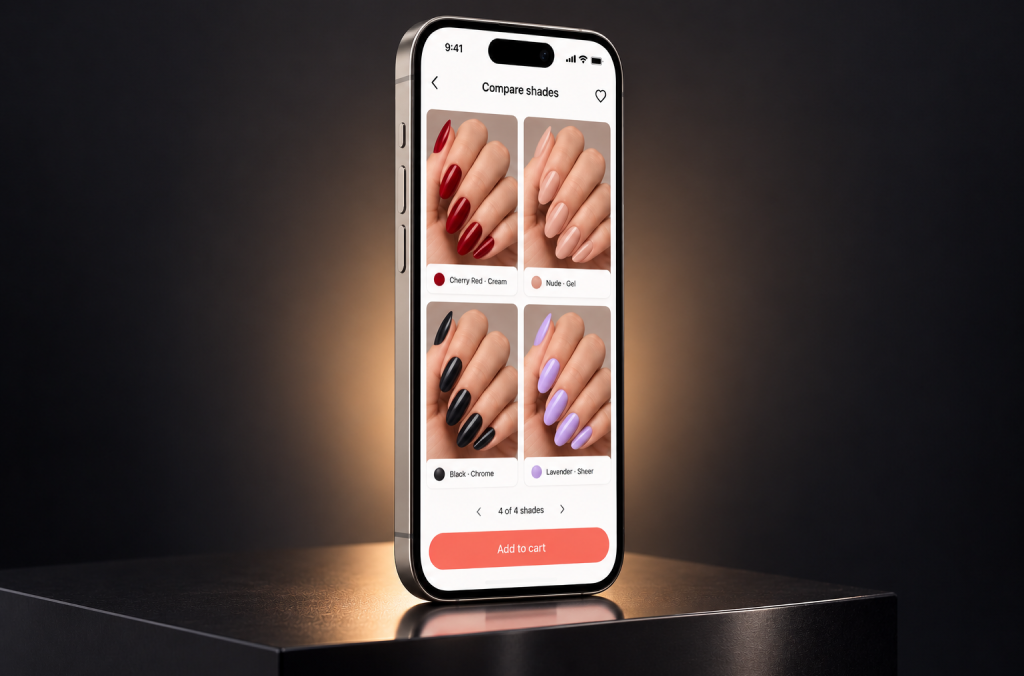
180+ nail polish colors from the client’s catalog, sheer nudes and soft pink through deep red, lavender and black, in six finishes (cream, gel, sheer, metallic, chrome, glitter), each with its real gloss and shine. Users explore the whole range on their own hands and choose a nail color without guessing.
Design Directions: From French Tips to Chrome and Ombré
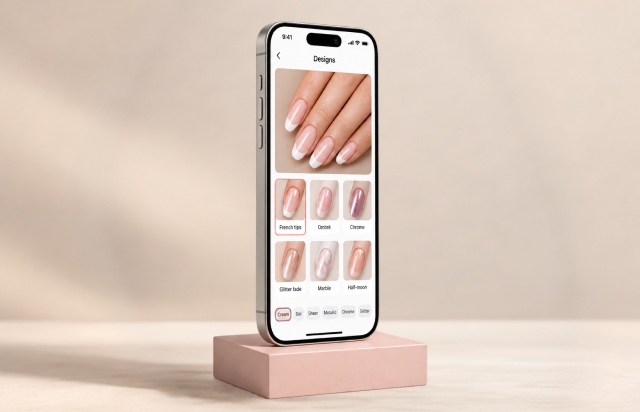
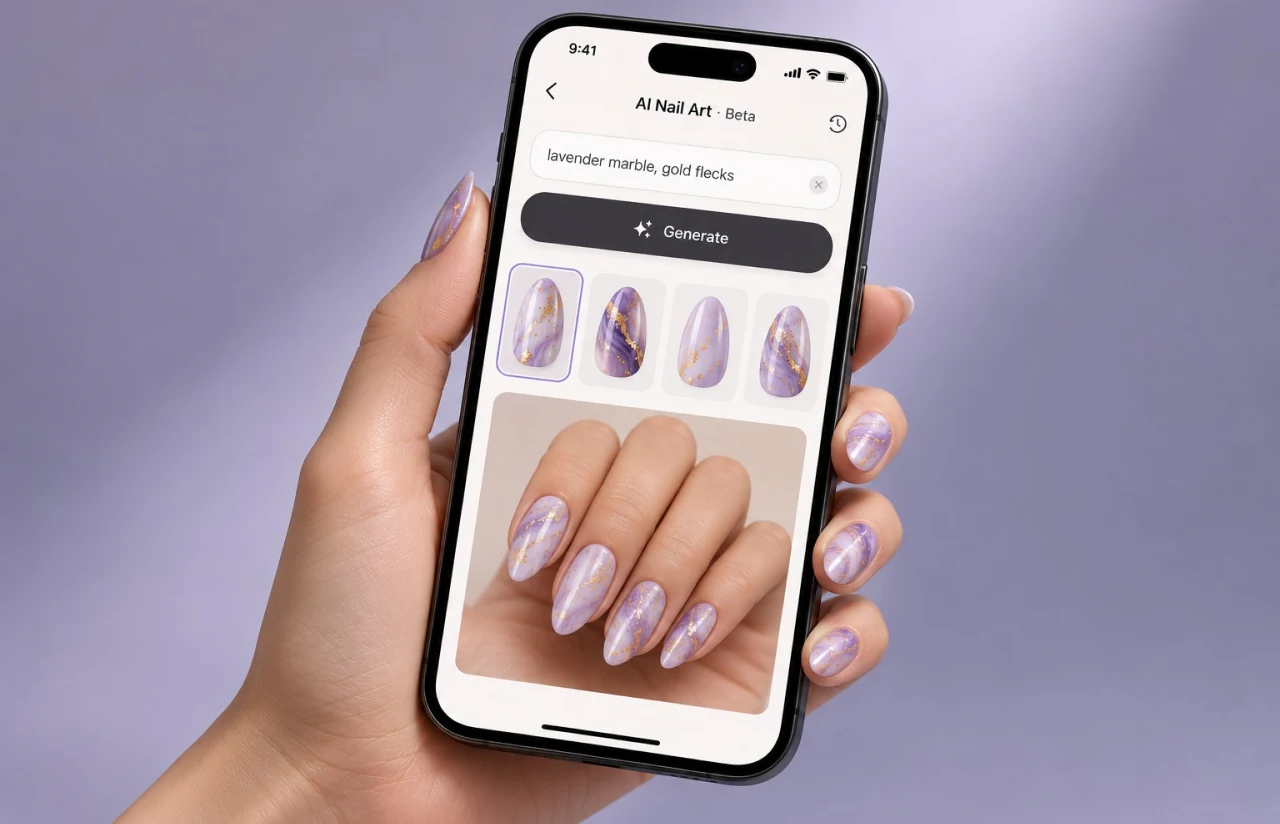
Twelve design templates sit next to the plain shades. French tips follow the real nail shape rather than a fixed curve, ombré blends two nail polish colors from base to tip, and chrome borrows the keypoints to put a moving reflection on the nail. Any design style goes with any shade, and the AI keeps the pattern on the nail while the hands move.
Hand Photo Upload and Edit Mode
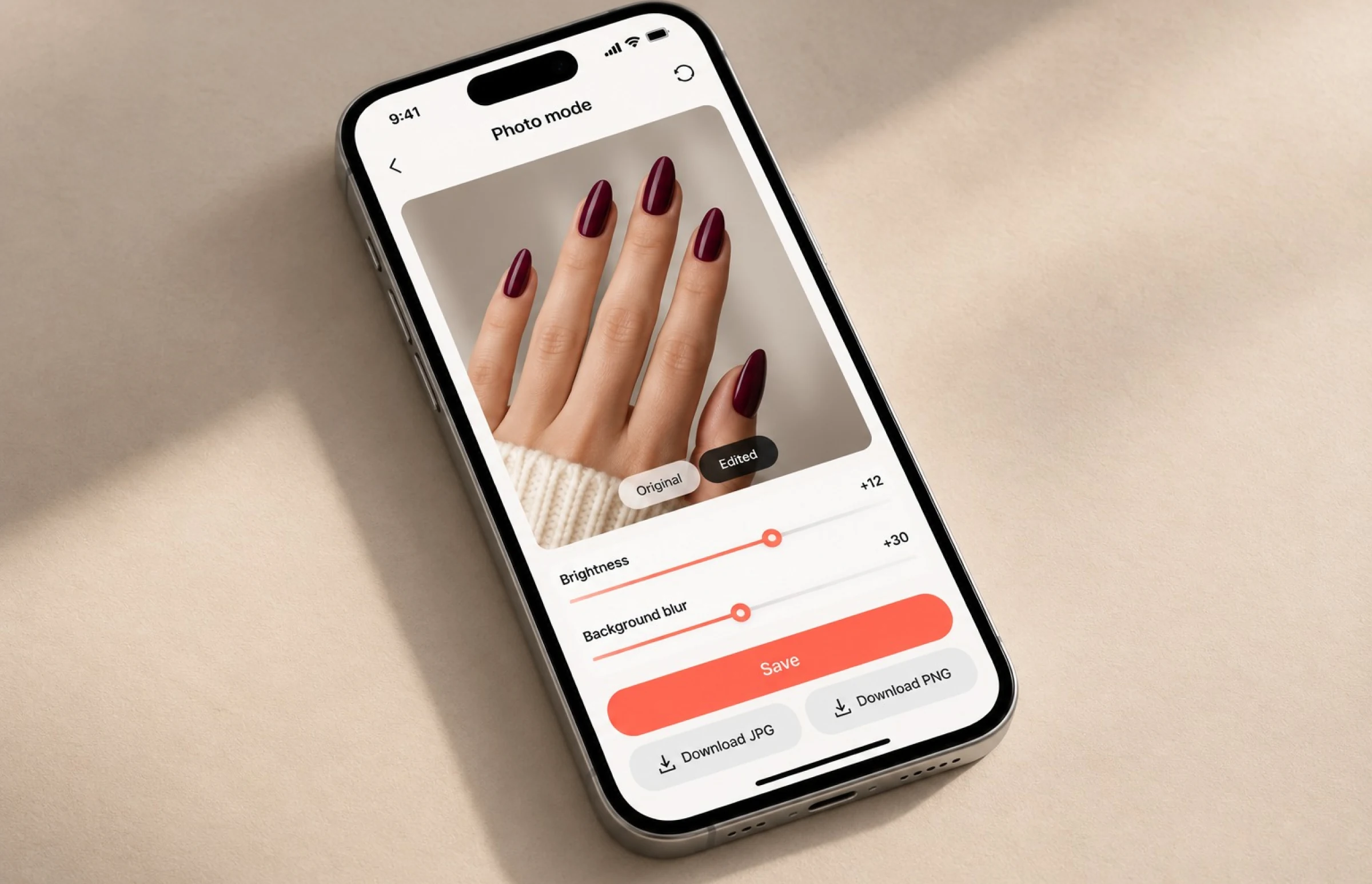
No steady hand required, and no rush to choose. Upload a clear photo of bare nails as JPG or PNG, select a shade, edit brightness or blur the background, then download or save the image. Generate a second version in another nail color and download both. The same AI model runs on the still, so what you see matches the live preview.
Salon and E-Commerce Integration
Every preview carries a SKU. One tap drops the shade into the cart. Partner salons can book an appointment with that nail color attached, so the manicurist already knows the answer before the salon visit starts.
Privacy and Performance by Design
Images never leave the phone. Detection, tracking and rendering all run on-device, no hand photo is kept unless the user saves it, and the security review found nothing worth logging beyond anonymous shade counts. The app stays free of upload delays because nothing uploads.
— Scrum Methodology
Project Journey
Seven months, two-week sprints. The first three sprints went to data and nothing else: auditing the client’s 6,000 campaign photos, writing a labeling guide (it ran to 14 pages, mostly about cuticles), and running the collection round across skin tones and poses. The AI side started in sprint four. From sprint seven on, every demo ran on a phone, never a laptop, because a laptop demo had fooled us once already. The mobile SDK and the photo upload mode came in the second half, once tracking was steady enough to build on. Our computer vision development services cover this process from preparing training data to validating model performance on the devices people actually use.
How the Virtual Nail Polish Try-On Works
- The camera feed or an uploaded hand photo goes through the backbone, which finds every hand in view and marks a candidate box for each of the ten nails.
- The segmentation head draws a pixel mask per nail that stops at the cuticle and the free edge, so polish never spills onto skin or background.
- Five keypoints per nail carry over from the previous pass and get refined, which gives the renderer a stable position and angle at 30 FPS.
- The chosen shade, finish and design get painted inside the mask with lighting sampled from the scene. A gel looks wet, a matte looks flat.
- Users save the preview, compare up to four shades side by side on the same hand, edit and download the image, or send the SKU to the cart or a salon booking.
Scrum Process Flow
AI development on a perception model is a loop: measure, retrain, measure again. Two-week sprints fit that loop. Each one closed with a demo on three physical phones, live results against the accuracy and latency dashboard, not a slide deck. Twice the client used that review to change course. Once to move the darkest skin tones to the front of the queue, and once to add the photo upload mode because beta users would not stop asking for it.
How We Delivered the Try on Nail Polish App Project
- We define the project goal together, agree on priority features, and set a realistic delivery date and budget.
- We build a ranked list of everything the product needs, starting with what matters most to the business.
- Work is broken into 2-week cycles. At the start of each, we select the next set of features to deliver.
- The team builds, tests, and integrates features throughout the sprint.
- At the end of every sprint, you see working software and give feedback that shapes the next cycle.
- Each sprint produces a shippable piece of the product. We review what worked, adjust, and move forward.
UI/UX Considerations for AR Beauty Try-On
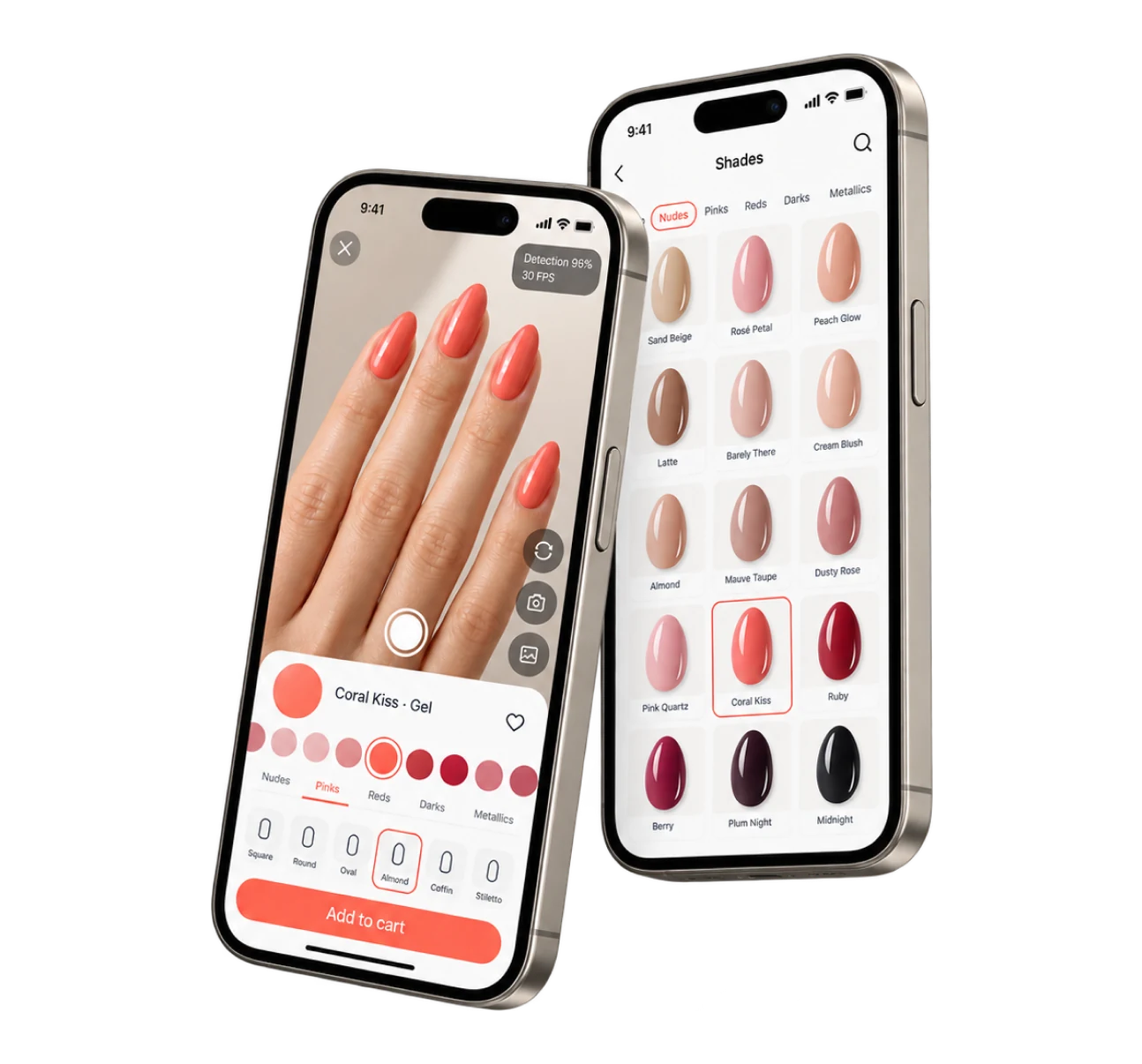
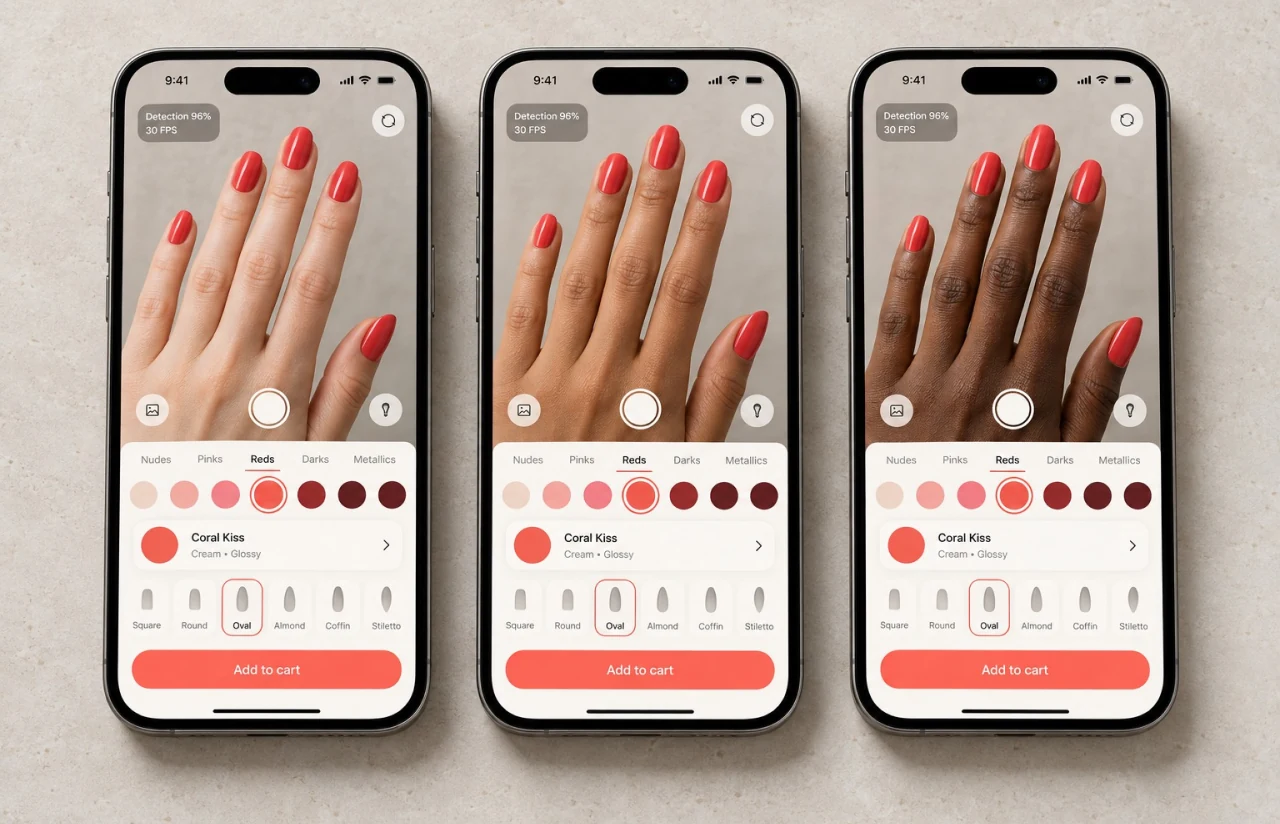
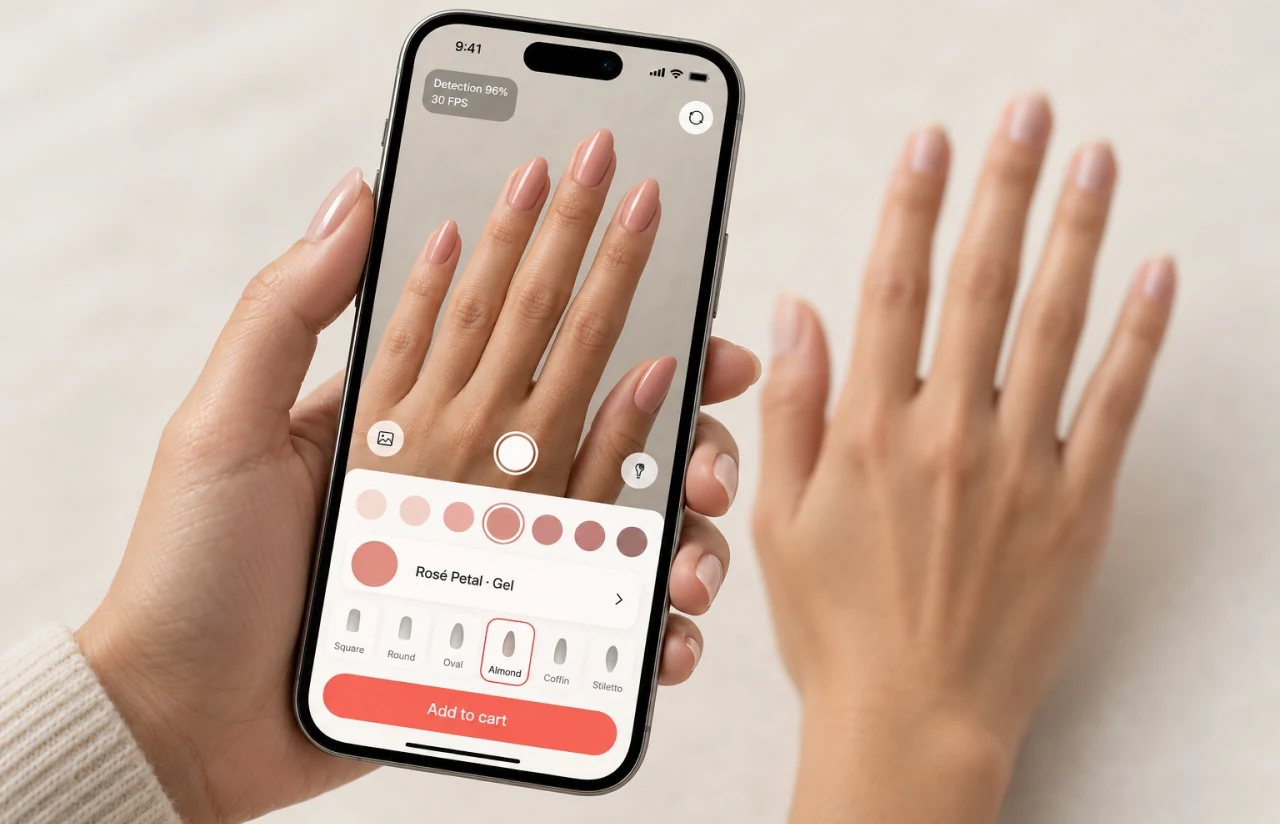
The try-on screen stays out of the way. Camera view edge to edge, a shade rail along the bottom, and the current color in one big swatch with its name and finish. The whole point is looking at your hands. Our augmented reality app development approach keeps the live preview central, with simple controls for exploring and comparing products.
We watched 14 people use the first build before we touched the layout. They dragged a thumb along the shade rail and watched their nails change, so the rail got bigger, shades got grouped by family (nudes, pinks, reds, darks, metallics), and a long-press now opens a split view to compare two colors on the same hand. Users choose nail shape and nail length on a chip row above the rail: square, round, oval, almond, coffin, stiletto. In a try-on nails app, that row is where the time goes, so it has the largest touch targets on the screen, and a style filter above it narrows the rail to one look at a time.
Lighting is the quiet problem. A red that looks right in daylight goes muddy under a warm bulb. The renderer samples the ambient tone, and when the room is too dark, the UI says so with a small “lighting looks dim” hint instead of faking it. Photo mode keeps the same shade rail, adds a brightness slider and a background blur, lets users edit and re-edit without losing the original, and exports the image as JPG or PNG for download. The visual style is soft on purpose. Warm off-white, charcoal text, one coral accent on the add-to-cart button, and no competing color anywhere near the nails.
Results
Before
- ✕14% of online orders returned, “not the shade I expected” the top reason
- ✕SDK-based try-on found the nails on only ~61% of passes for the two darkest skin tone groups
- ✕Edge jitter of about 3 px on every hand movement, polish bleeding past the cuticle
- ✕Median of 2 shades tried per session, 1.4 minutes in the app
- ✕No link between a tried shade and a purchase or a salon appointment, and no way to edit or save a look
After
- ✔Returns down to about 6% in the first two quarters after launch
- ✔96% per-nail detection accuracy across all six skin tone groups, 94% on the two darkest
- ✔Edge jitter at 0.4 px RMS, no lock loss in any 30-second test clip
- ✔Median of 9 shades tried per session, 3.8 minutes in the app
- ✔~2.3x add-to-cart rate from the try-on screen vs the product page, plus ~1,900 salon bookings with a pre-selected color in six months
Impact of Real-Time AR Nail Detection
— Verified Reviews
Our Reputation on Top Platforms
LITSLINK holds a 4.8 rating on top review platforms. Clients writing about our AI and mobile app development work tend to mention the same things: depth in computer vision, steady communication over long engagements, and a habit of saying so when the data shows a plan won’t work.
Have a Similar AR or Computer Vision Project in Mind?
Building a virtual nail polish try-on app, a makeup or jewelry try-on, or any product that has to find a small object on a moving hand? Tell us what you are working with (sample photos, target devices, catalog size), and our specialist will get back to you within 48 hours. The first call is free and ends with a number.
Thank you for your message. It has been sent.