



How We Built an Avatar Maker from a Photo for Social Media
- 24 AI avatar styles at launch
- ~14 sec per generated avatar
- 91% identity match score
- 1,400 AI avatars generated hourly
Our client wanted an avatar maker from photo that takes seconds instead, so creators, streamers, and everyday social media users can upload one photo and get back a full set of stylized avatars.
Project Details
The client is a US creative technology startup building consumer tools for people who live inside social feeds. They came to us with a Colab notebook, a folder of prompt experiments, and roughly 300 beta users sitting on a signup list.


Business Challenge: Creating Professional Avatar Generation Platform
An AI avatar from a photo has to clear one bar before anything else matters. It has to look like the person. Generating a good-looking picture was never the hard part. Getting a picture that still looks like the person who uploaded it – that was the wall the client had been stuck against for four months.
Their notebook returned something usable about one run in four. The other three came back as strangers. Wrong jawline, wrong eye shape, a face borrowed from whatever the model had seen most. Beta testers were polite about it, and nobody changed their profile pictures. Five open models and roughly 40 prompt variations later, identity match on the client’s own review set still sat near 60%.
The logs from that period tell the story better than any pitch deck. Of 240 recorded test runs, 61 produced an avatar the subject recognized as themselves. Time from photo upload to finished image averaged 4 minutes 20 seconds, most of it spent waiting on a Colab runtime. Every run produced static images at one fixed 512-pixel size, so nothing came out usable as profile pictures on platforms that crop to a circle. The team was hand-picking AI avatars for the beta Discord, maybe 15 a week, because nothing in the pipeline could be trusted to run unattended.

Realistic Style Transfer Technology
Style and likeness pull in opposite directions. Push the anime style hard, and the face dissolves. Hold the face and the artistic styles look washed out. The pipeline had to do both, from a single photo, with no per-user training run.

Multi-Platform Avatar Generation
One avatar was never enough. People want clean profile pictures for LinkedIn, a gaming character for Twitch, and something with more creative flair for Instagram, all built from the same photo at three different crops.

Privacy and Data Protection
Users upload their own face. That raises questions no marketing page can answer: where the file sits, how long it stays, whether it trains anything. Deletion rules had to live in the architecture, not in the FAQ.
Technologies Behind the AI Avatar Generator





Our AI Avatar Generation Solution
AI avatars are easy to generate. AI avatars people recognize as themselves – that is the engineering problem. We started with a question about the input, not the output. What does an AI avatar generator actually need from a photo to keep a face recognizable? Two things, as it turned out: edges and landmarks.
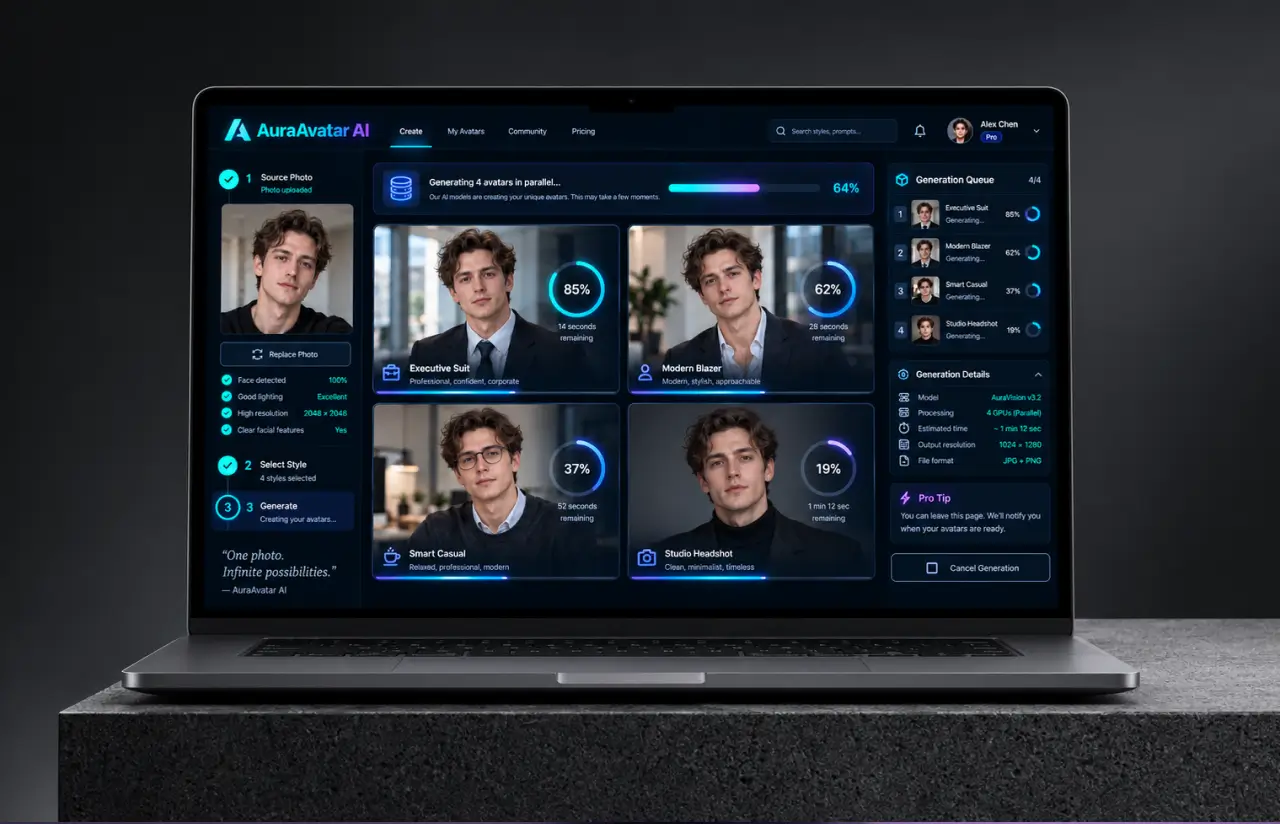
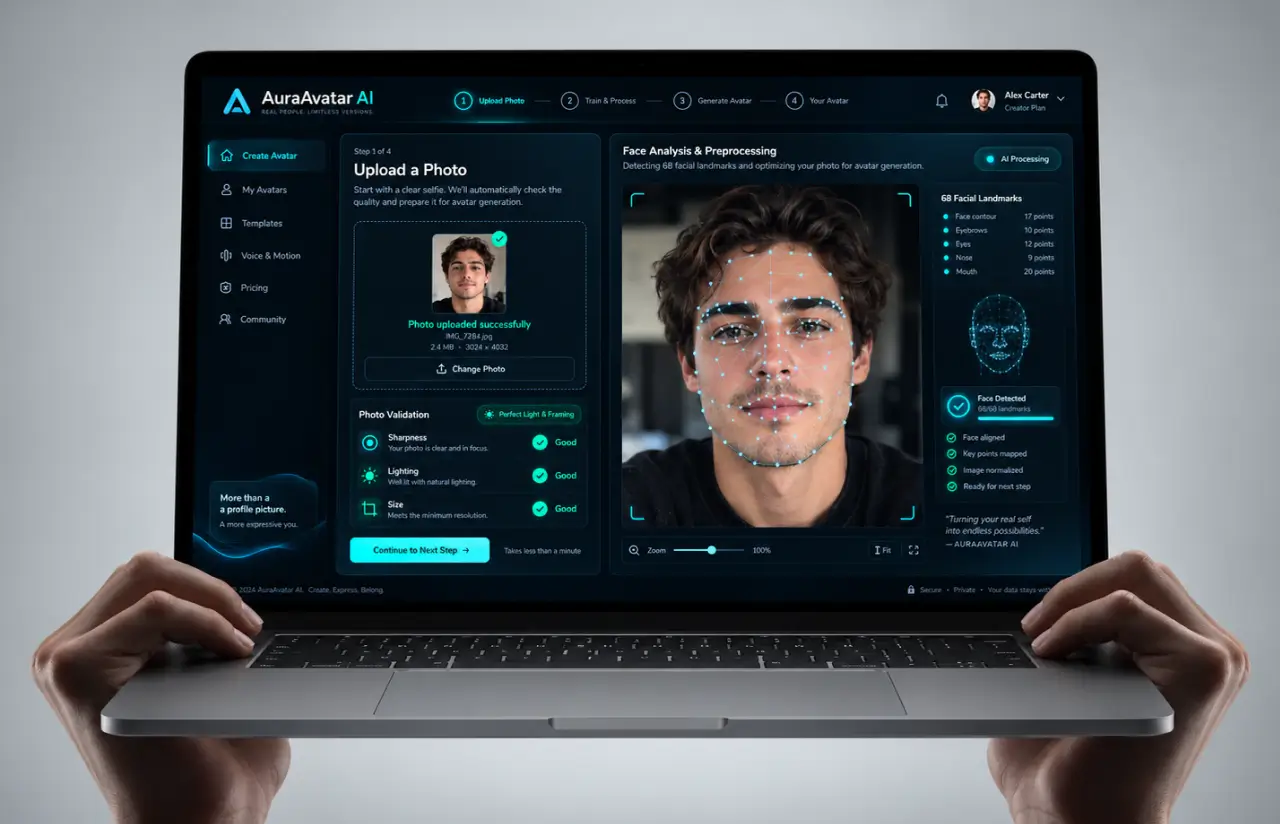
OpenCV runs the first pass. It crops to the face, checks lighting and resolution, then pulls a 68-point landmark map plus a canny edge map. Both feed ControlNet as conditioning inputs. Stable Diffusion paints inside those constraints instead of inventing a face from nothing, which is why the AI preserves eye shape and face shape even when a style goes fully illustrated.
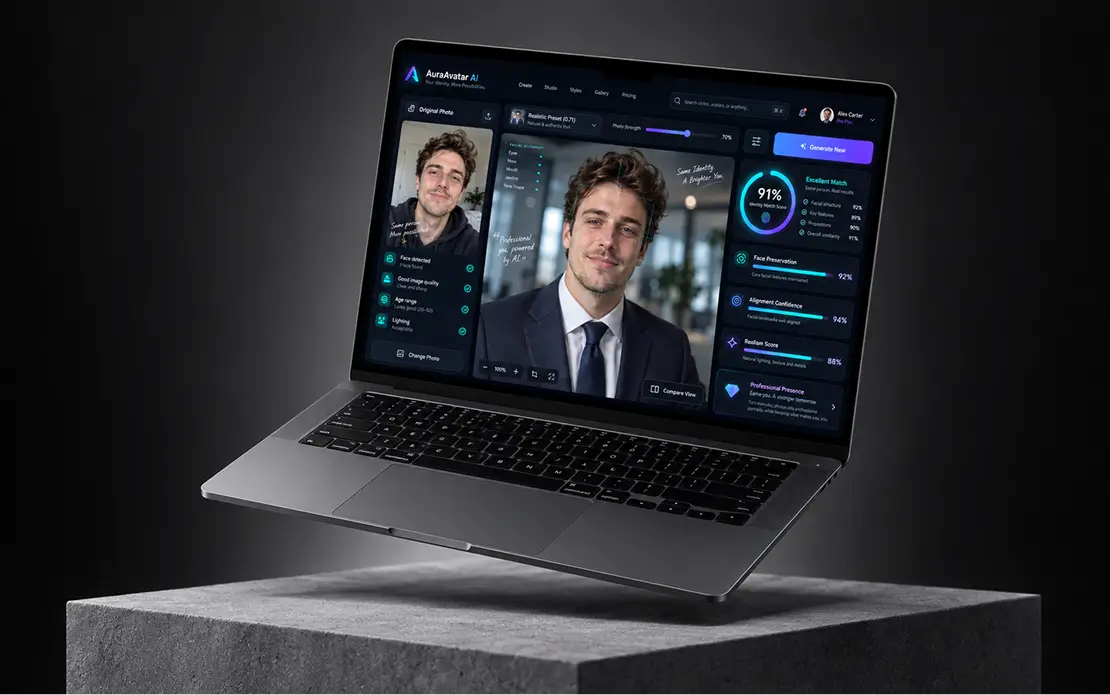
Style sits in a separate layer. Each preset carries its own base model, prompt template, negative prompt, and a conditioning weight the team called photo strength. Anime style presets run around 0.42. Realistic avatar presets sit closer to 0.71. Users never see those numbers. They see a slider with three stops.
The queue was the other half of the job. Redis holds the work, eight GPU workers pull from it, and finished AI avatars land in S3. That cloud infrastructure carries a 24-hour lifecycle rule, so uploads and outputs expire without anyone remembering to delete them. At peak, the pipeline pushed about 1,400 AI avatars per hour with no manual restart.
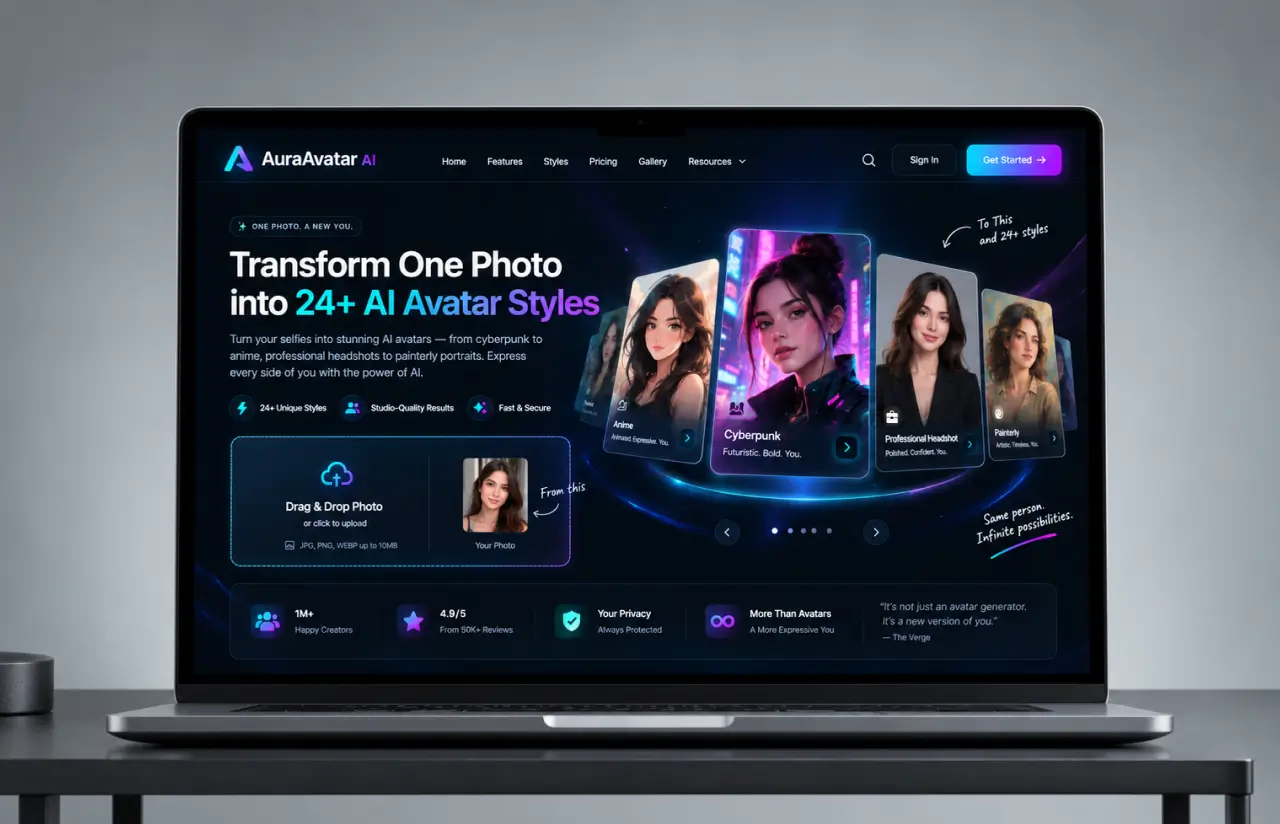
Six categories organize the AI avatar styles: professional, cinematic, anime, painterly, cyberpunk, and monochrome. Inside a category, presets differ by prompt rather than by architecture, which is why adding a new avatar style takes an afternoon instead of a sprint. Each category holds three to six presets, and every preset returns four AI avatars per run. The client has shipped four of those presets on their own since handover.
Cost shaped the build as much as quality did. A batch of four AI avatars runs about $0.021 in GPU time, so a free tier of two batches a week costs roughly 17 cents per active user per month. Premium features run through the same pipeline at higher resolution, with a priority queue and unlimited reruns.
We ran 900 reference photos across skin tones, lighting conditions, and phone cameras before locking the preprocessing thresholds, then rebuilt the prompt library twice after sprint reviews. Most AI tools in this space want 15 to 20 selfies and a training run before they show you anything. This one asks for a single photo.
AI-Powered Style Transfer Engine
ControlNet conditioning holds the likeness while Stable Diffusion repaints everything else. One upload returns four AI avatars at roughly 14 seconds each. The AI preserves facial expressions and proportions across all 24 presets, so an AI avatar from a photo still reads as the same person.
Professional Avatar Categories
One well-lit photo returns headshots for LinkedIn, Slack, and conference bios: neutral backgrounds, corrected lighting, no artistic noise. About 31% of first-session AI avatars land in this category, with users who need profile pictures for work and treat personal branding as the whole point.
Gaming and Entertainment Avatars
Cyberpunk, fantasy, and anime characters for Twitch panels, Discord servers, and gaming profiles. Six presets ship with a 1:1 and a 16:9 crop, so one gaming character covers both a profile picture and the overlay people use during gaming streams.
Social Media Avatar Styles
Painterly, black-and-white, pop-art, and cartoon looks tuned for feeds. Every run returns multiple versions in different styles at once, which is how most people land on their perfect avatar: generate four, keep one, rerun the rest.
Prompt Control for Custom Avatars
Presets cover most sessions. For everything else an open prompt field lets people write their own line while keeping the same conditioning, which is how custom avatars and one-off artistic styles get made. Roughly 14% of runs use a written prompt, and those avatars get regenerated more often than preset ones.
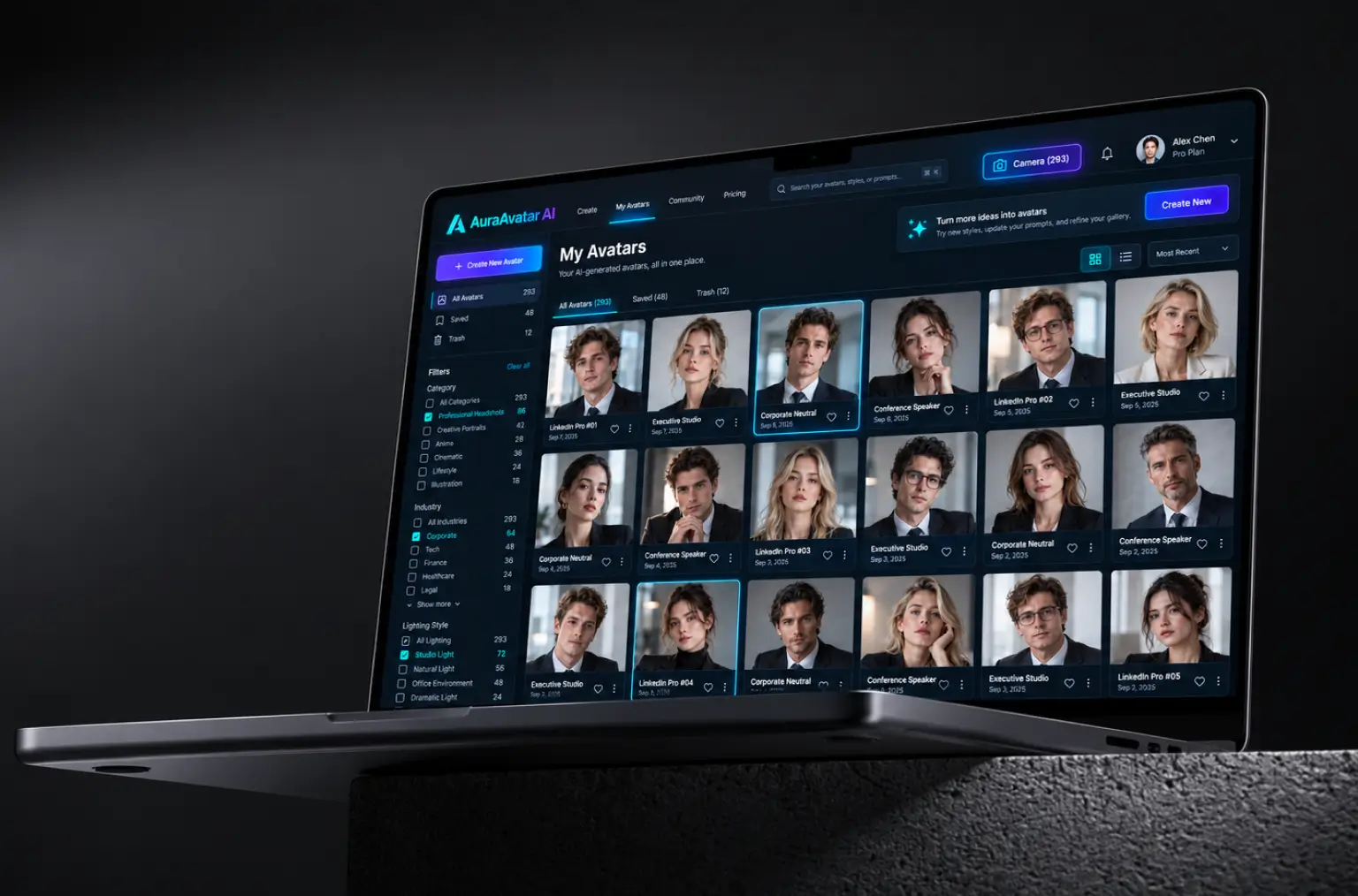
Personal Workspace and Gallery
Every AI generated avatar drops into a workspace with Saved and Trash tabs, so nothing disappears by accident. Some beta accounts crossed 290 stylized avatars in month one, which forced a rewrite of thumbnails and pagination. Filenames keep the preset name attached, so nobody has to guess which style produced an AI-generated result.
Agile Methodology
Project Journey
Sprints 1 through 3 went entirely to the conditioning pipeline, because every other feature depended on whether a face survived the style pass. The AI avatar styles library grew across sprints 4 to 7, from five base looks to 24 presets in six categories. Load testing spilled into sprint 9 after the queue stalled at 260 concurrent uploads on the first attempt, dropping around 900 queued AI avatars before we added backpressure.
How the Avatar Generator from Photo Works
- One photo, front-facing, nothing else required. OpenCV checks face size, sharpness, and lighting before the GPU is touched.
- A 68-point landmark map and a Canny edge map get extracted from the upload. Both become conditioning inputs for ControlNet.
- 24 presets across six categories, or an open prompt field. Each preset carries its own AI model, prompt template, and photo strength value.
- The backend merges the preset template, user edits, and negative prompt into one generation request, then hands it to the queue.
- Redis queues the job and a worker returns four AI avatars in about 55 seconds, streamed into the gallery as each one finishes.
- Keep what works, send the rest to Trash, or rerun the same photo against a different preset with no second photo upload.
Development Process Flow
AI development work like this does not survive a big-bang release. Every two weeks the client saw real AI avatars built from real photos, which is how nine anime style presets got cut to four after the sprint 5 review. Feedback arrived while changes were still cheap, well before the GPU bill made a rewrite painful.
How we deliver your project
- We define the project goal together, agree on priority features, and set a realistic delivery date and budget.
- We build a ranked list of everything the product needs, starting with what matters most to the business.
- Work is broken into 2-week cycles. At the start of each, we select the next set of features to deliver.
- The team builds, tests, and integrates features throughout the sprint.
- At the end of every sprint, you see working software and give feedback that shapes the next cycle.
- Each sprint produces a shippable piece of the product. We review what worked, adjust, and move forward.
Timeline
How We Delivered AI Avatar Generator App
Discovery & Workshop
- Auditing the client notebook and 40 existing prompts
- Agreeing on five launch styles and an identity-match bar
- Mapping upload, storage, and deletion rules
Pipeline Prototyping
- Testing ControlNet against 900 reference photos
- Comparing edge-only, landmark-only, and combined conditioning
- Setting photo strength ranges per avatar style
Agile Development
- Building the React workspace and Node API layer
- Growing the preset library from 5 looks to 24
- Wiring Redis queues to eight GPU workers
QA & Testing
- Hand-reviewing 1,200 AI avatars for likeness
- Load testing at 400 concurrent uploads
- Verifying 24-hour S3 deletion on every upload
Launch & Support
- Opening first to the 300-person beta list
- Tracking regeneration rates per avatar style weekly
- Retuning thumbnails once galleries passed 290 avatars
UI/UX Design: Intuitive Avatar Creation Experience
Everyone landing on the page wants the same thing: their own avatar, built from a photo they already have. Photo strength became three labeled stops instead of a 0-to-1 range, with the raw number tucked into a tooltip for the few users who wanted it.
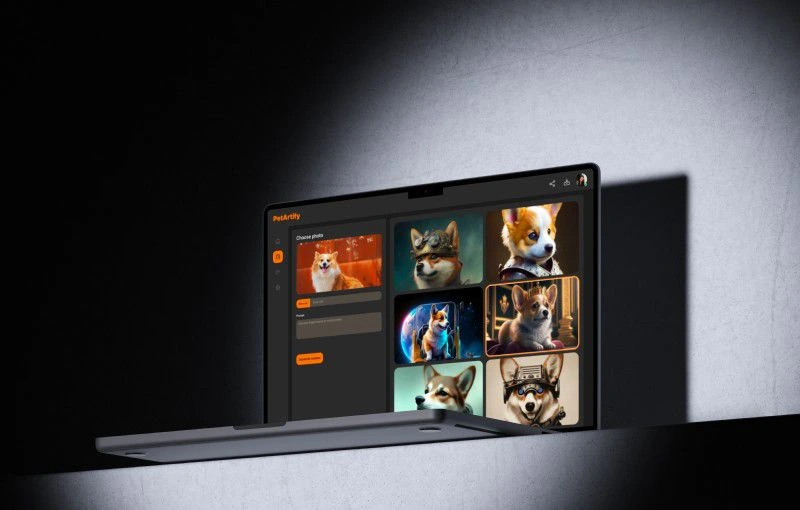
The workspace is a gallery. AI avatars stream in as they finish, which made a 55-second batch feel roughly half as long in testing. Saved and Trash tabs let people triage without losing anything permanently, and the counter in the header, Camera (293) on one beta account, quietly became a status symbol inside the client’s Discord.
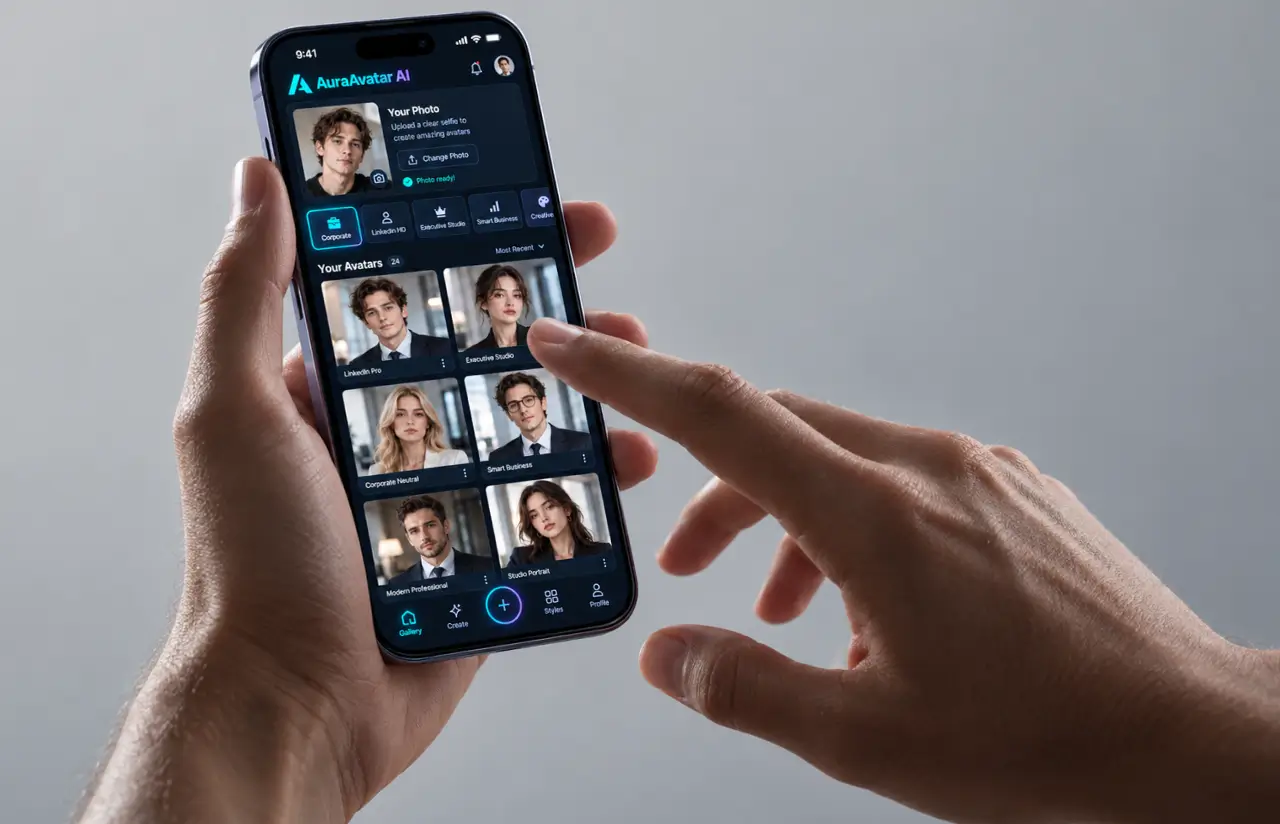
Mobile mattered more than anyone forecast. 61% of first-month sessions arrived from phones, usually people creating an avatar between two other things, so the gallery collapses to one column and the style picker turns into a horizontal scroll. Three taps to create an avatar is what people now expect from an AI avatar maker app, and the avatar creation flow was built backward from that number.
Dark UI was a client call backed by one honest observation: stylized avatars look better against near-black. Every text element still went through a WCAG AA contrast check, because a gallery this dark fails fast on cheap monitors.
Results
Before
- ✕Commissioned profile pictures cost $40 to $120 and took 2 to 5 days each.
- ✕The client notebook returned a usable avatar roughly 1 run in 4.
- ✕Identity match sat near 60% on the client's own review set.
- ✕Five avatar styles total, all realistic or close to it.
- ✕A model with no product around it. No upload flow, no gallery, no deletion policy.
After
- ✔~14 seconds per avatar and 4 AI avatars from a single photo.
- ✔91% identity match on the same internal review set.
- ✔24 presets in six categories, from realistic avatar looks to anime characters.
- ✔1 in 9 runs regenerated, against 1 in 3 during early sprints.
- ✔One workspace covers photo upload, avatar generation, review, and deletion.
Impact After Launch
Verified Reviews
Our Reputation on Top Platforms
LITSLINK has shipped 1,540+ projects for clients in 82+ countries since 2014. Clutch rates us 4.8 across 70+ reviews, and reviewers keep naming the same things: senior engineers who explain their tradeoffs, US-based project management, and software development that ships on the date agreed. Artificial intelligence projects like this avatar platform also sit on our Behance portfolio.
Have an AI Generation Platform in Mind?
Planning an avatar maker from a photo, a talking avatar tool, or a video avatar pipeline for a game studio? Tell us what you are building. Our specialist replies within two business days with a scope, a GPU cost estimate, and CVs for the engineers who would do the work.
Thank you for your message. It has been sent.