

Building an AI Pet Portrait Generator with Stable Diffusion Technology
- 12 art styles at launch
- ~40 sec per batch of four portraits
- 89% pet likeness score in review
- 1,100+ portraits generated per hour
This AI pet portrait generator turns ordinary pet photos into artistic avatars for owners who want a wall print, a phone wallpaper, or a birthday gift and don't want to commission an illustrator.
Project Details
The client is a US pet technology startup that already sold custom pet merchandise (mugs, T-shirts, canvas prints) and kept losing orders at the artwork step. Customers would send blurry phone photos, an illustrator would ask for a clear photo instead, and about a third of those threads went quiet. The founders wanted a self-serve pet portrait generator that could take whatever photo a pet owner had on hand, produce a stylized avatar in a couple of minutes, and feed straight into the print catalog. For a related example of personalized image generation, explore our AI avatar maker from photo case study, which creates stylized human avatars from a single uploaded photo.


Business Challenge: Creating High-Quality Pet Portraits from Any Photo Quality
Pet lovers rarely have a studio-grade picture of their golden retriever or their cat. They have a dark kitchen shot, a mid-run blur, and a close-up of a nose. Stock Stable Diffusion 1.5 treats those inputs as noise. In the client’s first prototype, roughly half of the generated portraits came out as a generic dog or a generic cat, not the animal in the photo. Three problems had to be solved before the product could go live.

Handling Low-Quality Input Photos
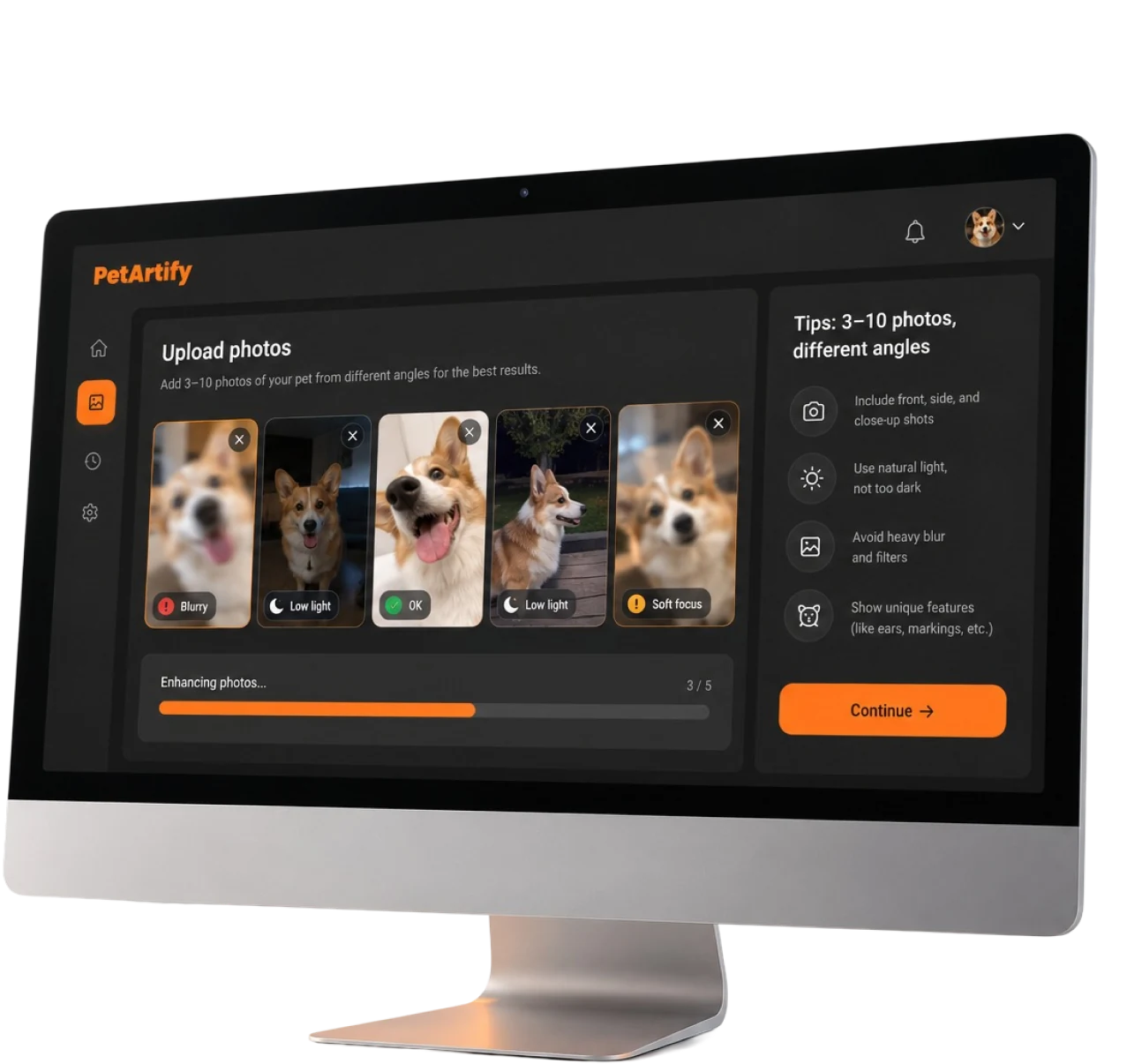
Test uploads averaged 640 px on the long edge, and 28% were under 400 px. Motion blur, tungsten color casts, and cropped ears pushed the raw model toward hallucinated features. The pipeline needed to clean and align photos before any generation happened.

Maintaining Pet Recognition Across Artistic Styles
A steampunk avatar still has to look like the owner's beagle. Heavy stylization erased markings, eye color, and ear shape. In early tests, only 58% of reviewers could match a cyberpunk portrait back to the source pet.

Delivering Consistent Quality at Scale
One flawed image (extra legs, a second tail, a floating collar) in a batch of four was enough to make owners regenerate. Early regeneration rates ran at one in every 2.5 batches, which doubled GPU spend per paying user.
Technologies Behind the AI Pet Portrait Generator


Our AI Pet Portrait Generator Solution
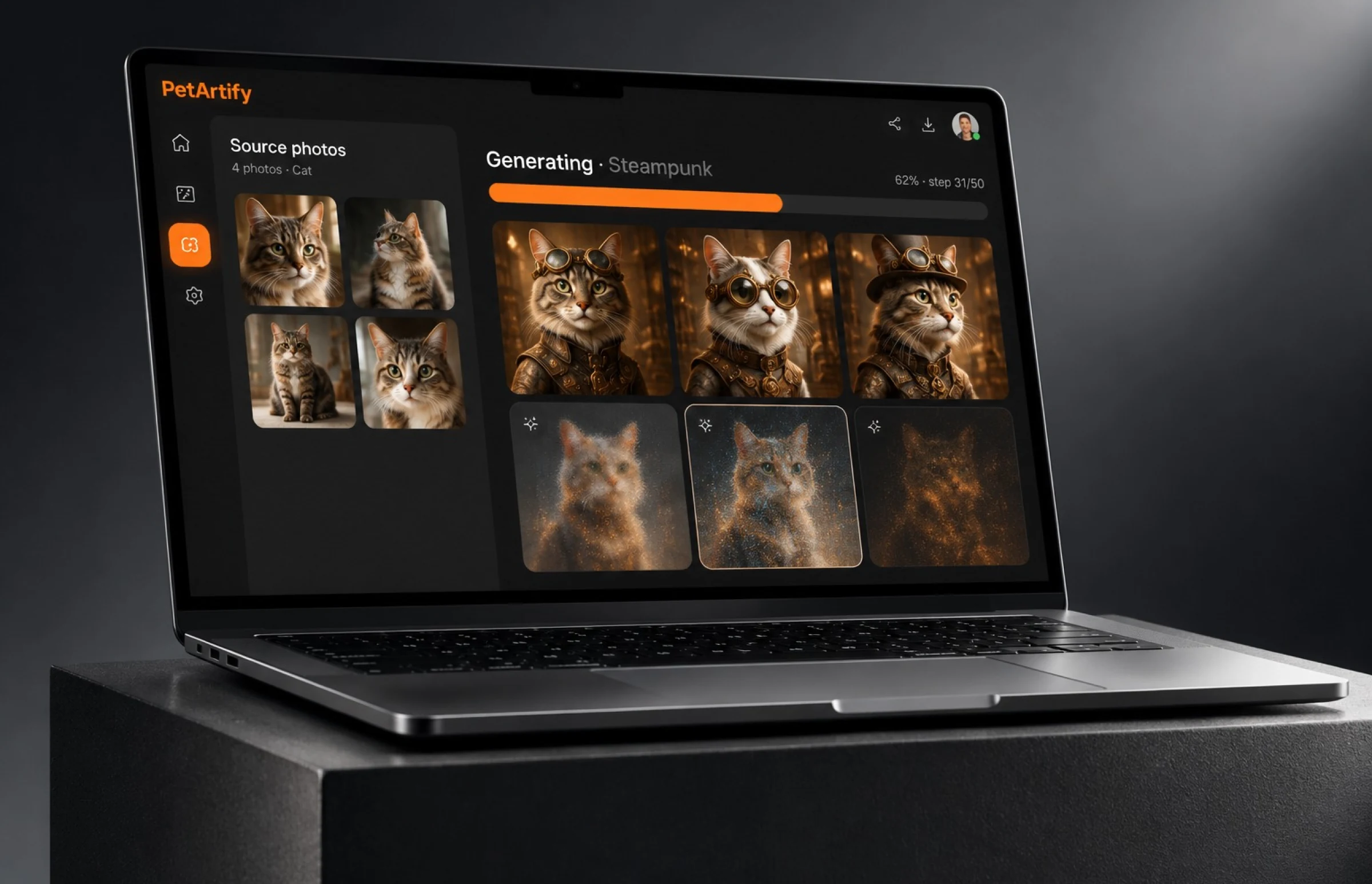
Our AI custom software development team built the product around a clear priority: preserving each pet’s recognizable features across artistic styles. Every upload runs through a preprocessing stage that detects the animal, crops to the face and body, corrects exposure, and then fine-tunes a lightweight LoRA adapter on top of Stable Diffusion 1.5 for that specific pet. Only after that does the style prompt come in. The same adapter works for dogs, cats, rabbits, birds, and other pets, so the client did not need separate models per pet type.
The result is a web app where a pet owner picks a style, uploads photos, and gets four AI-generated pet portraits back about two minutes later. The wait is mostly the 90-second adapter training, which happens once per pet; every batch after that takes about 40 seconds.
Owners can create AI pet portraits of their furry friends as often as they like, and every download comes with every download is print-ready for personal use. Nothing about it is a prompt wrapper. The custom model, the quality filter, and the print-ready export were all built for this one use case.
Stable Diffusion 1.5 Pet Model
A base checkpoint fine-tuned on 1,100 curated reference photos across 40+ dog and cat breeds, plus rabbits and birds. Per-pet LoRA adapters train in roughly 90 seconds and keep coat markings, eye color, and ear shape intact across every style.
Multi-Style Artistic Generation
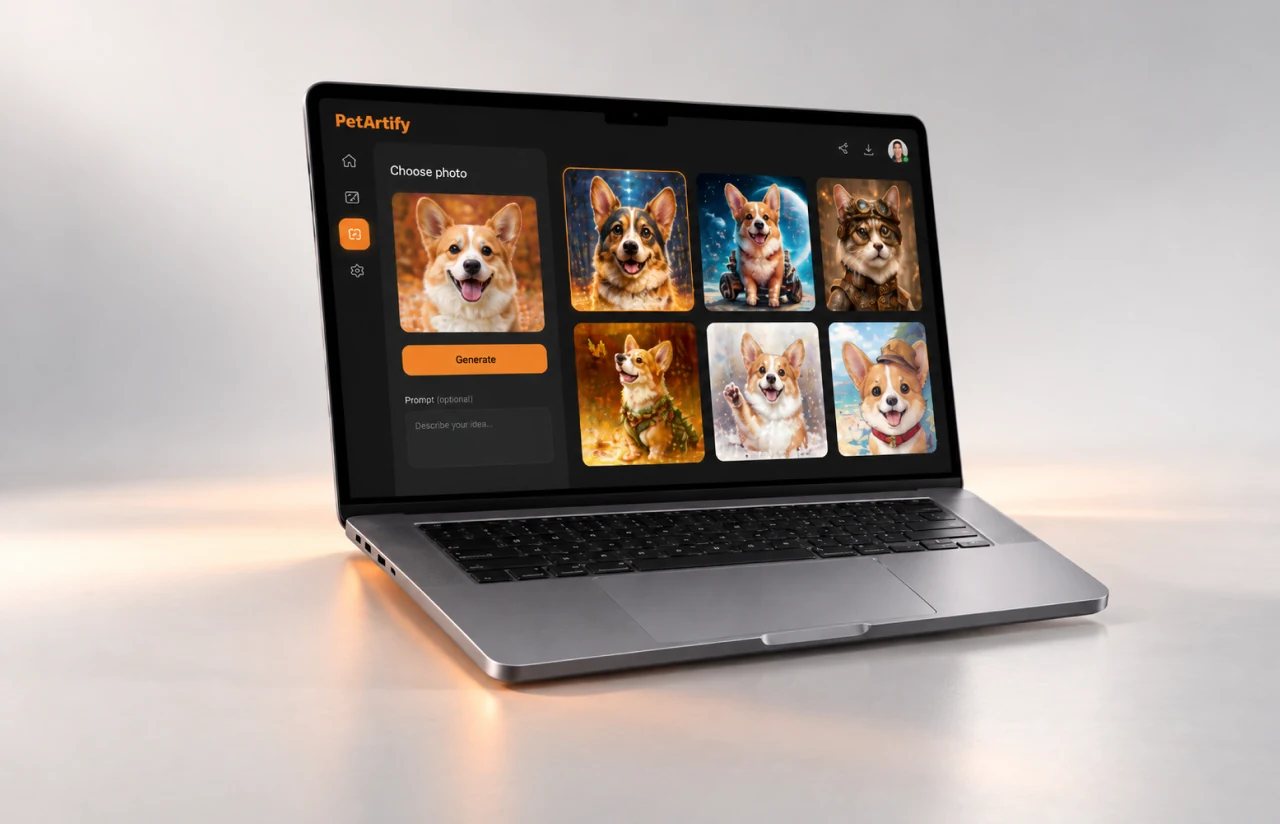
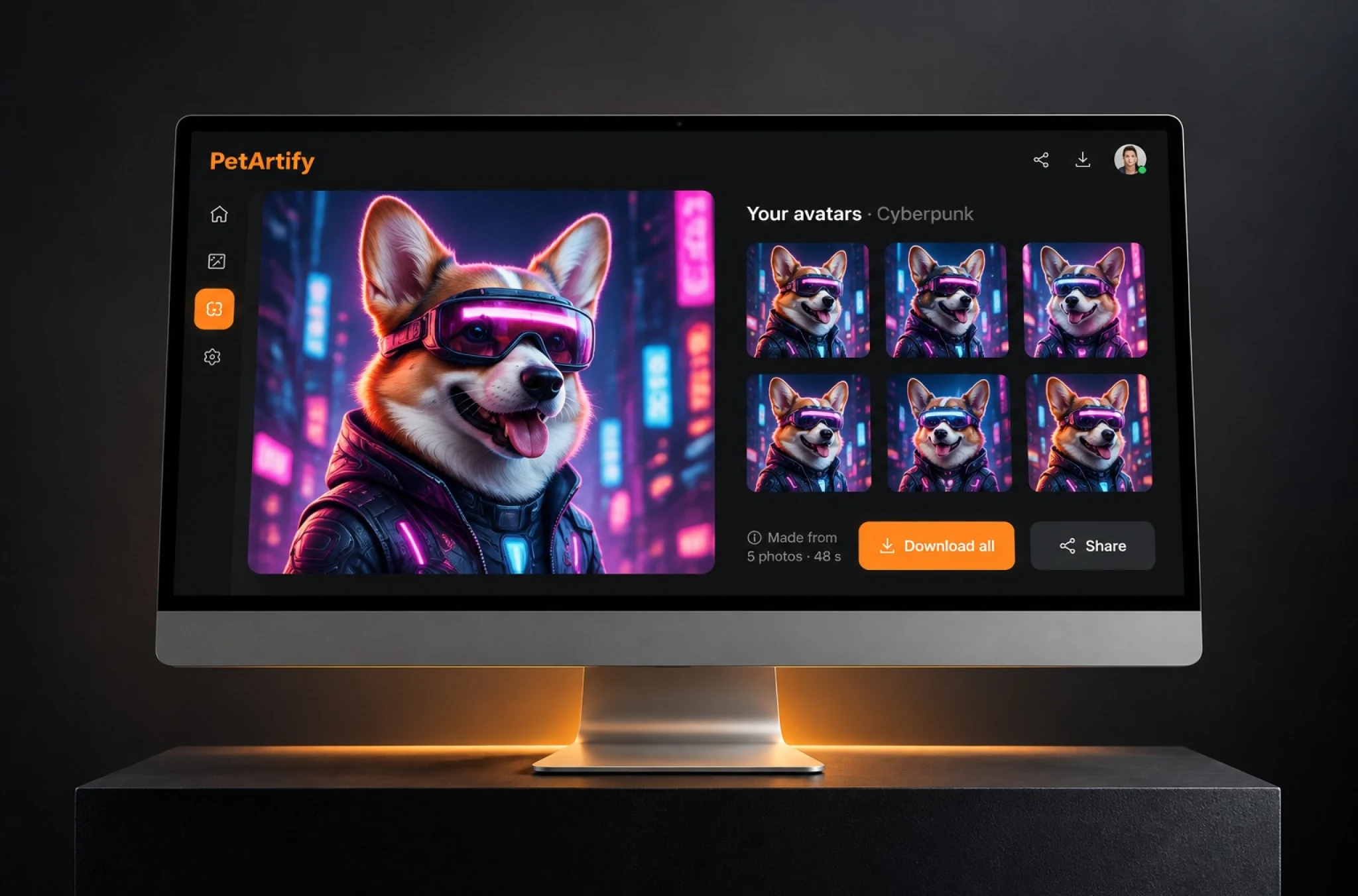
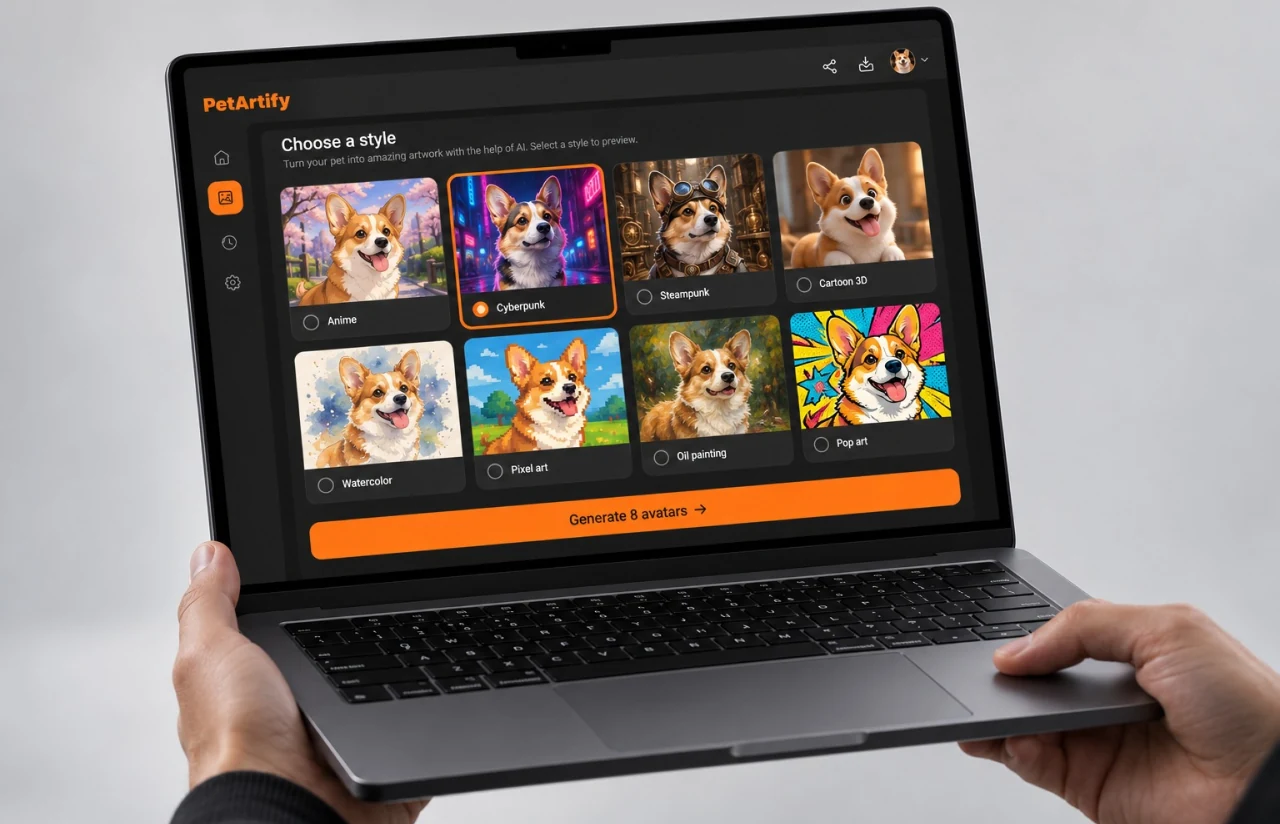
Twelve art styles at launch: anime, cyberpunk, steampunk, cartoon, watercolor, oil painting, pop art, pixel art, fantasy, space explorer, retro poster, and pencil sketch. Each of these creative styles ships as a tuned prompt template, not a free-text box, so output stays predictable, and the pet's unique personality survives the makeover.
Smart Image Preprocessing
OpenCV-based detection finds the pet, crops it, fixes white balance, and upscales anything under 512 px before training. Uploads as small as 320 px now produce usable portraits. Preprocessing alone lifted likeness scores by 14 points.
GPU Processing Pipeline
A FastAPI service queues jobs through SQS to a pool of six GPU workers. A single portrait renders in about 12 seconds, a batch of four in 40. Peak throughput in load testing reached 1,100+ portraits per hour with 300 queued uploads without failures.
User-Friendly Upload Interface
A single screen: choose photo, pick a style, adjust one strength slider, generate. No prompt writing. First-time users reached their first finished portrait in a median of 1 minute 50 seconds during beta. The whole thing is meant to feel fun, not technical.
Custom Avatar Gallery
Every account has an archive with folders for different pets, styles, or occasions. The default archive holds 20 images, and owners can download any of them as a 2048 px file suitable for wall art, mugs, and T-shirts.
Quality Assurance System
An automated checker scores each generation for anatomy errors and identity drift before it reaches the user. About 11% of raw outputs get discarded silently and re-rendered, which cuts visible regeneration to one in eight batches.
— Agile Development Methodology
Project Journey
The engagement ran for eight months in two-week sprints, with the first three sprints spent almost entirely on data: collecting reference photos, labeling breeds, and measuring how badly stock Stable Diffusion 1.5 handled low-resolution inputs. From sprint four onward every cycle ended with a live demo where the client’s team uploaded their own pets and rated the output. Sixteen sprints in total, and 15 of them shipped what was planned.
How the AI Pet Portrait Generator Works
- Any quality works for the pet upload. The app accepts phone shots, screenshots, and old scans down to 320 px.
- The pet is detected, cropped, color-corrected, and upscaled. Bad frames are dropped automatically.
- A LoRA layer learns this animal's markings in about 90 seconds on top of the base model.
- Anime, cyberpunk, steampunk, watercolor, cartoon and seven more. One slider controls how strong the style is.
- The batch generates in roughly 40 seconds. The quality filter rejects and re-renders flawed frames.
- Portraits land in the archive at 2048 px, ready for download or a one-click print order.
Development Process Flow
Our AI product development process kept model improvements and application development aligned through regular sprint reviews. The ML engineers held a fixed evaluation set of 200 pet photos from 60 real owners, and no model change shipped unless likeness scores on that set went up. Frontend and backend work followed the web development track, so the upload flow, archive, and print export were usable weeks before the final model was ready.
How We Delivered the AI Pet Portrait App
- We define the project goal together, agree on priority features, and set a realistic delivery date and budget.
- We build a ranked list of everything the product needs, starting with what matters most to the business.
- Work is broken into 2-week cycles. At the start of each, we select the next set of features to deliver.
- The team builds, tests, and integrates features throughout the sprint.
- At the end of every sprint, you see working software and give feedback that shapes the next cycle.
- Each sprint produces a shippable piece of the product. We review what worked, adjust, and move forward.
UI/UX Design: Intuitive Interface for Digital Pet Portrait App
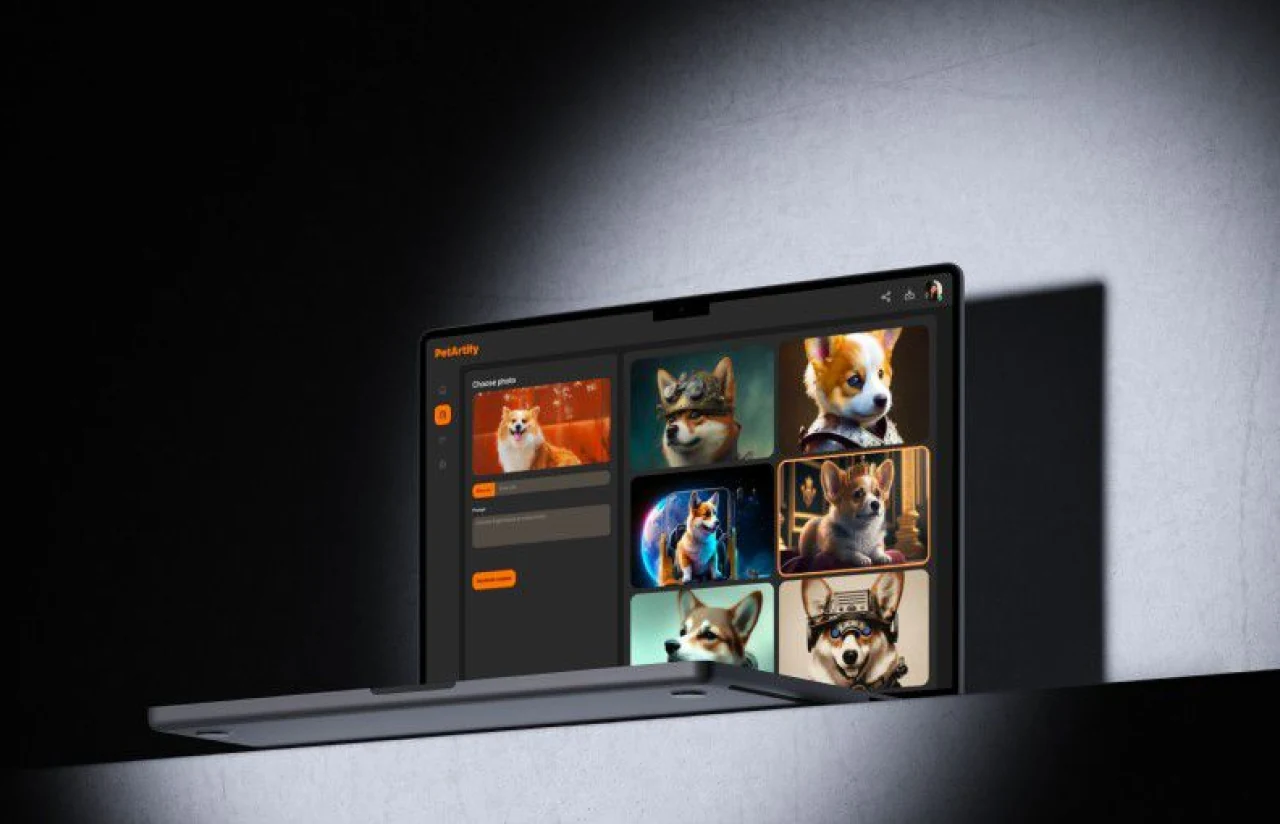
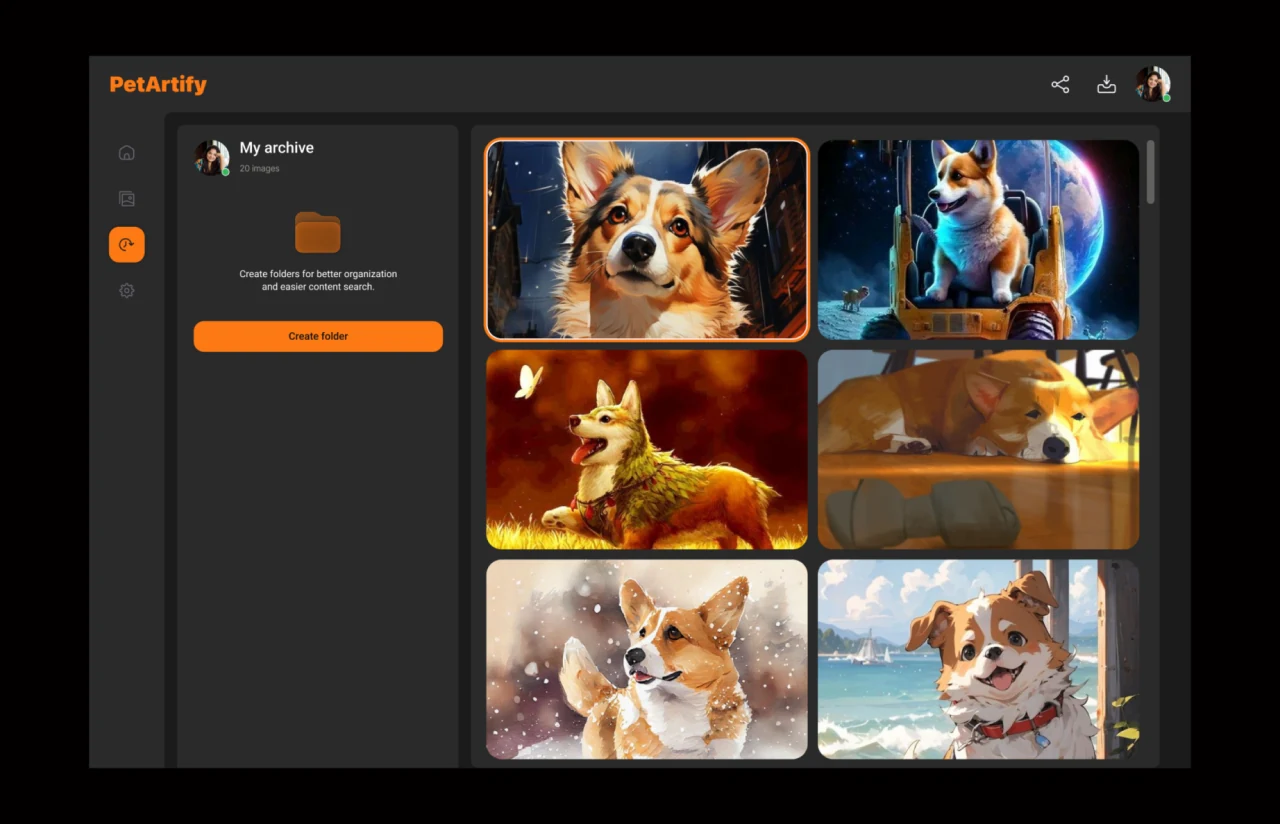
The audience is pet lovers, not designers. So the interface hides every model parameter behind one screen. Our product design team used a dark charcoal canvas with a single warm orange accent for the primary action, which makes the generated pet portraits the brightest thing on the page. Small metric labels (image count, style name) sit in muted gray, while section headers carry enough weight to guide the eye through the creation flow: choose photo, set style, generate.
The left rail holds four icons: home, gallery, archive, and settings. The archive view shows a two-column grid of portraits with the selected image outlined in orange, plus a folder prompt that nudges owners to organize by pet or occasion. Share and download icons sit in the top bar on every screen, since 18% of beta users ordered a print and most of the rest shared to social within the same session. Gallery organization, sharing, and export workflows like these are part of our photo and video app development services.
Two beta rounds with 250 pet owners shaped the details. The style picker moved above the upload zone after 40% of first-time users tried to generate before choosing a style. The strength slider gained a live preview thumbnail after testers said they could not predict what ‘anime 70%’ would look like. Both changes cut time-to-first-portrait by a little over a minute.
Results
Before
- ✕Custom pet portraits took 3 to 7 days through an illustrator
- ✕$60 to $200 per commissioned artwork
- ✕About a third of orders stalled when owners could not supply a clear photo
- ✕One style per order, no way to compare looks
- ✕58% pet likeness on stylized prototypes
- ✕Manual review of every image before print
After
- ✔~40 seconds for a batch of four portraits
- ✔~55% lower GPU cost per paying user than the original estimate
- ✔Uploads as small as 320 px produce usable art
- ✔12 art styles, side by side, in one session
- ✔89% pet likeness score across all styles
- ✔Automated quality filter, 11% of raw outputs discarded before the user sees them
Impact of the AI Pet Portrait Generator After Launch
— Verified Reviews
Our Reputation on Leading Platforms
LITSLINK holds a 4.8 rating on top platforms, with recognition as a top AI development company on both. Clients on AI portraits and other generative projects tend to mention the same things: honest answers about what a model can and can’t do, working demos every two weeks, and a team that stays on after launch. Our AI as a service engagements follow the same pattern as this one.
Have an AI Project in Mind?
Whether you need an AI pet portrait generator, a product photo tool, or another image-generation feature in your app, we can show you a working prototype before you commit to a full build. Send us a few sample inputs and tell us what your users should get back. We reply within 48 hours and can run the model on cloud infrastructure you already own.
Thank you for your message. It has been sent.