






How We Built Object Detection Software for Real-Time Chess Recognition
- 35% lower cloud cost per analysis
- 3 sec from photo to digital position
- 22 ms inference per frame on GPU
- 4.5× more positions analyzed per lesson
A chess learning startup needed a way to turn a photo of a physical board into a digital position that coaches and players could analyze on the spot. We built YOLOv5-based object detection software that detects chess pieces on a board in real time.
Project Details
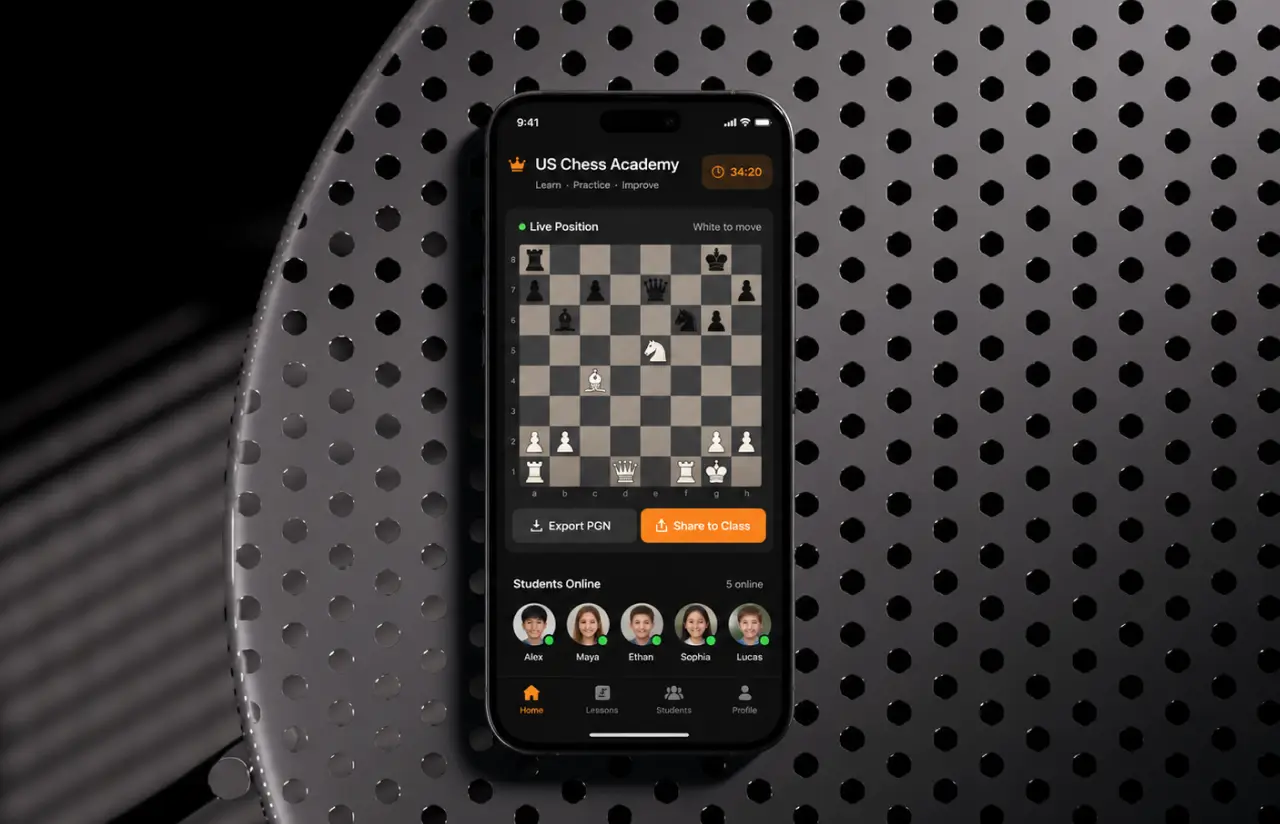
The client runs a chess coaching platform for clubs, schools, and individual learners in the US. Their users play on real boards, then have to rebuild every position by hand inside the app before any analysis can start.


Business Challenge: Developing Scalable Object Detection Software for Chess Piece Identification
Before the project, a coach reviewing a club game had to type all 32 pieces into a board editor. Two to three minutes per position, and roughly 1 in 8 positions came in with a typo that nobody caught until the engine suggested a nonsense move. Over a 90-minute lesson, entry ate close to 20 minutes. The client wanted the camera to do the work: point the phone at the board, let object detection find the pieces, get a clean digital position, move on.
Off-the-shelf image recognition tools did not help much. Generic pretrained models know common objects like cups and cars, not a black knight on a wooden board photographed at a 40-degree angle. Object recognition applications built on those models reached about 70% on the client’s boards in our first test, and 70% means nine wrong squares per scan. Object detection plays a different role here than in, say, real-time person detection for a security feed: the objects are tiny, nearly identical, and packed on a grid. Computer vision was the obvious answer. The open question was which computer vision technology could identify objects that small, on a phone, in under five seconds. Three problems shaped the scope.

Small, Similar-Looking Objects
A bishop and a pawn share most of their silhouette. Twelve piece classes sit close together on a grid, so the object detector had to tell apart multiple objects that overlap in almost every frame. Only deep learning methods held up.

Real-Time Detection on Phones
Coaches scan between moves, so anything over five seconds kills the flow. Accurate detection of 32 objects had to run fast enough on mobile devices and edge devices without shipping a 100 MB model, which rules out the heavier object detection models.

Labor-Intensive Data Labeling
No public dataset matched the client's boards, lighting, or camera angles. Every training image had to be photographed and annotated with bounding boxes by hand, and each image holds up to 32 objects. Slow work, and expensive at scale.
Technologies Behind the Object Detection Software






Our Object Detection Software Solution
Object detection identifies what is in an image and where it sits. The app has to say “black knight on f6,” not just “there are knights here,” so every piece needed localization information: bounding boxes, class labels, then a mapping onto a 64-square grid. An OpenCV stage finds the board corners, warps the image to a top-down view, and places each detected object by its box center. Full-board accuracy reached 93% in field tests, and any square below 0.6 confidence is flagged for the user.
Of the popular object detection algorithms, all deep learning models on convolutional neural networks, Faster R-CNN scored slightly higher on our sample data but ran three to four times slower. YOLO models return boxes and class probabilities in one pass, which real-time detection needs. YOLOv5s won on speed and model size: 14 MB after export.
Pretrained models have never seen a rook, so a custom model was unavoidable. We photographed 6,800 boards across 4 board styles, 3 piece sets, and 5 lighting setups and annotated roughly 210,000 objects. Augmentation grew the training data by about 3×. Eleven model training rounds on AWS EC2 GPUs; each new model scored on the same 1,400-image holdout, ending at 97.3% mAP@0.5, weakest class 94.8%.
Real-Time Board Scanning
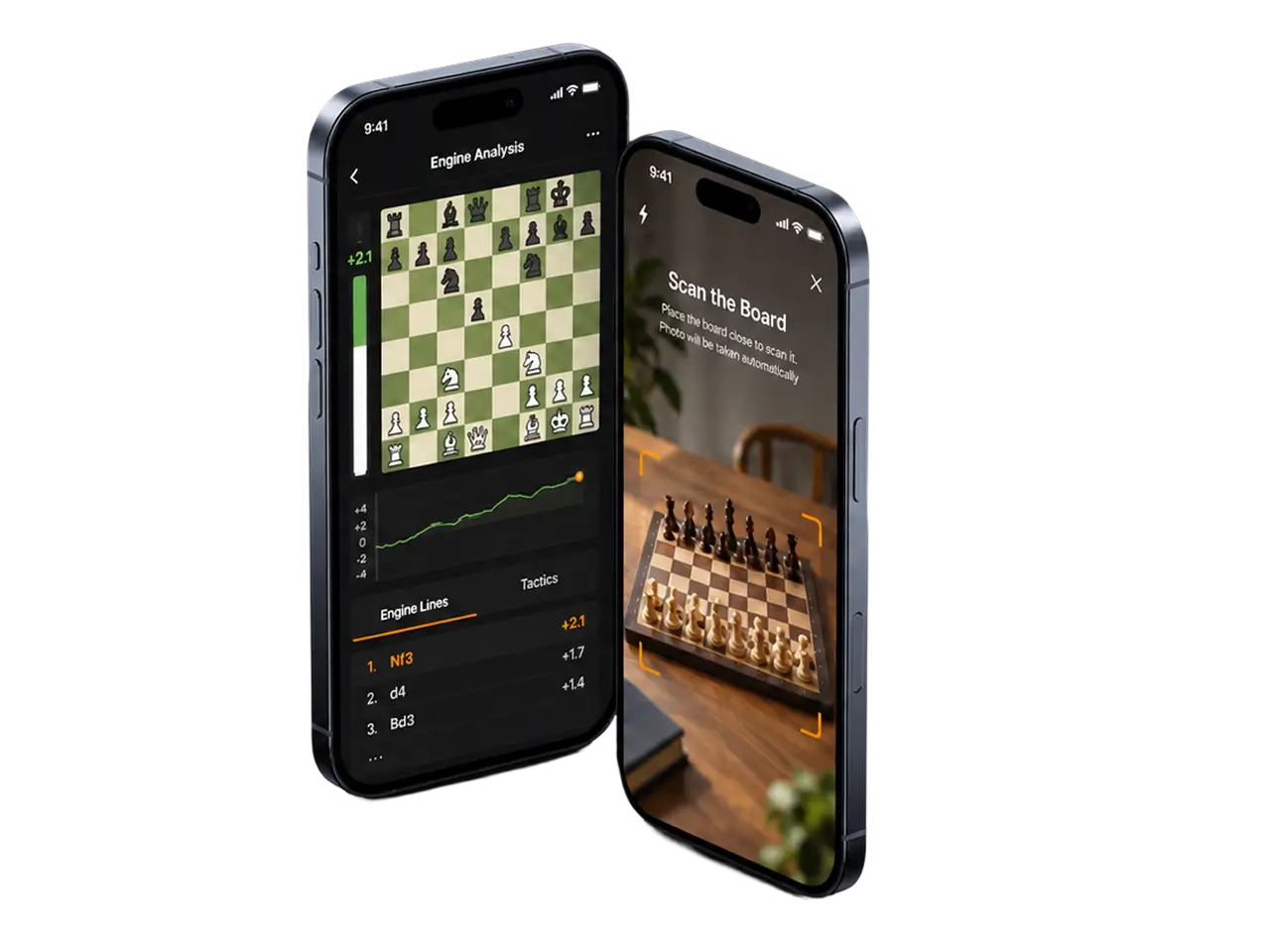
The camera frame is checked continuously by a lightweight computer vision routine. Once the board fills the guide box and the image is sharp, it takes a photo automatically and starts object detection. Users never press a shutter.
Piece Classification With Confidence Scores
YOLOv5 returns bounding boxes, class labels, and class probabilities for all 32 objects at once. Object detection finds multiple objects in one pass, and the app shows low-confidence squares in orange so a coach fixes one square instead of retyping the board. Fewer than 1 in 40 scans now need a manual correction.
Board-to-Grid Mapping
Classic computer vision in OpenCV detects the board outline, corrects perspective, and converts the pixel coordinates of detected objects into chess notation. Works at camera angles from 20 to 70 degrees, which covers how people naturally hold a phone. Object detection accuracy barely moves across that range.
Move Suggestions and Combinations
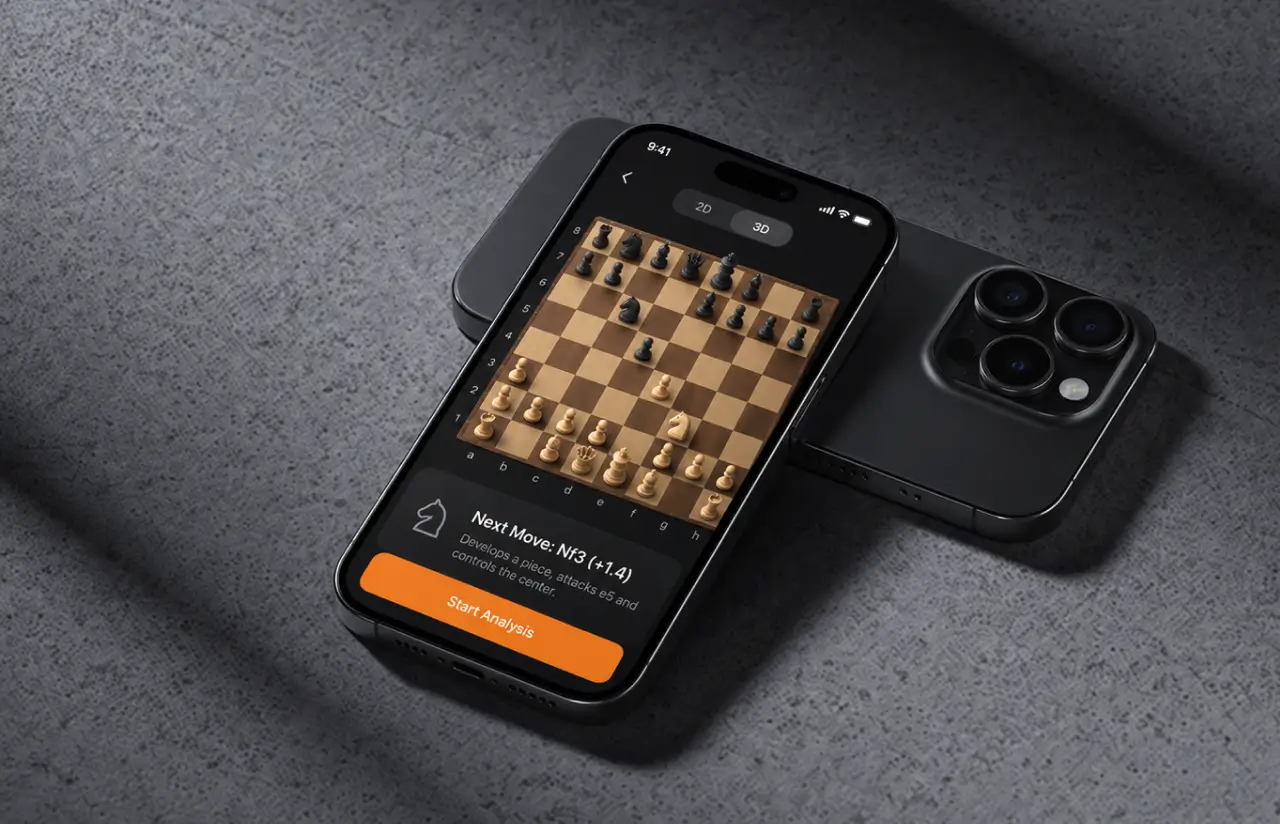
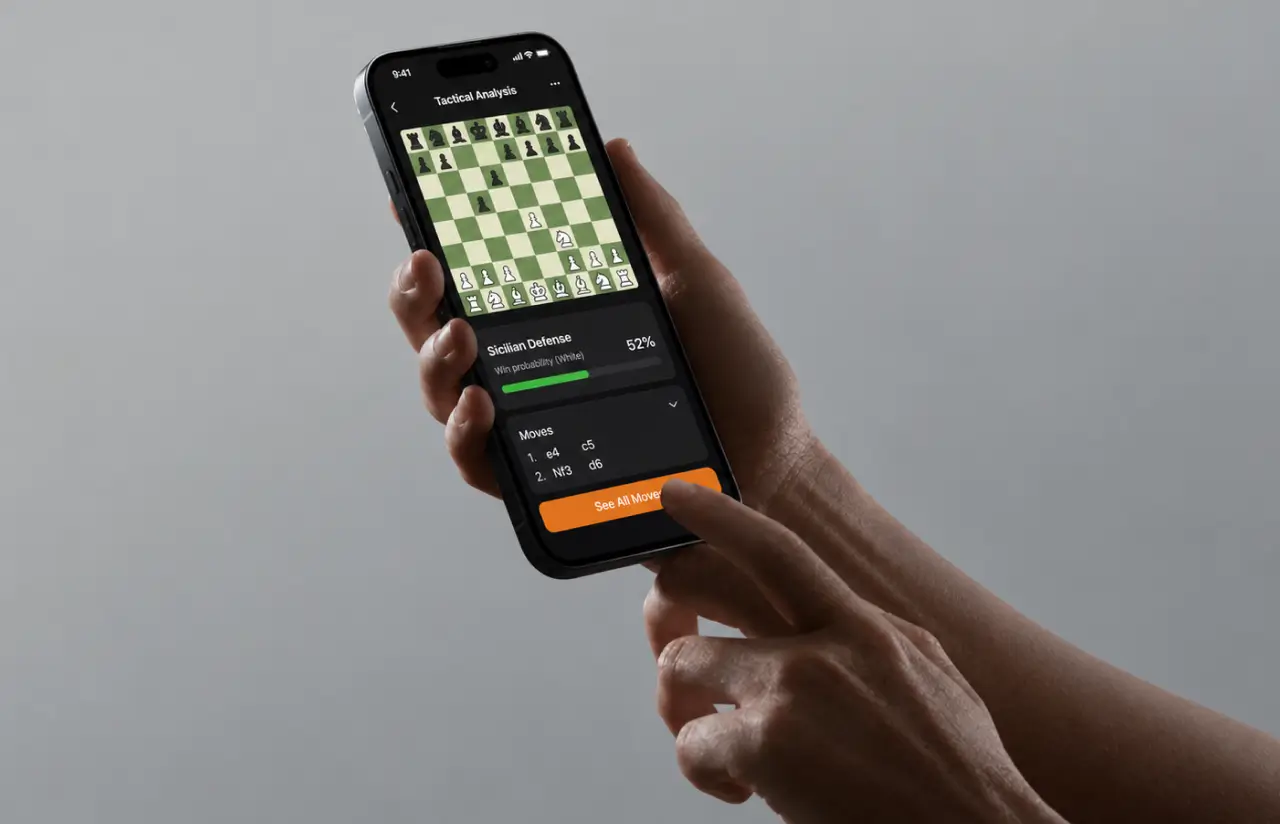
The scanned position goes straight to the analysis engine, so object detection and chess analysis feel like one step to the user. Tapping a piece shows the next suggested move and named openings (Sicilian defense, defense variations) with a one-tap "see all moves" view.
Flask REST API
Object detection runs behind a documented API with two endpoints: scan and validate. The client's web dashboard and a partner's training tool integrate through it. Median response time is 280 ms at 50 concurrent requests.
Position History and Sync
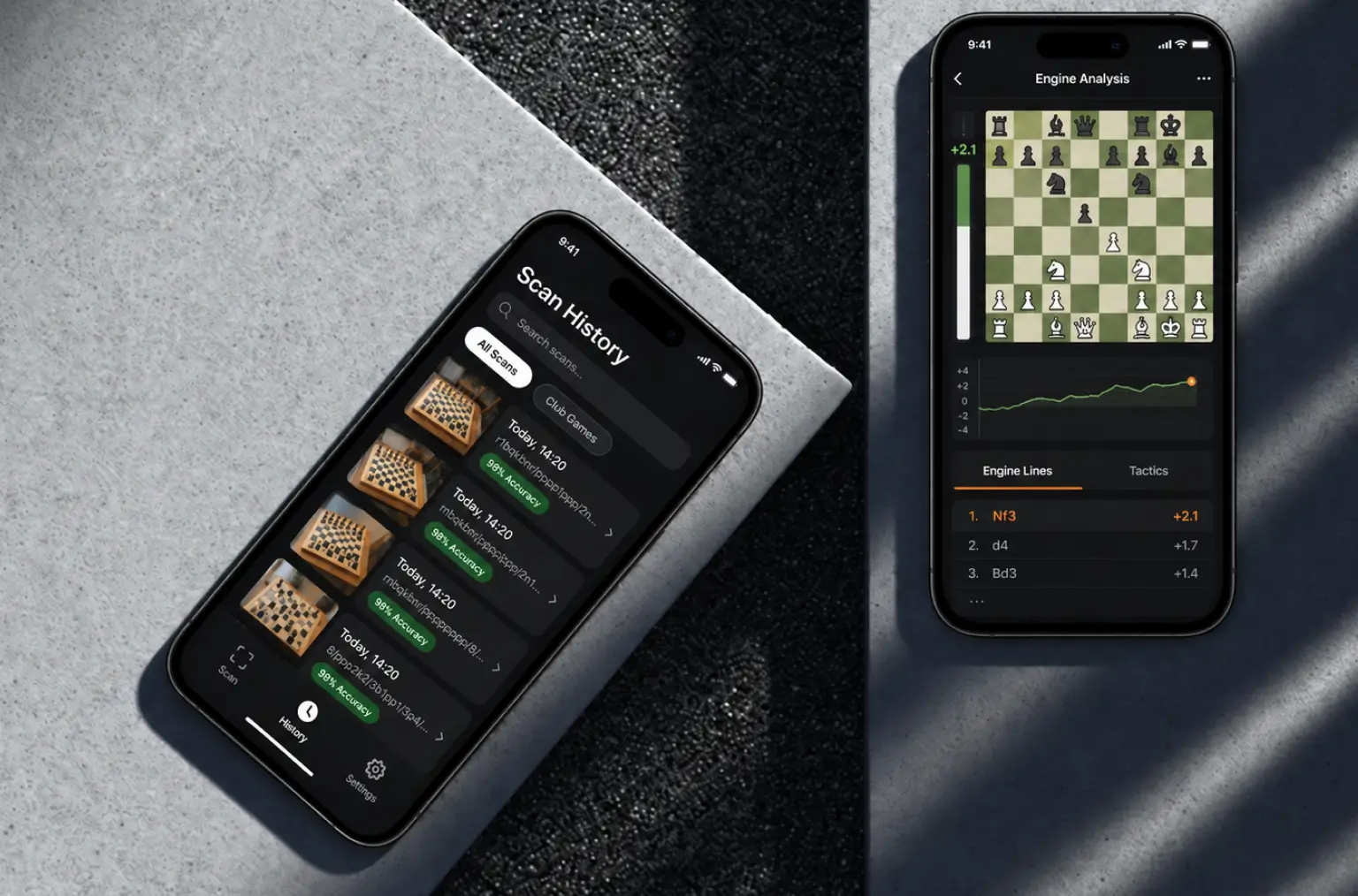
Every scan is stored with the original photo, the detected objects and the corrected position, so coaches can revisit a lesson and the ML team can pull hard cases for the next model training round. Corrected scans are the cheapest deep learning training data the client will ever collect.
Agile / Scrum Methodology
Project Journey
Sprint one produced a rough object detector trained on 900 images so the client could see bounding boxes on a real board in week two, long before the app existed. Sprints 3 through 5 were mostly about data: the first field demo showed that glossy piece sets under kitchen lighting dropped object detection accuracy to 88%, so we rebuilt the dataset around the lighting conditions coaches actually work in. The last three sprints moved object detection onto the phone, tuned inference speed with TensorRT, and closed QA on 7 device models.
How the Object Detection Software Works
- The scan screen shows an orange guide frame. The user places the board inside it. No shutter button; the app decides when the frame is good enough.
- A computer vision check scores video frames for blur and board coverage. The app captures the best frame in a 1.5-second window and sends it to the API, or processes it on-device.
- The object detector outputs bounding boxes, a class, and a confidence score for every piece. The GPU finds all 32 objects in a single 22 ms pass.
- Board corners are found, perspective is corrected, and each of the detected objects is assigned to one of 64 squares by its box center to build the position in FEN notation.
- Squares below the 0.6 threshold are highlighted. The coach taps to fix them. Most scans need zero taps.
- The confirmed object detection result feeds the analysis engine. The Detection Analysis screen shows the next move, named combinations and a full move list.
Development Process Flow
Object detection models are only as good as the data behind them, so our AI development team ran labeling, deep learning experiments, and model training in the same two-week cadence as the app work. Every sprint review showed the client the current object detection accuracy on the holdout set next to a working build, so decisions about more data versus more features were made with numbers on the table.

How we deliver your project
- We define the project goal together, agree on priority features, and set a realistic delivery date and budget.
- We build a ranked list of everything the product needs, starting with what matters most to the business.
- Work is broken into 2-week cycles. At the start of each, we select the next set of features to deliver.
- The team builds, tests, and integrates features throughout the sprint.
- At the end of every sprint, you see working software and give feedback that shapes the next cycle.
- Each sprint produces a shippable piece of the product. We review what worked, adjust, and move forward.
Timeline
How We Delivered the Chess Scanner App Project
Discovery & Data Audit
- Reviewing the client's board styles, piece sets, and typical camera angles
- Defining 12 piece classes and the object detection annotation guideline
- Agreeing on 3-second scan and 95% accuracy targets
Detector Prototyping
- Training a first YOLOv5s model on 900 labeled images
- Comparing YOLO against a Faster R-CNN baseline on speed and object detection accuracy
- Demoing live bounding boxes on a real board in week 2
Agile Development
- Growing the dataset to 6,800 images and 210,000 instances
- Building the Flask API, board mapping, and mobile scan flow
- Exporting to ONNX and TensorRT for on-device inference
QA & Field Testing
- Testing object detection on 7 phone models under 5 lighting setups
- Measuring full-board accuracy on 400 live scans at 2 clubs
- Tuning the 0.6 confidence threshold from real correction rates
Launch & Support
- Deploying to AWS with Docker and autoscaling GPU instances
- Monitoring object detection accuracy drift from user-corrected scans
- Retraining the model on new piece sets every quarter
UI/UX Design: Intuitive Interface for Object Detection Software
The design goal was one gesture: hold the phone over the board and wait while computer vision does the rest. Early tests showed users hunting for a shutter button and taking blurry shots, so we removed the button. An orange guide frame shows where the board should sit, a one-line hint says the photo will be taken automatically, and the app picks the sharpest frame.
The Detection Analysis screen renders the object detection result as a 3D board on a dark background. The suggested piece glows orange, the target square is marked, and the “Next Move” card sits directly under the board. A grid toggle switches to a flat 2D view for users who prefer standard diagrams, with object recognition confidence still visible per square. Combinations are collapsible cards, so a beginner sees one line and a club player can expand the full tree.
Confidence is shown, not hidden. Squares where the object detection model is unsure get an orange outline, and a single tap opens a piece picker. In testing, that pattern cut correction time from about 40 seconds to under 8. The mobile app was built in React Native, so the scan flow behaves the same on iOS and Android.
Results
Before
- ✕Position entry took 2 to 3 minutes per board, done by hand.
- ✕About 1 in 8 manually entered positions contained an error.
- ✕Roughly 20 minutes of every 90-minute lesson went to data entry.
- ✕Generic object recognition tools reached about 70% on real boards.
- ✕No computer vision, no API. Nothing outside the app could use the position data.
After
- ✔3 seconds from photo to a position ready for analysis.
- ✔Fewer than 1 in 40 scans need a manual correction.
- ✔4.5× more positions reviewed per lesson, entry time near zero.
- ✔97.3% mAP@0.5 on the holdout set, 93% full-board accuracy in the field.
- ✔One REST API serving the mobile app, the web dashboard, and a partner tool.
Impact of Chess Figures Detection System After Launch
Verified Reviews
Our Reputation on Top Platforms
LITSLINK holds a 4.8 rating on top platforms. Clients most often mention two things about our object detection applications: engineers who explain trade-offs in plain language, and delivery that stays on the sprint schedule.
Have an Object Detection Development Project in Mind?
Need object detection software that recognizes your products, parts, or game pieces from a phone camera or a fixed feed? Tell us what the camera should see and where it needs to run. Our specialists will come back within 48 hours with a first take on the data, the model, and the timeline.
Thank you for your message. It has been sent.