




How We Built an Ad Intelligence Platform for Commercial Video Analysis
- 200,000+ unique English commercial videos collected
- ~30 min from company selection to a finished analysis
- 5 brands compared side by side in a single run
- ~9,000 new videos screened every week
Marketing teams usually learn what a competitor is running by seeing the spot themselves, weeks after it aired. We built ad intelligence software that pulls English commercial videos from open sources, separates the ads, transcribes them, and turns the pile into numbers a strategist can act on.
Project Details
A US marketing analytics startup was building competitor ad reports by hand from YouTube searches and screenshots, and every report was stale by the time it reached a client deck. They wanted a single tool: a solution to collect commercial videos, decide what counts as an ad, and give creative teams and performance marketers actionable insights instead of screenshots.


Business Challenge: Giving Marketing Teams Reliable Data for Ad Analysis
Two analysts covered about 40 brands across six categories. That meant roughly 15 hours a week each of searching YouTube by hand, watching video ads one at a time, and typing notes into a spreadsheet. Competitor monitoring at that pace reached maybe 300 spots a month, with no way to know what was missed. Competitor activity in search ads, native ads, and mobile apps went untracked entirely.
Licensed ad databases cost more than the startup’s whole tooling budget, so the raw material had to come from open datasets and public video platforms. Which meant the platform also had to figure out, on its own, which clips were actually commercials. That was the hard part.

Ads Buried in Noise
About one clip in nine from a brand keyword search was a real commercial. The rest were reviews, unboxing videos, and news. Without a classifier, competitor ad tracking meant paying someone to watch the other eight.

Too Little Training Data
A few hundred confirmed ads at the start, nowhere near enough for a neural network. Any model had to hit 80% accuracy on a small, hand-labeled set or the idea was dead.

No Numbers Behind Creative Calls
Creative direction was argued from taste. Which competitor campaigns ran longest, how often a brand named its price, which creative themes repeated in Q4: nobody had performance data, so creative strategy ran on opinion.
Technologies Behind Ad Intelligence Platform


Our Competitive Ad Monitoring Solution
One question drove the architecture: how do you build an advertising intelligence system when you cannot afford the data? The answer was to treat collection as the product. Open datasets, public brand channels, and keyword searches feed a youtube-dl pipeline that pulls metadata, subtitles, and the video itself, around 9,000 candidate clips a week.
The classifier is deliberately old-school. With a few hundred labeled examples, deep learning was off the table, so we built a TF-IDF model in Scikit-Learn on titles, descriptions, and transcripts, with data parsing rules to strip channel boilerplate first. Deepgram handles speech-to-text, and that mattered more than expected: spoken words separate an ad from a review far better than a title does. The first version cleared the 80% bar in sprint 4. After three rounds of manual labeling, about 3,200 examples, precision settled near 84%.
Once a clip is confirmed as commercial content, the platform attaches duration, views, publish date, channel, and category, then runs statistical analysis and creative analysis in Python. Brand teams get spot-length distributions, the share of ads that mention pricing, recurring creative themes from transcripts, week-over-week trend analysis per category, and media benchmarking against the category average.
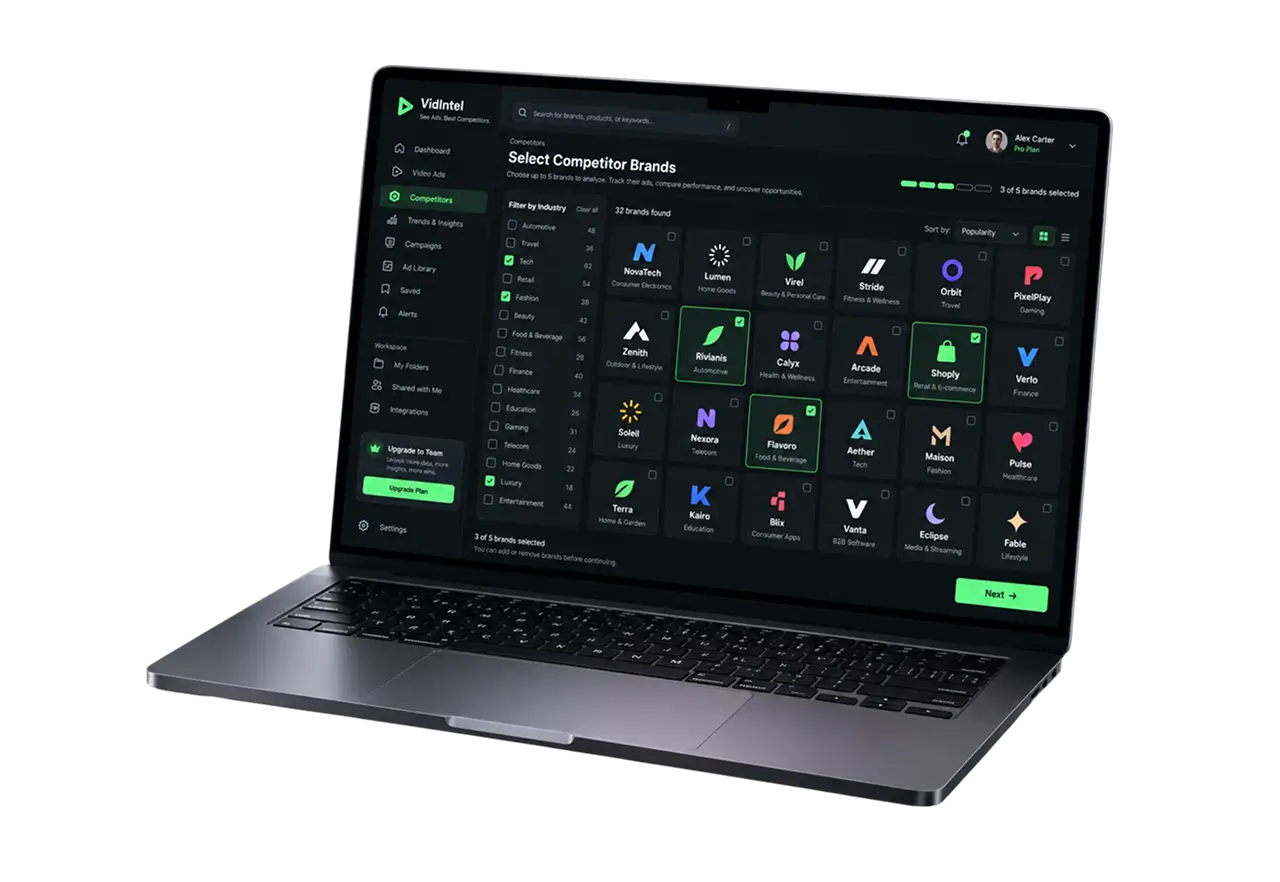
This is digital ad intelligence for people who are not data scientists. A strategist picks up to five companies, filters by industry, presses Next, and comes back half an hour later to a table they can sort, download, or hand to a client. It is not an ad-buying tool: no impression data, no ad placements. Competitive ad monitoring here is about creative direction, the targeting strategies you can read from the copy, and how competitor behavior shifts over time. Just what the client’s marketing teams asked for, and it runs on their own data, with global markets and audience insights from comments on the roadmap.
Automated Commercial Video Collection
Scheduled jobs search open sources, pull video, subtitles, and metadata with youtube-dl, and deduplicate by fingerprint. The platform collects ad data through automated crawling of open sources. Over 200,000 unique English commercial videos sit in the dataset, and a weekly screening cadence keeps competitor insights timely.
TF-IDF Ad Classifier
A Scikit-Learn model reads the title, description, and Deepgram transcript and decides whether the clip is a commercial. Roughly 84% precision on the labeled validation set, above the client's 80% go/no-go line.
Speech-to-Text Transcripts
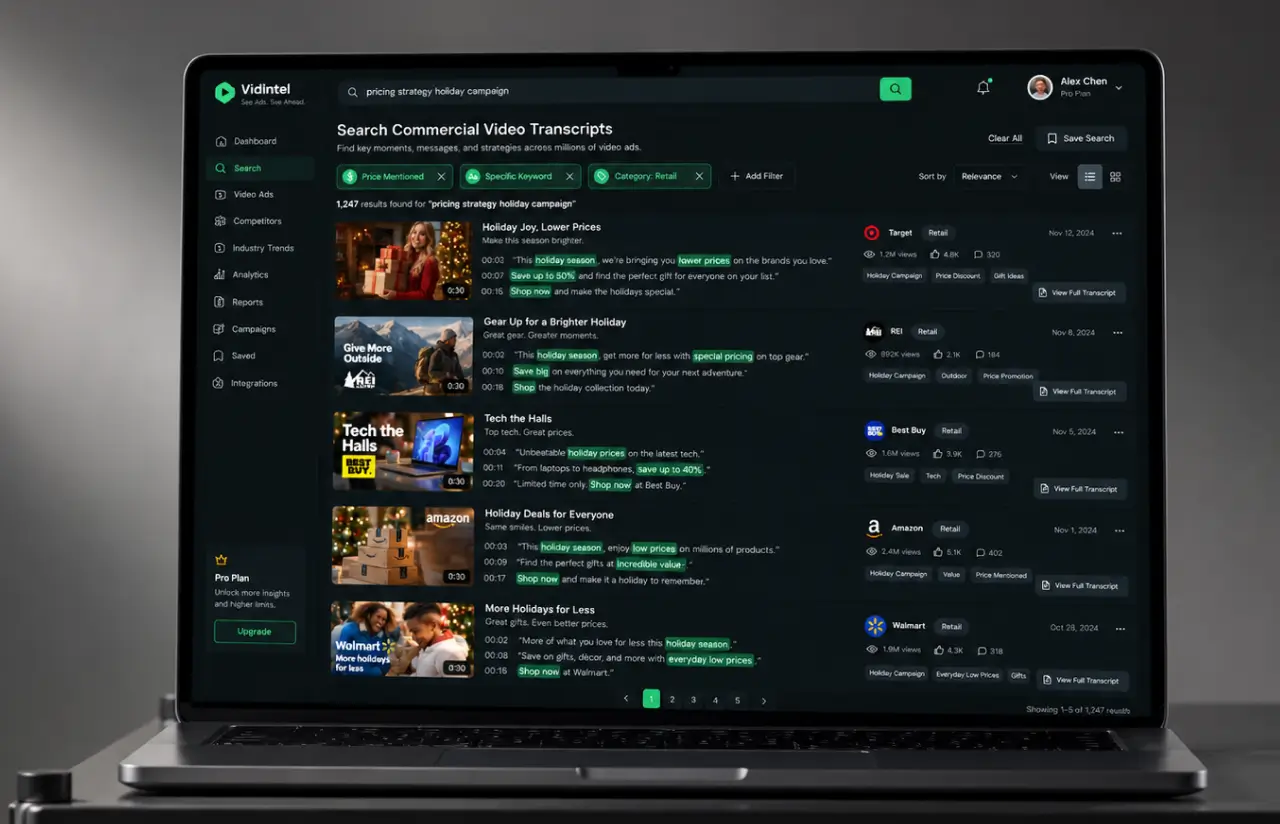
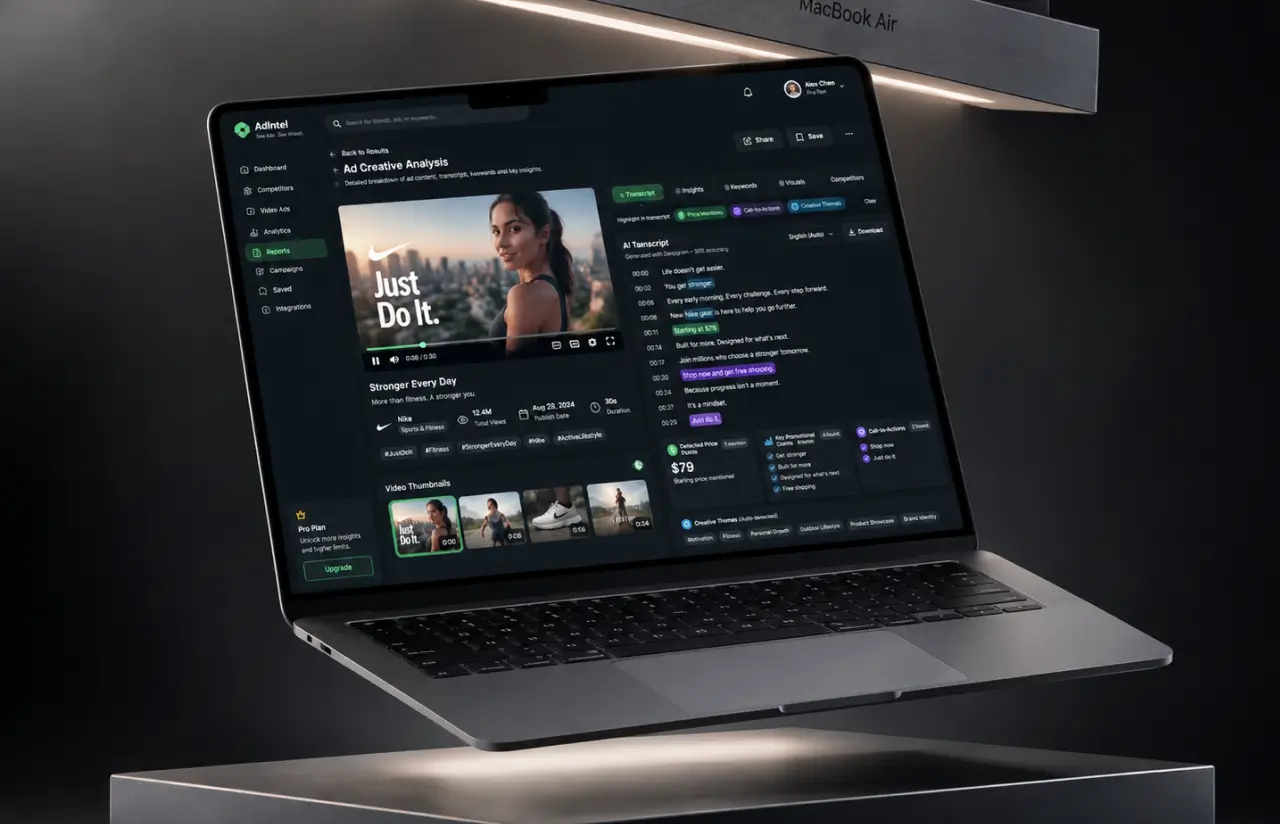
Every confirmed ad gets a full transcript, so analysts can search the whole set for a phrase, a price point, or a claim. Creative teams use it for creative inspiration and to catch creative fatigue when the same ad variations have run for months.
Competitor Selection and Industry Filters
Sixteen industry filters, from Automotive to Travel & Transportation, narrow the list. Up to five brands per run keeps each report focused and makes it easy to monitor competitors one category at a time.
Statistical Analysis and Media Benchmarking
Spot length, views, publish cadence, and recurring themes are computed per brand and per category, so marketing teams know whether a 30-second spot is normal or an outlier, and which creative formats each competitor leans on.
Agile Development Methodology
Project Journey
The project ran in two-week sprints over about seven months. The first three went to collection alone, because a classifier is only as good as what it gets fed. Discovery settled which open sources counted, how the 80% threshold would be measured, and who would label. A data engineer, an ML engineer, a backend developer, a frontend developer, and a QA specialist made up the core team, with the client’s two analysts labeling in parallel.
How the Commercial Video Collection Solution Works
- Scheduled jobs query open datasets and public channels by brand and category, then youtube-dl pulls the clip, subtitles, and metadata.
- Audio goes through speech-to-text, and the transcript joins the title and description as classifier input.
- The TF-IDF model scores each clip. Anything above the threshold is tagged commercial, and borderline cases queue for manual review.
- Duration, views, publish date, channel, and category attach to every confirmed ad in PostgreSQL.
- Python jobs compute per-brand and per-category distributions, theme frequency from transcripts, and week-over-week trends.
- The user picks up to five companies, waits about 30 minutes, and gets a sortable ad intelligence report with links, subtitles, and downloads.
Development Process Flow
Machine learning projects like this one live or die on the data, so we put a working classifier in front of the client’s analysts in sprint 4 and let their corrections drive the next ten. Fourteen reviews of live output changed the feature set twice. The web app came last, on purpose, once the numbers underneath it had stopped moving.
How We Delivered Advertising Intelligence System
- We define the project goal together, agree on priority features, and set a realistic delivery date and budget.
- We build a ranked list of everything the product needs, starting with what matters most to the business.
- Work is broken into 2-week cycles. At the start of each, we select the next set of features to deliver.
- The team builds, tests, and integrates features throughout the sprint.
- At the end of every sprint, you see working software and give feedback that shapes the next cycle.
- Each sprint produces a shippable piece of the product. We review what worked, adjust, and move forward.
Timeline
Five phases, clearly defined
Discovery & Source Audit
- Listing open datasets and public channels worth pulling from
- Defining the 80% accuracy threshold and how to measure it
- Agreeing the first 40 brands and 16 industry categories
Classifier Prototyping
- Testing TF-IDF against a small neural baseline on ~400 labeled video ads
- Adding Deepgram transcripts as a feature and measuring the lift
- Setting the confidence threshold and the manual review queue
Agile Development
- Building the youtube-dl collection pipeline and deduplication
- Shipping the statistical analysis jobs and PostgreSQL schema
- Adding the React web app, team workspaces, and export
QA & Testing
- Running ~180 labeled edge cases through the classifier on every build
- Load testing collection at 3x the weekly volume, about 27,000 clips
- Checking transcript accuracy on a sample of 200 ads
Launch & Support
- Rolling the ad intelligence platform out to the analyst team, then to first client accounts
- Relabelling monthly and retraining when precision drifts
- Adding sources and categories from user requests, still on 2-week sprints
UI/UX Design
The people using this advertising intelligence platform are strategists on brand teams and growth teams, not analysts. They wanted a competitor ad in front of them, not a query builder, so the whole interface is one flow: filter, pick companies, wait, read.
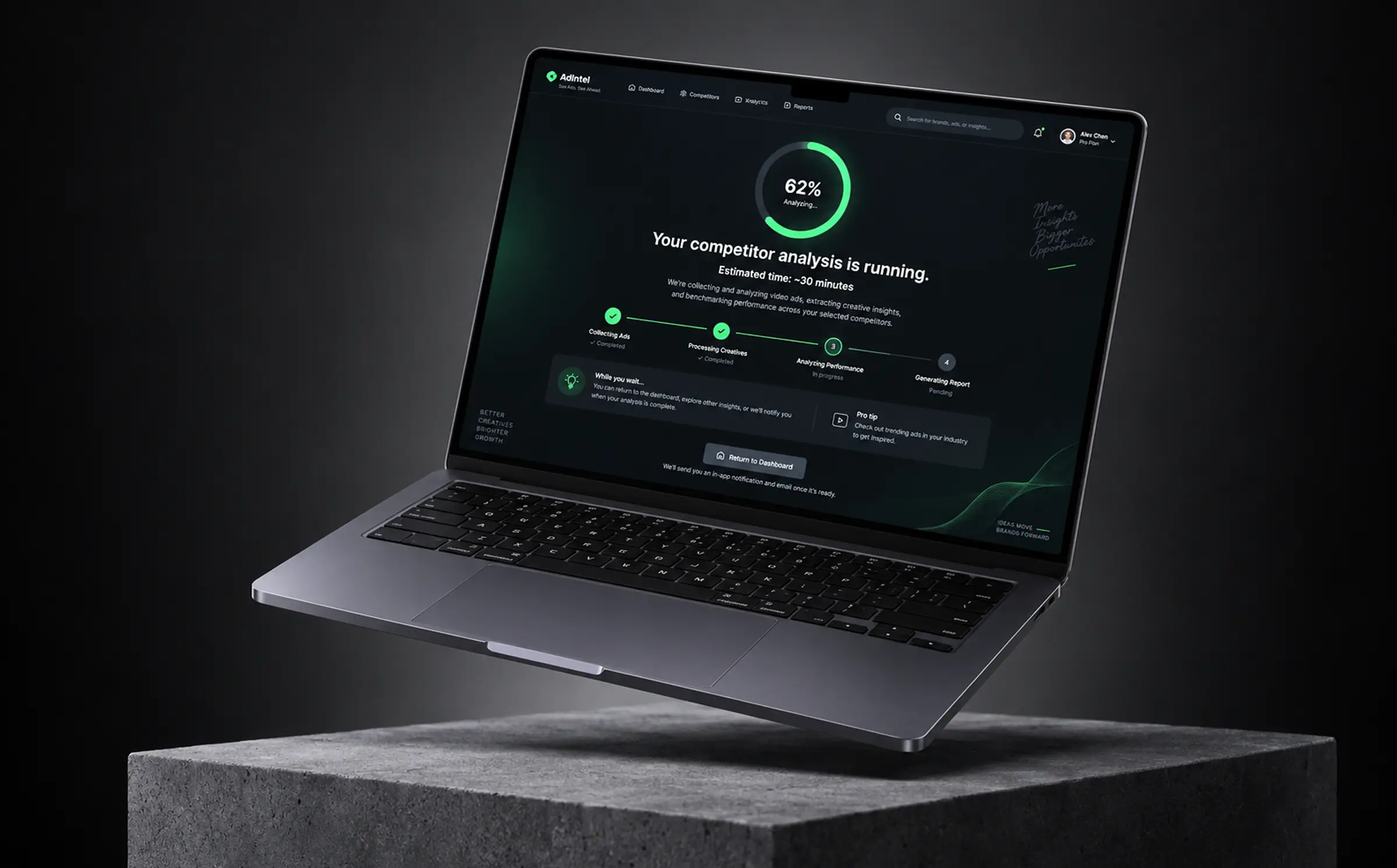
The New Analysis screen is a company grid with logos, a search field, a left rail of sixteen industry checkboxes, and a progress bar showing how many of the five slots are used. The green Next button is the only primary action on the page. After that, a plain status screen says the analysis will take about 30 minutes and sends the user back to the dashboard instead of making them watch a spinner.
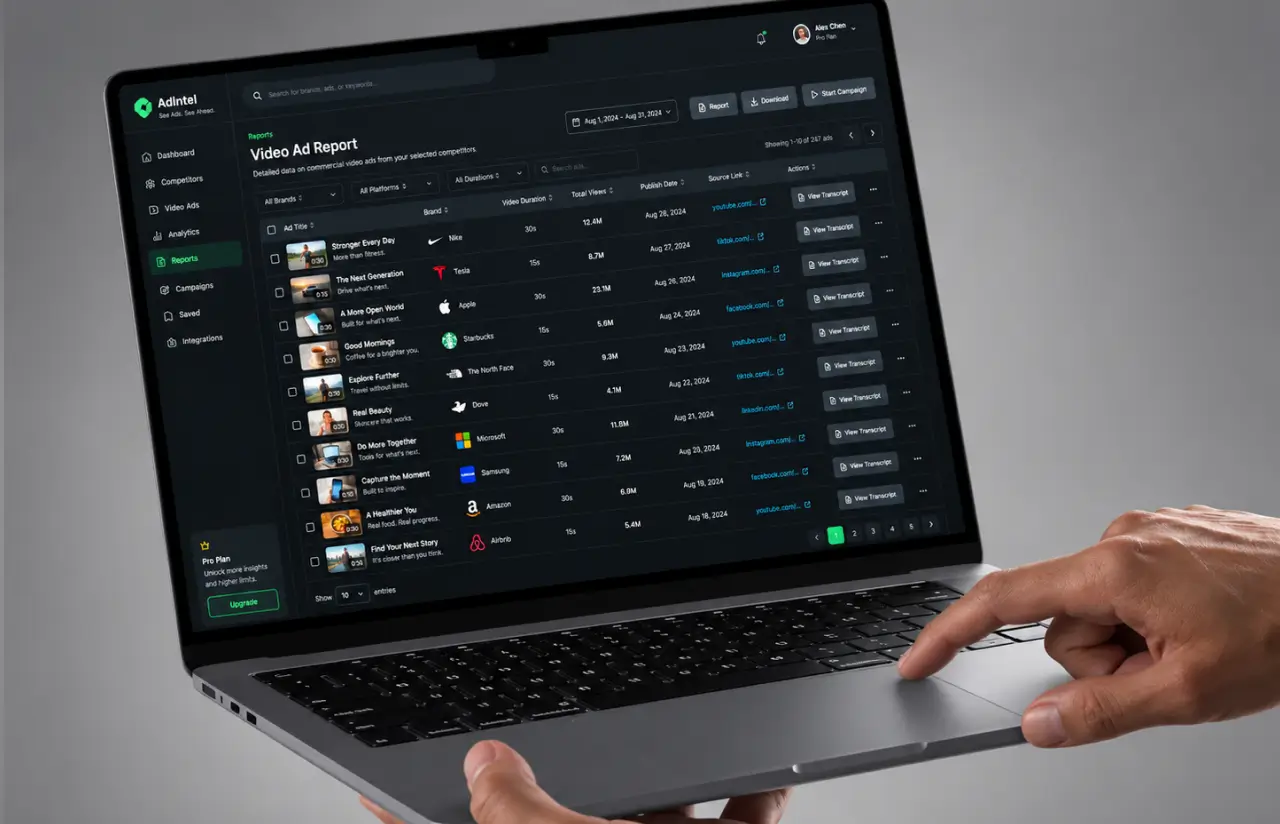
Results open as a table, because that is what the analysts were already building by hand for competitor monitoring: name, title, duration, views, link, and a View button for subtitles, sortable on every column. Report, Download, and Start Campaign sit in the header as three clear next moves. Reserve green for the one action we want taken, and gray for everything else.
Results: Before vs After Implementing Ad Intelligence Software
Before
- ✕Two analysts spent ~15 hours a week searching and watching video ads by hand
- ✕Coverage of roughly 300 competitor spots a month, with no way to know what was missed
- ✕About one clip in nine from a keyword search was an actual commercial
- ✕Creative direction debated from memory, with no performance data behind it
- ✕Reports assembled in spreadsheets and outdated by the time a client saw them
After
- ✔200,000+ unique commercial videos collected from open sources, growing by ~9,000 candidates a week
- ✔~84% precision on the labeled validation set, above the 80% go/no-go threshold
- ✔~30 minutes from selecting five brands to a finished, sortable analysis
- ✔~12 hours a week returned to each analyst, from 15 hours of manual search to about 3
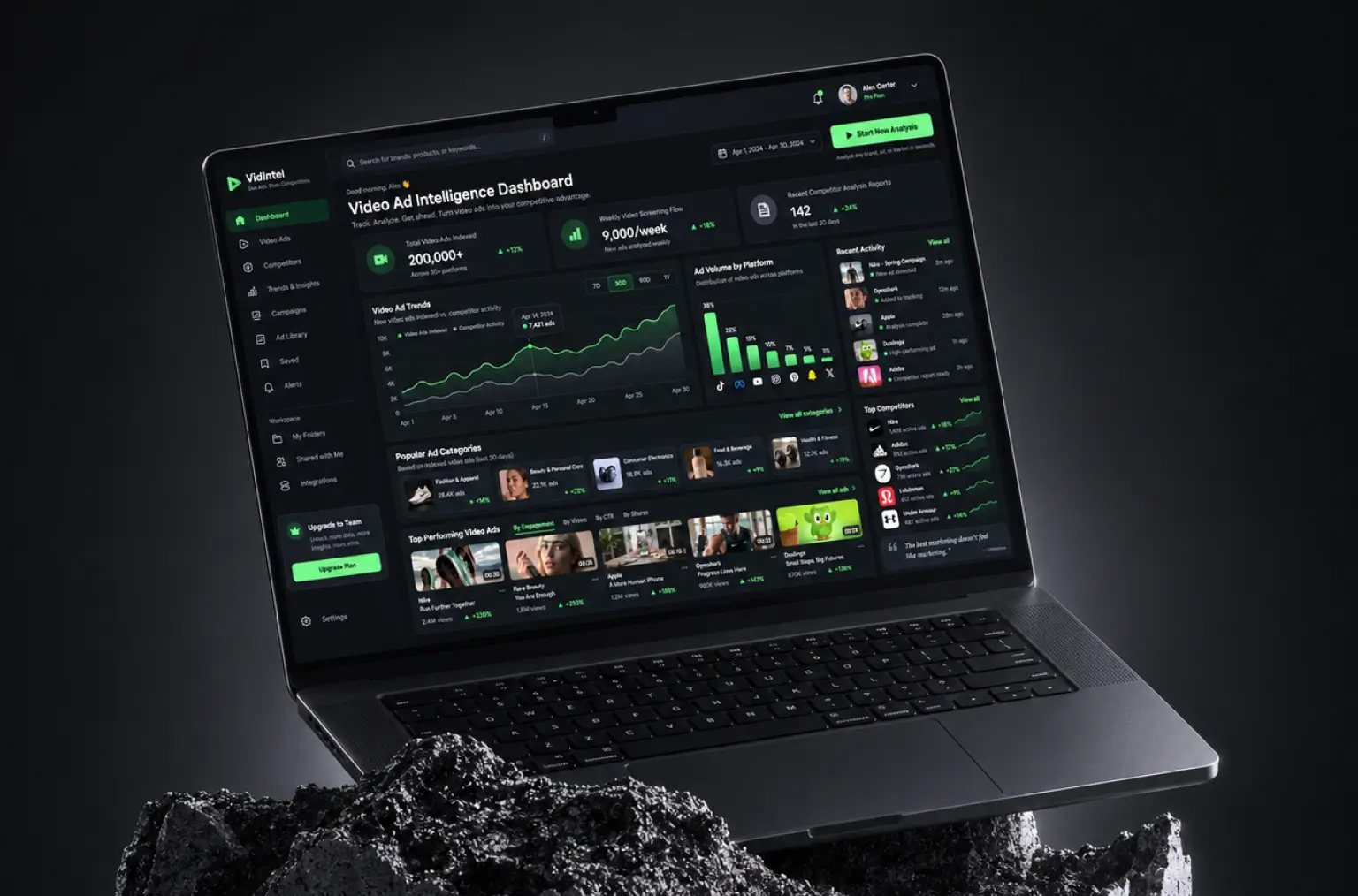
- ✔One workspace for collection, classification, transcripts, stats, and export, helping teams make better decisions on budgets for their own campaigns by spotting saturated keywords and underperforming placements in the competitive picture
Impact of Ad Intelligence Software After Implementation
Verified Reviews
Our Reputation on Top Platforms
LITSLINK holds a 4.8 rating on top platforms. Clients who write about our AI and software development work point to the same things: technical depth in machine learning, steady communication over long engagements, and a habit of pushing back on a requirement when the data says otherwise.
Have a Statistical Analysis Project in Mind?
Need ad intelligence software for your marketing teams, or an AI development partner to turn public data into competitive ad monitoring you can sell? Tell us which sources, categories, and competitors matter, and our specialist gets back to you within 48 hours.
Thank you for your message. It has been sent.