






How We Built an Inventory Forecasting System for Smarter Restocking
- ~90% forecast accuracy at store and SKU level
- Stockouts cut by more than a third across top-selling items
- 2 days → 2 hours Order planning per week
- 3,000-4,000 SKUs across 120-150 partner stores
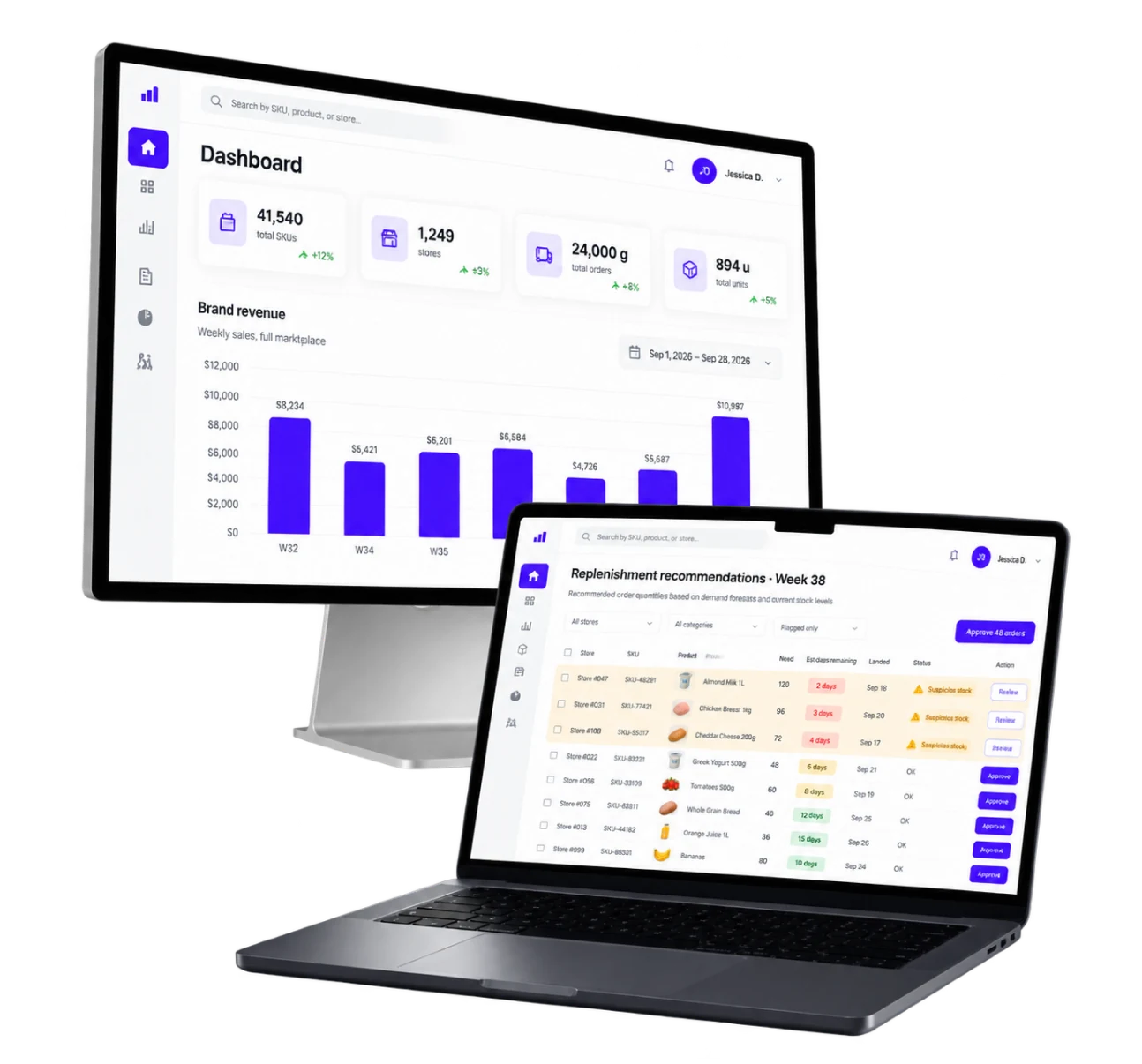
Inventory forecasting software for a US wholesale marketplace that supplies independent retail stores from its own warehouse. LITSLINK built a machine learning system that reads store inventory levels, warehouse stock and historical sales data, then tells a buyer what each store needs to order next.
Project Details
The client runs a B2B marketplace. Independent retail stores order from it, and it ships from its own warehouse. That puts the client in an awkward position. It carries the inventory risk for stores whose sales data it does not control. Inventory management ran once a week, by hand, in a consolidated Excel file built from store exports. The brief was to replace that file with a model and give the team real inventory planning instead of arithmetic.


Business Challenge: Preventing Stockouts Without Manual Forecasting
A buyer was spending two working days a week building one spreadsheet. Store exports arrived in different shapes and got pasted into one file. Order quantities came out of a mix of experience and arithmetic, with no data analysis behind them. The file worked. It just could not scale, and every copy-paste step let an error go unnoticed.
The result showed up on both sides of the balance. Stockouts ran at 12-15% on top-selling items. Those are lost sales the marketplace never earned, and product availability that customers stopped counting on. At the same time, 20-25% of warehouse stock was excess inventory or slow-moving, which is cash flow sitting on a shelf and paying storage costs. Those two problems look like opposites and are not. Both come from one cause. A forecast that cannot tell a fast SKU from a slow one at store level cannot meet customer demand without overbuying.
Scale made manual work impossible rather than merely slow. Three to four thousand active SKUs across 120 to 150 stores is roughly half a million combinations. Each has its own demand patterns and selling rate. That is complex inventory by any definition. A person can hold maybe a few hundred of those in their head. The rest get a rule of thumb instead of accurate forecasts.
The data itself was the harder problem. Store systems reported stock that did not always match what was on the shelf. A forecast built on wrong stock levels produces a confidently wrong order. Any model here had to treat incoming data as suspect rather than as ground truth.

Forecasting Demand at Store and SKU Level
A marketplace-wide forecast is useless for restocking a single store. Future demand has to be predicted where the sale actually happens. The system needed a prediction for every store and SKU pair, including slow movers that sell a few units a month. New products with no sales history were deliberately left out of scope: in this release they fall back to a category average or go straight to the buyer for a manual call.

Turning a Forecast Into an Order Quantity
A predicted demand number is not an order, and it does not answer how much inventory to send. Inventory demand at one store says nothing about the next one. The system had to combine it with what the store already holds and what sits in the SmartStock warehouse. Only then does it produce a quantity a buyer can act on.

Working With Imperfect Store Data
Historical data arrives weekly, in inconsistent formats, from systems the client does not own. The pipeline had to clean and reconcile them. Records it did not trust got flagged rather than forecast on top of.
Technologies Behind the Inventory Forecasting System




Our Inventory Forecasting Software Solution
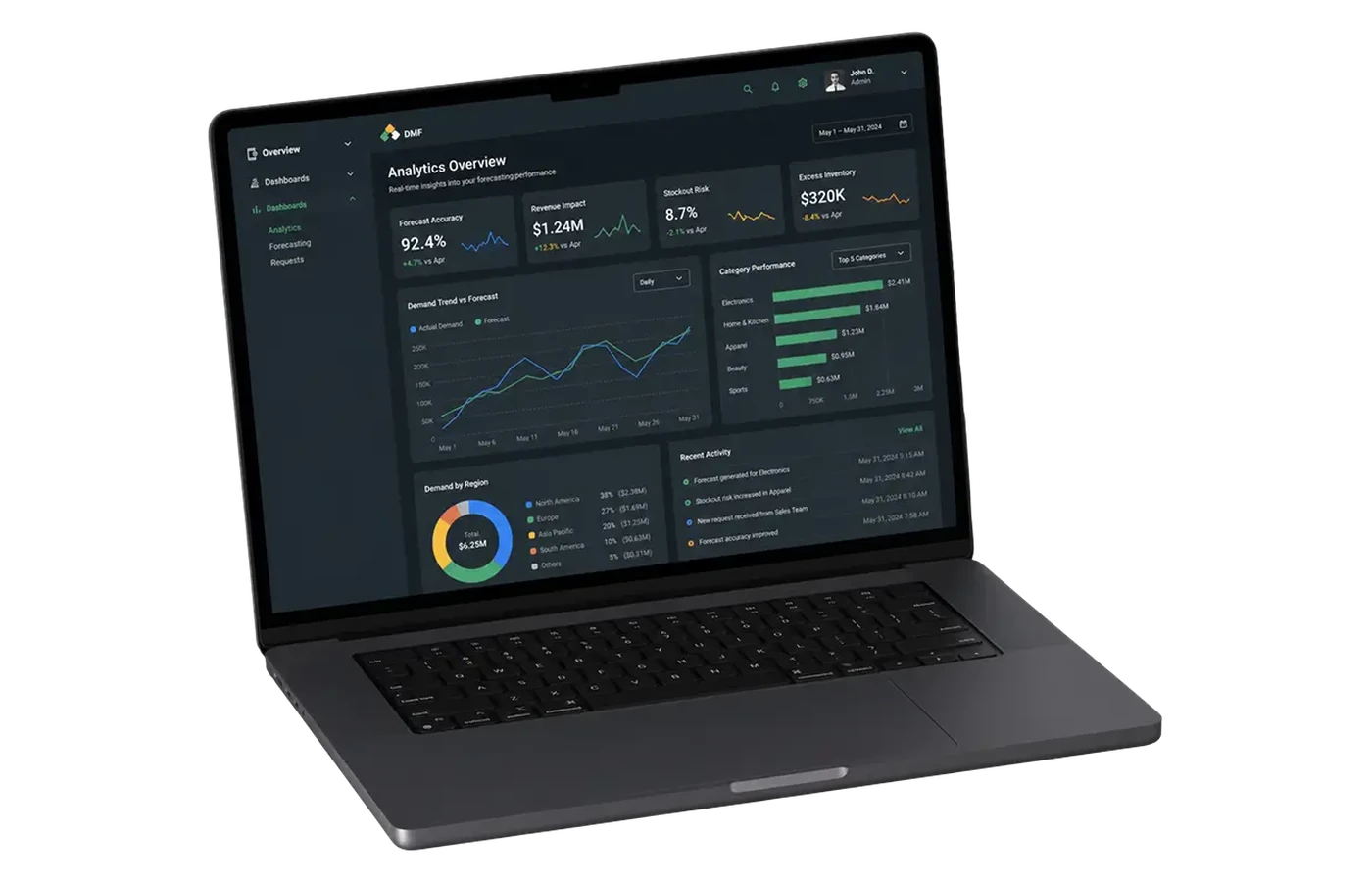
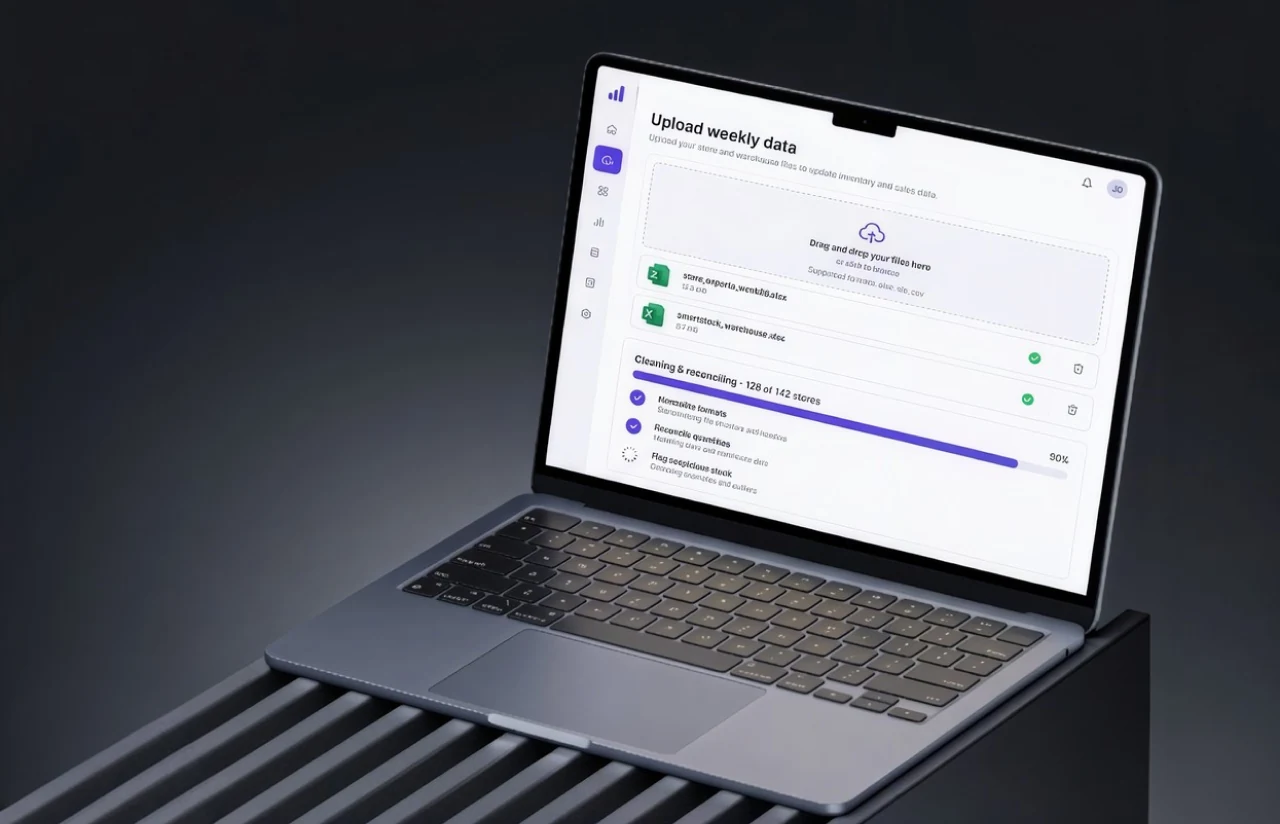
The system runs as a pipeline with a web interface on top. A buyer uploads the weekly store and warehouse exports. The pipeline cleans and reconciles them, and the models produce a demand forecast per store and SKU. Business rules then turn that forecast into a recommended order quantity. A full recalculation across every store completes in under ten minutes.
Model selection follows the data rather than the fashion. Machine learning algorithms and statistical models both sit in the pipeline, chosen per SKU. Advanced demand forecasting only helps where the history supports it. Fast-moving SKUs with dense history get one treatment. Slow movers and intermittent sellers get statistical baselines built for sparse series. A neural model trained on three sales a quarter will confidently invent a pattern that is not there. Matching the method to the sales rate is what keeps forecast accuracy usable across a catalog this varied. Seasonal trends and promotions are read from past sales rather than assumed.
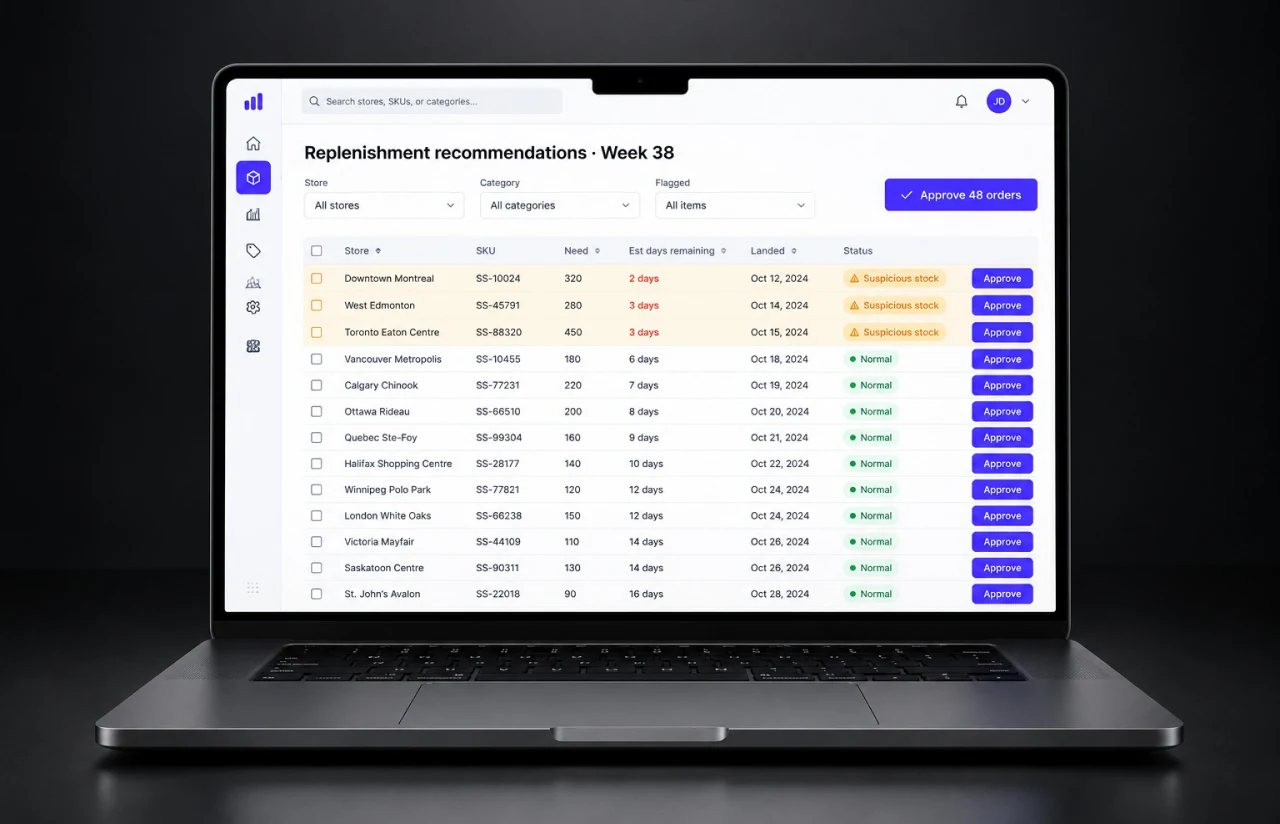
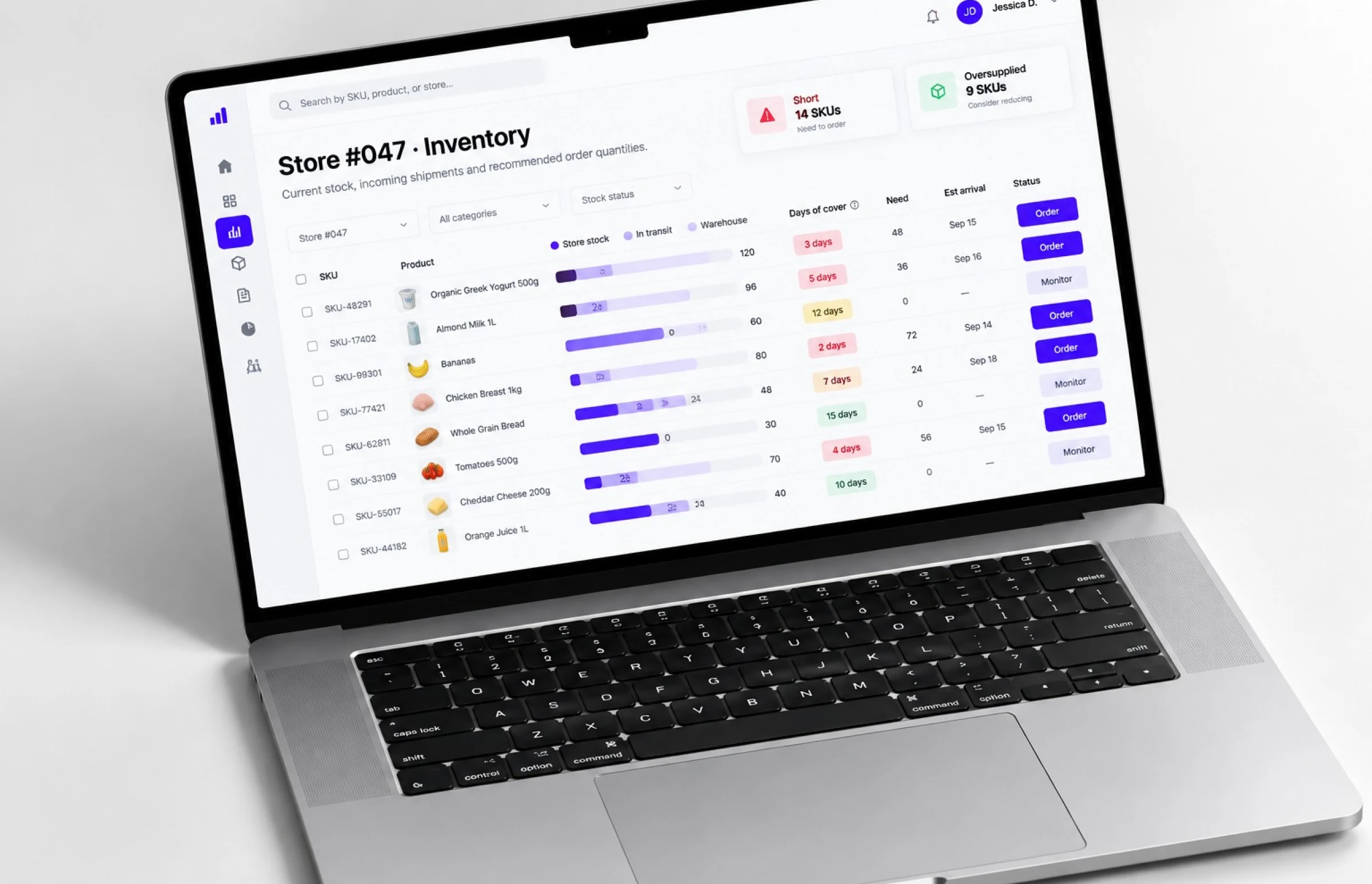
Business rules sit above the models and do the part a forecast cannot. They read what the store holds, subtract what is in transit, and check what is available in the SmartStock warehouse. The output is a quantity with an estimated days-remaining figure beside it. That is the number the buyer actually approves, and it is what turns demand planning into purchasing decisions.
Nothing is ordered automatically. The system produces recommendations, and a human approves them. That was a deliberate choice rather than a limitation. A buyer who can see the reasoning behind a number will trust it enough to use it and make informed decisions on top of it. The same buyer catches the cases where the underlying store data was wrong.
AI-Powered Demand Forecasting
Machine learning models predict demand for every store and SKU pair across a 2–4 week replenishment horizon. The models read past sales history and identify patterns a weekly spreadsheet cannot, across millions of data points. Method selection adapts to selling rate. Fast movers, slow movers and intermittent sellers each get an approach suited to their data.
Single-View Inventory Visibility
Single-View Inventory Visibility on store stock, in-transit quantities and SmartStock warehouse levels sits in one view. Inventory tracking runs per store rather than in aggregate, across all sales channels the marketplace supplies. A buyer can see where an item is short, where it is oversupplied, and how many days of cover each store has.
Automated Replenishment and Store Order Management
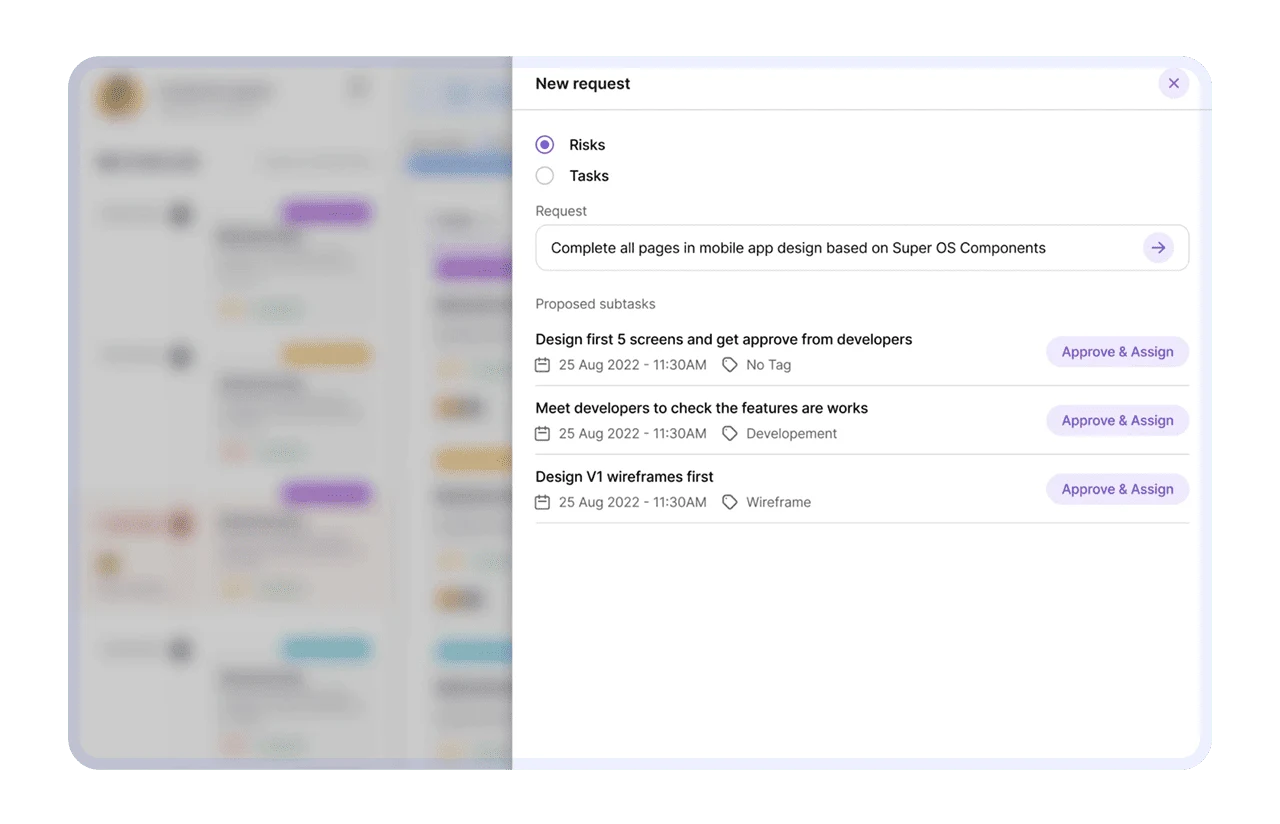
The system generates replenishment recommendations per store. Each carries a suggested quantity, an estimated days-remaining figure and a landed view. The client's buyer approves them centrally, in a vendor-managed inventory model, so stores receive stock rather than requesting it.
Comprehensive Integration Capabilities
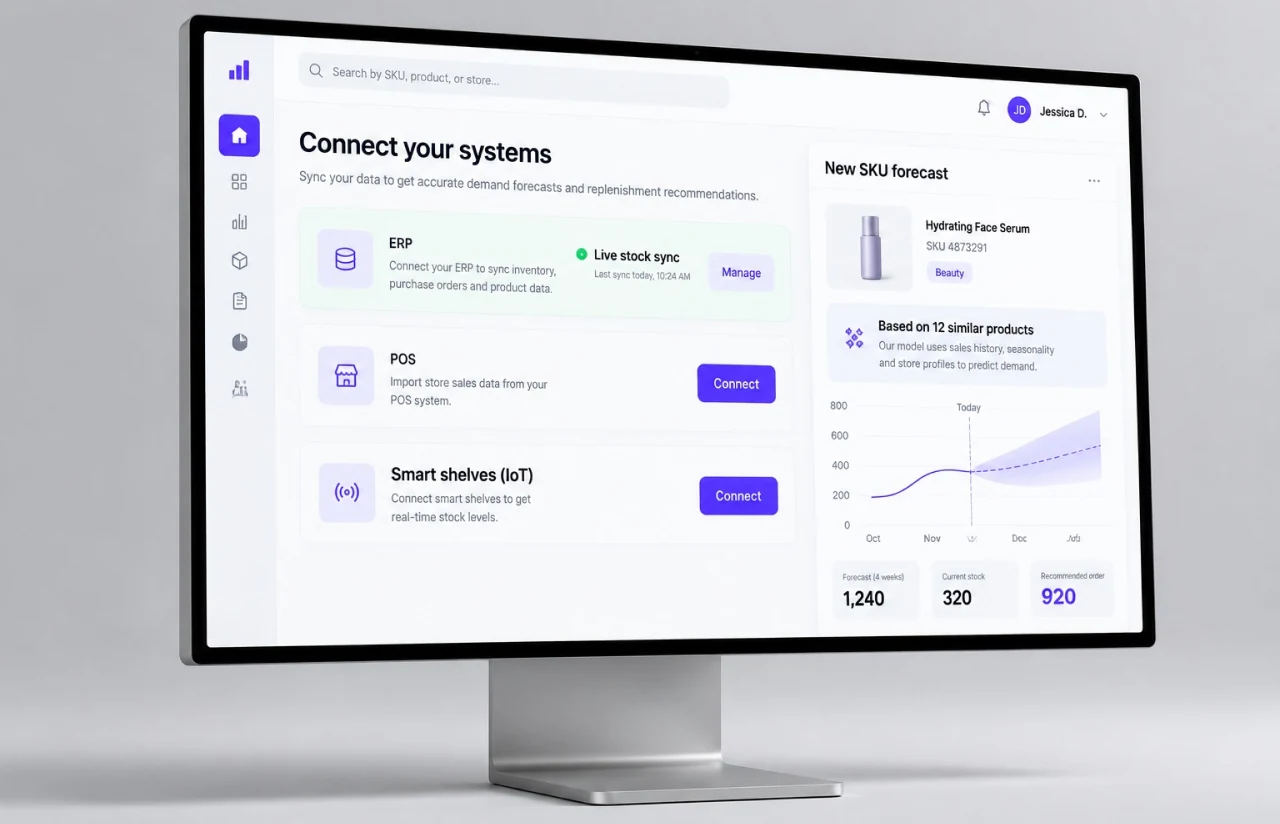
The pipeline works with store POS and inventory exports alongside SmartStock warehouse data, across every sales channel the marketplace serves. The FastAPI layer is ready for a direct ERP or POS connection at the next stage. The Excel step can be removed without rebuilding the models.
Advanced Analytics and Reporting
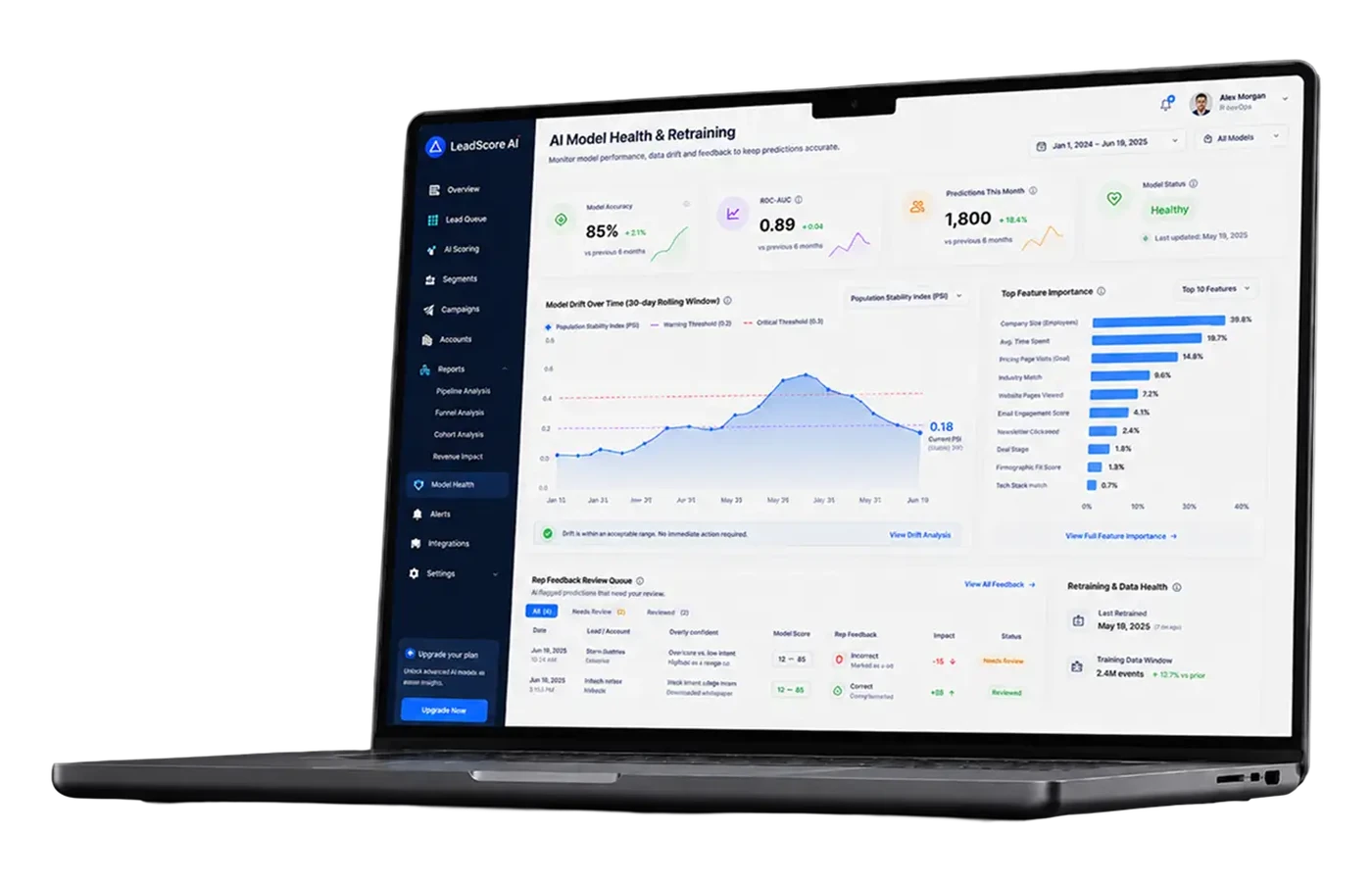
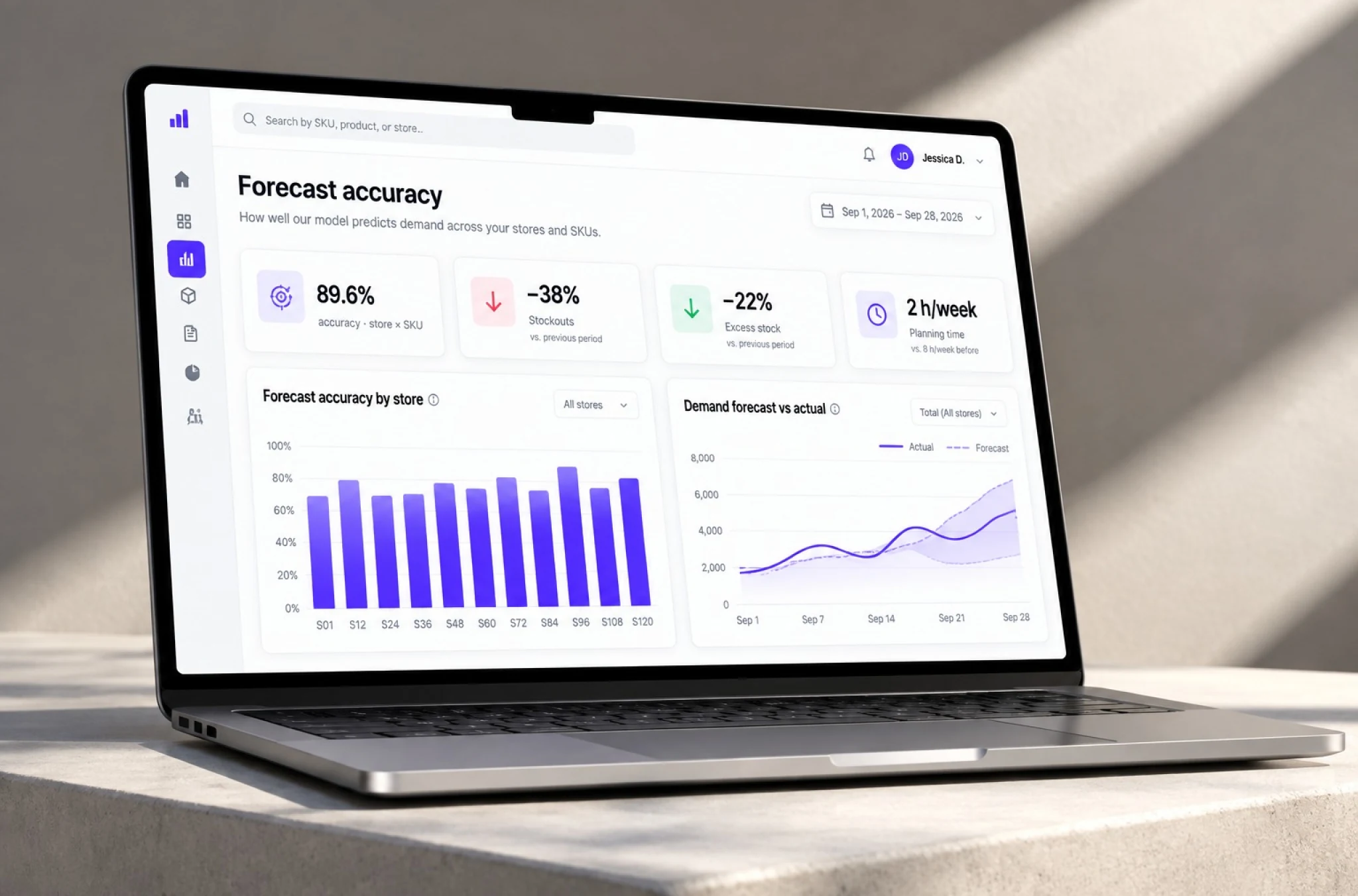
Predictive analytics track forecast accuracy per store and SKU, so the team can see where the model is reliable and where it is not, then adjust forecasts accordingly. Suspicious stock records are flagged rather than silently forecast. That turns a data problem into a visible task instead of a bad order.
— Scrum Methodology
Project Journey: Building the Forecasting System
Four months, eight two-week sprints, all delivered on schedule. The first sprints went into the data pipeline rather than the models, because supply chain data arrives dirty. A forecast built on unreconciled store exports is not worth evaluating. Modeling followed once the inputs were stable. The final stretch went into the interface and the business rules that turn a prediction into an order.
How we deliver your project
- We agree on the project goal, the priority features, and a realistic delivery date and budget.
- We rank everything the product needs, starting with what moves the business first.
- Work is cut into two-week cycles. Each one opens by selecting the next set of features.
- The team builds, tests, and integrates features across the sprint.
- Every sprint ends with working software and client reviews that shape the next cycle.
- Each sprint produces a shippable piece. We look at what worked, adjust, and keep developing.
Development Process Flow
Every cycle ended with something the client’s buyer could run against real store exports. That is the only way to find out whether a forecast is useful. Accuracy on a held-out test set tells you the model works. A buyer looking at a recommended quantity and saying “that store never sells that many” tells you something the test set cannot.
The hardest problem was not modeling. Store systems reported stock levels that did not always match the shelf. The first version of the pipeline treated those numbers as fact. That produced recommendations that looked precise and were wrong. The fix was a reconciliation and cleaning step, plus a suspicious stock flag. A flagged record leaves the automated path and goes in front of a person. A flagged record is a smaller problem than a confident bad order.
Full cycle quality assurance ran alongside development from the first sprint rather than waiting for a release candidate.
How Inventory Forecasting Software Works
- The buyer uploads store stock and sales exports plus current SmartStock warehouse levels through the web interface.
- The pipeline normalizes formats, reconciles quantities, and flags records that look inconsistent with recent sales.
- Models predict demand per store and SKU across the replenishment horizon, with the method chosen by selling rate.
- Business rules combine the forecast with store stock, in-transit quantities and warehouse availability to produce an order quantity.
- The buyer sees need, estimated days remaining and landed quantity per store, alongside any flagged records.
- Approved recommendations become the week's replenishment orders from the warehouse. Nothing ships without a human decision.
UI/UX Design
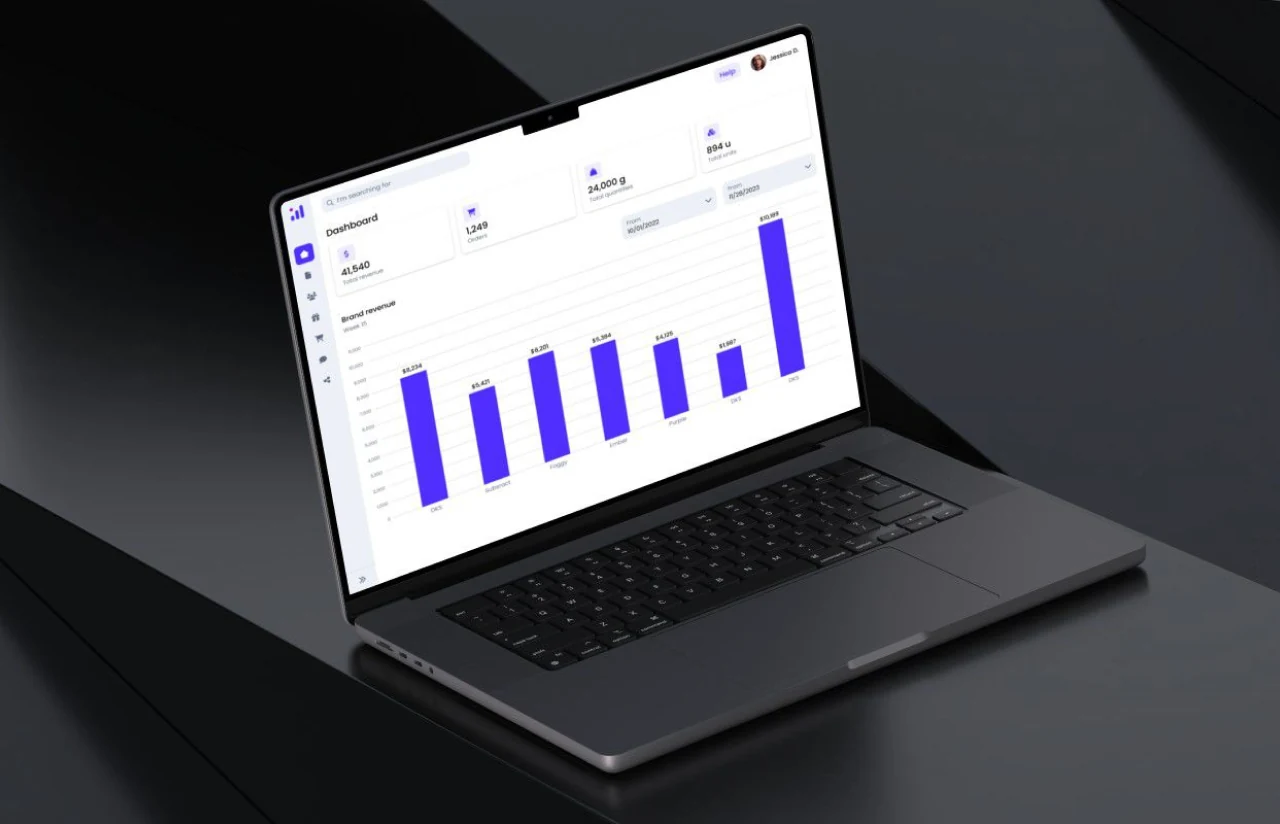
The interface had one user and one job, so it was built for that rather than for a demo. A buyer uploads a file, waits, and reads a table. Streamlit was the right tool precisely because it does not tempt anyone into building screens nobody asked for.
Density was the main design decision. A buyer reviewing recommendations for 150 stores needs to scan quickly and stop at the exceptions. The table leads with need, estimated days remaining, and landed quantity, and flagged records sort to the top. Everything else sits behind a filter.
Trust was the second. A recommendation with no visible reasoning gets overridden, and an overridden system stops being used. Each row shows enough of the inputs behind it to sanity-check the number without opening the underlying data. That is what turned the tool from a suggestion into a workflow.
— Timeline
How We Delivered the Inventory Forecasting System
Data Pipeline
- Ingestion of store and warehouse exports
- Format normalization and reconciliation
- Suspicious stock detection and flagging
Model Development
- Method selection by selling rate
- Separate handling for slow and intermittent SKUs
- Accuracy evaluation at store and SKU level
Business Rules
- Need calculation against store and warehouse stock
- Estimated days remaining per SKU
- Replenishment horizon of 2-4 weeks, with supplier lead times in scope
Interface and API
- Streamlit interface for upload and review
- FastAPI layer, ready for direct ERP or POS connection
- Forecast history retained for accuracy tracking
QA & Handover
- Full cycle QA from sprint one
- Validation against real weekly exports
- Documentation and handover to the client's team
After Launch
- Accuracy monitoring per store and SKU
- Post-launch support on an ongoing basis
Results and Impact
Before
- ✕Order planning took 2 working days a week in a manual Excel file
- ✕Stockouts ran at 12-15% on top-selling items
- ✕Excess and slow-moving stock sat at 20-25% of the warehouse
- ✕Orders were recalculated once a week, on a fixed schedule
- ✕Forecasts were rules of thumb applied across thousands of SKUs
- ✕Store data was copied by hand, with errors entering unnoticed
After
- ✔Order planning takes about 2 hours a week, spent reviewing recommendations
- ✔Stockouts down by 35-40%
- ✔Excess stock down by 20-25%
- ✔A full recalculation across every store runs in under 10 minutes, on demand
- ✔~90% forecast accuracy measured at store and SKU level
- ✔Inconsistent records are flagged and routed to a person before they reach an order
Impact of Inventory Forecasting Software After Launch
— Verified Reviews
Our Reputation on Leading Platforms
LITSLINK holds a 4.8 rating on top platforms. Those reviews point to technical depth, clear communication across long engagements, and delivery that holds its dates. See more of what our machine learning development services cover across inventory management software, demand planning software and supply chain projects.
Have an Analytics Software Project in Mind?
Running restocking on a spreadsheet, or using forecasting tools that cannot predict future demand across thousands of SKUs? Retail, e-commerce, and distribution all hit the same wall. Tell us how many locations and SKUs you cover, and what data you already collect. We come back within 48 hours with a scope, a timeline, and a number.
Thank you for your message. It has been sent.