




How We Built a Tool Purchasing App for HVAC Technicians
- ~5 days from receipt submission to reimbursement
- ~70% fewer missing receipts at month-end
- ~$38K/yr reconciled (client's count)
A US HVAC service company had a half-finished Flutter app and technicians still texting photos of receipts to the office. LITSLINK took over the procurement management software development and gave every field technician one place to log tool purchases, submit receipts, and keep their account current.
Project Details
The client runs residential and commercial HVAC service across several states in the southeastern US with roughly 120 field technicians. Each technician buys small tools and consumables against a company allowance, then has to prove the purchase to accounts payable. A previous vendor had built about 60% of a Flutter procurement software app for this and walked away, so the client came to us with source code, a deadline, and no clear picture of what actually worked.


Business Challenge: Modernizing Procurement System for Heating, Ventilation, and Air Conditioning Technicians
A heating, ventilation, and air conditioning technician buys what the job needs on the way to the job. A drill bit at a supply house at 7 a.m., a gauge set the next week, a replacement hammer when the old one stays behind on a roof. Every one of those purchases was a slip of thermal paper in a truck cab, and the purchasing process behind it was a text message to the office. Finance had no spend visibility until the card statement arrived, and technicians had no idea where their tool balance stood. Manual processes like that scale badly past a few dozen people, and the client had 120. Many companies still operate the same way: 30.5% lack a formal procurement process, which creates avoidable inefficiencies.
This case shows what procurement management software development looks like in practice: building a mobile and web app that lets field technicians log purchases, upload receipts, track balances, and route procurement data to finance in real time. It is aimed at companies running field service teams, especially HVAC and energy businesses that need to replace paper receipts and incomplete purchasing workflows with a working digital system.

Half-Built App, Hard Deadline
The inherited Flutter codebase compiled, but receipt submission did not work, purchase history was a placeholder, and some 40 screens sat in different states of done. The client needed a timeline they could trust, then a release date they could hold.

Receipts Lost Between Truck and Office
About one receipt in five never reached accounts payable. Technicians paid out of pocket and waited close to three weeks for reimbursement, while the back office spent around ten hours a week chasing paper and matching it to card charges.

No Audit Trail for Tool Spend
Nobody could say which technician bought what, when, or whether the purchase fit the budget. Policy compliance came down to memory, and year-end reporting meant rebuilding the procurement data from statements by hand.
Technologies Behind the Procurement Platform




Our Procurement Software Development Solution
The first two weeks went to reading code, not writing it. We audited every screen in the inherited app, marked what worked, what half-worked, and what had to go, then handed the client a list with an estimate against each line. That list became the backlog. It also answered their first question, which was whether to keep the codebase at all. We kept about 80% of it.
Scope stayed deliberately narrow because when teams choose the right procurement management software, the fit has to match the organization’s size and process complexity; here that meant focusing on technician and supervisor workflows. This is a field service mobile app for the technician and their supervisor. A technician opens it to see the tool balance, log a purchase, attach the receipt, and check whether the office has accepted it. The approval side stays where the client already had it, in the back office where purchase requests were already reviewed. The app feeds that workflow instead of replacing it, which is why three people could finish the build in three months.
Four user roles share one backend: technician and supervisor in the Flutter app, accounts payable clerk and admin in the client’s existing office tools. Each role sees a different slice of the same procurement data, and permissions live on the server, so a role change never needs an app update. If you are weighing a similar cross-platform build, our Flutter development team has been shipping on the framework since its first stable release.
Personal Account Management
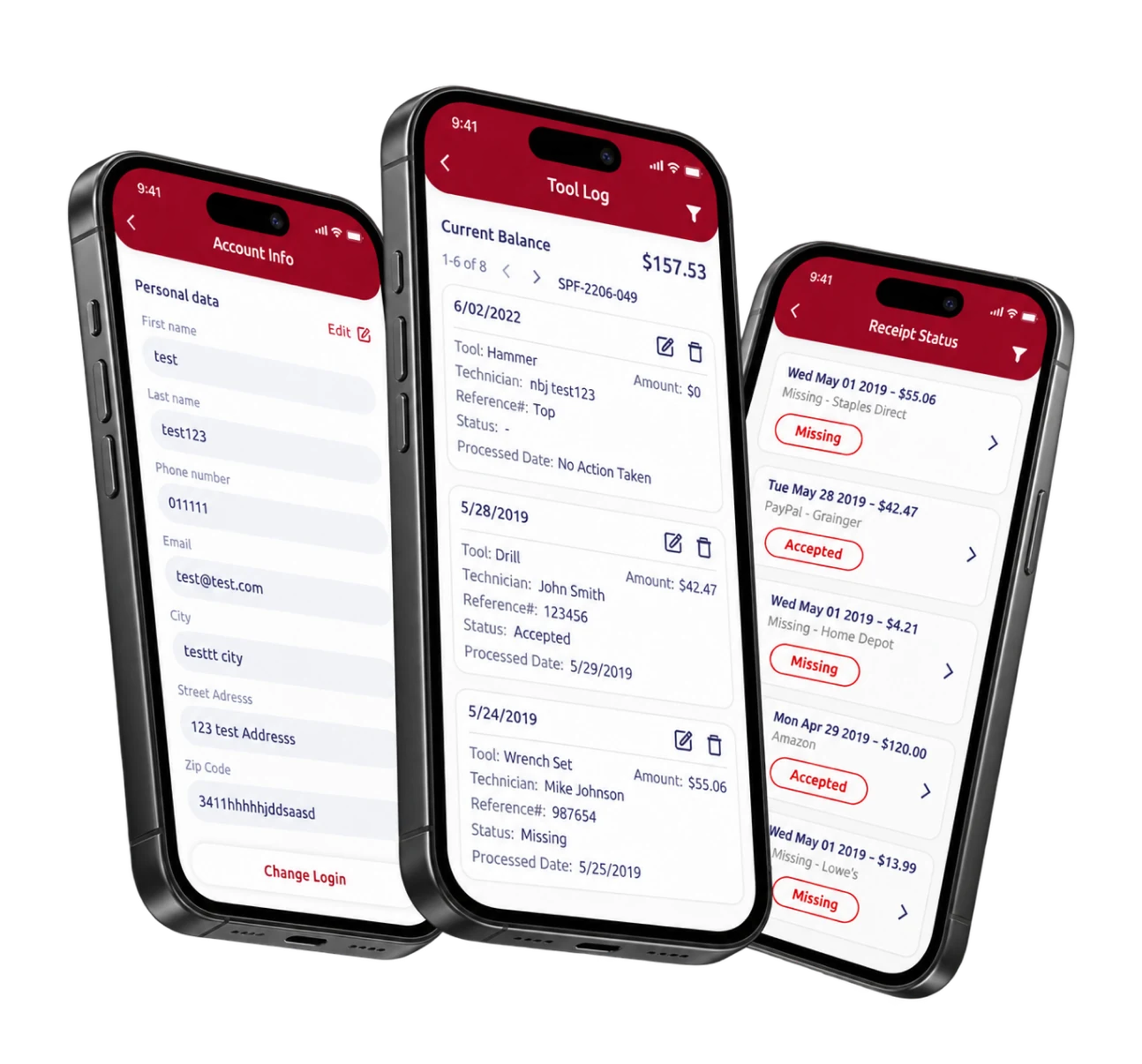
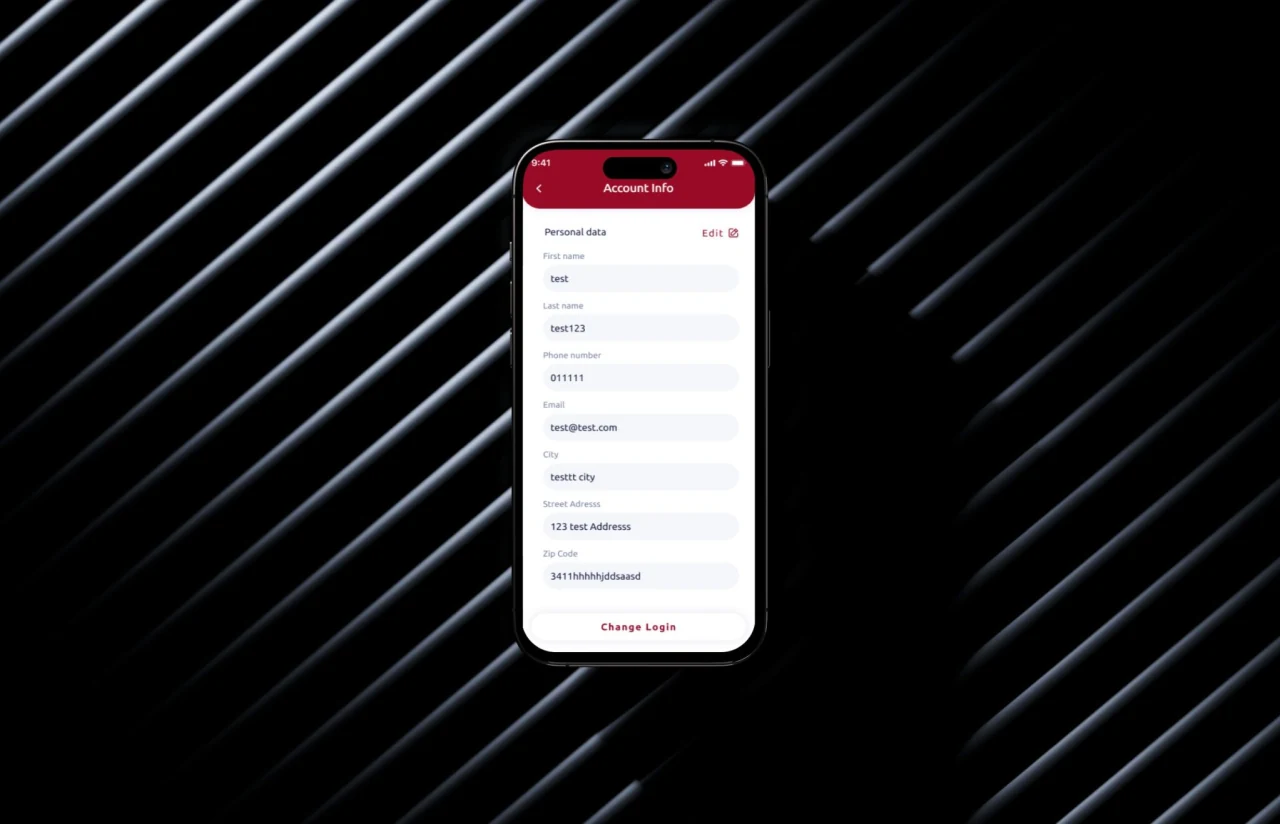
Name, phone, email, and mailing address on one screen, editable in place. The address matters more than it sounds. It is where reimbursement checks go, and wrong addresses were a recurring back-office ticket before launch.
Tool Log With Live Balance
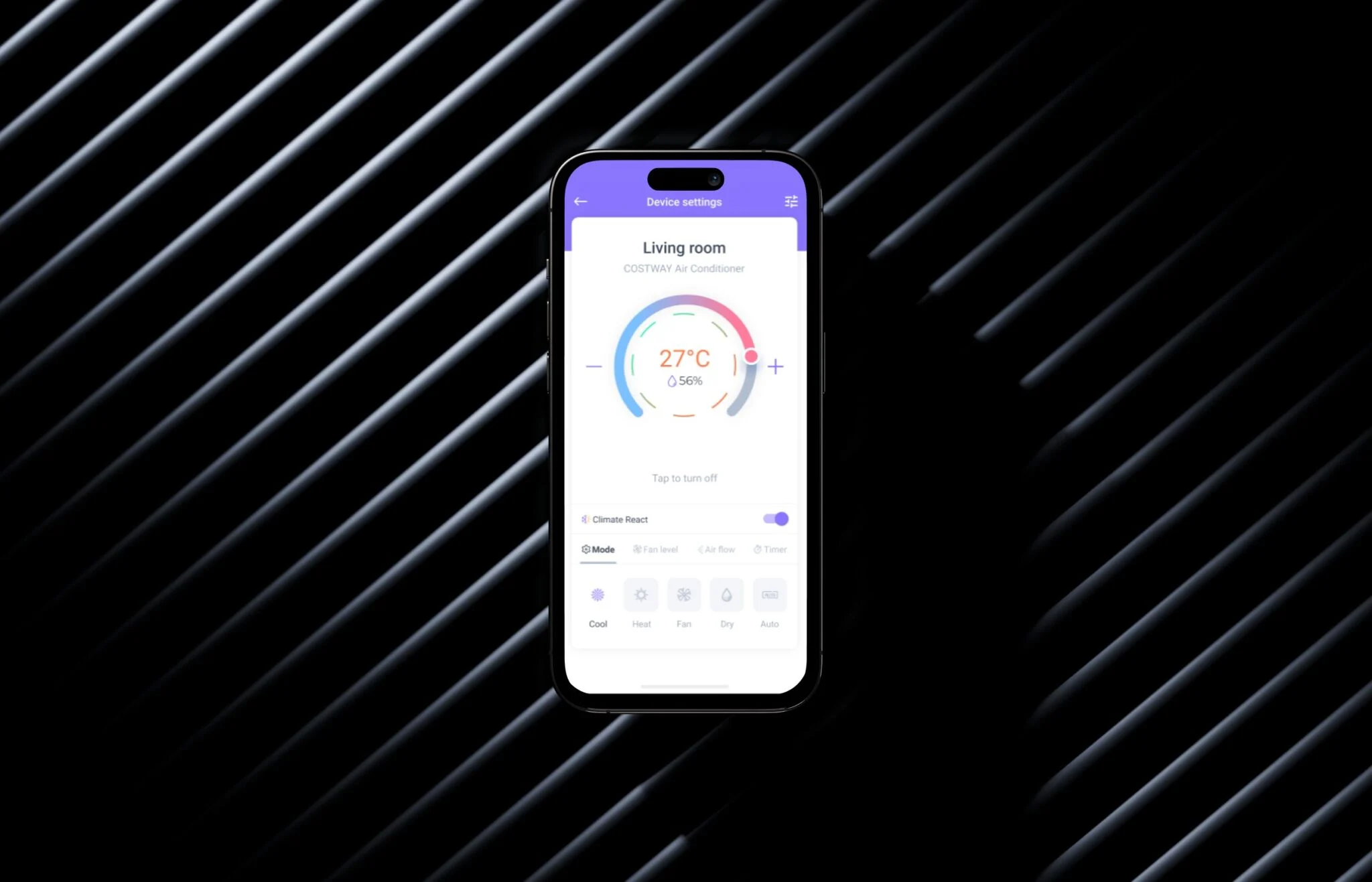
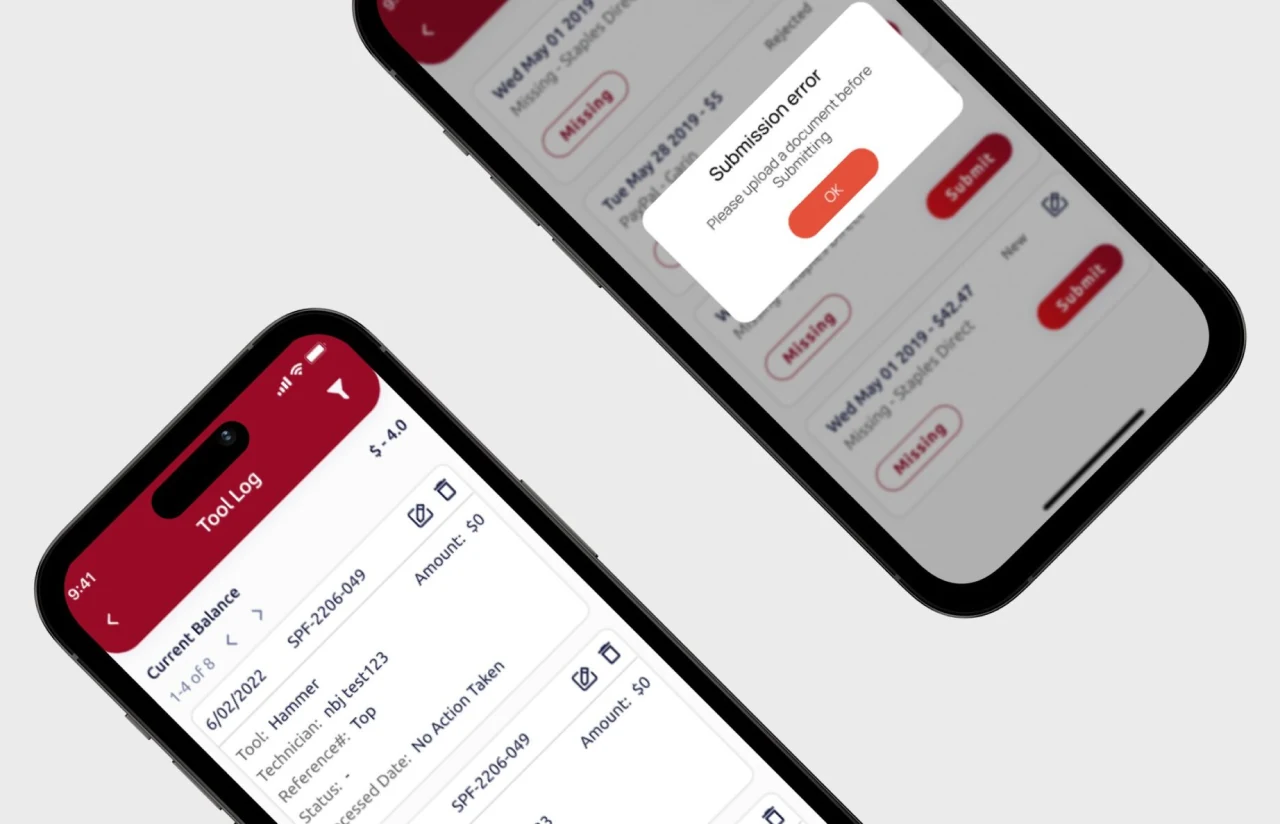
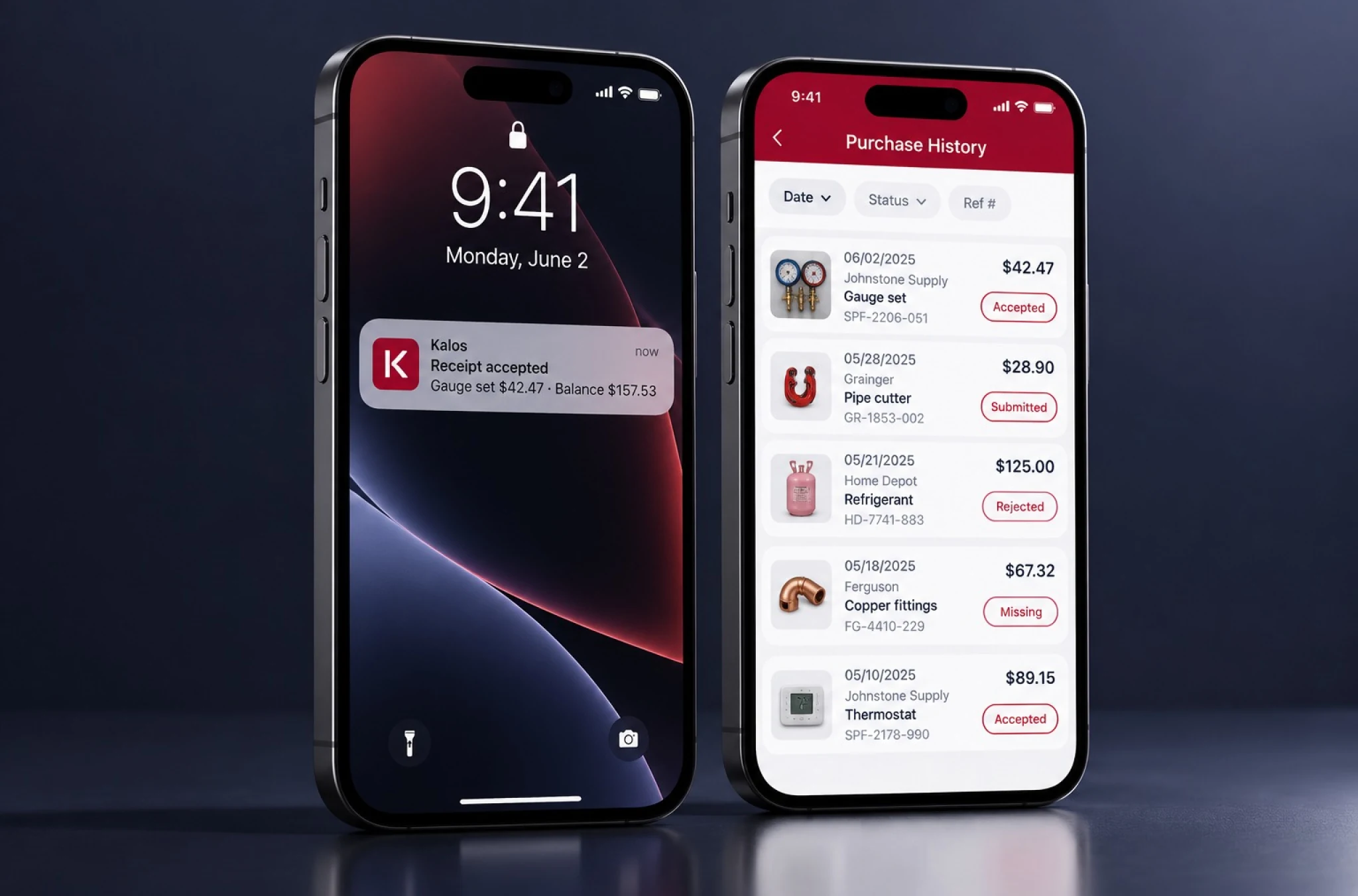
Every tool purchase sits in a dated log with technician name, reference number, status, processed date, and amount. The running balance at the top updates the moment a purchase is logged, so a technician knows the budget before the next supply house stop.
Receipt Upload and Submission
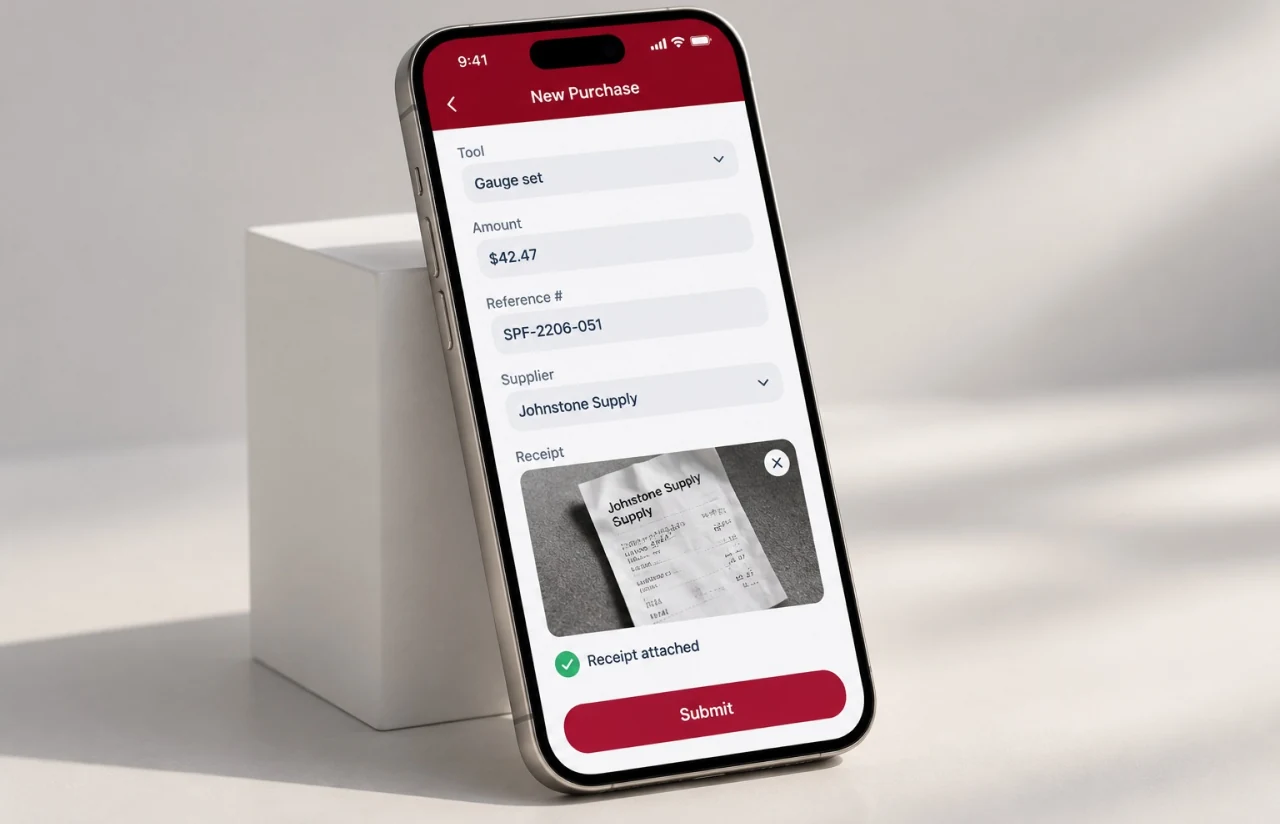
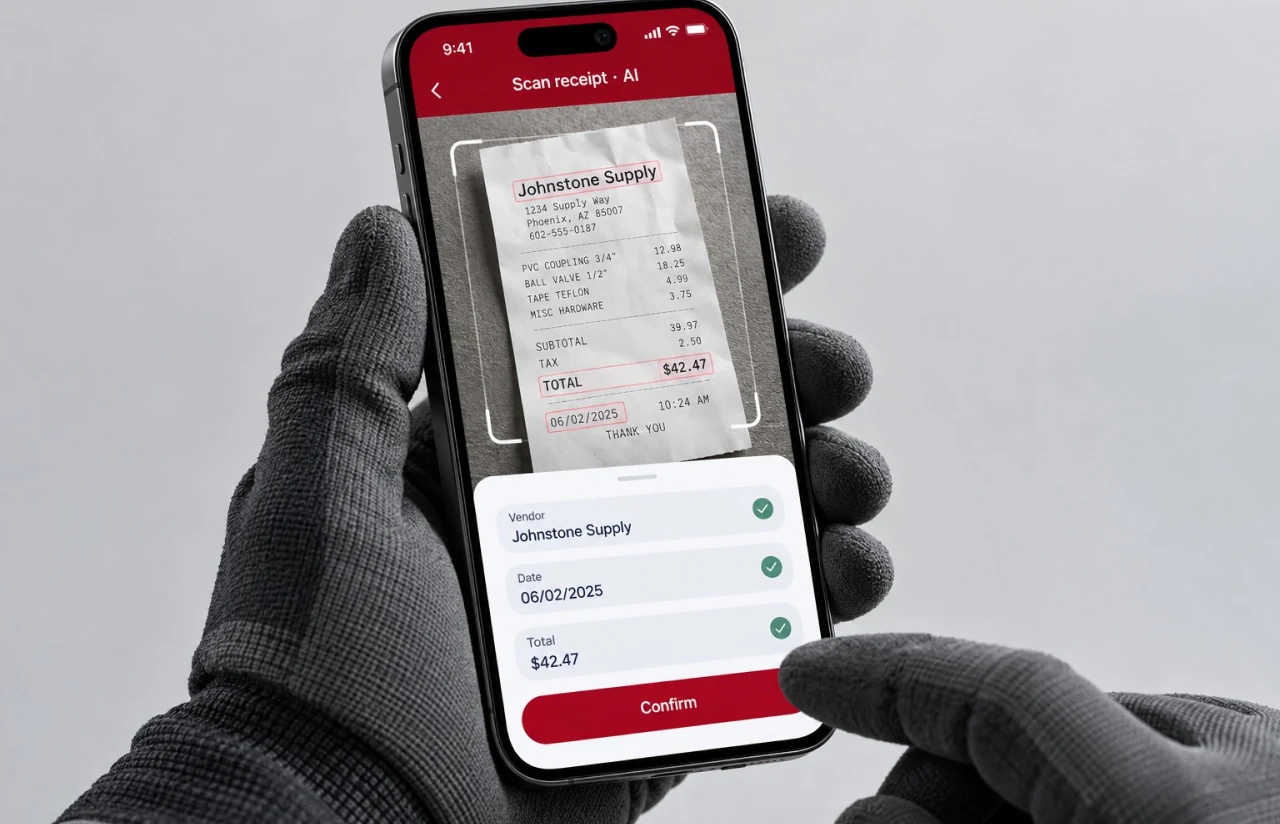
Snap the receipt, attach it, submit. The app blocks submission with no document attached, which alone shrank the "missing" pile. Files land on the server tagged to the purchase record, ready for invoice matching on the finance side.
Status Tracking and Resubmission
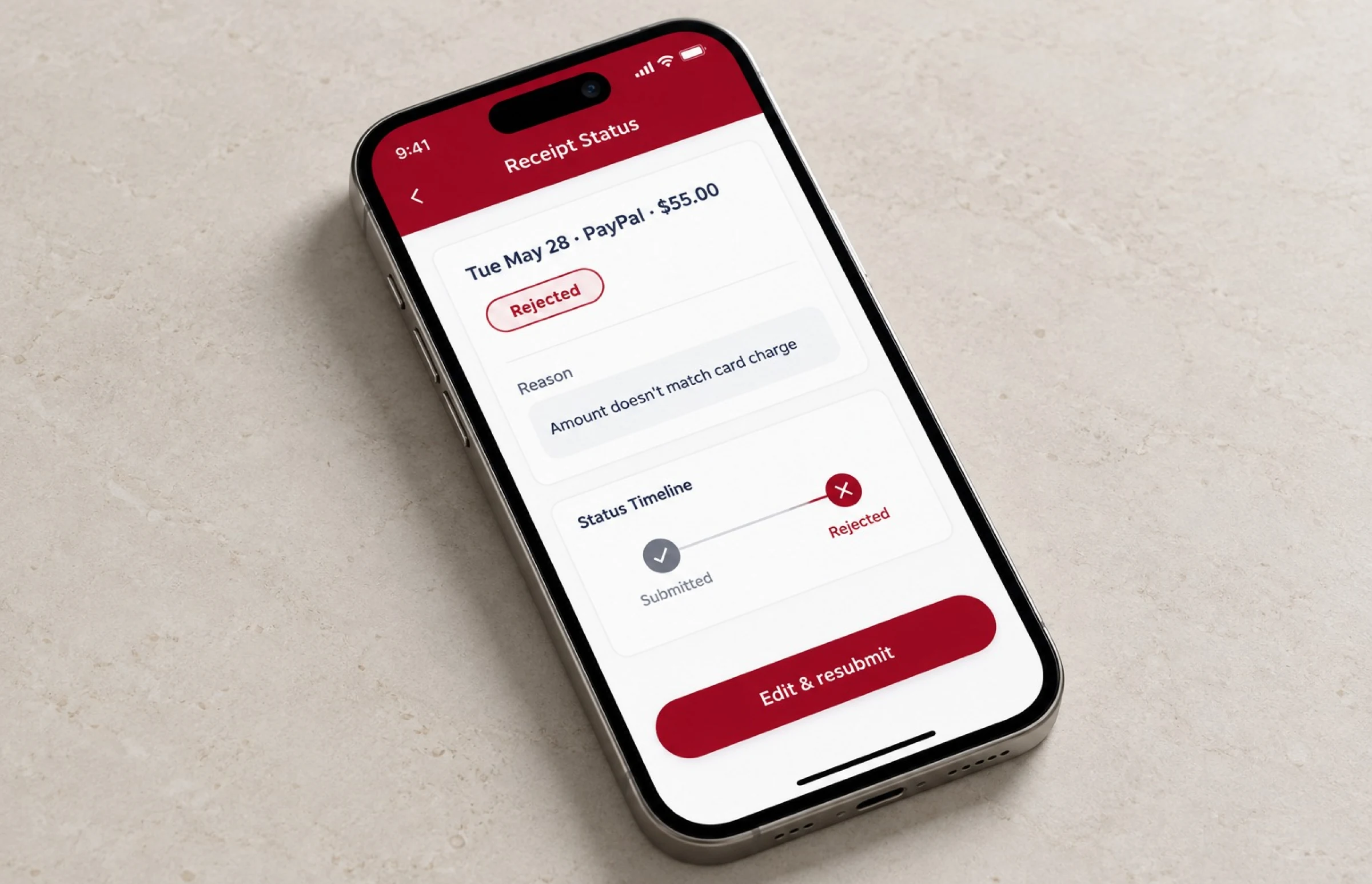
Each receipt carries a status: New, Submitted, Missing, Rejected, or Accepted. A rejected receipt can be edited and resubmitted from the same card, and the technician sees the reason without calling anyone.
Purchase History and Filters
Six months of purchases, filterable by date, status, and reference number. Technicians use it to check a card charge. Supervisors use it to spot a spending pattern before it becomes a conversation, and the same history can later support centralized supplier information for easier comparison and monitoring of vendor performance.
Push Notifications
A status change on the office side reaches the phone within seconds. Rejected receipts stopped sitting unseen for weeks, which turned out to be the single biggest reason the reimbursement cycle got shorter.
— Agile Development Methodology
Procurement Management Software Development Project Journey
The three-month engagement ran in six two-week sprints, and the first one shipped nothing new: it produced the audit of the inherited code and the revised estimate the client had asked for. From sprint two on, each cycle ended with a build installed on the client’s own devices, so their operations lead tested receipt submission on the same Android phones the technicians carried. Every sprint closed on the date it was planned for.
How the Procurement Management App Works
- After buying at a supply house, the technician adds the item, amount, and reference number. The balance updates on the spot.
- A photo of the receipt goes onto the record. The app refuses to submit without one, so nothing leaves the phone incomplete.
- Accounts payable sees the submission in its existing queue, checks it against the tool budget and the card charge, and marks it accepted or rejected.
- A push notification tells the technician what happened. A rejected receipt shows the reason and can be fixed and resent from the same screen.
- Every accepted purchase joins the technician's history, and finance keeps the same record for month-end reporting and audits.
Scrum Process Flow
Taking over half-finished app development is a different job from starting clean, and the two-week cadence was how we kept it honest. Each sprint review put a real build in the client’s hands, so the “is it actually done” question got answered by them rather than by a status report. Two of those reviews changed the receipt flow outright, once to add the mandatory document check and once to let technicians edit a rejected receipt in place.
How We Delivered a Procurement Management Solution
- We define the project goal together, agree on priority features, and set a realistic delivery date and budget.
- We build a ranked list of everything the product needs, starting with what matters most to the business.
- Work is broken into 2-week cycles. At the start of each, we select the next set of features to deliver.
- The team builds, tests, and integrates features throughout the sprint.
- At the end of every sprint, you see working software and give feedback that shapes the next cycle.
- Each sprint produces a shippable piece of the product. We review what worked, adjust, and move forward.
UI/UX Design: Intuitive Interface for Procurement Management
The client already had a direction: brand red (#983131), white, and a dark blue (#414259) for text, in a layout the earlier vendor had started. We kept the visual language and fixed the flow. Our product design work here was less about new screens and more about removing steps.
Technicians use the app one-handed, often in a parking lot, sometimes in gloves. So every primary action sits at the bottom of the screen, tap targets run larger than the platform minimum, and the account form stacks labels above the fields instead of hiding them as placeholders, because placeholders vanish the moment you start typing.
The tool log leans on the status word, not just the color. “Missing” and “Rejected” appear as text inside a red outline, “New” as plain text, and an accepted purchase drops the outline entirely. Anyone can read the state at arm’s length without remembering a color code. Amounts and reference numbers sit on their own lines so a technician can match a card charge without opening the record.
One small change did the most work. The submit button used to accept a purchase with no receipt attached, and the office would later mark it “Missing.” We turned that into a blocking error with one plain sentence: “Please upload a document before submitting.” That single rule removed a whole category of back-and-forth between technicians and accounts payable.
Results
Before
- ✕Receipts arrived by text, email, or paper, and roughly 1 in 5 never reached accounts payable
- ✕Reimbursement took close to 3 weeks from purchase to check
- ✕Technicians learned their tool balance from the monthly statement, after the spending
- ✕The back office spent around 10 hours a week matching receipts to card charges
- ✕No searchable purchase history, no audit trail, no way to enforce policy compliance
After
- ✔~5 days from receipt submission to reimbursement
- ✔~70% fewer missing receipts, since the app blocks submission without a document
- ✔Live balance on every technician's phone, with roughly 850 purchases logged a month
- ✔~4 hours a week of reconciliation on the finance side, down from 10
- ✔One record per purchase, shared by the technician, the supervisor, and accounts payable
Impact of the Procurement Platform After Launch
— Verified Reviews
Our Reputation on Leading Platforms
LITSLINK holds a 4.8 rating on Clutch and GoodFirms, with Top Developer and Top Company badges on both. Clients who write about our mobile and software development work most often mention clear timelines, steady communication, and a willingness to pick up a project someone else started.
Have a Procurement Project in Mind?
Need procurement management software development for a field service team, or an HVAC technician app? Tell us where the purchases happen and who approves them, and our specialist gets back to you within 48 hours. You can also hire Flutter developers from our team if you already have a product owner and just need hands.
Thank you for your message. It has been sent.