

How We Built Security Guard Management Software with Real-Time GPS Tracking
- 24/7 real-time guard tracking across multiple sites
- 7 user roles served: 2 on mobile, 5 on web
- 12 months from conception to production release
- 16 ft (5 m) GPS location accuracy for outdoor patrol verification
Security guard management software for a private security company running a distributed security workforce across multiple locations. We built an all-in-one solution that connects every guard in the field to every supervisor in the back office, replacing paper shift reports with digital ones and manual check-ins with real-time tracking.
Project Details
The client is a private security company managing security officers across multiple client sites. Their shift record was a written report. A guard finished a patrol, wrote up the shift by hand, and a supervisor read it the next morning — if it arrived. Nobody could answer where a guard was standing right now, whether a checkpoint had actually been visited, or how long an incident took to escalate. The brief was an all-in-one platform where field work and desk work see the same data at the same time.


Business Challenge: Modernizing Security Operations From Paper to Digital Workforce Management
A written shift report records what someone remembers, hours after the fact. Security patrols that never happened look identical on paper to completed ones. An incident logged at the end of a shift arrives too late to act on. And when a client disputes coverage, the only evidence is handwriting. Manual processes cost security companies twice: in the hours spent on them, and in the accountability they fail to produce.
Field work makes this harder than ordinary workforce management. Security personnel are distributed by definition, often alone, often at night, often with poor connectivity. Guard safety depends on someone knowing where they are. Whatever replaced the paper had to run on the mobile devices guards already carry.
“The system” is also not one audience. A guard needs three taps and a big button. A supervisor needs a live map. A dispatcher handles dispatch calls and moves people mid-shift. An executive needs site performance across the portfolio. A client needs proof of service without seeing another client’s data. Security teams and back office operations want opposite things from the same records.
Accountability was what the client was actually buying. Not surveillance, but verifiable proof that the contracted patrol happened at the contracted time and place. In the security industry, post orders define what a guard must do at a site, and proving they were followed is the whole commercial argument.

Replacing Traditional Written Shift Reports
Every shift produced a handwritten daily activity report. Reports arrived late, went missing, and could not be searched, so comprehensive reporting across sites was impossible. Structured digital reports had to be faster for the guard to file than writing by hand, or adoption would fail on day one.

Real-Time Location Tracking and Guard Accountability
Supervisors needed real-time visibility of guard location during a shift, not a reconstruction afterward. That meant location tracking on a phone in a guard's pocket, with battery drain low enough to survive a full shift and location data reliable enough to hold up when a client asks for evidence.

Streamlined Scheduling and Communication
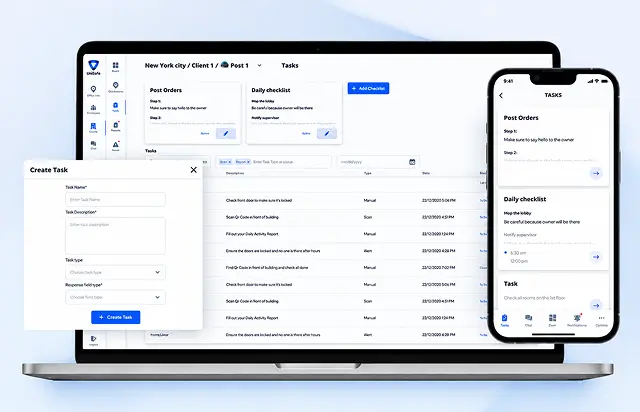
Assignments lived in spreadsheets and phone calls. Scheduling guards had to sit in the same system as the tracking, so an unfilled post site is visible before it becomes an incident, and a dispatcher can assign shifts without leaving the dashboard.
Technologies Behind the Security Guard App


Our Security Guard Management Software Solution
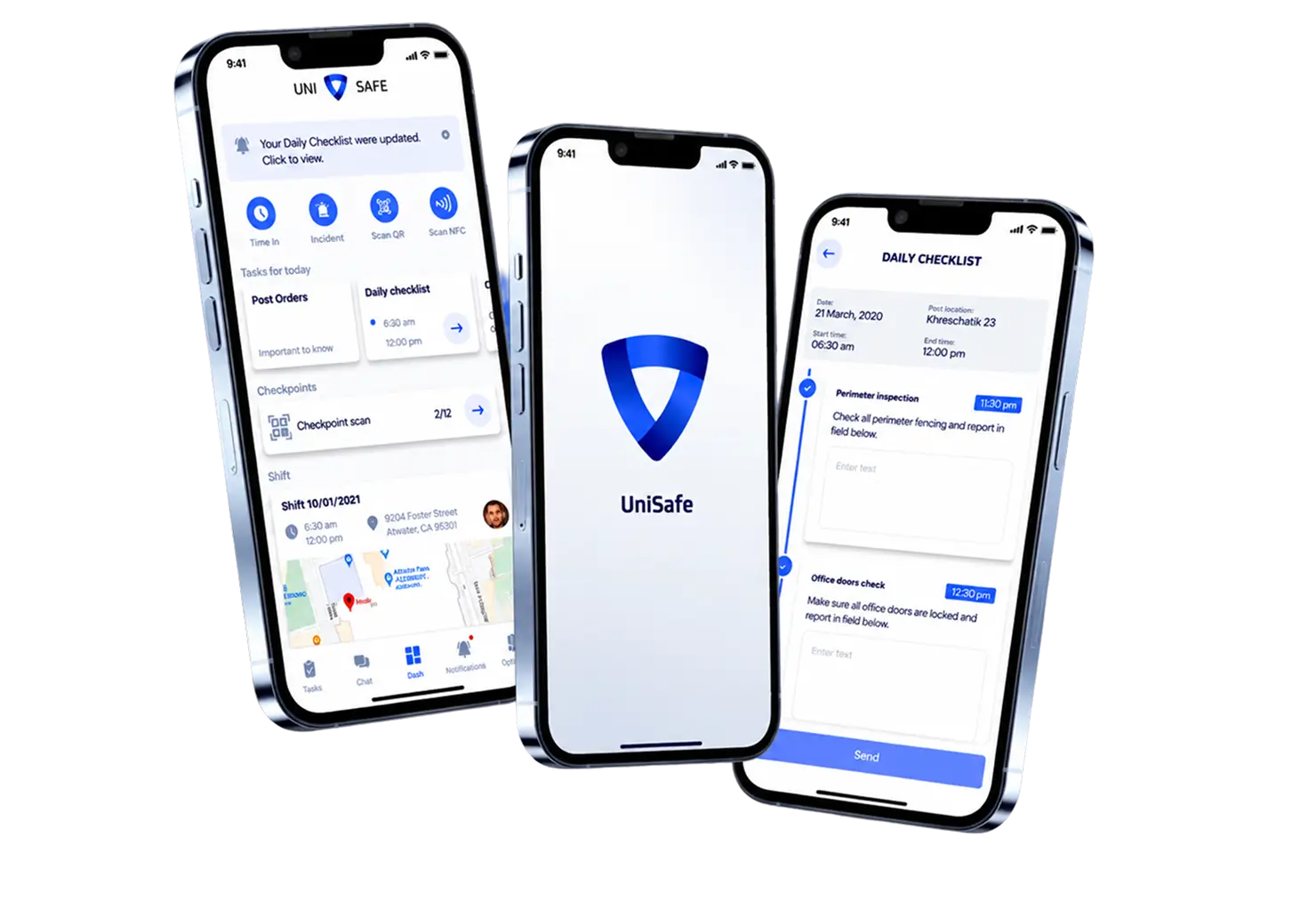
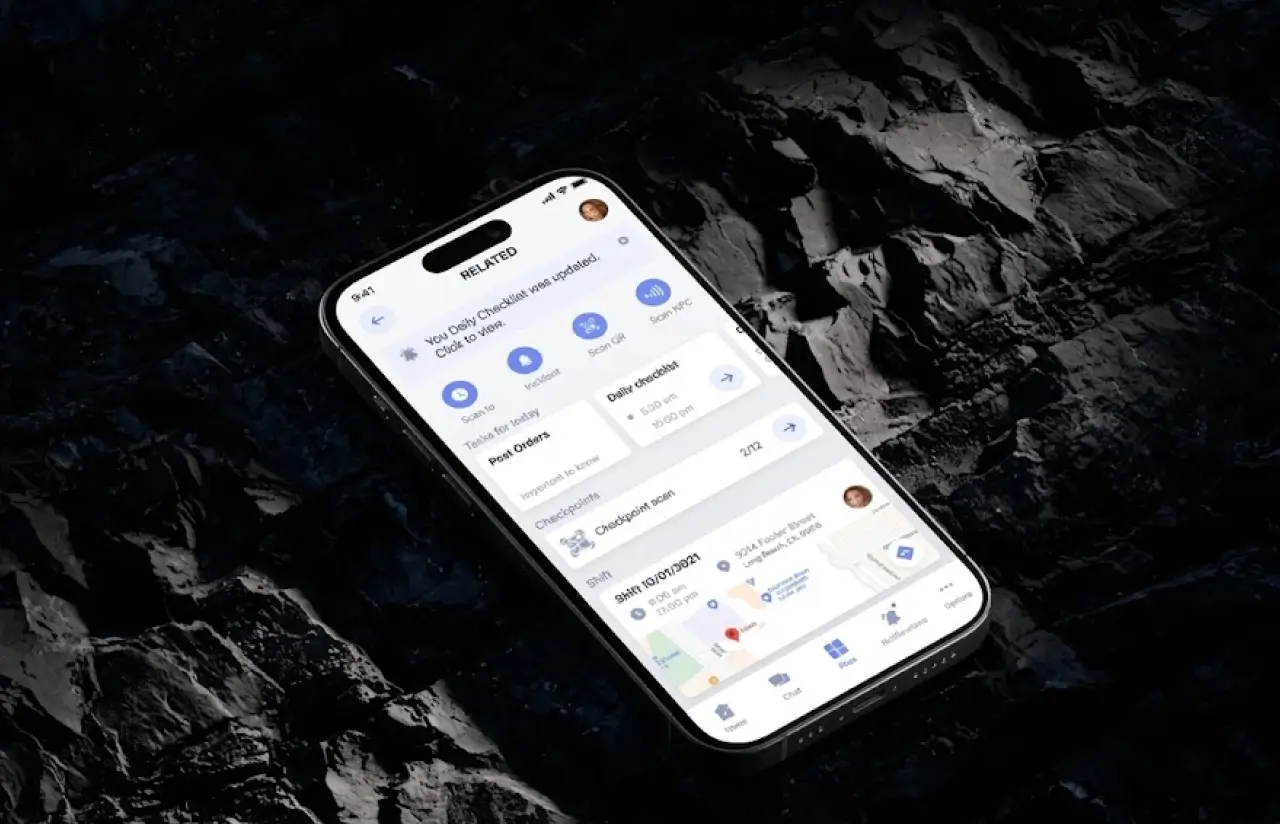
The platform runs as one system with two surfaces. A React Native mobile app for people in the field, and a Vue.js web dashboard for the back office. Both read the same records, so a report filed on a phone appears on a supervisor’s screen without a sync step, and a schedule change made at a desk reaches the guard’s app before the shift starts.
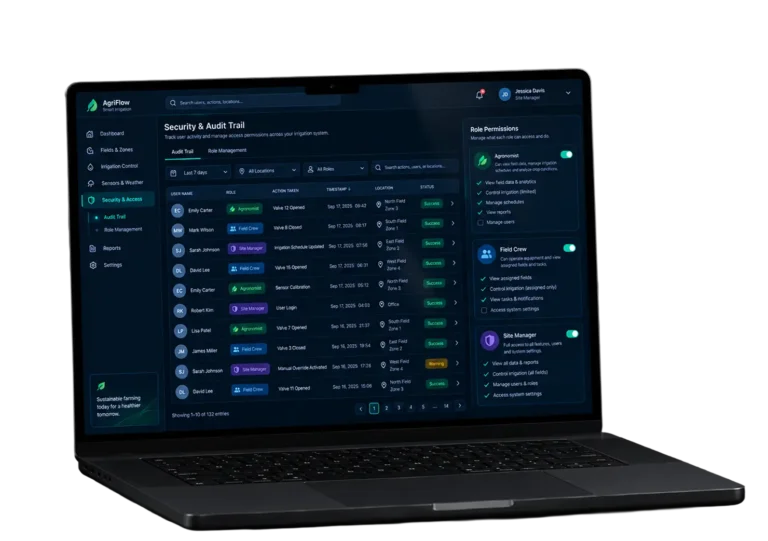
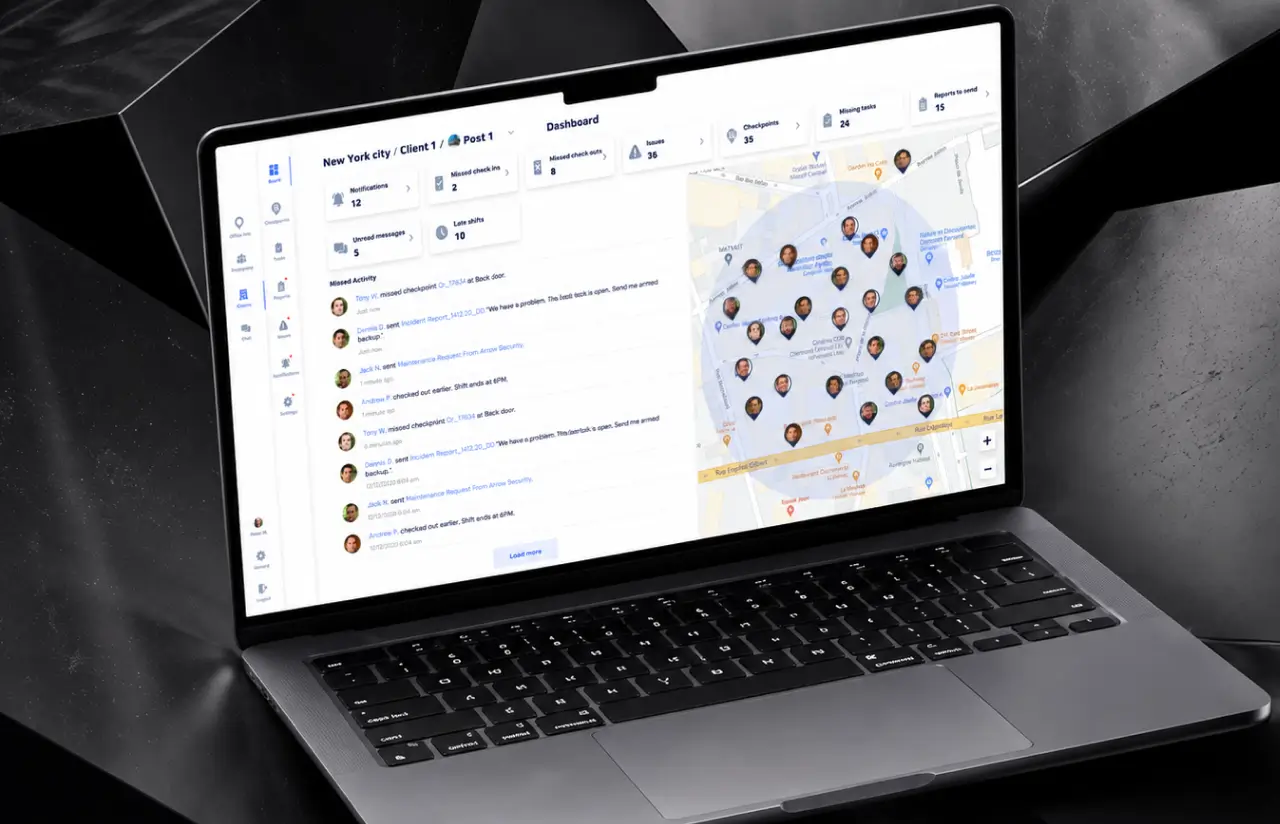
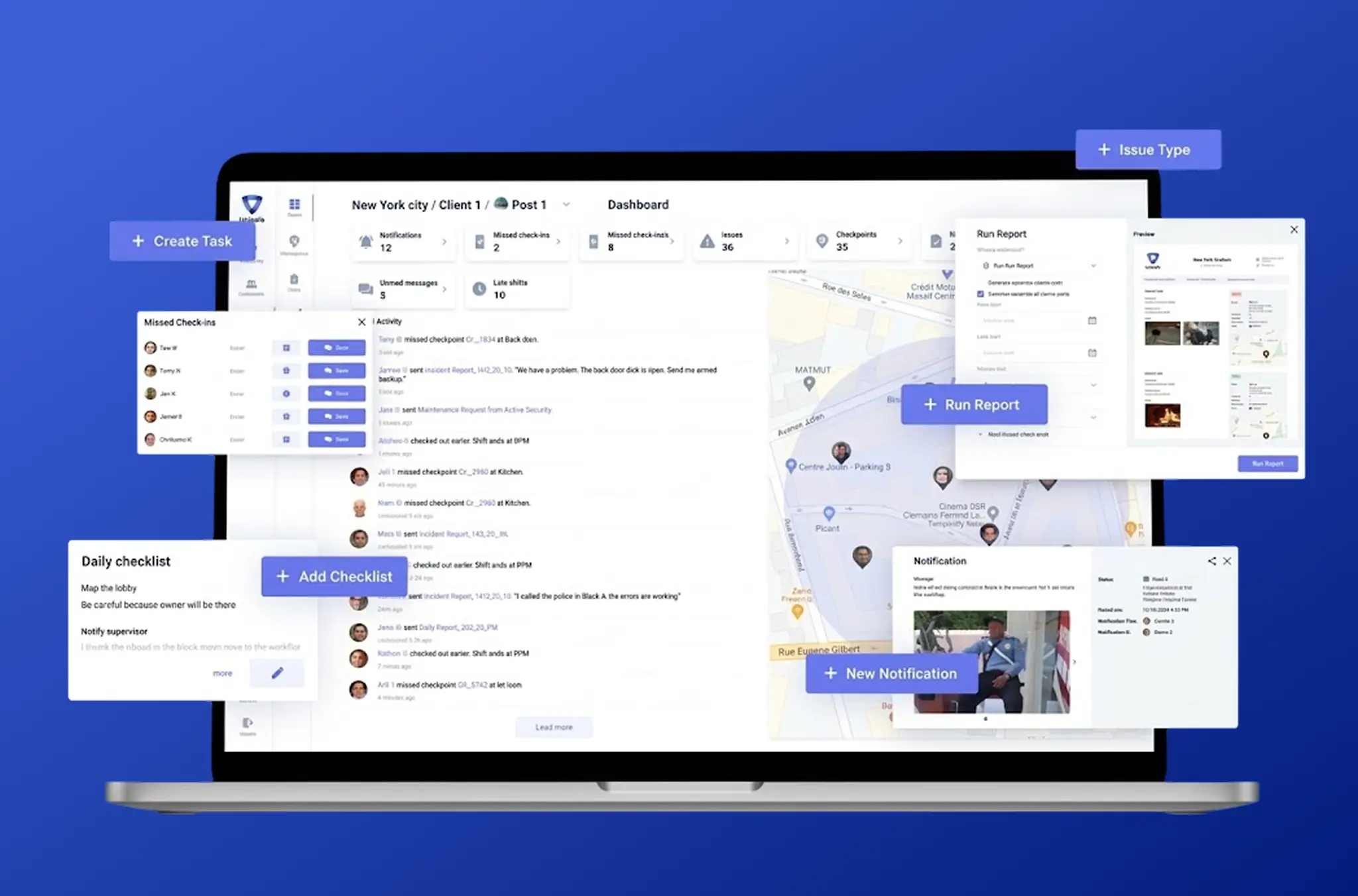
The platform organizes workflows by user role. Seven roles run on one data model, split into two and five. On mobile, guards file reports, scan checkpoints, and see their own schedule, while supervisors see their team on a live map and review submitted reports. On the web, separate views serve administrators, executives, managers, dispatchers, and clients. Each sees exactly the slice of data their job needs, which is what makes a client portal safe to hand out.
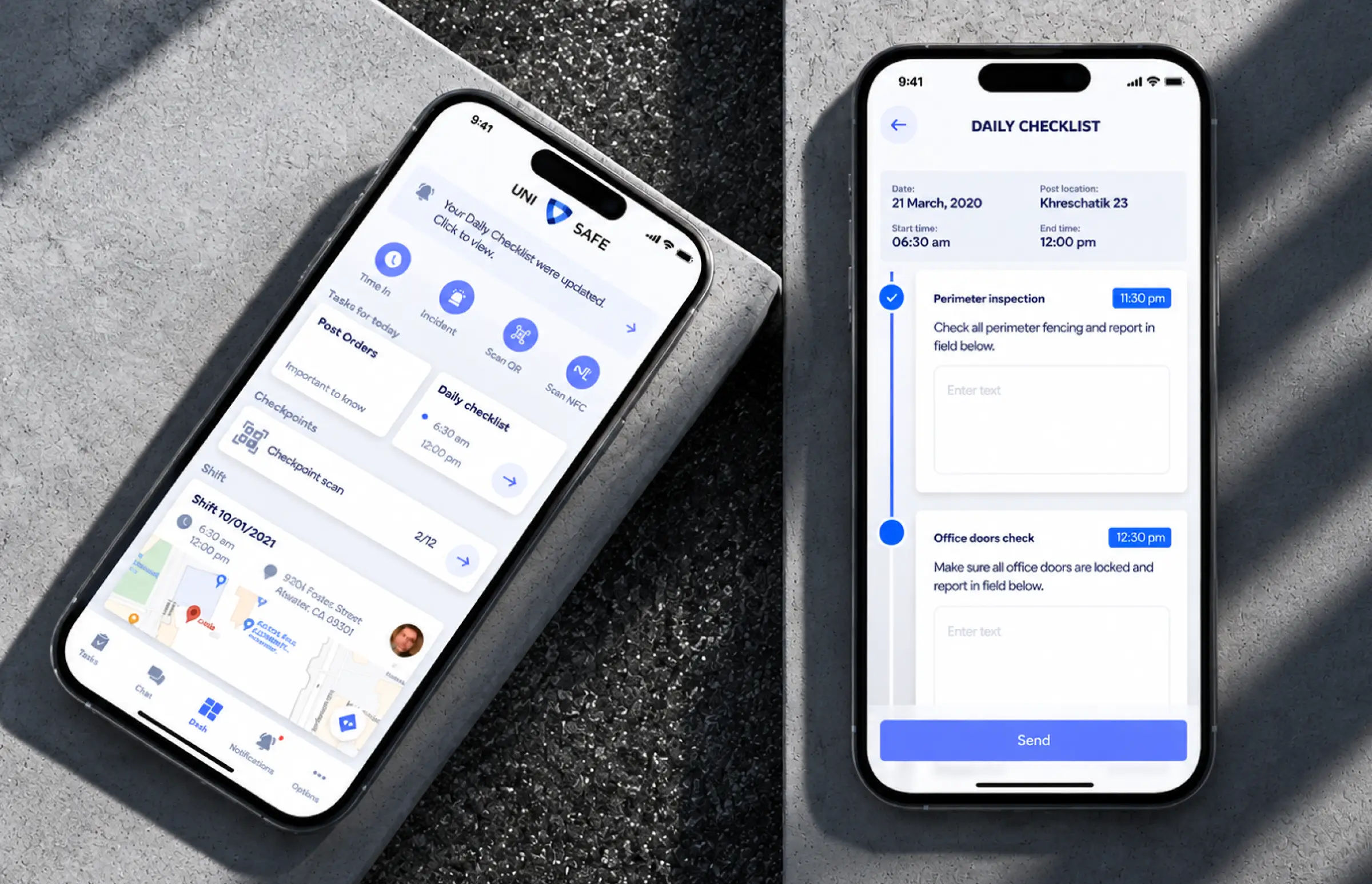
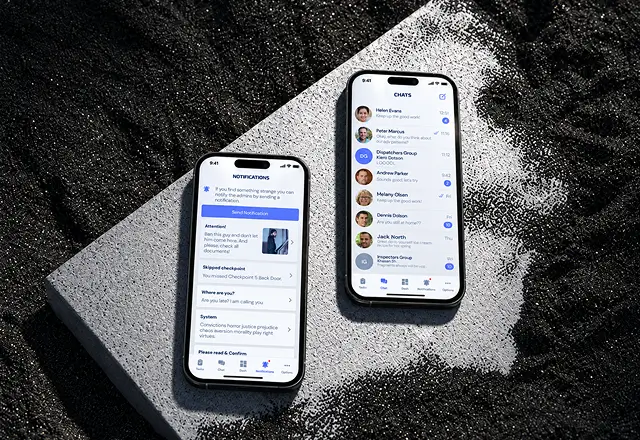
The guard-facing experience was deliberately narrowed. A guard on shift has gloves on, one hand free, and no interest in navigating a menu. The security guard app opens on the current shift with assigned tasks already on screen. Report forms use structured fields rather than a blank text box, making filing faster than writing by hand and the results searchable. Task tracking happens as a by-product of doing the work rather than as a second job.
Everything the platform records is timestamped and location-stamped at the point of capture, not at the point of upload. That distinction matters on a site with no signal. Actions queue locally and sync when connectivity returns, carrying the time and place they actually happened.
Real-Time Guard Tracking and Location Monitoring
Supervisors see every guard on shift on a live map across multiple locations. Tracking history replays a completed patrol route, and GPS time tracking ties every position to a shift, so location and hours come from one source.
Digital Shift Reports and Incident Documentation
Structured daily activity reports filed from the mobile app, with photo attachments and severity flags. Detailed reports are searchable by site, guard, date, and type, and custom reports feed the back office.
Smart Scheduling and Guard Assignment
Shift planning across multiple locations, with assignments pushed to the guard's app. Dispatchers assign guards and reassign mid-shift. Time tracking runs off the same shift record, so scheduled and worked hours reconcile.
Checkpoint Verification with QR and NFC
QR and NFC scans create timestamped checkpoint records, helping supervisors verify patrol activity where GPS location alone is unreliable, such as indoors and in stairwells.
Multi-Role Dashboard and Client Portals
Separate web views for administrators, executives, managers, dispatchers, and clients. Clients see service delivery on their own sites and nothing else.
Incident Reporting and Dispatcher Escalation
A guard logs an incident inside the shift report, and it surfaces on the dispatcher's and supervisor's map against the guard's current position. Incident response stops depending on who picks up the phone.
Scrum Methodology
Project Journey: Building the Guard Management Platform
Twelve months from conception to production release, with a team of seven. The early stretch went into product design and role modeling, because a platform serving eight distinct audiences fails on information architecture long before it fails on code. We built mobile and web against a shared API from the start. The final stretch went into checkpoint hardware behavior and the offline cases that only appear on a real site.
How the Security Guard Management System Works
- The guard opens the app and clocks in. Location tracking begins and the assigned site and route load automatically.
- At each checkpoint, the guard scans a QR code or taps an NFC tag. Each scan records the point, the time, and the location.
- Activity and incidents are filed from the phone in structured fields, with photos attached where they help.
- Supervisors watch active shifts on a map across all sites, with completed scans and submitted reports visible as they land.
- Assignments move between guards mid-shift. Both the guard's app and the supervisor's dashboard update immediately.
- The client portal shows patrols, checkpoint history, and incidents on that client's own sites, and nothing beyond them.
Development Process Flow
Every cycle closed with a build the client could install and take to a site, because the questions that decided the product can only be answered on location. The hardest was battery: continuous background GPS in React Native does not survive an eight- to twelve-hour shift on a mid-range Android phone, and a guard whose phone dies at hour nine has no tracking, no reports, and no way to scan a checkpoint. The fix was adaptive tracking rather than constant, with sampling frequency rising around checkpoints and movement and dropping when a guard is stationary. Full cycle quality assurance ran alongside development from the first sprint.
How we deliver your project
- We agree on the project goal, the priority features, and a realistic delivery date and budget.
- We rank everything the product needs, starting with what moves the business first.
- Work is cut into two-week cycles. Each one opens by selecting the next set of features.
- The team builds, tests, and integrates features across the sprint.
- Every sprint ends with working software and client reviews that shape the next cycle.
- Each sprint produces a shippable piece. We look at what worked, adjust, and keep developing.
Timeline
How We Delivered Management Software for Security Guards
Product Design
- UX research across guard, supervisor, and desk roles
- Full UX/UI design system for mobile and web
- Role and permission model defined before build
Backend & API
- Shared API serving both mobile and web surfaces
- Location ingestion and shift state machine
- Role-based access control across eight audiences
Mobile App
- React Native builds for iOS and Android
- Adaptive location sampling tuned for full-shift battery life
- Offline queueing with capture-time timestamps
Web Dashboards
- Vue.js dashboards for admin, executive, manager, dispatcher
- Live multi-site map and report review queue
- Client portal scoped to a single client's sites
QA & Release
- Full cycle QA from the first sprint
- On-site validation of scanning, tracking, and battery drain
- App store publishing on both platforms
Post-Launch Support
- Rollout across multiple client sites
- Monitoring on tracking and scan reliability
- Post-launch support on an ongoing basis
UI/UX Design: Intuitive Interface for Security Professionals
The palette is built for a screen someone reads outdoors at night. A strong navy blue (#3f67ff) carries primary actions, a lighter violet-blue (#6585ff) covers secondary and interactive states, and white fills the rest. High contrast was a functional requirement rather than an aesthetic one, because the mobile app gets used in a car park, in rain, and under a security light.
The two audiences got two opposite design treatments on purpose. The guard app is deliberately sparse: large touch targets, one primary action per screen, and the current shift as the default view. The web dashboard is deliberately dense, because a supervisor watching twenty guards across six sites needs the map, the roster, and the incoming report queue on one screen without scrolling.
Report entry drove more design iteration than any other flow. A blank text box is fast to build and slow to use, and it produces records nobody can search. Structured fields with sensible defaults are the opposite. The shipped version fills in what the system already knows (site, time, guard, weather where relevant), so the guard only enters what is genuinely new.
Role-based views were the hardest information architecture problem. Eight audiences, one data model, and a hard requirement that no client ever sees another client’s site. The solution was to treat the client portal as a filtered projection of the same records rather than a separate product, so proof of service stays consistent with what the supervisor saw live.
Results
Before
- ✕Shift reports handwritten, ~20-30 min per guard per shift
- ✕Reports reached a supervisor 8-24 hours later, next shift or next day
- ✕Guard location known only at check-in calls, every 1-2 hours
- ✕No way to prove a patrol happened, so missed checkpoints stayed invisible
- ✕Incidents escalated by phone call or next-day report
- ✕Client reporting compiled manually and sent weekly
- ✕Scheduling on spreadsheets, ~4-6 h/week of admin time
After
- ✔Digital shift reports filed from the phone in ~5 min
- ✔Reports reach the supervisor in real time
- ✔Live map showing every guard continuously through the shift
- ✔Every checkpoint logged with a timestamp and GPS to 16 ft (5 m)
- ✔Incidents logged in-app and visible to the dispatcher immediately
- ✔Self-service client portal, available on demand
- ✔Scheduling handled in the dashboard, ~1 h/week
Impact After Launch
Verified Reviews
Our Reputation on Top Platforms
LITSLINK holds a 4.8 rating on top platforms. Those reviews point to technical depth, clear communication across long engagements, and delivery that holds its dates. See more of what our development services cover across workforce and field-operations projects, from product design through the QA and support that follow launch.
Have a Workforce Management Software Project in Mind?
Comparing the best security guard software and finding it fits either the field or the back office, rarely both? A workforce management app built for offices does not survive a night patrol. Tell us how many security guards and sites you cover, and which roles see what. We reply within 48 hours.
Thank you for your message. It has been sent.