



Building a Smart Home App for IoT-Powered Climate Control
- 10,000+ supported air conditioner models
- Up to 40% savings on AC energy costs
- 6 months from kickoff to release
Smart home app development for a company that makes any air conditioner smart. The hardware is a universal IR controller that speaks to over 10,000 AC models. LITSLINK built the mobile and web layer on top of it. One Flutter codebase for iOS and Android, a web version, and the backend that turns temperature, humidity, and location into automatic climate decisions.
Project Details
The client sells a smart controller that connects an air conditioner to the internet. Cloud services store data and run the automation on top of it. It works with any AC that has a remote, sending the same IR commands the remote does. One controller pairs with one air conditioner; the IR code database ships preinstalled, and the app takes over modes, fan speed, swing, and LED. Our water management software case study shows another use of home sensor data: identifying water use and heater activity.


Business Challenge: Creating a Unified Smart Climate Control System
An air conditioner with a remote is a closed system. The remote works in one room, and only while someone is standing in it. A household with three or four units means a manual round of the house. A unit left running in an empty home costs money nobody notices until the bill arrives.
The client already had existing smart home apps on iOS and Android, maintained as two separate codebases. Every feature had to be built twice, tested twice and shipped twice. That doubles the cost of every change and guarantees the two platforms drift apart.
Three problems shaped the engagement.

Intelligent Automation and Scene Management
Remote control alone does not save energy. Users expect a smart home ecosystem to act on its own, so the system needed scheduling, reaction to actual room conditions, and location awareness. The air conditioner responds without anyone opening the app.

Secure Remote Access and Data Privacy
Controlling hardware devices in someone's home from anywhere means the connection needs robust security measures end to end. Sensitive user data is in play, and family members need access without sharing one account.

Scope Change Mid-Project Under a Fixed Deadline
The client commissioned an exact replica of the existing native apps. Halfway through, they decided to redesign the UI, rework the UX, and add features, with the deadline unchanged.
Technologies Behind the Smart Home App



Our Smart Home App Development Solution
Our Flutter mobile app development work replaced the separate iOS and Android apps with a single shared codebase. That decision carried the whole project, because it turned every feature after it from two builds into one. The web version runs from the same product logic. A user controls their devices from a phone, a tablet or any desktop browser.
The backend handles device state, pairing and the automation rules. It has to manage device communication across Wi Fi networks it does not control. Real-time updates run over WebSocket, because a climate app showing stale state is worse than no app.
The data architecture routes everything through cloud infrastructure. That is a deliberate trade. The controller keeps its IR code database in local storage, but no automation logic runs locally on the phone or the controller. Rules keep working when the phone is off the home network. Syncing an application with hardware device state is the part that decides whether the product feels instant or broken.
IoT Device Integration Platform
One controller per air conditioner, with a preinstalled IR code database covering split systems, wall-mounted, window, portable, and central units with a wireless remote. Heat pumps and air purifiers are supported too.
AI-Powered Home Automation
Climate React responds to the actual temperature and humidity in the room. It switches to heating when it gets cold and cooling when it gets hot, without waiting for a person.
Real-Time Device Monitoring
Live state for every paired device over WebSocket, so what the app shows and what the unit is doing stay in step. Multiple devices report into a single interface rather than separate screens.
Smart Scene Management
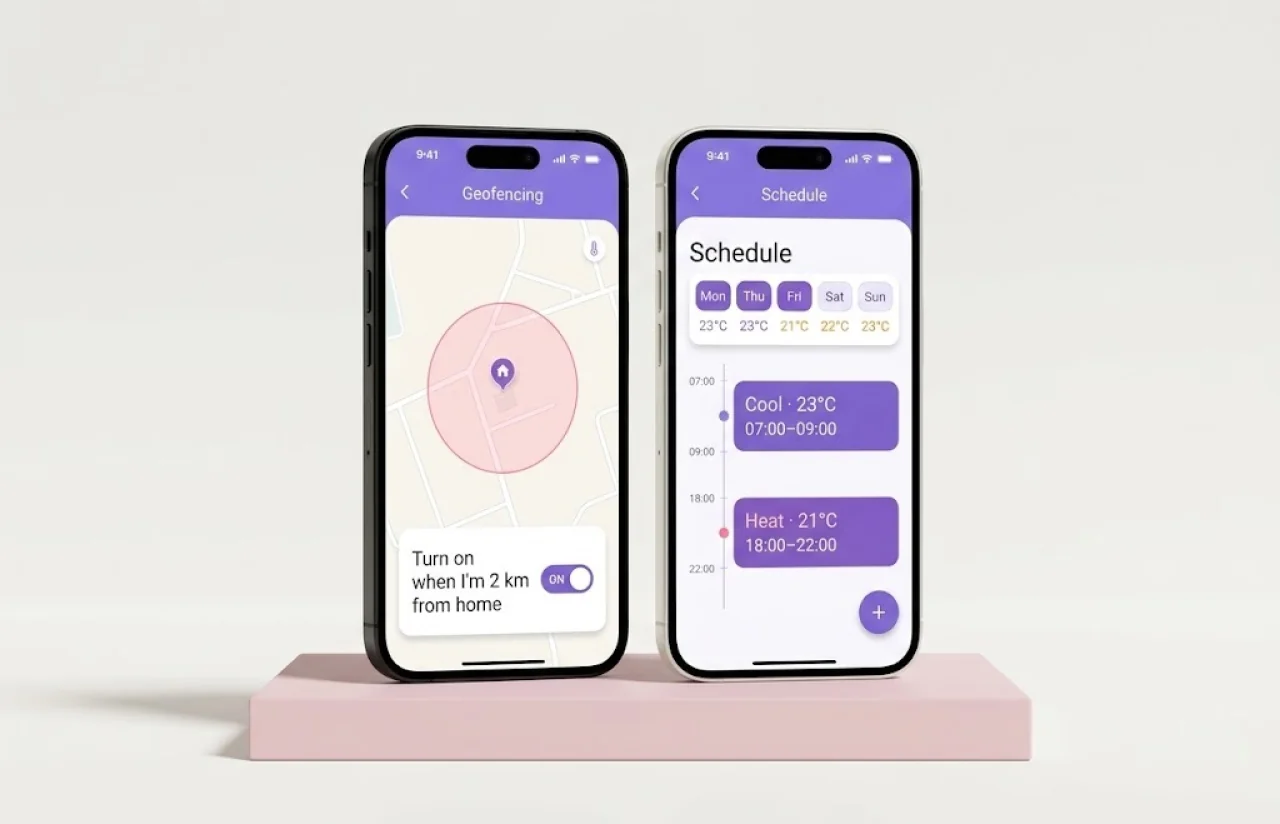
Seven-day schedules and timers, condition-based triggers, and geofencing. The AC starts before arrival and shuts off when the last person leaves. Users typically run three to five scenes per device.
Mobile and Web Control Hub
iOS, Android, and web from one product. Users control devices from a smartphone or any computer, and remotely control them from outside the house.
Energy Management Dashboard
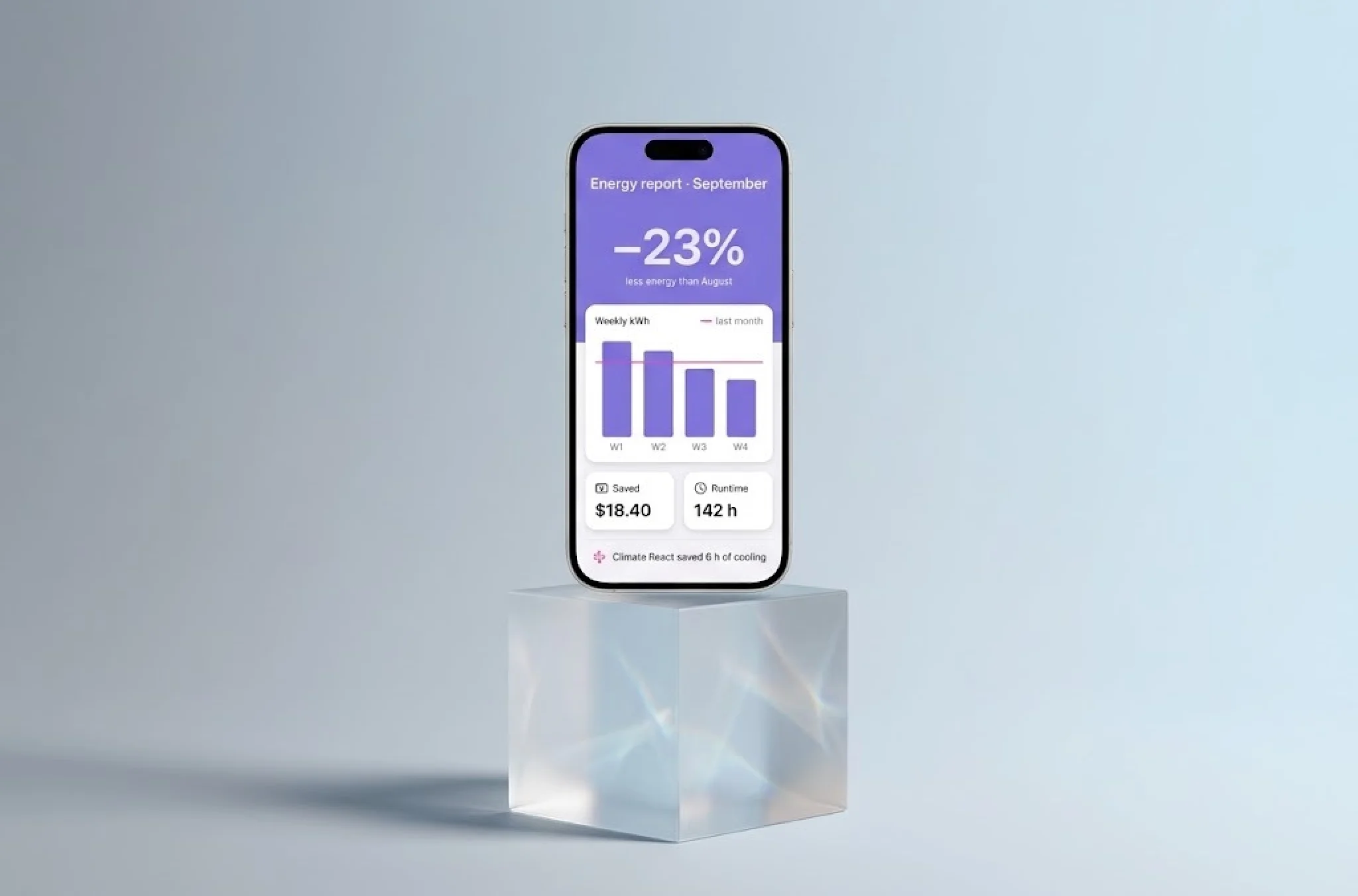
Usage tracking per device, which is what makes the savings visible rather than theoretical. Data analytics on consumption turn a vague promise into a number a household can act on.
Security and Privacy by Design
SSL encryption between device and cloud, the client's HomeKit-certified hardware on the Air model, and two user roles so a household shares access without sharing credentials. Data protection was a design constraint.
— Scrum Methodology
Project Journey
Six months, twelve two-week sprints, 95% delivered on schedule. The team was eight people spanning mobile, backend, IoT integration, QA, and design. Performance optimization ran throughout, because smart home automation work is judged on how fast a tap reaches the hardware.
The project did not run in a straight line. The original brief was an exact replica of the client’s existing native apps in Flutter, which is a well-defined job with a predictable end date. Midway through, the client decided to redesign the interface, rework the flows and add features. The deadline did not move.
That is the kind of change that quietly kills a fixed-date project. What saved this one was the codebase decision made in month one. A single Flutter codebase meant a redesign touched one set of screens rather than two. The saved effort covered most of the new scope. With separate native apps, the same request would have doubled the design and build work. There was no extra time to do it in.
How the Energy Savings Automation Platform Works
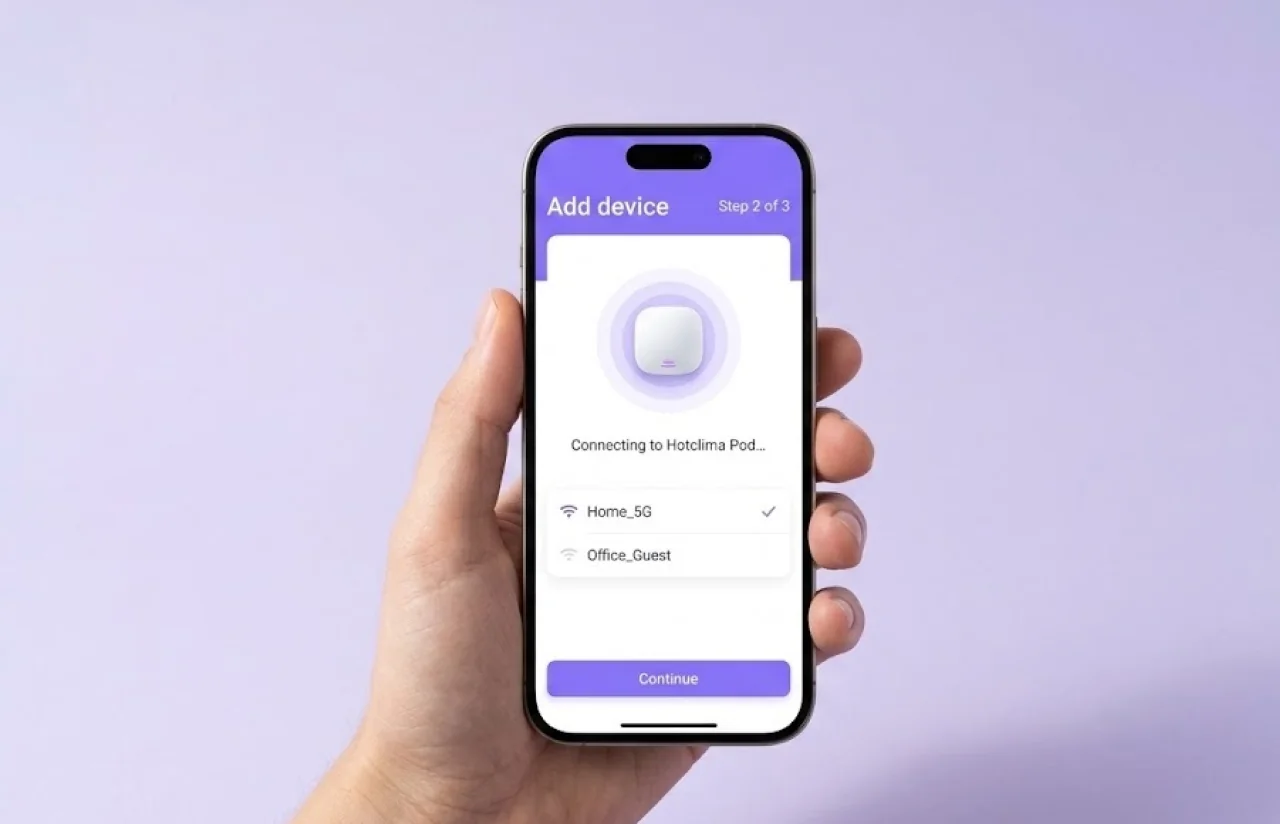
- The user connects the smart controller to Wi-Fi and selects their air conditioner. Setup averages about a minute, because the IR code database is already on the device.
- Modes, temperature, fan speed, swing and LED all move from the physical remote into the app, available from anywhere rather than one room.
- The user defines what should happen and when. A seven-day schedule, a temperature or humidity threshold, or a geofence around home.
- Climate React reacts to actual room conditions. Geofencing starts the unit before arrival and stops it when the last person leaves.
- The dashboard tracks consumption per device, so a household can see which unit costs what and adjust the rules accordingly.
- Family members get their own access through a second user role, without passing around one login.
Scrum Process Flow
Every sprint ended with a build the client could install on a real device paired to a real air conditioner. IoT work rewards that discipline more than most. A pairing flow that reads perfectly in a design file can fail on a router with an unusual Wi-Fi configuration. Different communication protocols behave differently on real networks, and you only learn that on hardware.
Full cycle quality assurance ran alongside development from the first sprint, including publishing to both app stores.
— Timeline
How We Delivered the Smart Home Automation Platform
Discovery & Architecture
- Product audit of the existing native apps
- Single-codebase decision for iOS and Android
- Backend and device-state architecture
Flutter Core & Device Control
- Pairing flow and IR code database handling
- Mode, temperature, fan, swing and LED control
- Real-time state over WebSocket
Automation & Backend
- Seven-day schedules and timers
- Climate React condition triggers
- Geofencing and multi-user access roles
Redesign & New Scope
- Interface redesign mid-project
- Reworked navigation and flows
- Added features inside the original deadline
QA & Publishing
- Full-cycle QA from sprint one
- Testing on real hardware and varied Wi-Fi setups
- App Store and Google Play publishing
After Launch
- Support for the released platform
- Handover documentation to the client's team
UI/UX Design: Intuitive Interface for Smart Home Control
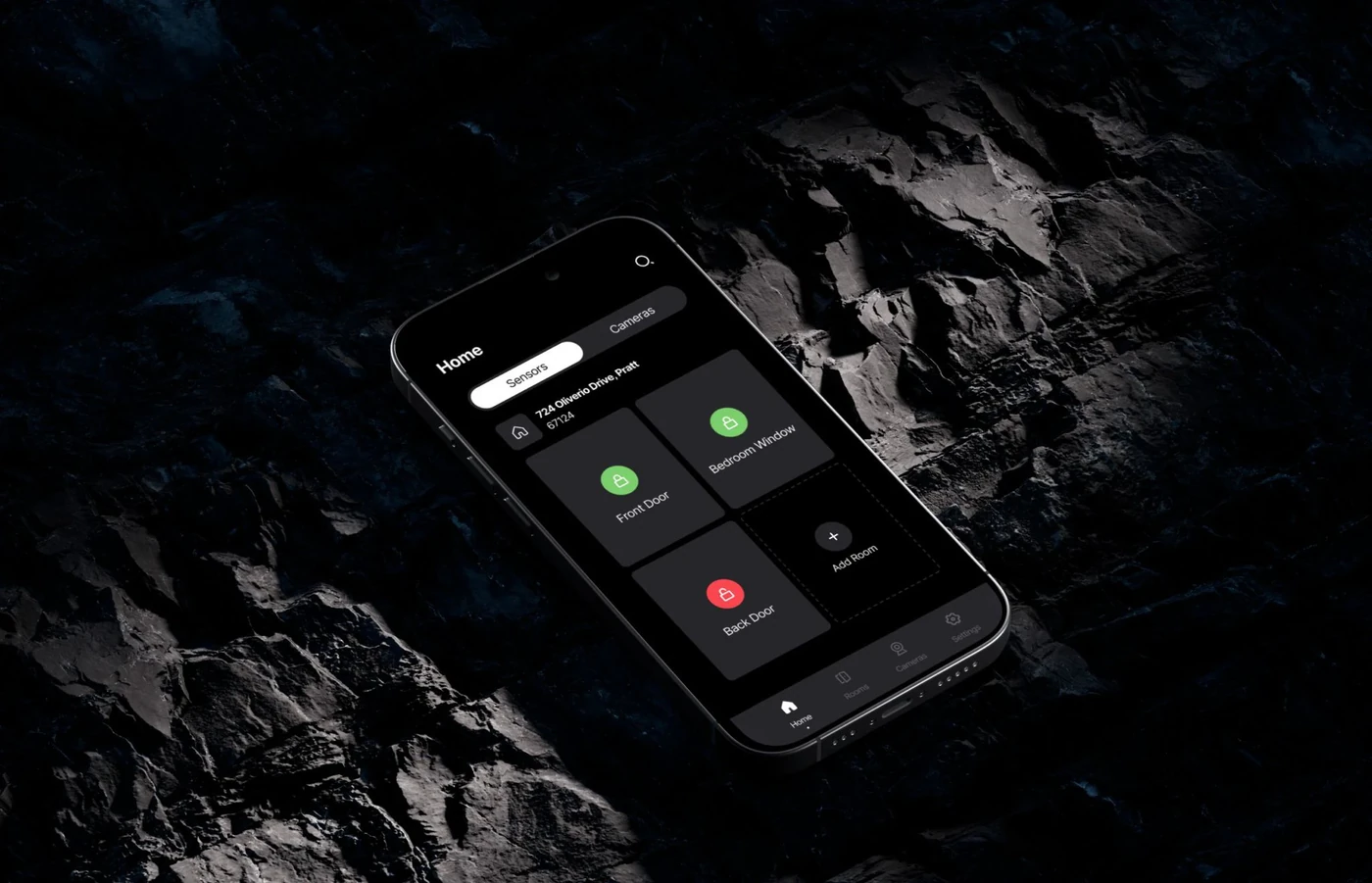
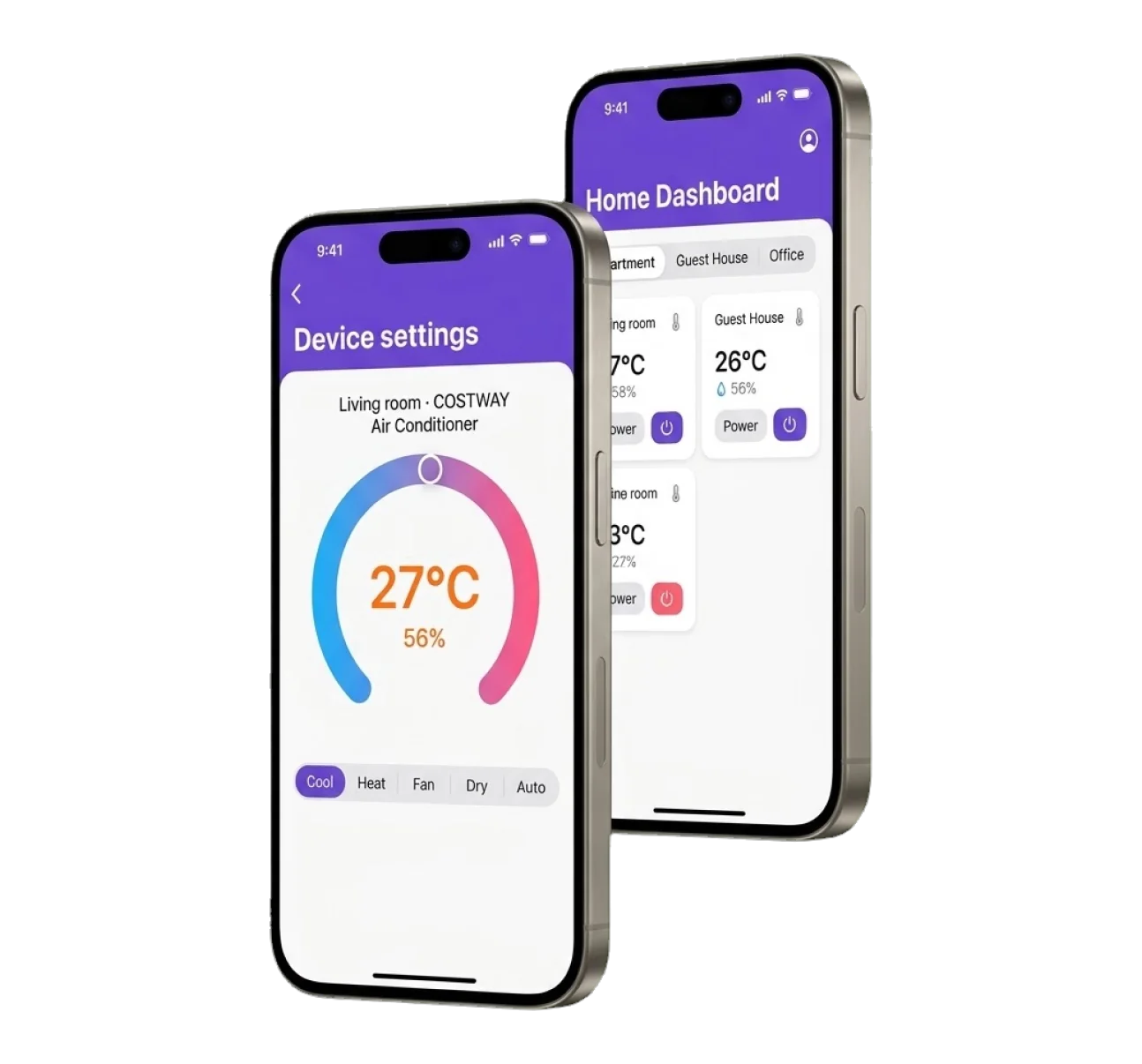
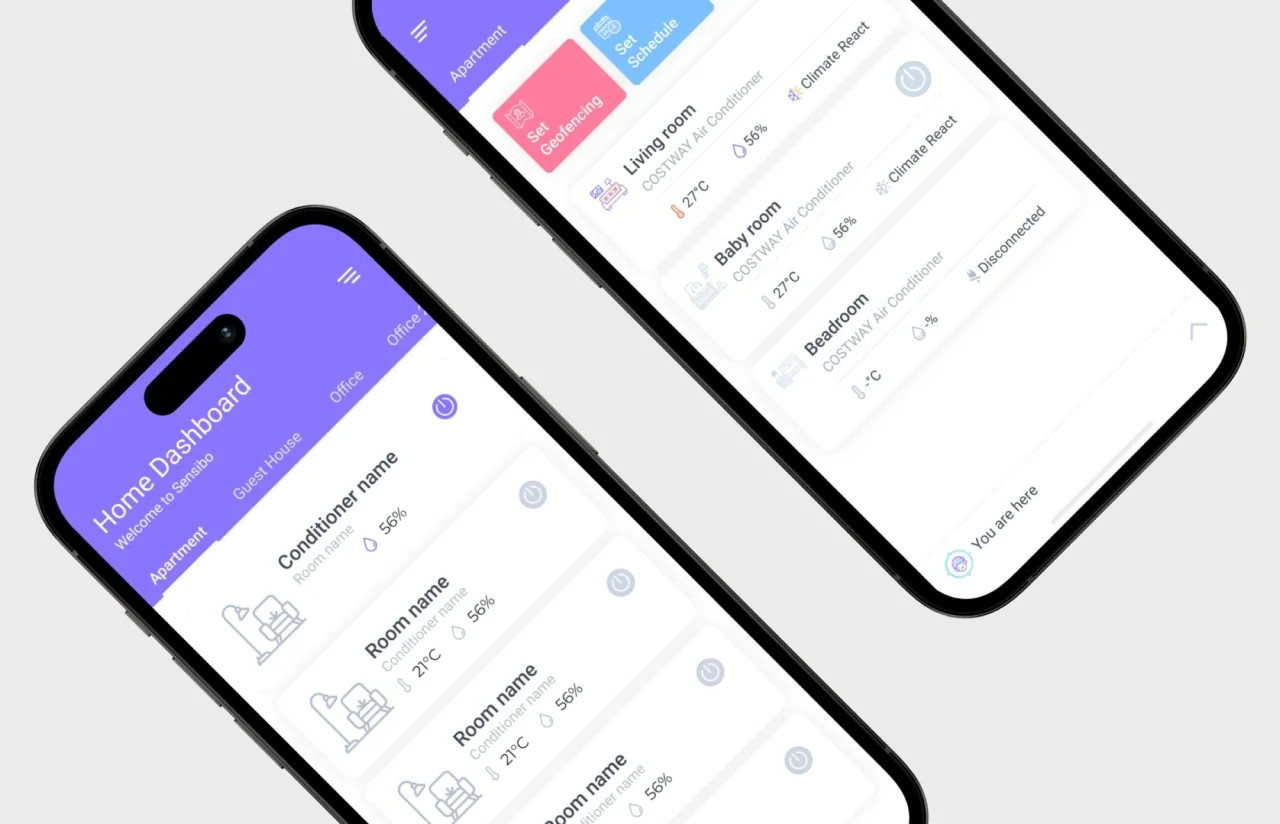
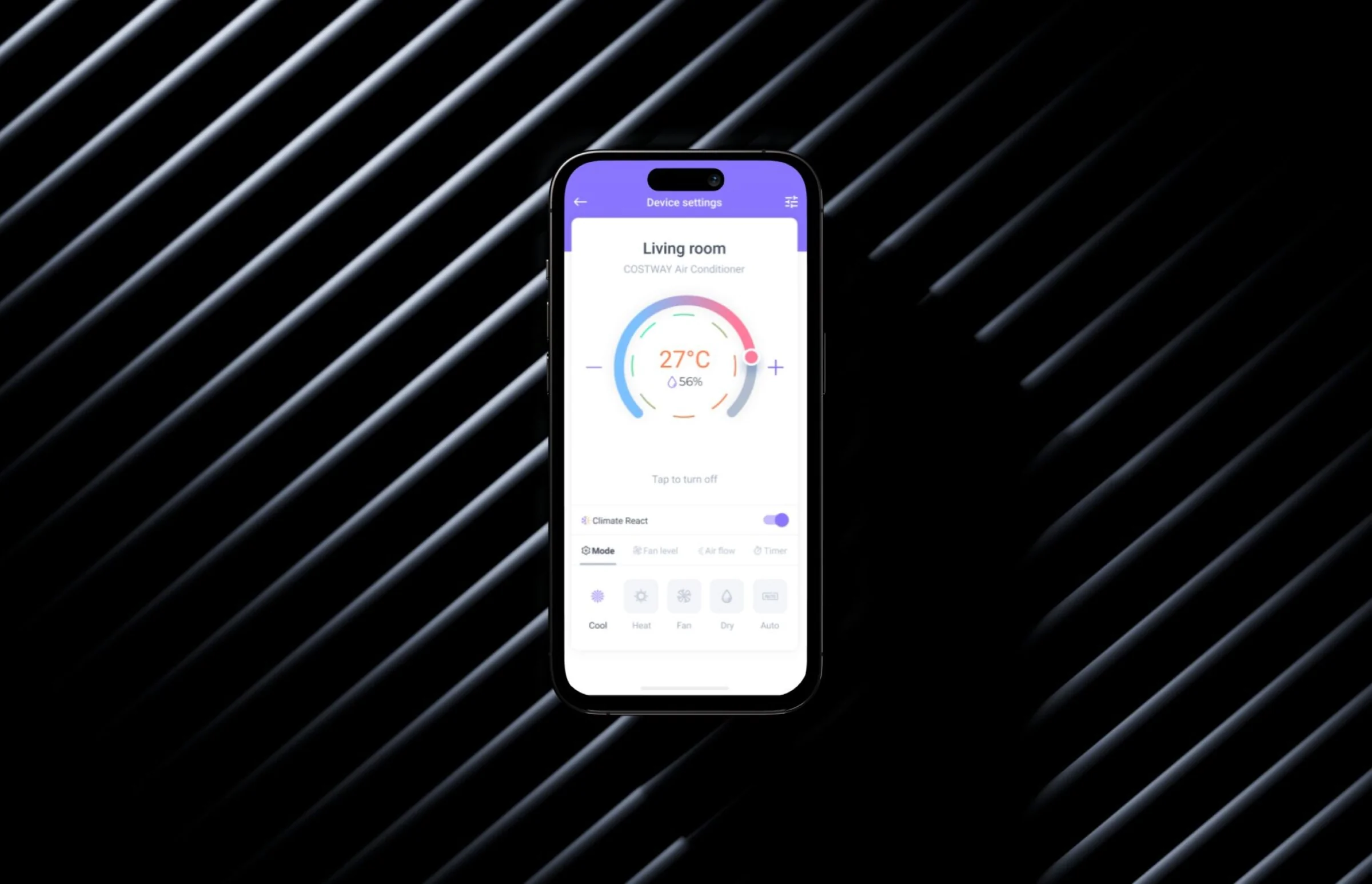
The home screen answers one question: what is every air conditioner in the house doing right now. Each device shows mode, target, and current room temperature on one card. A household with four units still reads at a glance.
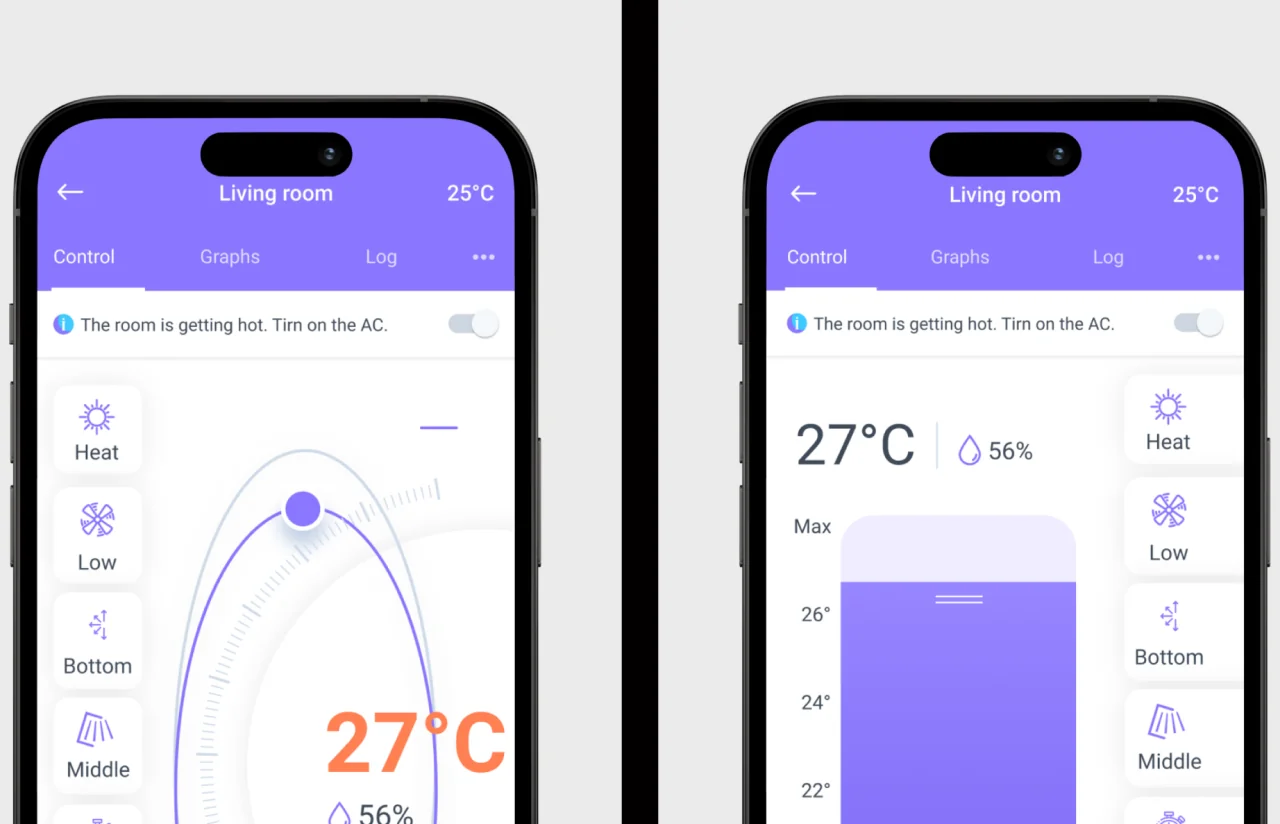
Control lives one tap deep. Mode, temperature, fan and swing sit where the physical remote put them. Users arrive with a decade of muscle memory for that layout, and fighting it costs user engagement.
Automation is the harder design problem. A schedule, a temperature trigger and a geofence are three different mental models. Stacking them in one settings screen produces a product people configure once and never touch again. They are separated into distinct flows in the user interface, each with a plain-language summary of what will happen. A rule can be checked without being reopened.
The redesign midway through the project changed the visual language and the navigation, not this structure. The underlying model of device, scene, and household held up. That is why the change fit inside the original deadline.
Results and Impact
Before
- ✕Two native codebases, drifting apart with every release
- ✕Every feature designed, built, tested and shipped twice
- ✕A redesign would have meant two design and build cycles
- ✕Automation rules lived in two separate implementations
- ✕Platform parity depended on manual coordination between teams
- ✕Adding a device type meant two integrations
After
- ✔One Flutter codebase serving iOS, Android and web
- ✔Every feature shipped once
- ✔The mid-project redesign was absorbed inside the original deadline
- ✔One rule engine behind schedules, geofencing and Climate React
- ✔Parity by default, because both platforms read the same code
- ✔One integration reaches every client
Impact of the Smart Home Automation Platform After Launch
— Verified Reviews
Our Reputation on Top Platforms
LITSLINK holds a 4.8 rating on top platforms. Those reviews point to technical depth, clear communication across long engagements, and delivery that holds its dates even when the scope moves. See what our mobile app development services cover across IoT, cross-platform and connected hardware projects.
Have a Smart Home Project in Mind?
Building smart home solutions where an app has to talk to hardware in someone’s home? Smart home technologies solve real-world challenges only when the essential features hold up on real networks. Tell us what the device does and how people are meant to use it. We come back within 48 hours with a scope, a timeline, and a number.
Thank you for your message. It has been sent.