




Building a GPT-Powered Customer Support Chatbot with Semantic Search
- ~$170K saved per year on support costs
- 74% of routine inquiries resolved automatically
- 2.8 s median response time, around the clock
- 91% answer accuracy on a graded test set
- ~2,400 CMS entries indexed and kept in sync
Support teams at SaaS companies answer the same pricing and feature questions hundreds of times a week. We built a customer support chatbot that reads live CMS data through semantic search and gives site visitors a precise, sourced answer in under three seconds.
Request similar solution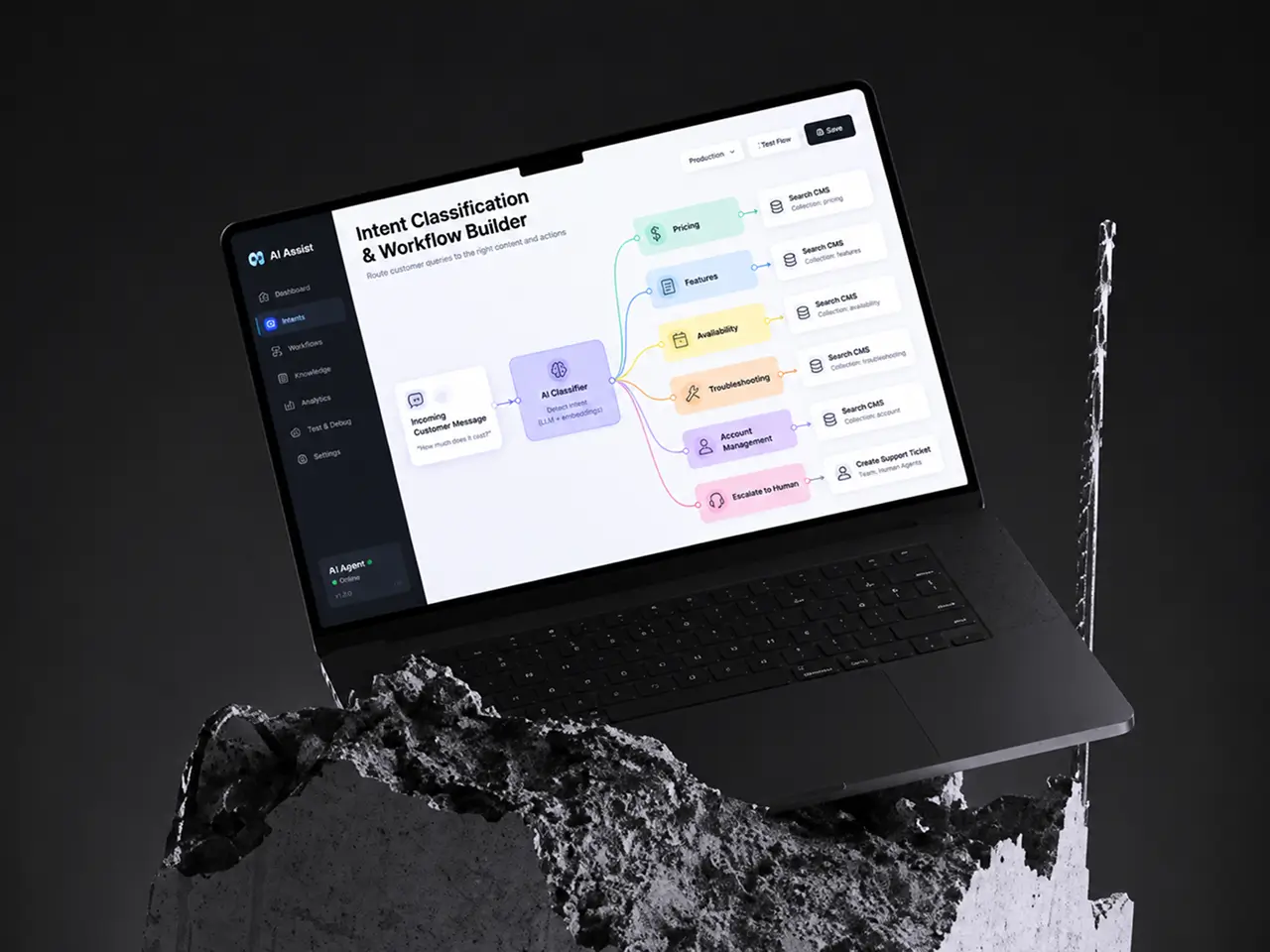
Project Details
A US SaaS company that sells a customer support platform to e-commerce businesses came to us with a familiar problem: its own support queue. Around 6,200 chats and emails a month, most of them about pricing tiers, feature availability, and setup, landed on a seven-person support team. They wanted a customer service chatbot that could answer from the same product content the website already published, and they wanted proof on real traffic before committing to a full build.
 Client
- ChatPulse
 Industry
- Customer Support Technology
 Solution
- GPT-based customer support chatbot with semantic search
 Service
- AI Development + NLP Integration + System Architecture + QA Testing
 Platform
- Website chat widget, Slack app, mobile app SDK, REST API
 Scope
Scope- AI/ML, Backend, NLP, Data Pipeline, QA
 Duration
- 6 months
 Location
- US
Business Challenge: Scaling Customer Support Without Expanding Team Size
The client’s support team of seven handled roughly 6,200 inbound conversations a month across website chat, email, and a shared Slack channel for enterprise accounts. About 68% of those were routine inquiries: which plan includes SSO, whether the free plan covers order tracking, where paid plans start, how to connect a Shopify store. The answers lived on the website. Nobody could find them fast enough.
Chat during business hours averaged a 4-minute wait. After 6 p.m. Pacific and on weekends, customer queries sat until the next morning, and the median email reply ran 14 hours. A keyword FAQ bot from 2022 answered about a fifth of questions and shipped wrong pricing twice after a plan change, because nobody updated its scripts. The support team had grown from four to seven in 18 months. Ticket volume and customer expectations had grown faster.
-

Instant Response to Customer Inquiries
A visitor comparing plans at 11 p.m. wanted immediate support, not a ticket number. About 31% of after-hours chats closed with no reply, and sales believed some of those were lost signups.
-

Consistent Support Quality Across All Channels
Seven agents gave seven versions of the same pricing answer. A quarterly audit found one question about API rate limits answered four different ways, and one was wrong. Nobody could deliver consistent support that way.
-

Scaling Support Without Linear Cost Growth
Every 900 extra conversations a month meant another hire, six weeks of onboarding, and a seat license. Leadership wanted operational costs to flatten while conversation volume kept climbing about 20% a year, without giving up reliable support.
Technologies Behind the Customer Support Chatbot


Our AI Customer Support Chatbot Solution
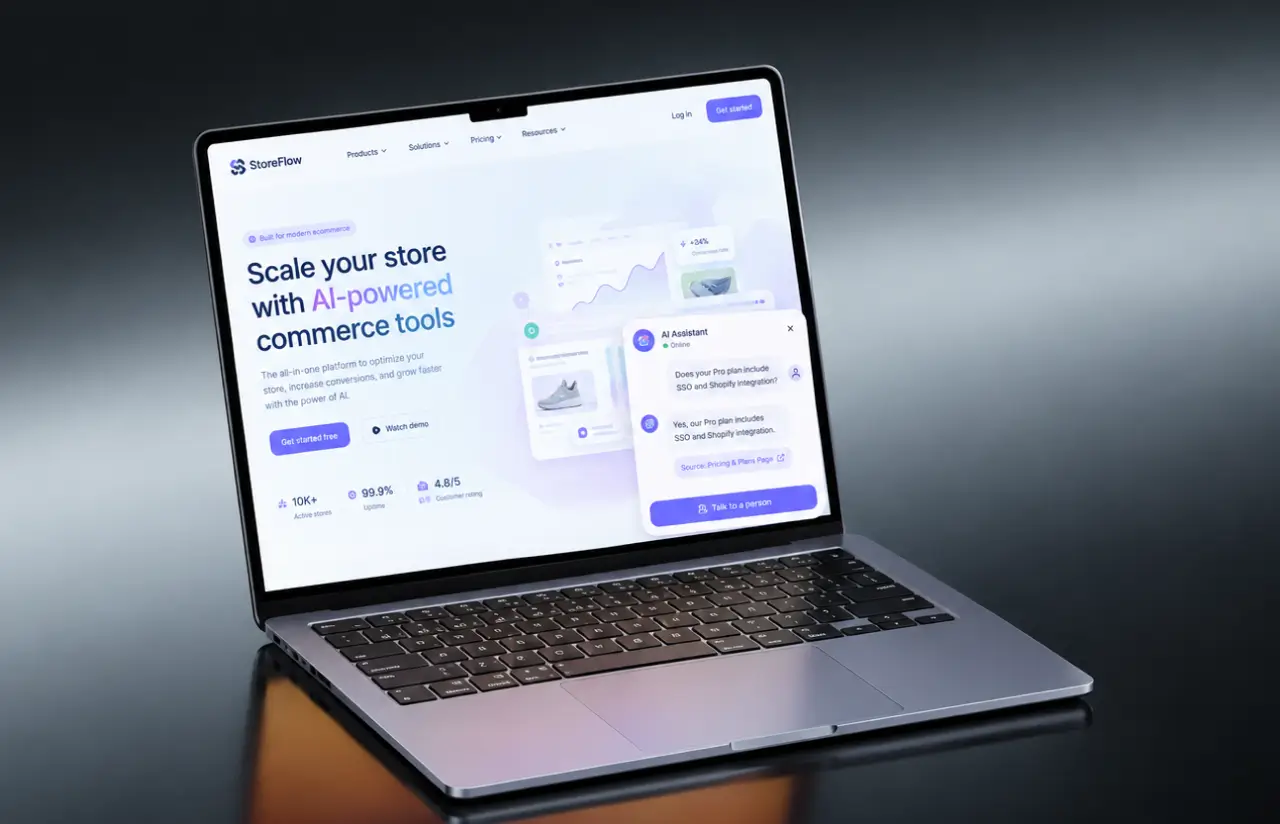
One question shaped the architecture: when a visitor asks whether the enterprise plan includes SSO, where does the true answer live right now? In the CMS, on a page the marketing team may have edited that morning. So the chatbot never answers from what GPT-4 remembers about the product. It answers from what the website says today, and the customer experience stays the same on every channel.
Two things lived apart. The language ability sat in the model. The facts sat in about 2,400 CMS entries covering pricing pages, feature docs, release notes, integration guides, and a help center. Generic AI-powered chatbots can talk fluently and still invent a plan that did not exist. Our first prototype, built without retrieval, made up plan details in roughly 11% of answers.
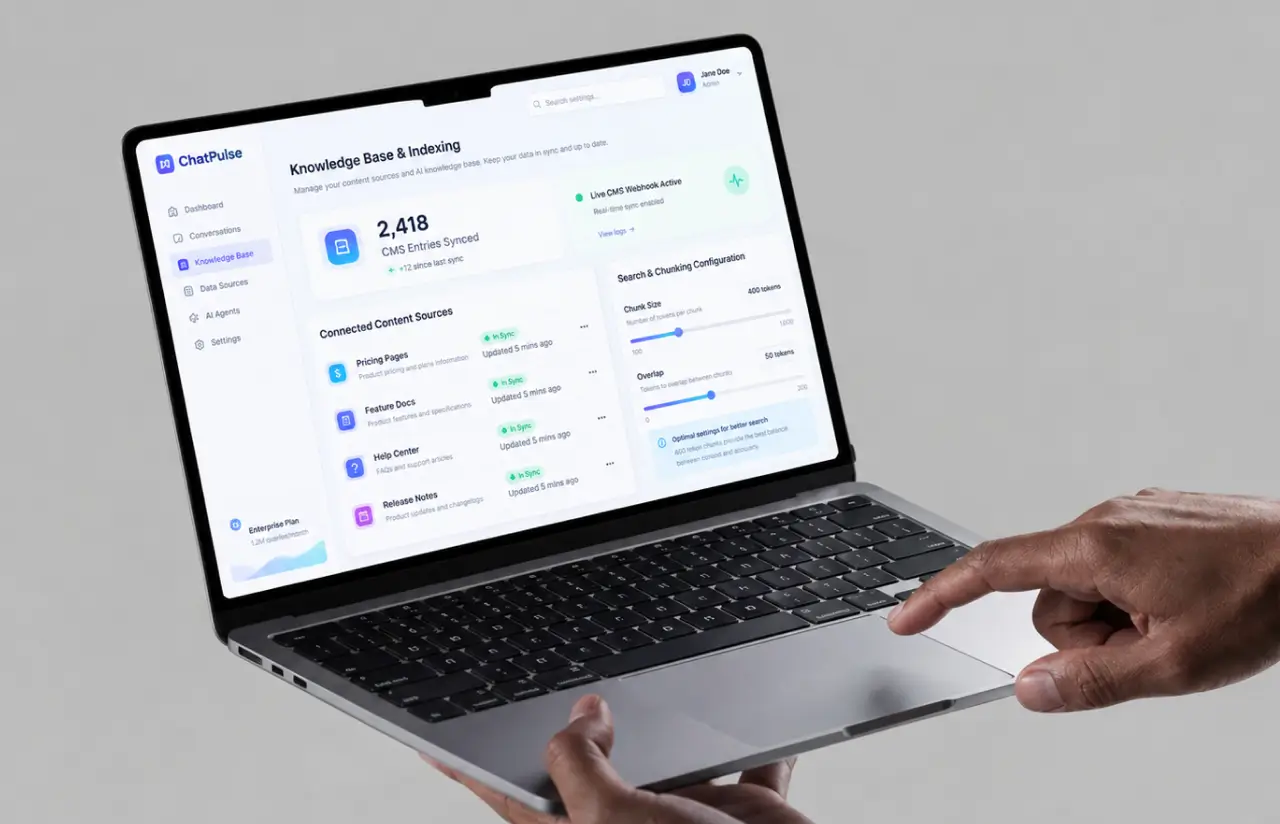
We built the retrieval layer in Python with LangChain, the same stack our AI development team uses for most conversational search work. A pipeline pulls CMS data through the client’s content API, splits each entry into chunks of around 400 tokens, embeds them, and writes them to a vector database. A webhook fires on every CMS publish, so pricing changes land in the index within 15 minutes. At query time, semantic search pulls the five closest chunks, and GPT-4 writes an answer grounded in those chunks, with a link to the source page.
A lightweight machine learning classifier runs before the customer service chatbot retrieves anything. It sorts each message into pricing, features, availability, troubleshooting, account management, or human-needed, then picks the prompt template and the CMS collections to search. Troubleshooting questions pull from the help center. Pricing questions pull from plan pages only, which is how the bot stopped mixing up the free plan with the enterprise plan.
-
GPT-Powered Response Generation
GPT-4 writes each reply from retrieved CMS chunks, in the client's brand voice, with a source link. The prompt refuses to answer outside the retrieved context, which cut fabricated details from 11% to about 3% of responses.
-
Semantic Search Integration
Questions are matched by meaning, not keywords. "Can I try it before paying" finds the free plan page even though neither word appears there. Retrieval returns the top five chunks in about 180 ms.
-
Real-Time CMS Pipeline
A publish webhook re-embeds only the changed entry, so a pricing edit reaches the chatbot within 15 minutes, and nobody rewrites a script. About 2,400 entries stay in sync across pricing, docs, and the help center.
-
Multi-Channel Support Interface
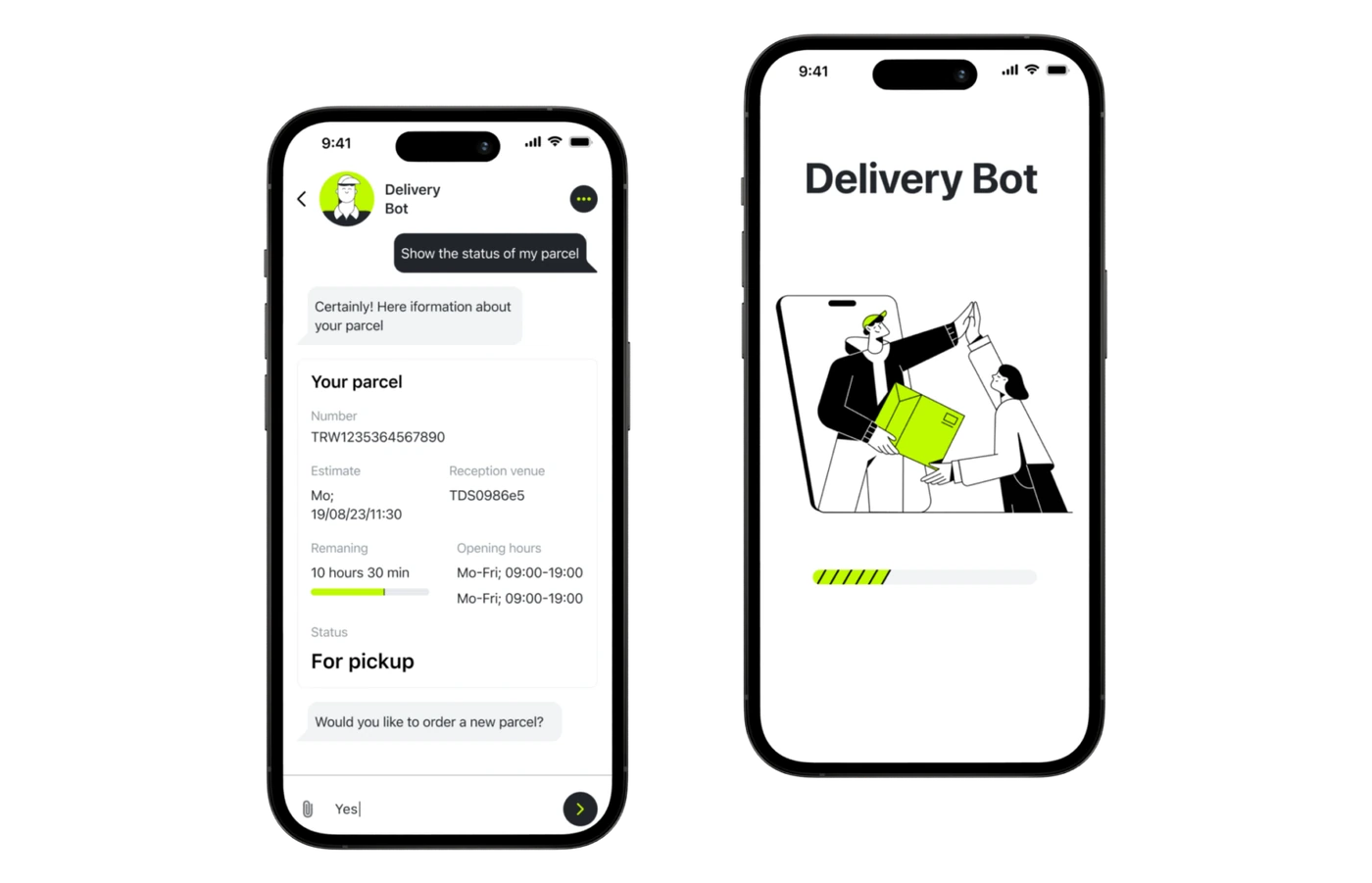
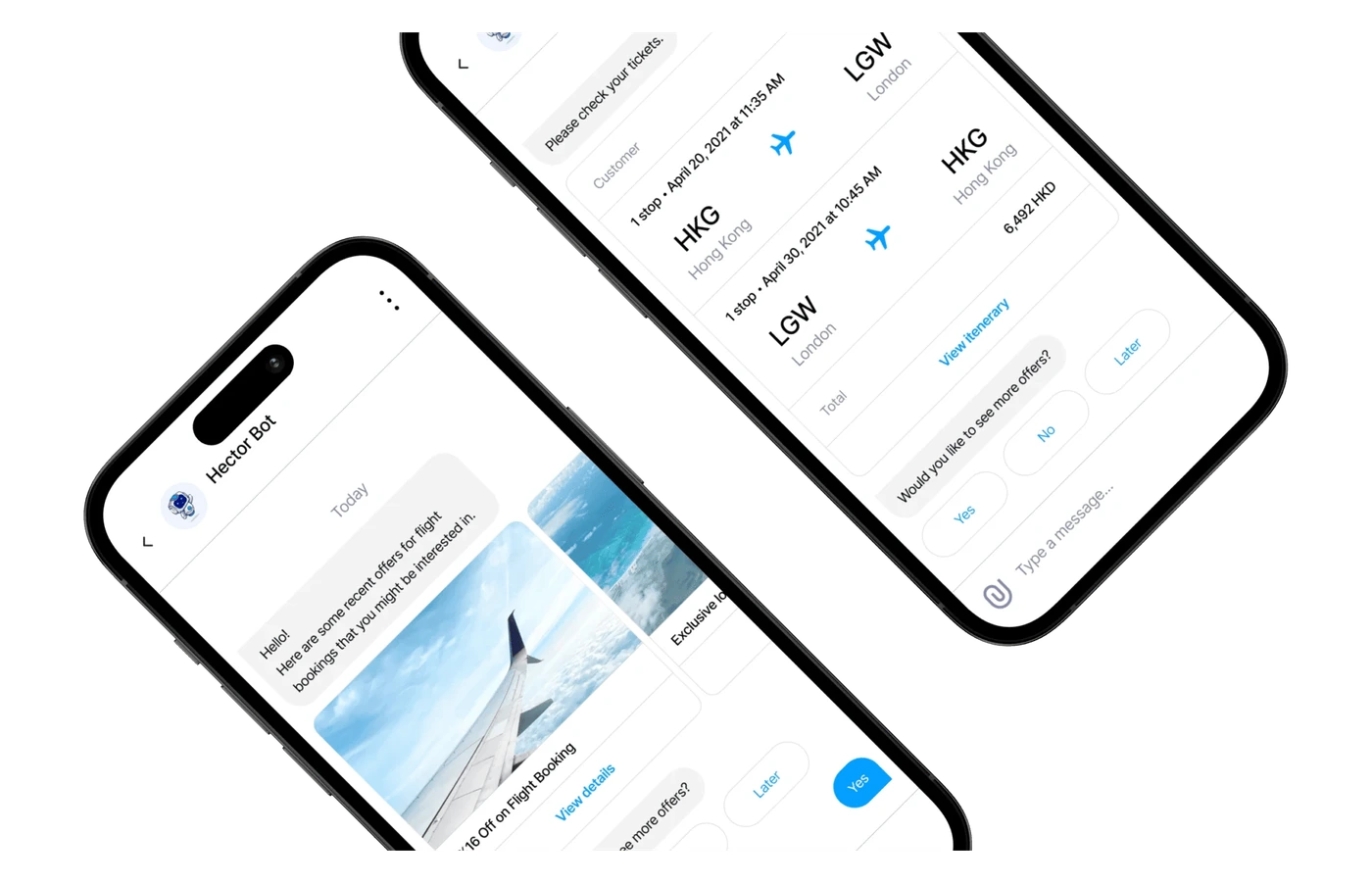
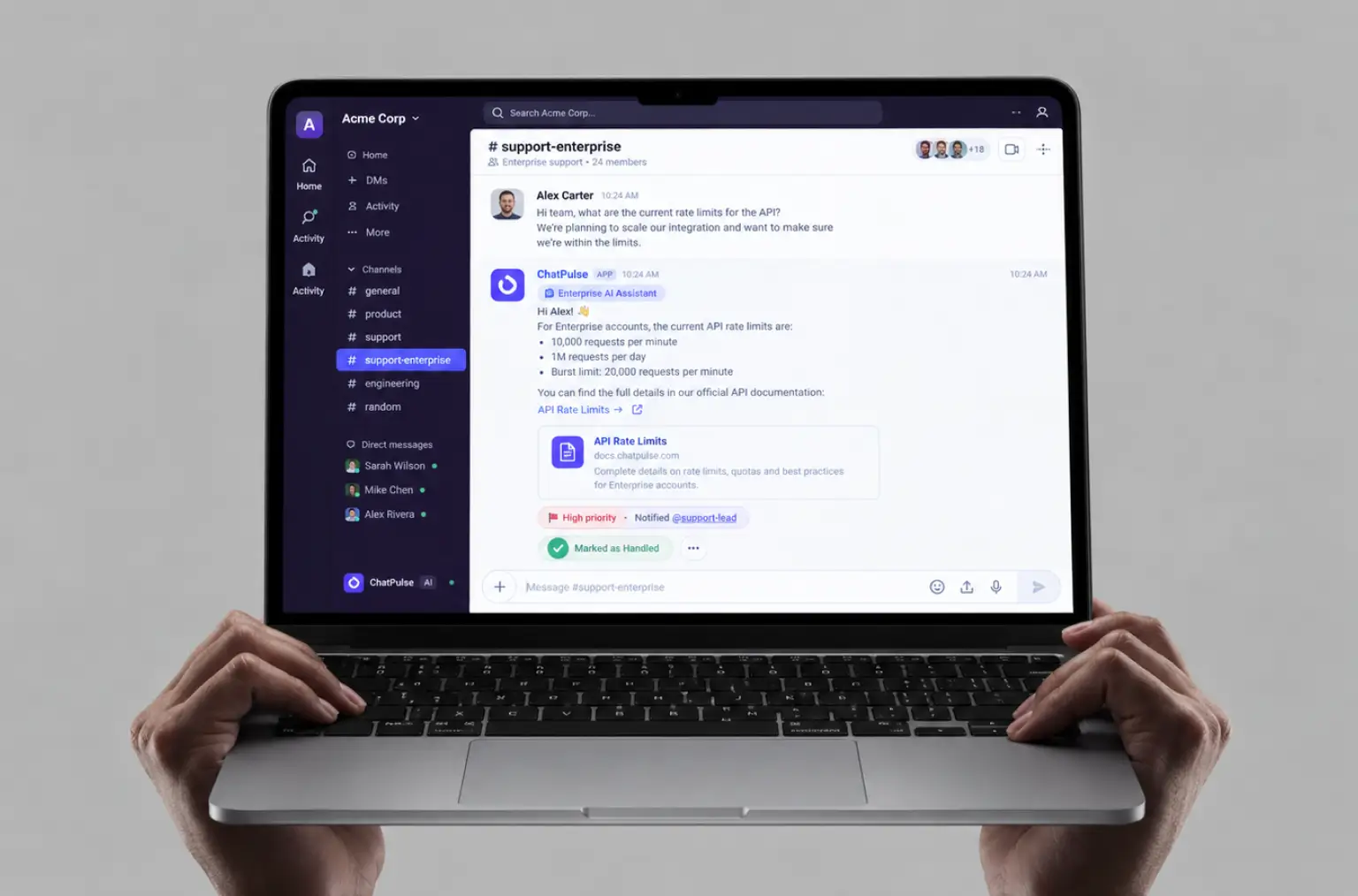
One set of backend systems serves the website widget, a Slack app for enterprise accounts, an SDK for the client's mobile apps, and a REST API for other messaging apps. One knowledge base, consistent and accurate responses, on every channel customers already use.
-
Intelligent Query Classification
Each message is sorted into six intents before retrieval. Routine inquiries get instant answers, and answering FAQs no longer takes an agent's time. Complex requests such as billing disputes and customer issues that need account access route to a human agent with the chat history attached.
-
Personalized Context-Aware Responses
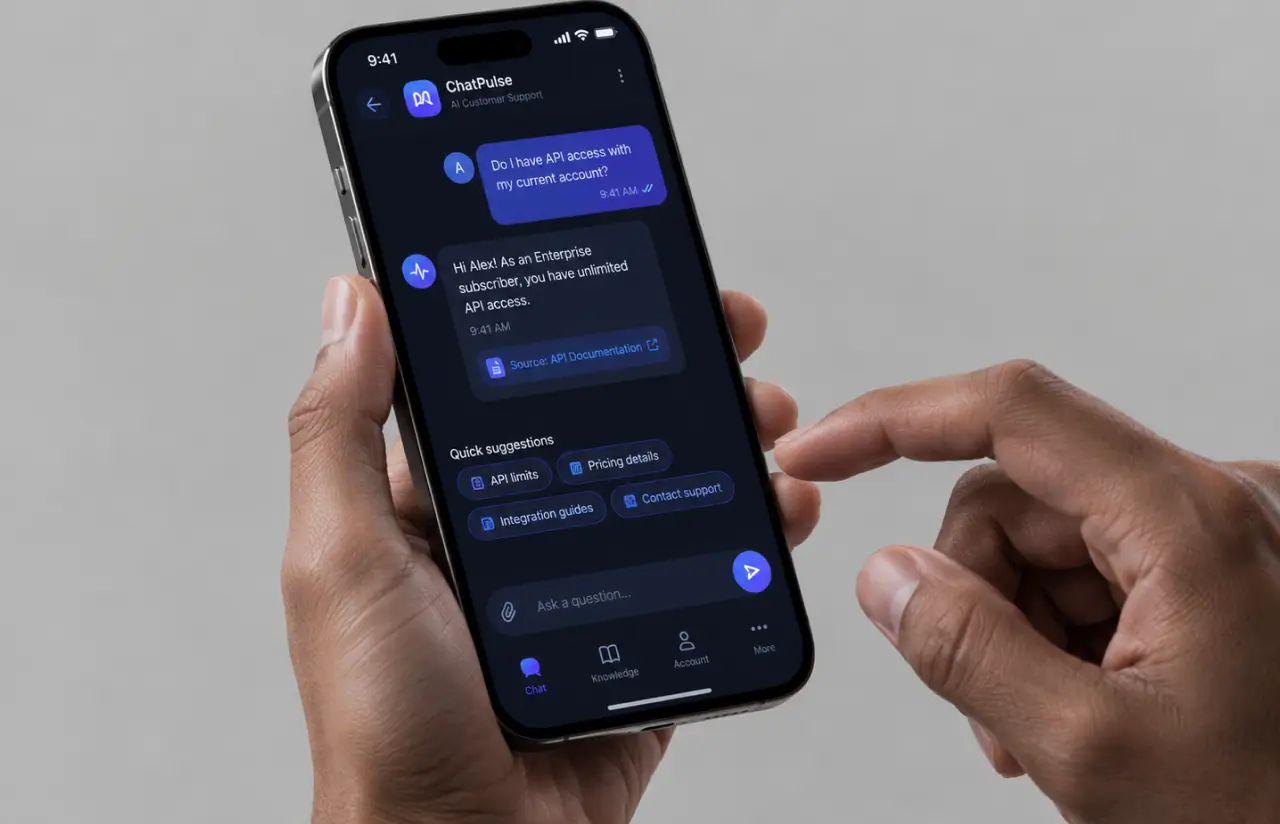
Logged-in visitors get answers tied to their plan. Ask "do I have API access," and the bot checks the account tier from the CRM before replying, instead of quoting the whole pricing table. Personalized responses, no extra clicks.
-
Analytics and Performance Monitoring
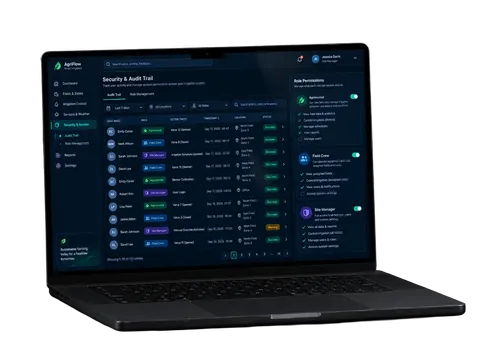
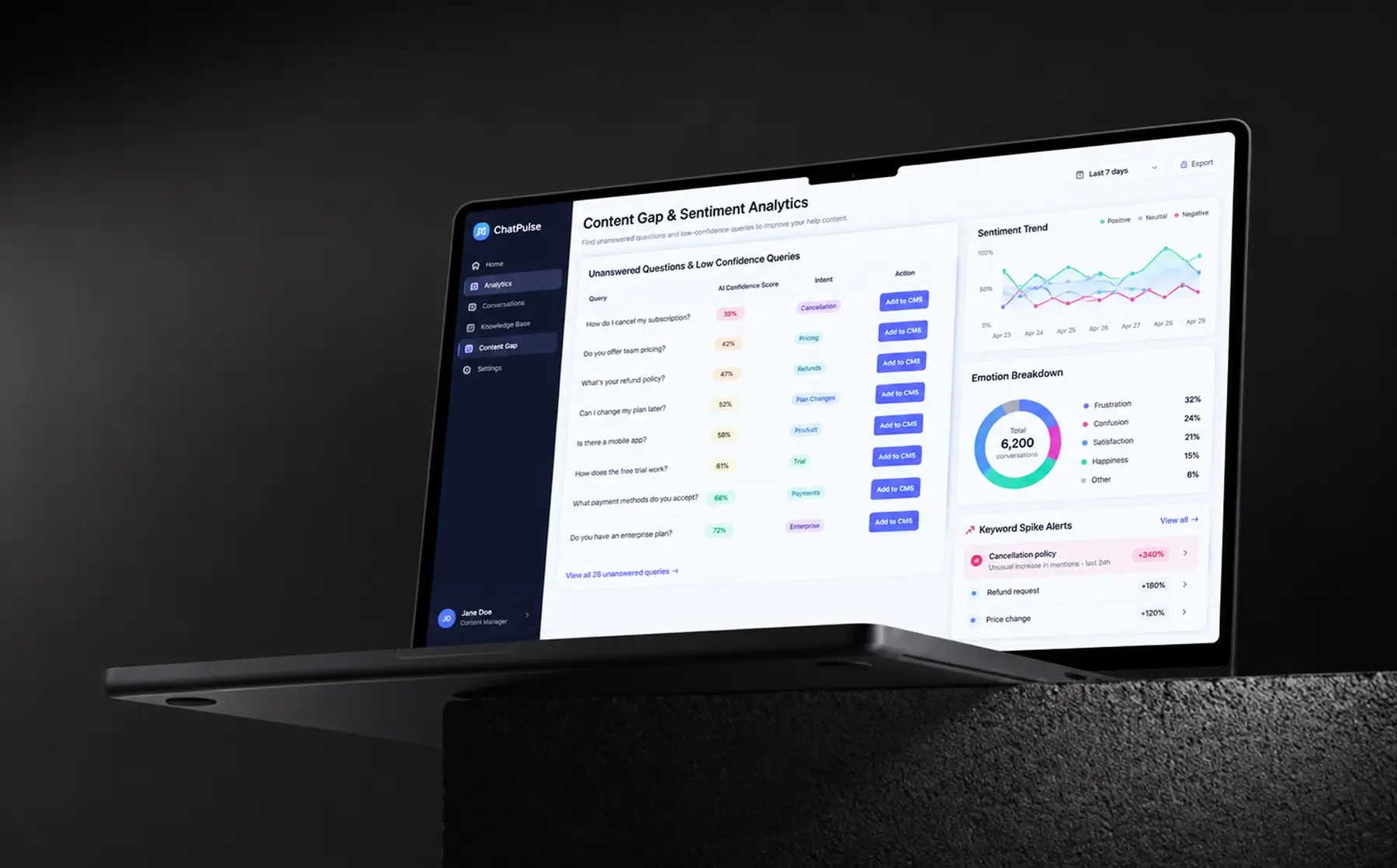
A dashboard tracks sentiment, top keywords, agreement rate, and unanswered questions by day, week, or month. Support leads monitor customer satisfaction, read customer feedback, and see which customer queries the bot misses. Then they fix the content, not the code.
Planning a Similar AI Support Product?
Request similar solutionAgile Methodology
Project Journey
The six-month build ran in two-week sprints, with a working PoC in hand at the end of sprint 6 and a live pilot on the client’s pricing pages from sprint 9. Discovery took the first three weeks: reading about 6,000 past conversations, tagging the 68% that were routine, and mapping which CMS collections held the answers. Every sprint after that ended with a demo against real customer questions, never against a fixture set.
- Weeks sprint cycles
- 2
- Sprints completed
- 12
- of sprints delivered on schedule
- 92%
- Team members
- 5
How the Chatbot Software for Website Works
-
Visitor Asks a Question
A message arrives from the website widget, the Slack app, one of the mobile apps, or the API. No menu, no form, just a question in plain English.
-
Intent Detected and Routed
The classifier tags the query as pricing, features, availability, troubleshooting, account, or human-needed, and picks which CMS collections to search.
-
Semantic Search Retrieves Context
The question is embedded and matched against the vector database. The five closest CMS chunks come back in about 180 ms.
-
GPT-4 Writes a Grounded Answer
The model writes a reply from those chunks only, in the client's brand voice, with a link to the page the answer came from.
-
Confidence Check and Handoff
A low similarity score triggers a clarifying question or a handoff to human support, with the chat history and customer context attached.
-
Answer Delivered and Logged
The visitor sees the reply in under three seconds. Sentiment, keywords, and outcome flow into the analytics dashboard.
Development Process Flow
AI chatbot development on a conversational search product cannot be judged offline. A retrieval setup that scores well on a fixture set can still hand a visitor last quarter’s pricing, and the only honest test is real questions from real customers. Twelve sprint reviews put the support leads in front of live output, and four of those reviews changed how the customer service chatbot retrieves and ranks CMS data.
Inside Each Sprint
-
Daily Scrum
15-min sync every morning
-
Retrospective
Inspect & adapt process
-
Sprint Review
Demo to stakeholders
-
Increment
Shippable product update
How We Delivered the Customer Service Chatbot
-
Scope & Timeline
We define the project goal together, agree on priority features, and set a realistic delivery date and budget.
-
Feature Priorities
We build a ranked list of everything the product needs, starting with what matters most to the business.
-
Sprint Kickoff
Work is broken into 2-week cycles. At the start of each, we select the next set of features to deliver.
-
Development Cycle
The team builds, tests, and integrates features throughout the sprint.
-
Review & Feedback
At the end of every sprint, you see working software and give feedback that shapes the next cycle.
-
Delivery
Each sprint produces a shippable piece of the product. We review what worked, adjust, and move forward.
Timeline
Five phases, clearly defined
-
Discovery & Content Audit
3 weeks
- Reading ~6,000 past conversations and tagging the routine 68%
- Mapping ~2,400 CMS entries across pricing, docs, and help center
- Agreeing which questions must always reach a human agent
-
PoC & Prompt Prototyping
4 weeks
- Comparing three embedding models on 300 real customer queries
- Testing chunk sizes from 200 to 800 tokens for retrieval quality
- Shipping the PoC solution with an API option for client testing
-
Agile Development
~4 months
- Building the CMS webhook pipeline and the vector database index
- Adding the intent classifier and per-collection retrieval rules
- Connecting the widget, Slack app, mobile SDK, and analytics
-
QA & Testing
3 weeks
- Grading 500 questions against source pages with support leads
- Load testing at 5x peak volume, about 40 concurrent chats
- Red-teaming prompts for fabricated plans and off-topic answers
-
Launch & Support
Ongoing
- Piloting on pricing pages, then rolling out to all channels over 6 weeks
- Reviewing unanswered questions weekly and fixing content first
- Monitoring accuracy monthly, still on 2-week sprints
UI/UX Design: Intuitive Interface for Customer Support Solution
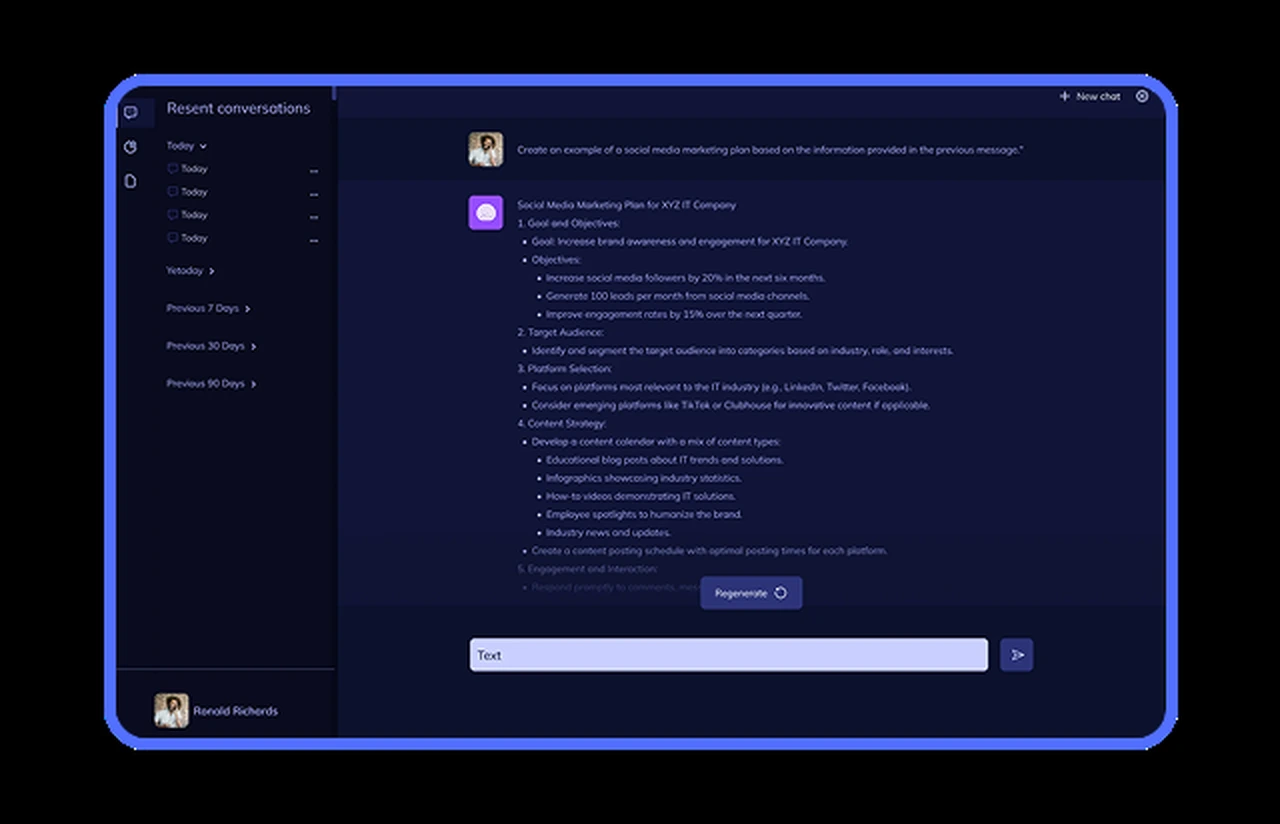
The chat interface stays simple: short conversational answers, a source link, and a persistent “talk to a person” button for one-tap escalation.
For enterprise users, the bot works directly in Slack, replying in threads and marking handled messages so account managers can quickly see what still needs human attention.
The analytics dashboard focuses on support gaps. It shows sentiment, emotions, agreement, keywords, reactions, and team mentions across daily, weekly, or monthly views. Support leads use these signals to identify weak content, update it in the CMS, and track customer sentiment over time.
Results
Before
- ~6,200 conversations a month, 68% of them routine, all waiting for a human agent
- 4-minute chat wait in business hours, no reply after 6 p.m. or on weekends
- Median email reply of 14 hours
- A keyword FAQ bot answering ~20% of questions and shipping outdated pricing after plan changes
- No view of what customers actually asked, beyond what agents remembered
After
- 74% of routine inquiries resolved by the chatbot without a human agent
- 2.8 seconds median response time, instant support at any hour
- 91% answer accuracy on a 500-question test set graded by support leads
- CSAT 4.1 to 4.6 in pilot channels over the first quarter
- ~38% lower cost per conversation, with a support team that stayed at seven
- One knowledge base feeding the widget, Slack, mobile apps, and the API
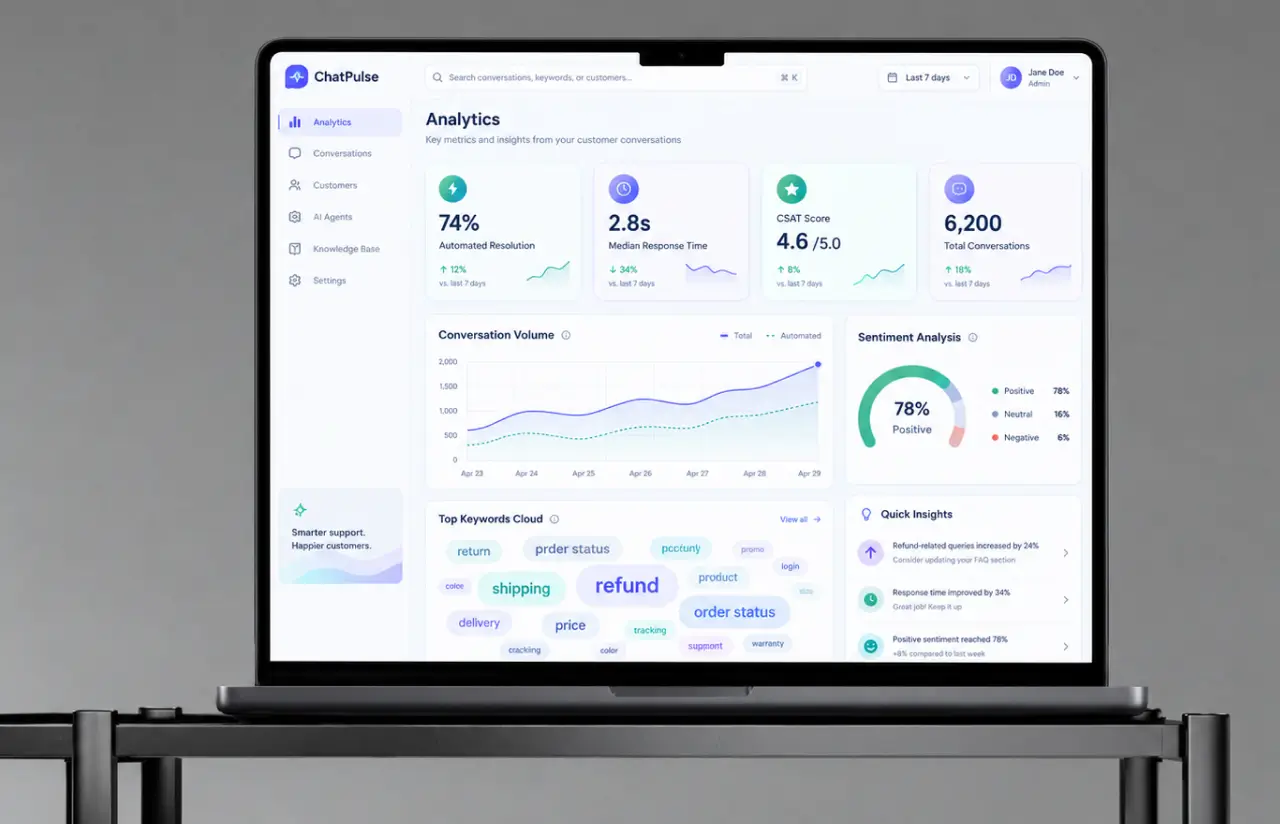
Impact of the AI Support Chatbot After Launch
The biggest change is structural. Support capacity no longer moves in step with ticket volume, so the client can sign larger e-commerce accounts without hiring ahead of the contract, and the two support roles budgeted for that year became one product hire instead. 24/7 coverage, providing instant answers to evening visitors in the US and daytime prospects in Europe, also opened a market the team had been quietly losing, and a share of new revenue comes from that. Service teams now spend their day on churn-risk accounts, the work that actually protects recurring revenue.
The result nobody predicted came from the analytics side. When "cancel" started climbing in the keyword cloud during the pilot, the cause was a two-year-old cancellation page. Marketing rewrote it in an afternoon, and the customer support chatbot gave the correct answer the same day. That loop, content in and answer out, is how the client now understands customer behavior week to week, and it is what improved customer satisfaction more than any prompt change. It also gave the client something to sell: the same retrieval layer is now on the roadmap of the customer support platform they offer their own clients.
Want a customer support chatbot solution that answers from your own content?
Contact usWhat’s Next
The chatbot currently answers text on four channels from one CMS index. The planned next phase extends it in four directions, each chosen from what the customer experience data showed after launch:
- Voice Integration: A speech-to-text front end so the same retrieval and answer layer serves phone and in-app voice questions, with the source link sent as a follow-up message.
- Multilingual Support: Embeddings already match Spanish and German questions against English content. The next step is answering in the visitor’s language while the CMS stays in English.
- Proactive Support: Watching pricing-page behavior and offering an answer before the visitor asks, with a strict opt-in so it reads as help rather than a pop-up.
- Actions, Not Only Answers: Letting the bot update account management fields and open tickets, the first step toward the client’s plan to deploy AI agents inside the same support workflow.
Verified Reviews
Our Reputation on Top Platforms
LITSLINK holds a 4.8 rating on top platforms. Clients writing about our AI customer service chatbots and software development work most often mention technical depth in natural language processing, steady communication throughout the engagement, and a willingness to push back on a requirement when real customer data says otherwise.
Have a Chatbot Project in Mind?
Need a customer support chatbot that answers from your own product content, or an AI customer service chatbot that takes routine inquiries off your support team? Tell us your goal, and our specialist will reply within 48 hours.
Next steps:
- LITSLINK specialist reviews your request and contacts you to discuss the details;
- If needed, we can sign an NDA before moving forward;
- We send a project proposal – estimates, timeline, and team CVs included;
- After launch, we stay on for any updates your product needs.
- 48h Response
- 1540+ Projects
Thank you for your message. It has been sent.