





Real-Time Speech to Speech Translation Software Development with AI Voice Synthesis
- ~1.9 sec median end-to-end translation latency
- 12 language pairs live at launch
- 94% transcription accuracy on the test set
- 2 users translated in one session at once
- 4.1 / 5 voice naturalness score from listeners
We built speech-to-speech translation software that listens to one speaker, translates what was said, and plays it back in the other person's language about two seconds later, in a synthetic voice matched to the speaker.
Request similar solution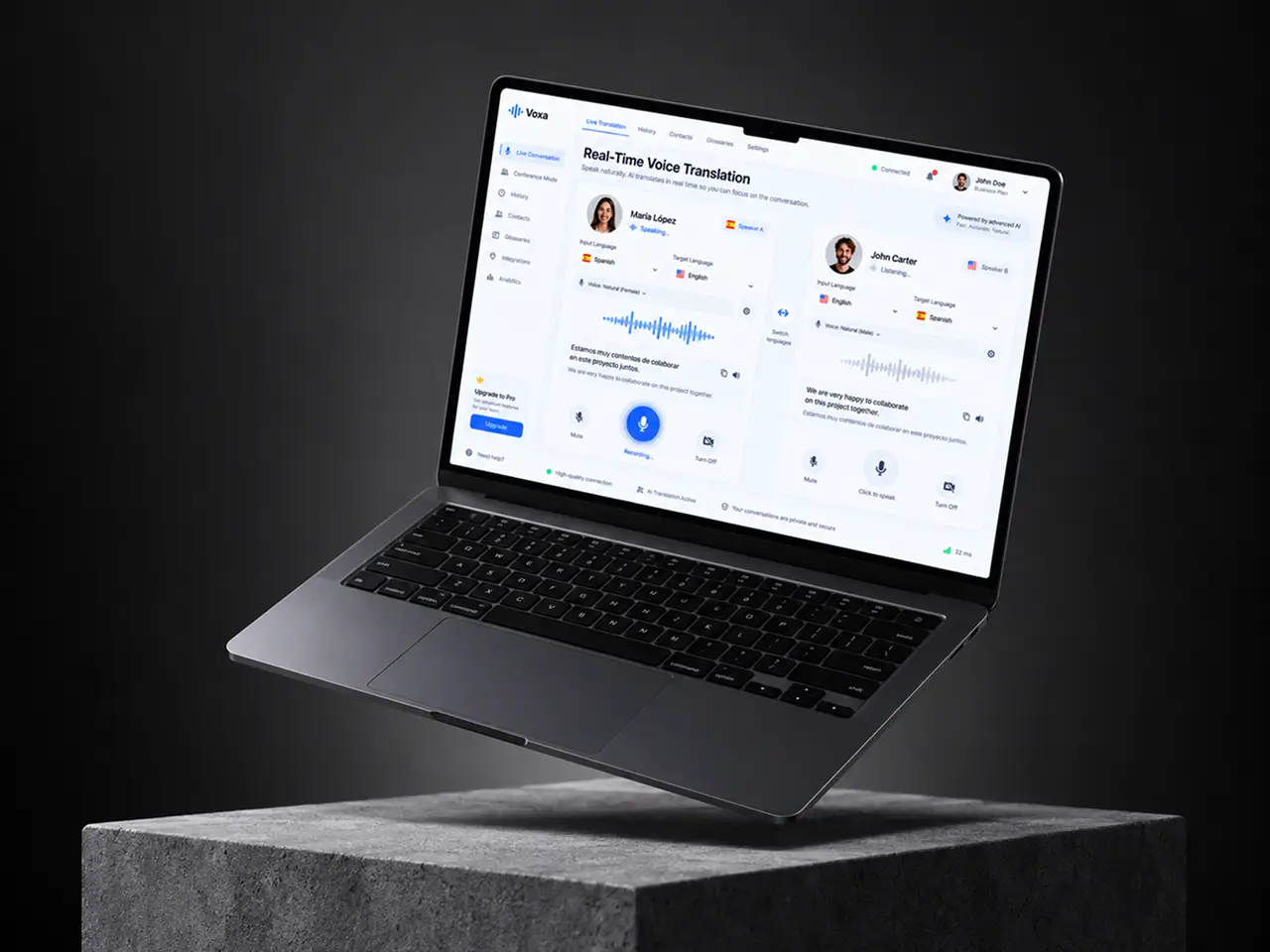
Project Details
The client runs an international communication platform with users across Europe, Latin America, and the US. Text translation was already in the product, and almost nobody touched it during phone calls or video calls, because typing kills a conversation. They asked us for a real-time voice translator that two people could use at the same time, from a browser, with no human interpreter in the loop.
 Client
- International communication platform
 Industry
- Media & Entertainment
 Solution
- Real-time speech to speech translation with voice cloning
 Service
- AI Model Integration + Real-time Processing + Voice Synthesis
 Platform
- Web-based with Streamlit interface
 Scope
Scope- Speech Recognition, Neural Translation, Voice Synthesis, Real-time Pipeline
 Duration
- ~6 months
 Location
- US
Business Challenge: Building Real-Time Speech Translation for Live Conversations
The product already had a chat translator. Usage data told the real story: under 3% of calls on the platform used it, and support tickets kept asking the same thing. Can it translate what I say, out loud, while I am talking, in whatever language the other person speaks?
Answering yes meant chaining three separate AI systems: speech to text, text translation, and text to speech. Each one worked fine on its own. Strung together in the first prototype, a six-second sentence took 7 to 9 seconds to return in the target language, and by then the other person had already started talking. The client also wanted the translated audio to sound like a person rather than a GPS unit, and they wanted two speakers in the same session, each speaking a different language.
-

Real-Time Processing Requirements
Run in sequence, recognition, translation, and synthesis took 7 to 9 seconds per sentence on the first build. Anything above roughly 2 seconds broke the rhythm of a conversation, and testers began talking over the translated audio.
-

Multi-Language Support Complexity
Every language pair needed its own translation model, and speech synthesis quality varied a lot between languages. Spanish sounded natural, Ukrainian did not, and each new pair multiplied the testing matrix.
-

Dual-User Communication Flow
Most demos handle one speaker. The client needed two users in one session, each with their own input language, target language, and voice, without one person's audio blocking the other's turn.
Technologies Behind Real-Time Voice Translator






Our Speech to Speech Translation Solution
One number drove every architecture decision: 2 seconds. Below that, two people can keep a conversation going through a machine. Above it, they start repeating themselves. So we designed the pipeline backward from the latency budget, and every model choice had to earn its place on the clock.
Recognition runs on Whisper. We benchmarked the large model against its optimized variants on 2,400 recorded utterances from the client’s own users and settled on a distilled version that gave up about 1 point of accuracy in exchange for a 3x speed gain. Accuracy on the test set landed at 94%, with a word error rate near 6% on clean audio and around 11% with background noise.
Translation goes through the Helsinki NLP models (the OPUS-MT family) served with EasyNMT, which picks the right model per language pair automatically. Twelve pairs across eight languages shipped at launch, covering English, Spanish, German, French, Portuguese, Italian, Polish and Ukrainian in the combinations the client’s traffic actually used. Adding a pair now takes an afternoon, mostly spent on listening tests, and translation quality is checked by a native speaker before the pair goes live.
For speech synthesis, we used two engines rather than one. Coqui TTS covers most European languages with a voice that listeners rated 4.1 out of 5 for naturalness, and PaddleSpeech fills the gaps where Coqui had no good voice. A routing layer picks the engine per target language and per gender of the voice the user selected, so the person on the other end hears a consistent speaker throughout the call.
None of this is off the shelf. The three stages run as one PyTorch process with shared GPU memory, audio is chunked so translation starts before the speaker finishes, and the Streamlit front end holds two independent sessions in one browser tab. That last part is what turns a demo into a two-way translation tool.
-
Real-Time Speech Recognition
Whisper converts speech to text in the source language as the user talks. Median recognition time is 0.6 seconds per utterance, and the model handles accents from the client's eight core markets without per-user training.
-
Neural Machine Translation
Helsinki NLP models served through EasyNMT translate the transcript into the target language. Twelve language pairs at launch, each one scoring above 0.6 on the client's internal fluency review, with domain phrases handled by a small override list.
-
Natural Voice Synthesis
Coqui TTS and PaddleSpeech turn the translated text into audio output that sounds like a person. Listeners in a blind test rated the voices 4.1 out of 5, and fewer than 7% could tell which clips were synthetic.
-
Bidirectional Communication
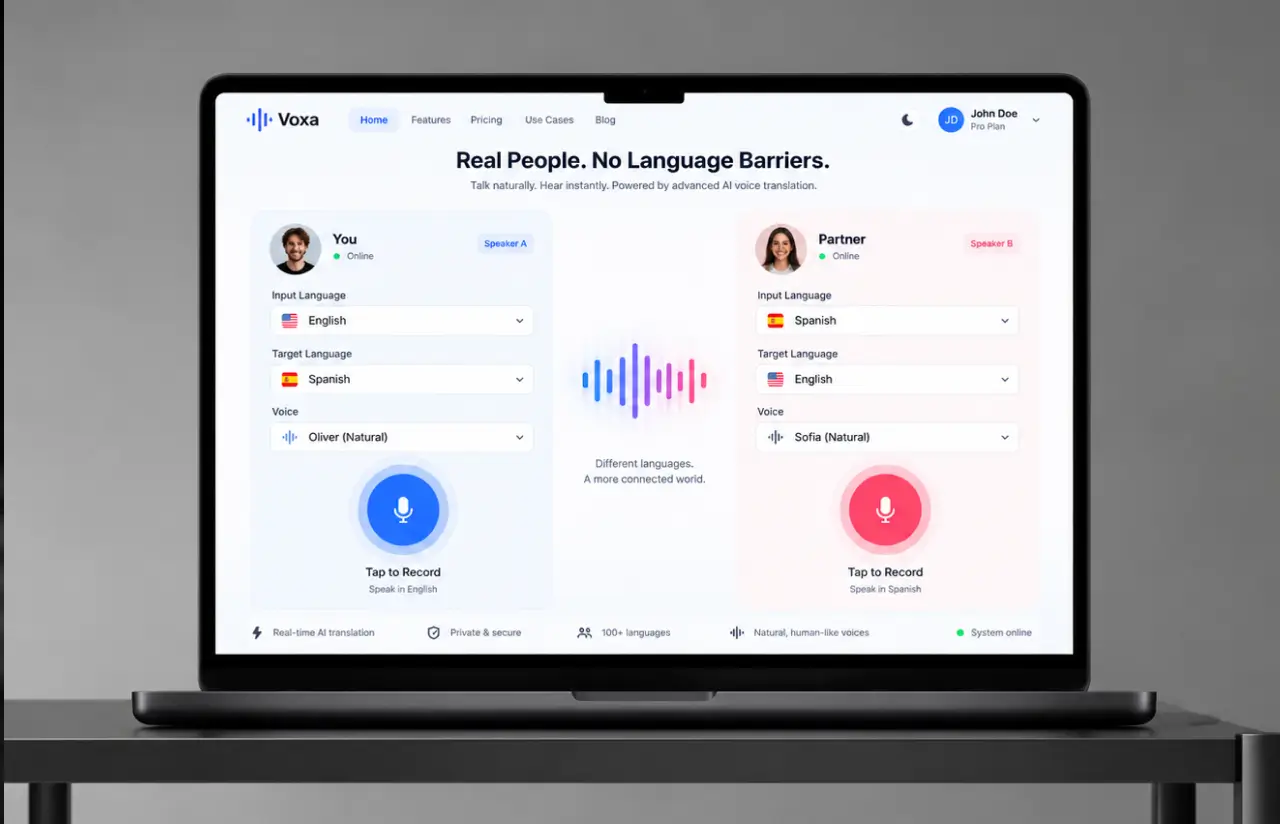
Two users share one session, each with their own input language and target language. Speaker A talks in Spanish, speaker B hears English, replies in English, and speaker A hears Spanish. Turns never collide.
-
Optimized Processing Pipeline
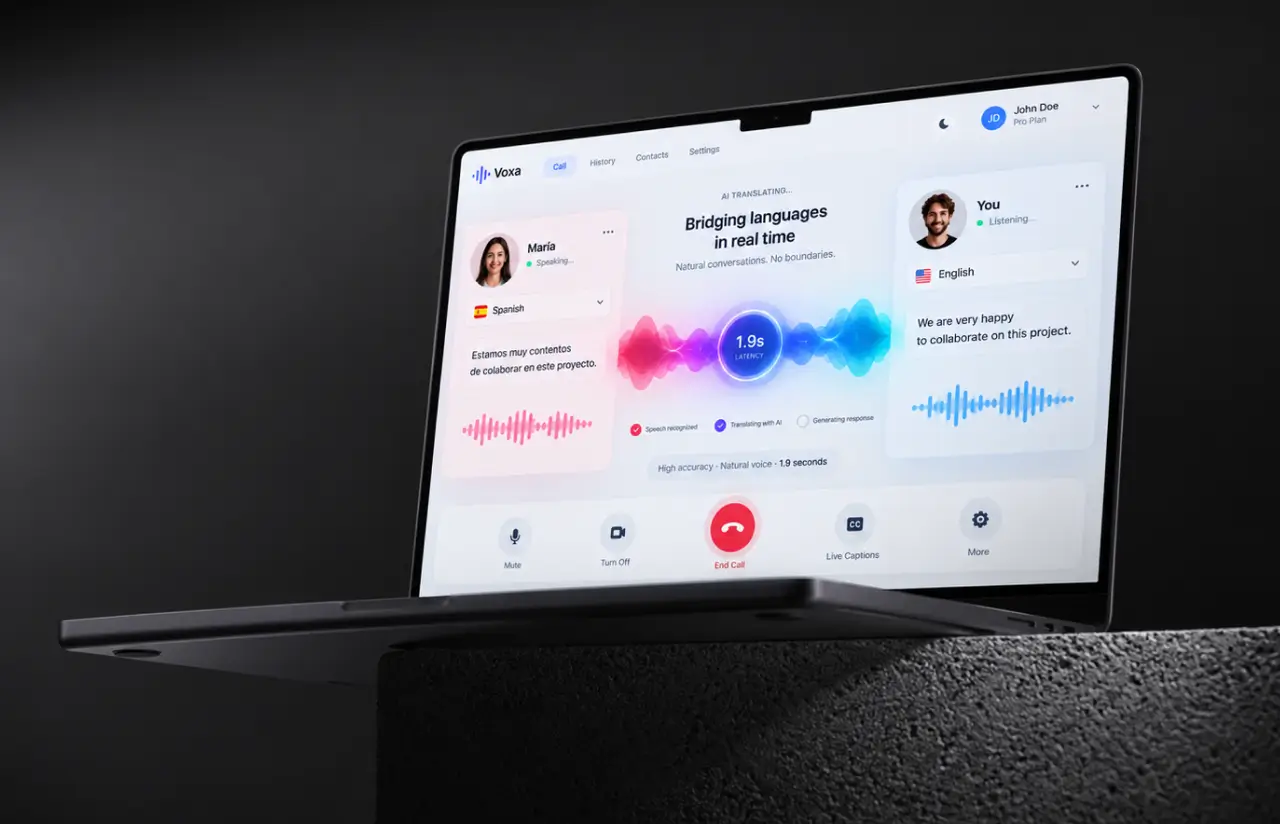
All three models run in a single PyTorch process with chunked audio, so translation begins before the sentence ends. Median end-to-end latency dropped from 7.4 seconds on the first prototype to about 1.9 seconds at launch.
-
User-Friendly Interface
A Streamlit web app with three controls: input language, target language, and voice. One button records the audio, and the translated text shows under the player like subtitles. Nothing to install, and first-time testers completed a full exchange with no instructions in 96% of sessions.
-
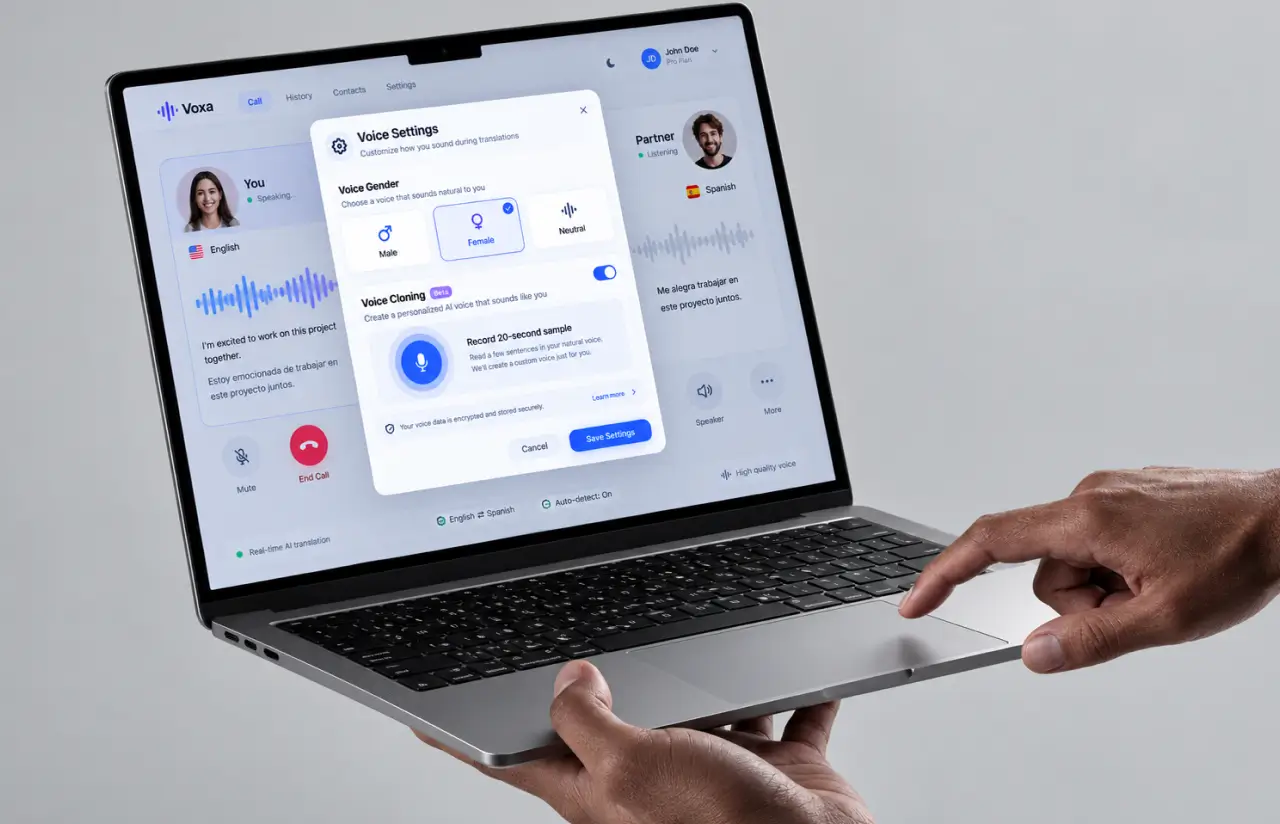
Voice Cloning Capabilities
An optional mode samples 20 seconds of the speaker and reproduces their voice characteristics in the other language, so listeners hear something close to the speaker's own voice instead of a stock one. Shipped as a beta for six languages.
Need real-time speech translation inside your own product?
Request similar solutionAgile Development Methodology
Project Journey
The project ran in two-week sprints over roughly six months, with the first two sprints spent measuring where the time went in the naive pipeline before we optimized anything. Discovery fixed the latency budget, the launch languages and language pairs, and the two-user session model. Everything after that was a fight for milliseconds.
- Week sprint cycles
- 2
- Sprints completed
- 12
- of sprints delivered on schedule
- 92%
- Team members
- 6
How a Real-Time Voice Translator App Works
-
Pick languages and voice
Each user selects an input language, a target language, and the gender of the voice they want the other person to hear.
-
Record the audio
The user presses one button and speaks. Audio streams to the server in 1.5-second chunks rather than waiting for the sentence to end.
-
Whisper converts speech to text
The distilled Whisper model transcribes each chunk in the source language, with a median of 0.6 seconds per utterance.
-
Translate into the target language
EasyNMT routes the transcript to the right Helsinki NLP model. The translated text is ready about 0.4 seconds later.
-
Synthesize the translated audio
Coqui TTS or PaddleSpeech generates speech in the chosen voice, and the audio output plays on the other user's side.
-
Second user replies in turn
The session flips. The other speaker records in their own language and the same pipeline runs in reverse.
Development Process Flow
AI development like this can’t be judged by a benchmark table, because a model that scores well offline can still sound wrong in a live conversation. Each two-week cycle ended with the client’s team on a real call through the translator, and those twelve demos are where most language-pair and voice decisions were made. Three of them sent us back to swap a synthesis engine for a specific language.
Inside Each Sprint
-
Daily Scrum
15-min sync every morning
-
Retrospective
Inspect & adapt process
-
Sprint Review
Demo to stakeholders
-
Increment
Shippable product update
How we Delivered Speech-to-Speech AI Translator
-
Scope & Timeline
We define the project goal together, agree on priority features, and set a realistic delivery date and budget.
-
Feature Priorities
We build a ranked list of everything the product needs, starting with what matters most to the business.
-
Sprint Kickoff
Work is broken into 2-week cycles. At the start of each, we select the next set of features to deliver.
-
Development Cycle
The team builds, tests, and integrates features throughout the sprint.
-
Review & Feedback
At the end of every sprint, you see working software and give feedback that shapes the next cycle.
-
Delivery
Each sprint produces a shippable piece of the product. We review what worked, adjust, and move forward.
Timeline
Five phases, clearly defined
-
Discovery & Workshop
2 weeks
- Fixing the 2-second latency budget with the client's product team
- Choosing the 12 launch language pairs from real call traffic
- Defining how two users share one session and take turns
-
Pipeline Prototyping
3 weeks
- Benchmarking Whisper variants on 2,400 user utterances
- Comparing Coqui TTS against PaddleSpeech per language
- Measuring the naive pipeline at 7.4 seconds end-to-end
-
Agile Development
~4 months
- Merging the three stages into one PyTorch process
- Building chunked audio streaming and the two-user Streamlit app
- Adding the voice cloning beta and per-language engine routing
-
QA & Testing
2 weeks
- Running listening tests with 40 native speakers across 8 languages
- Load testing 60 concurrent two-user sessions on one GPU node
- Checking latency under noisy audio and poor connections
-
Launch & Support
Ongoing
- Rolling out to a 500-user pilot group inside the platform
- Watching latency and drop-off weekly, retuning chunk size twice
- Adding language pairs from user requests, still on 2-week sprints
UI/UX Design: Intuitive Interface for Speech Translation
The Streamlit screen shrank to three dropdowns and one button. Input language, target language, voice, record. The translated text still appears under the audio, because about a third of testers said they liked reading along, but it sits in a smaller font and never blocks the controls. Language selection defaults to the browser locale as the preferred language, which saved the median user two clicks on their first session.
Two-user mode was the hard design problem. Each speaker gets their own column in the same tab, with the active turn highlighted so nobody talks over the translated audio. A soft chime plays when the other person’s audio finishes. That chime alone cut overlapping speech in usability sessions from roughly 1 in 4 exchanges to about 1 in 12.
Voice gender and cloning controls live behind a single settings icon, since fewer than 15% of users changed them after the first call. Everything a first-time user needs is visible without scrolling on a laptop screen.
Results
Before
- Text-only translation, used in under 3% of calls on the platform
- Naive prototype returned translated audio 7 to 9 seconds after the speaker stopped
- One speaker per session, so a real two-person conversation was impossible
- Stock synthetic voices that listeners rated 2.8 out of 5 for naturalness
- No way to add a language without rebuilding the whole pipeline
After
- ~1.9 seconds median end-to-end latency, from speech to translated audio
- 94% transcription accuracy, with a word error rate near 6% on clean audio
- 2 users in one session, each with their own languages and voice
- 4.1 out of 5 voice naturalness, with under 7% of listeners spotting the synthetic clips
- 12 language pairs at launch, and a new pair takes an afternoon to add
Impact of Voice Translation System After Launch
Numbers first. Latency fell from 7.4 seconds to about 1.9, transcription accuracy held at 94%, and the pilot group of 500 users completed roughly 18,000 translated exchanges in the first eight weeks. Calls that switched on live translation ran about 2.3 times longer than calls that did not, and drop-off inside the first minute fell from 31% to 12% for mismatched-language pairs. The speech-to-speech translation software did what the text translator never managed: people kept talking, each in their native language, and the other side heard it with minimal delay.
The surprise came from the voice cloning beta. We expected it to be a novelty. Instead, sessions where a user enabled it ran 40% longer on average, and the feedback form kept saying some version of the same thing: it sounds like them. Hearing a familiar voice in a different language mattered more than a half-second of latency for how people communicate, and the client moved cloning up the roadmap because of it.
Want live translation that keeps a conversation going?
Contact usWhat’s Next
Two-person calls in twelve language pairs run today. The next phase extends the same pipeline to groups and to more of the world:
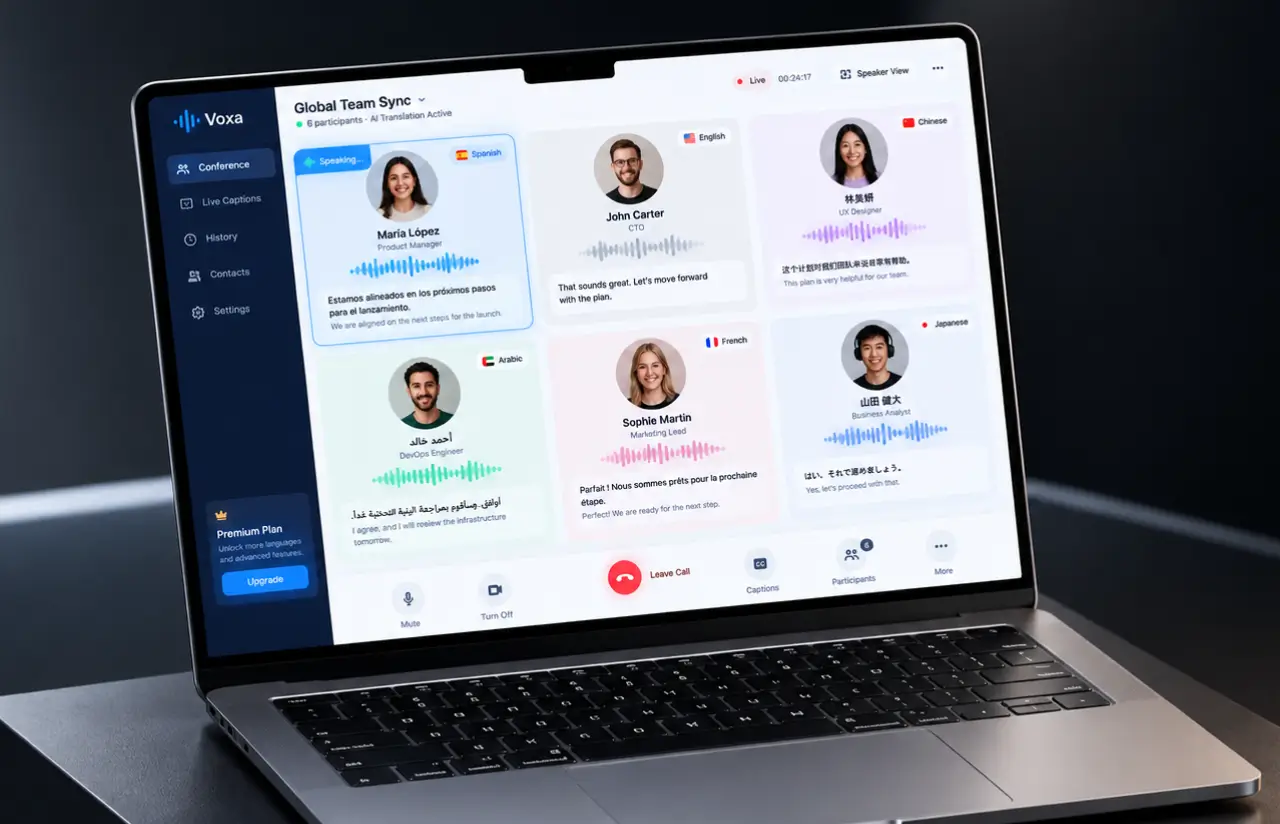
- Multi-Speaker Conference Mode: Up to six participants in one session, each hearing every other speaker in their preferred language. The turn-taking logic from the two-user build becomes a speaker queue, and translated captions appear alongside the audio for hybrid events.
- Wider Language Coverage: Extending from 12 to roughly 30 language pairs, starting with Japanese, Korean, Arabic and Turkish, where the client sees the most untranslated traffic.
- Full Voice Cloning at Launch: Moving cloning out of beta and cutting the voice sample from 20 seconds to under 10, so a user’s own voice carries into every target language from the first call.
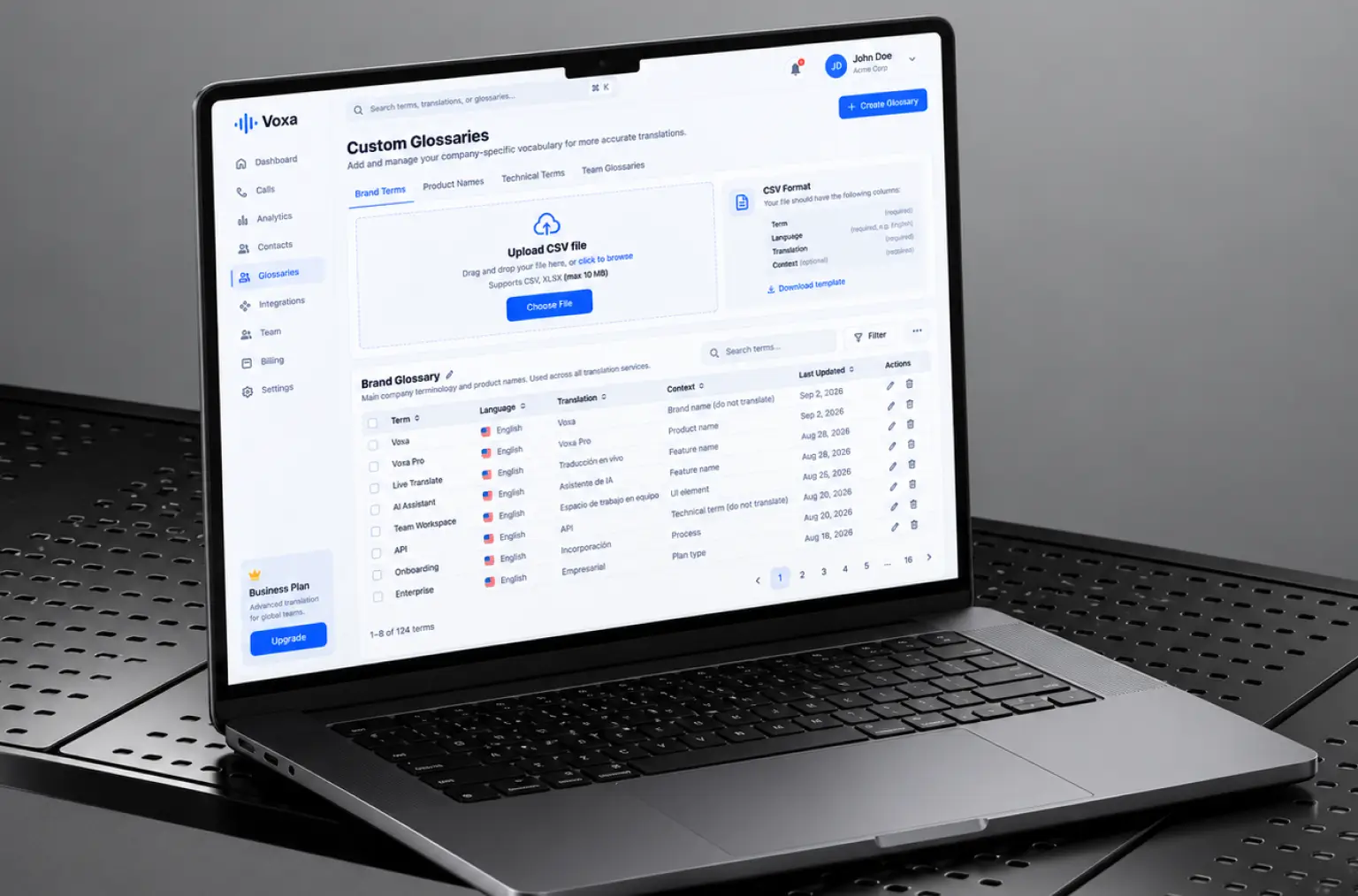
- Custom Glossaries: Letting business accounts upload product names and domain terms so the translation models stop guessing at brand vocabulary.
Verified Reviews
Our Reputation on Top Platforms
LITSLINK holds a 4.8 rating on Clutch and GoodFirms, with Top Developer and Top Company badges on both. Clients writing about our AI and software development work most often mention depth in speech and language models, steady communication across long engagements, and a habit of measuring before optimizing. Voice and conversational products are a recurring theme, and you can see related work on our conversational AI and voice assistant pages.
Have an AI Voice Translation Project in Mind?
Need speech-to-speech translation software for calls, meetings, or a real-time voice translator built into translation services you already run? Tell us which languages and how many users, and our specialist gets back to you within 48 hours.
Next steps:
- LITSLINK specialist reviews your request and contacts you to discuss the details;
- If needed, we can sign an NDA before moving forward;
- We send a project proposal – estimates, timeline, and team CVs included;
- After launch, we stay on for any updates your product needs.
- 48h Response
- 1540+ Projects
Thank you for your message. It has been sent.


