




How We Improved an On-Call Scheduling App for Android and iOS
- 24/7 continuous coverage tracking across time zones
- 60% faster incident response after launch
- 5+ integration channels, Slack and Teams included
- 99.9% platform uptime since launch
This on-call scheduling software automates shift rotations, routes incidents through multi-channel alerts, and gives distributed teams a single source of truth for coverage. The platform tracks who is on call at any given time, spots coverage gaps before they turn into missed incidents, and runs escalation policies that reach the right person even when a phone sits on silent.
Request similar solution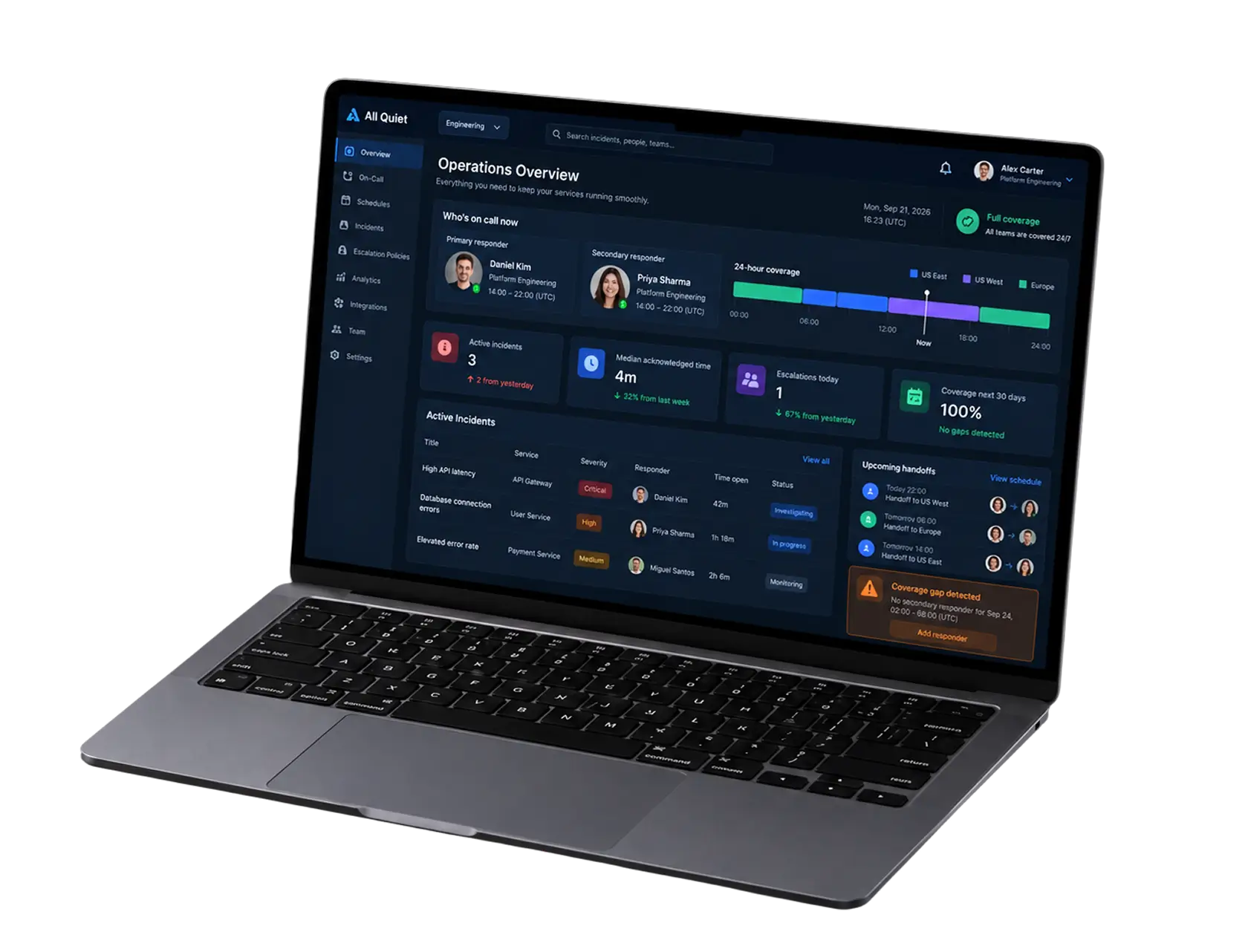
Project Details
The client runs incident response for a US-based operations and engineering organization with staff spread across three time zones. Their alerting app was already live on iOS and Android, and the first wave of users liked it. What it lacked was a dependable way to build a call schedule, hand shifts between people, and make sure an alert actually woke someone up at 3 a.m.
 Client
- US operations & engineering company
 Industry
- Operations Management
 Solution
- On-call scheduling software with smart rotation and escalation
 Service
- Product Design + Software Development + Full Cycle QA + Platform Integration
 Platform
- Web Application, Mobile (iOS, Android)
 Scope
- Backend, Frontend, Mobile, Integrations, QA, Design
 Duration
- 10+ months
 Location
- US
Business Challenge: Building Reliable On-Call Scheduling for Incident Management
Before the redesign, the on-call schedule lived in two places: a shared spreadsheet and a pinned Slack message. Roughly 40 engineers across five departments took on call duty in weekly blocks, and shift changes were handled by whoever remembered to update the sheet. Vacations, last-minute changes, and a swap between two people rarely made it into both places.
The app itself did send push notifications. A phone in Do Not Disturb mode swallowed them, though, and about one night in five went unanswered for more than 15 minutes. The client asked us to fix schedule creation first, then make alerting something the whole team could trust.
-

Automated Shift Rotation and Coverage Management
Rotations were built by hand every month. A missed update meant two people believed they were off at the same time, and the team found coverage gaps only after an incident had already gone unanswered.
-

Real-Time Incident Escalation and Alert Routing
One push notification, one chance. If the primary person did not respond, nothing escalated to a backup automatically, so a manager ended up phoning around a contact list at night to find out who was actually available.
-

Integration with Monitoring and Communication Systems
Datadog, Uptime Robot, and email alerts each arrived through a different channel in a different format. Engineers switched between four tools to understand a single incident, and nobody had instant access to the full timeline in one place.
Technologies Behind the On-Call Scheduling Software


Our On-Call Scheduling Software Solution
One question shaped every decision: at 3 a.m., how many taps should it take to know who is on call and to reach them? We settled on zero for the schedule and one for the escalation. Everything else, from schedule creation to reporting, was built around that constraint.
The scheduling engine runs on Node.js. MongoDB stores rotations, overrides, and availability, and Redis keeps the current on-call state in memory so a lookup returns in under 50 ms. The web dashboard, built with React.js, is where managers create and manage rotations for the entire organization, and the iOS and Android apps are where engineers acknowledge, escalate, or hand off an incident. Both talk to the same platform, so a change made in one place shows up everywhere within seconds.
The team rebuilt the notification layer from scratch. Alerts go out as push notifications first, then SMS, then voice calls from a dedicated number through a telephony provider if nobody responds, and the app uses Apple’s Critical Alerts entitlement on iOS and a Do Not Disturb bypass on Android, so an alert sounds even on a silenced phone. Every action button, including resolve and escalate, asks for confirmation. Accidental taps on a lock screen were a real complaint from early users.
None of this came from a template. We spent the first three sprints watching how the client’s teams actually traded shifts and learned that about a third of swap requests happened within 24 hours of the shift start. That one number drove the swap flow, the mobile-first approval design, and the calendar sync. The key features below are the ones on-call staff open every day.
-
Smart Rotation Management
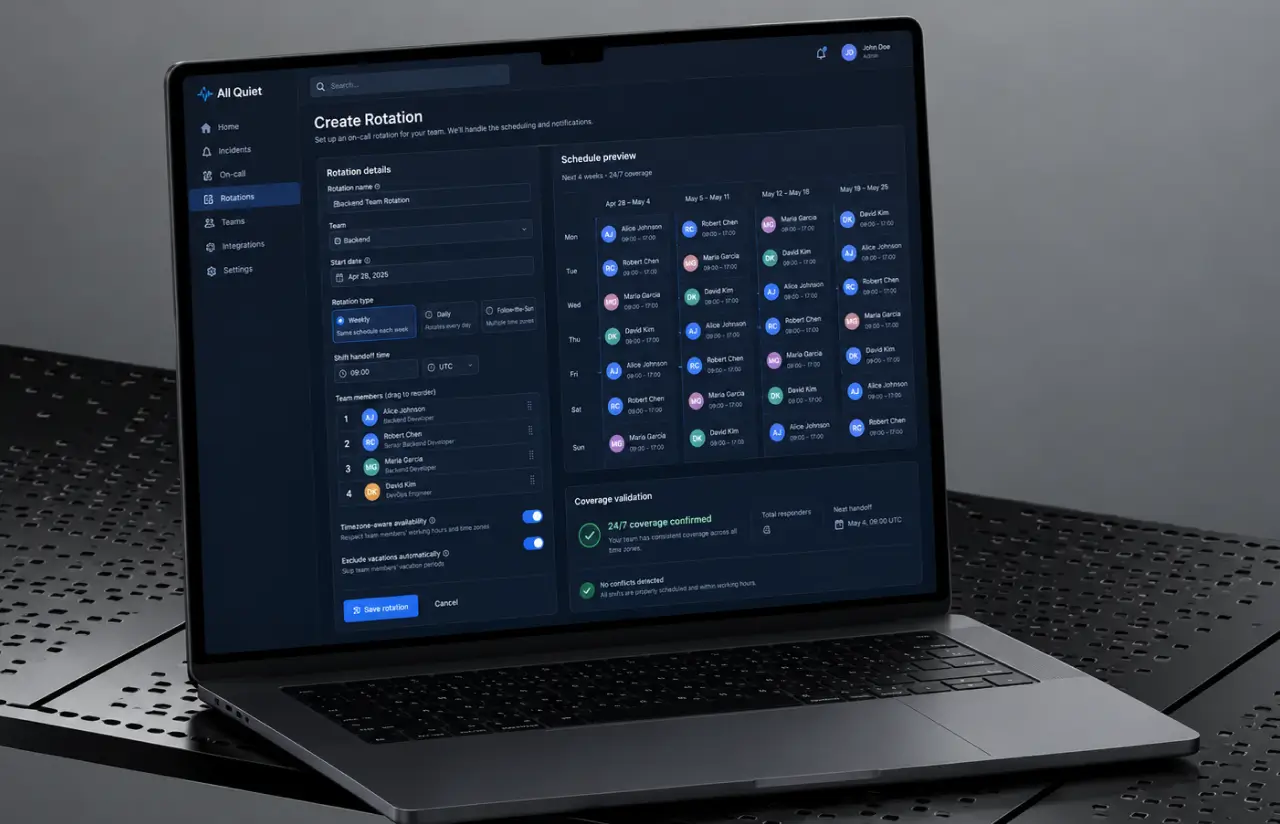
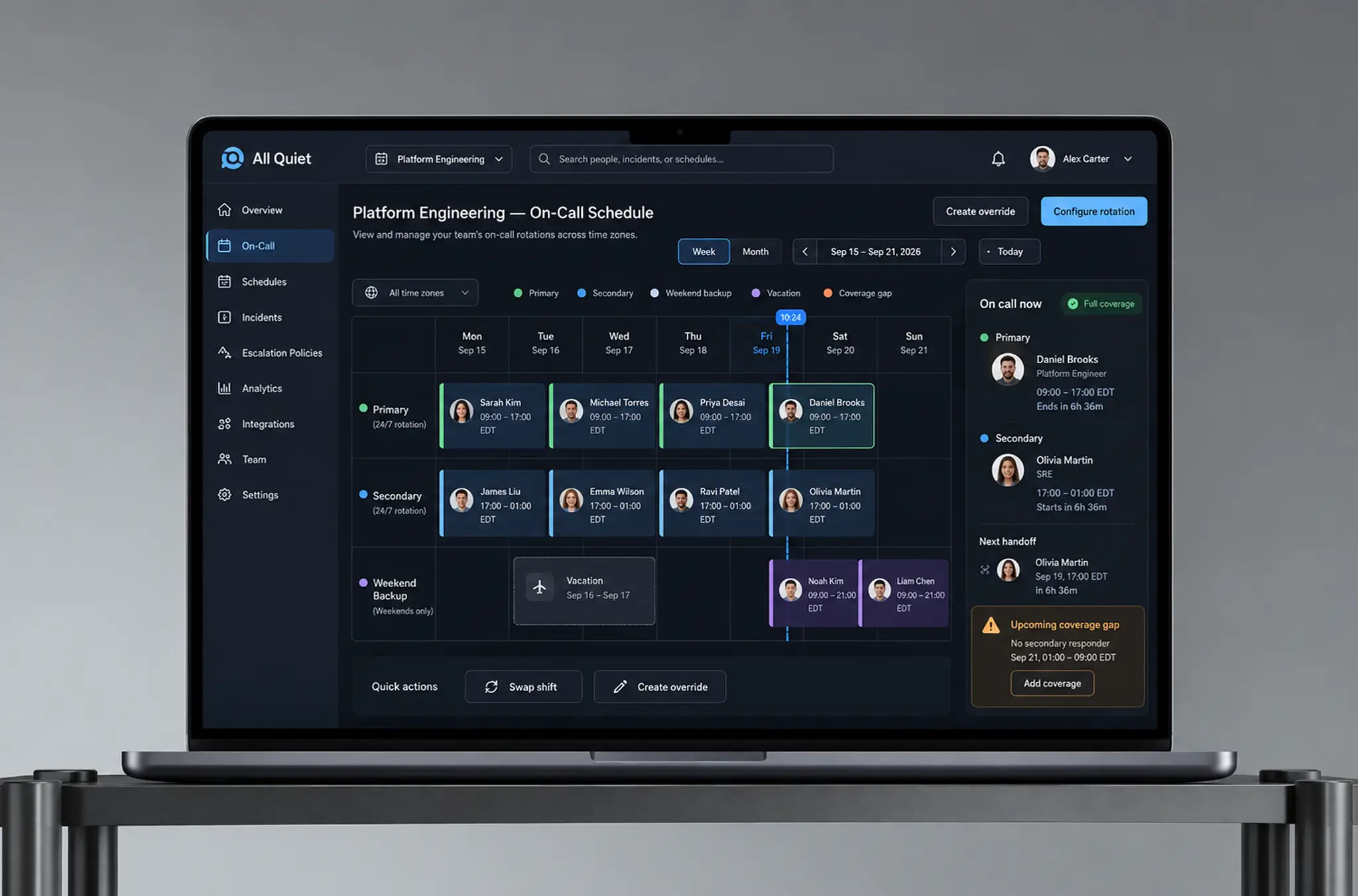
Managers define a rotation once, whether weekly, daily, or follow-the-sun, and the platform generates the call schedule months ahead. Automated scheduling accounts for vacations and time zones, so on-call shifts land on people who are actually available.
-
Multi-Channel Incident Alerting
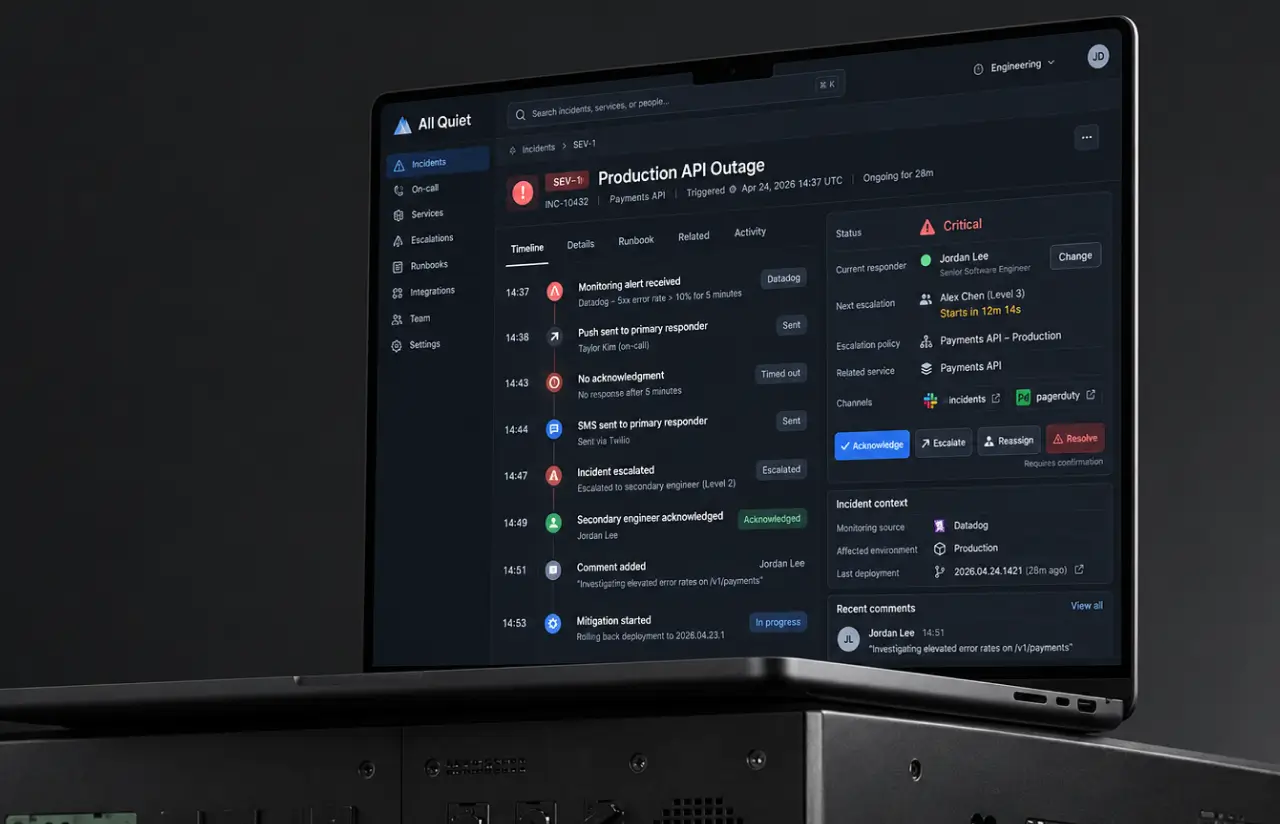
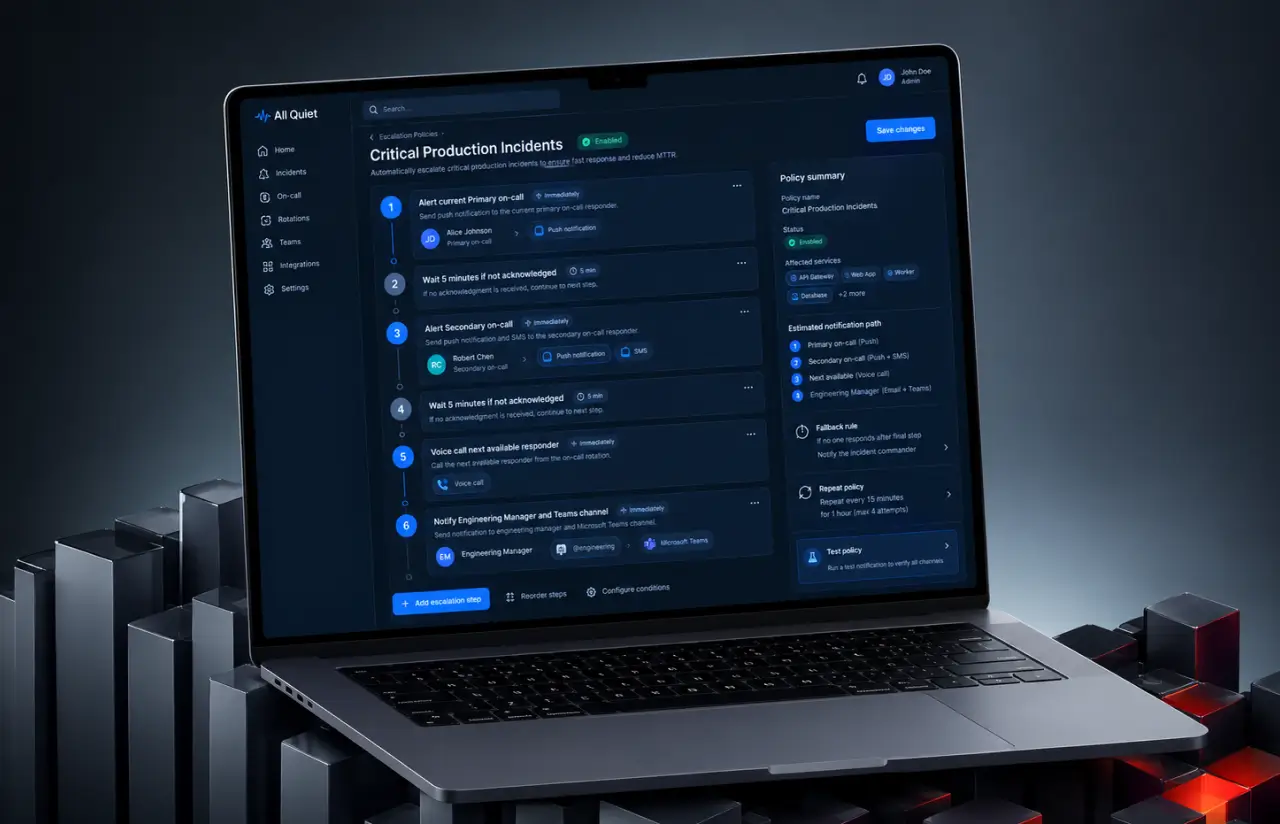
Push notifications, SMS, voice calls, and email notifications fire in a set order until someone acknowledges. If the primary person stays quiet for 5 minutes, the alert moves to the next line in the escalation policy on its own.
-
Schedule Override and Swap Management
Employees can easily swap shifts from a mobile device in two taps, and the other person approves in one. Overrides for sick days or last-minute changes are logged with a timestamp, so the audit trail explains every deviation from the plan.
-
Coverage Analytics and Reporting
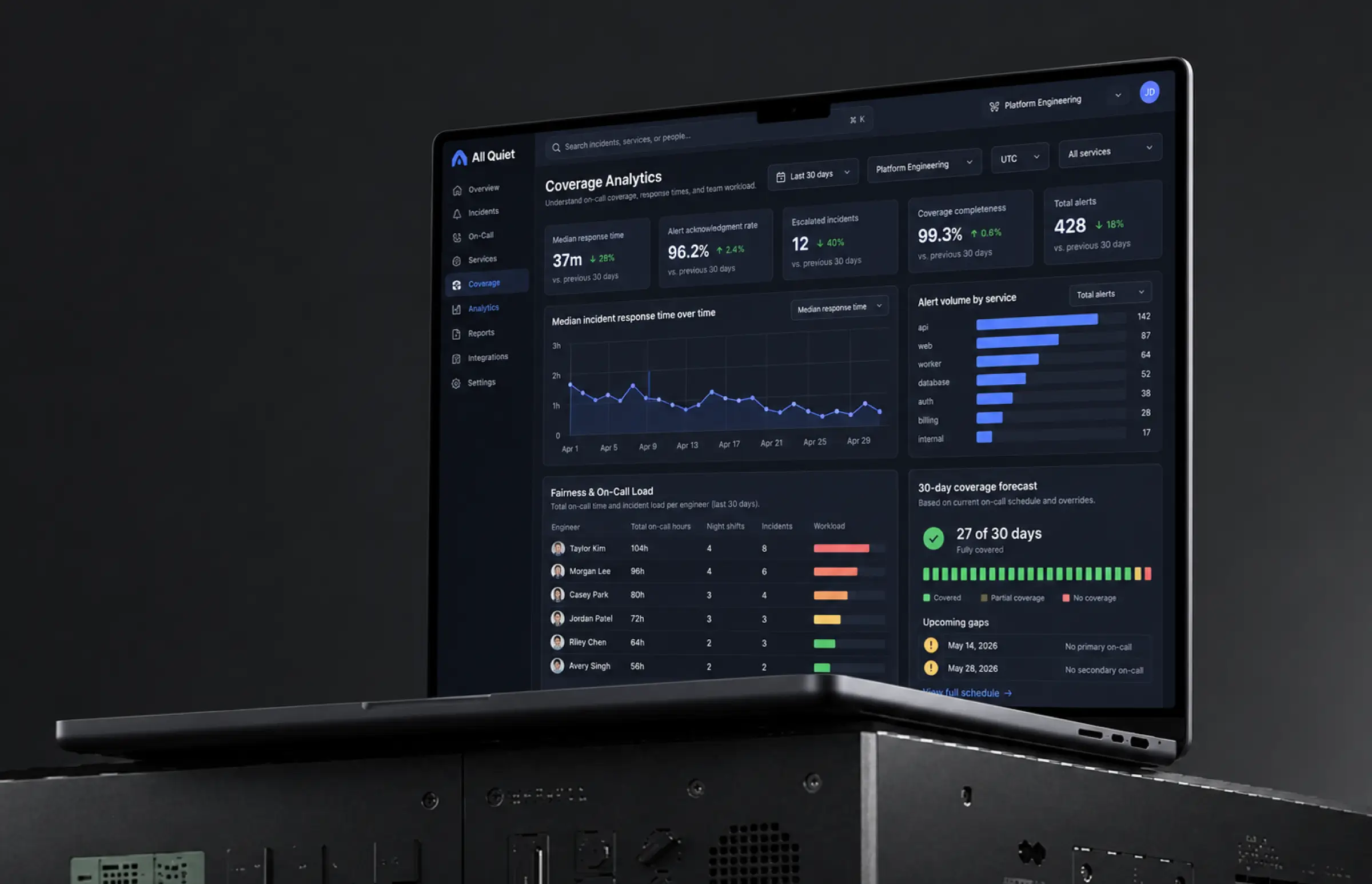
Weekly reports track alert volume per person, average response time, and how evenly on-call duty is spread across the team. Coverage gaps for the next 30 days appear as a dashboard warning before they become a missed page.
-
Mobile and Web Platform
The web app handles rotation setup and reporting for the whole team. The iOS and Android apps handle acknowledgments, comments, and escalations. Both read from the same data, so a swap approved on a phone sends real-time updates to the web calendar.
-
Enterprise Integrations
Alerts flow in from Datadog, Uptime Robot, and similar monitoring tools, and out to Slack and Microsoft Teams. Google, Microsoft, and Apple sign-in lets engineers log in without another password, and personal calendar sync landed in the final sprint.
Planning a similar incident management platform?
Request similar solutionScrum Methodology
Project Journey
The 10-month engagement ran in two-week sprints, with the first two spent auditing the existing codebase and mapping how an alert traveled from a monitoring tool to a phone. Discovery covered rotation types, escalation rules per department, and what should happen when two people override the same shift. Twenty-plus sprints later, the platform was live for every team, with 95% of sprints closing on schedule.
- Weeks sprint cycles
- 2
- Sprints completed
- 20+
- of sprints delivered on schedule
- 95%
- Team members
- 8
How the On-Call Scheduling Software Works
-
Manager Builds the Rotation
A rotation type, a team, and a start date go in. The platform generates the schedule for the next 3 to 6 months and flags any date without coverage.
-
Team Sets Availability and Swaps
Engineers mark vacations or request a swap from their phone. Approved schedule changes update every synced personal calendar within seconds.
-
Monitoring Tool Fires an Alert
Datadog, Uptime Robot, or a custom webhook posts an incident. The service checks Redis for who is on call right now, not who was scheduled last week.
-
Alert Reaches the Right Person
A push notification goes out first. No response in 5 minutes triggers SMS, then a voice call, then the next person in the escalation line.
-
Incident Resolved and Logged
The engineer acknowledges, comments, or resolves from the lock screen. Response time, escalation path, and outcome land in that week's report.
Development Process Flow
Mobile app development for alerting has a blunt test: did the phone ring? Every sprint demo ended with a live alert fired at a real device in Do Not Disturb mode, and sprint 7 failed that test on Android 13, which pushed the notification override to the top of the backlog. That habit caught four platform-specific issues before any user did.
Inside Each Sprint
-
Daily Scrum
15-min sync every morning
-
Retrospective
Inspect & adapt process
-
Sprint Review
Demo to stakeholders
-
Increment
Shippable product update
How We Delivered Automated On-Call Scheduling Software Project
-
Scope & Timeline
We define the project goal together, agree on priority features, and set a realistic delivery date and budget.
-
Feature Priorities
We build a ranked list of everything the product needs, starting with what matters most to the business.
-
Sprint Kickoff
Work is broken into 2-week cycles. At the start of each, we select the next set of features to deliver.
-
Development Cycle
The team builds, tests, and integrates features throughout the sprint.
-
Review & Feedback
At the end of every sprint, you see working software and give feedback that shapes the next cycle.
-
Delivery
Each sprint produces a shippable piece of the product. We review what worked, adjust, and move forward.
UI/UX Design: Intuitive Interface for Alerting Software
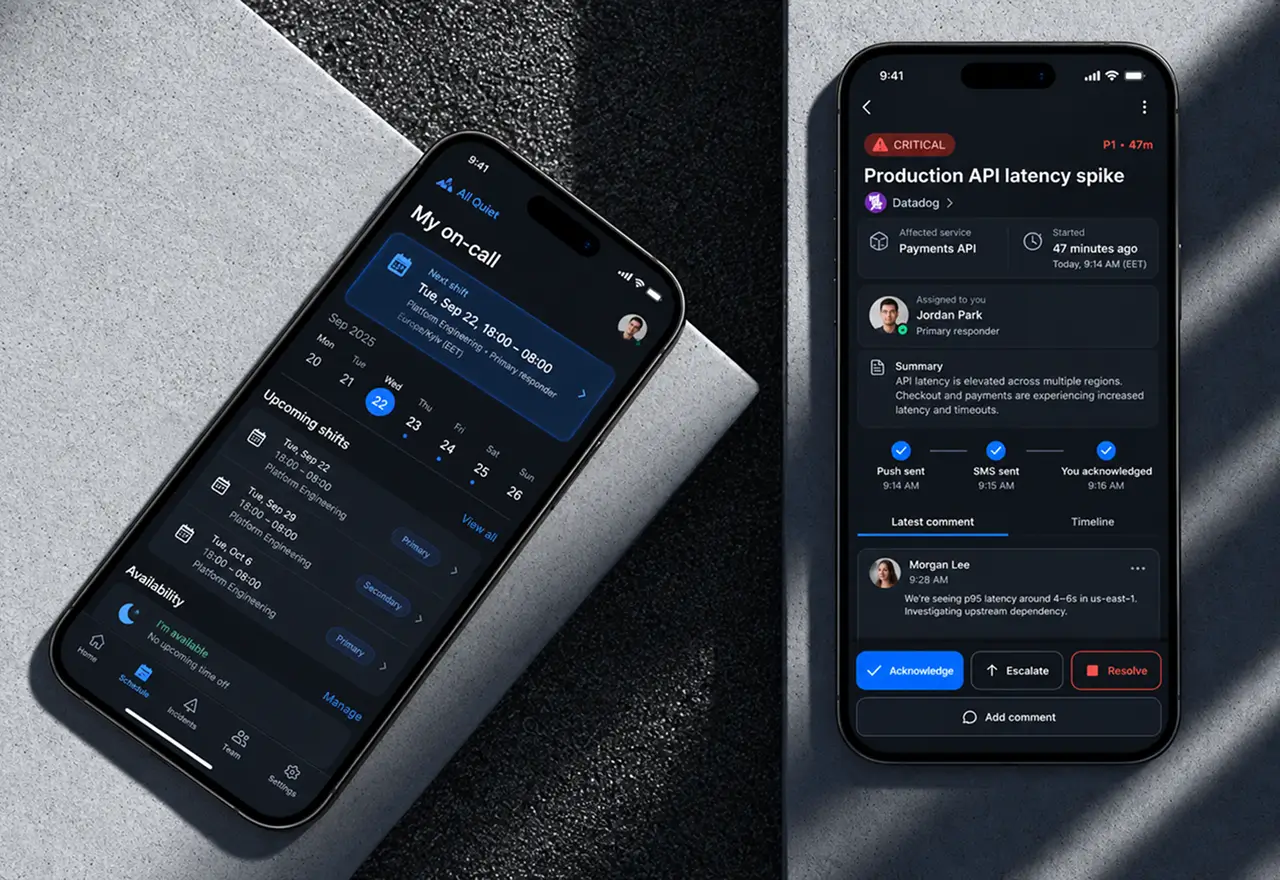
The old interface assumed a calm user at a desk. Real usage was the opposite: a half-awake engineer, one hand, a phone at 30% brightness. So the incident screen shows status, source, and the last comment in the first three lines, and the actions that matter (resolve, unresolve, and escalate) sit on the lock screen notification itself.
Color carries state but never alone. Resolved is green, critical is red, escalated is amber, and each badge repeats the word in text. Confirmation dialogs went on every destructive button after early users reported resolving an incident by accident while waking the phone. Support tickets about that stopped within a month.
Schedule creation on the web got the same treatment through our product design process. A rotation is a form with three fields and a live preview, and drag-to-swap on the calendar replaced the six-step form that existed before. Managers who tested the prototype built a monthly schedule in about 4 minutes, down from roughly 40. The benefits showed up fastest with small teams, where one person had been doing all of it by hand.
Results
Before
- On-call schedule kept in a spreadsheet and a pinned Slack message, updated by hand
- One push notification with no automatic escalation, silenced by Do Not Disturb
- About 1 in 5 night alerts unanswered for 15+ minutes
- Swap requests handled over chat, with roughly a third arriving within 24 hours of the shift
- Alerts from monitoring tools, email, and chat scattered across four separate tools
After
- 60% faster median incident response after launch
- Automated escalation through push, SMS, and voice, with critical Alerts on iOS, DND bypass on Android
- Under 2% of alerts unacknowledged past the first escalation step
- 2-tap shift swaps on mobile, with every override logged and synced to personal calendars
- One platform for schedules, alerts and reports across all teams and time zones, at 99.9% uptime
Impact of the On-Call Scheduling Software After Launch
Faster acknowledgment is the number the client quotes, but the money is in what stopped happening. Missed night alerts used to turn small incidents into hour-long outages, and the on-call scheduling software cut those escalations to a level where the operations lead stopped keeping a manual log of them. Managers got back most of the hours that went into building and fixing the schedule each month, and the administrative burden of chasing swap approvals moved from a person to the platform.
The change nobody planned for showed up in retention. Fair coverage reporting made uneven on-call loads visible for the first time, and two engineers who had carried most of the night shifts for a year finally got balanced rotations. The client tied that to a calmer team and fewer resignations in the quarter after launch, which is the outcome an on-call tool is really judged on.
Want alerts that reach the right person every time?
Contact usWhat's Next
The platform now covers scheduling and alerting for every team in a single location. The next phase makes the schedule smarter:
- AI-Powered Schedule Optimization: Suggested rotations that balance load automatically, based on past alert volume, vacations, and each person’s time zone.
- Advanced Analytics and Insights: Trend views for alert noise per monitoring source, so teams can see which integrations generate incidents that never needed a human.
- Enhanced Mobile Experience: Offline acknowledgment, wearable notifications, and a home screen widget that shows who is on call right now without opening the app.
- Extended Integrations: Jira Service Management ticket sync and additional voice providers, so an incident opens a ticket and places a call from the same platform.
Verified Reviews
Our Reputation on Top Platforms
LITSLINK holds a 4.8 rating on Clutch and GoodFirms, with Top Developer and Top Company badges on both. Clients reviewing our mobile and web development work most often mention communication across time zones, technical depth on notification and backend systems, and a habit of demoing on real devices instead of slides.
Have an Incident Management Project in Mind?
Need on-call scheduling software for your engineering teams, or an alerting layer that escalates when the first person is asleep? Tell us how your rotations work today, which monitoring tools you run, and how many people take shifts, and our specialist will get back to you within 48 hours.
Next steps:
- LITSLINK specialist reviews your request and contacts you to discuss the details;
- If needed, we can sign an NDA before moving forward;
- We send a project proposal – estimates, timeline, and team CVs included;
- After launch, we stay on for any updates your product needs.
- 48h Response
- 1540+ Projects
Thank you for your message. It has been sent.