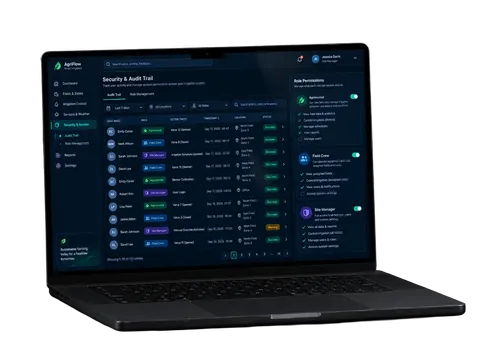








Deploying AI agents means moving them from prototype environments into production systems. It involves creating autonomous workflows that can reason and interact with systems. Within such systems, they carry out agent actions, connect with business tools, and support end-users.
LLMs and frameworks have positively impacted how AI agents are built. But deploying them into operational systems remains a challenge for many teams. According to McKinsey’s 2025 report, about 62% of companies are at least experimenting with AI agents. Estimates by Gartner show that approximately 40% of enterprise applications will have agent capabilities by 2026.
This demonstrates the steady AI adoption of these systems and, at the same time, reveals the gap between experiments and actual AI agent deployment. An overwhelming number of initiatives have been unsuccessful, not necessarily because the agents were not ready for use, but because teams underestimated the importance of having the proper infrastructure, integrations, monitoring, scalability, data quality, audit logs, anomaly detection, and change management.
Key Takeaways
- Agent deployment success requires more than just model access and development expertise.
- Infrastructure, observability, security, and data quality are key components for success.
- Agent systems require constant monitoring, governance, and maintenance.
- Organizations must be prepared for increased agent workloads before deployment rather than after issues appear.
Deploying AI Agents in Production: Why It’s More Than Building a Prototype
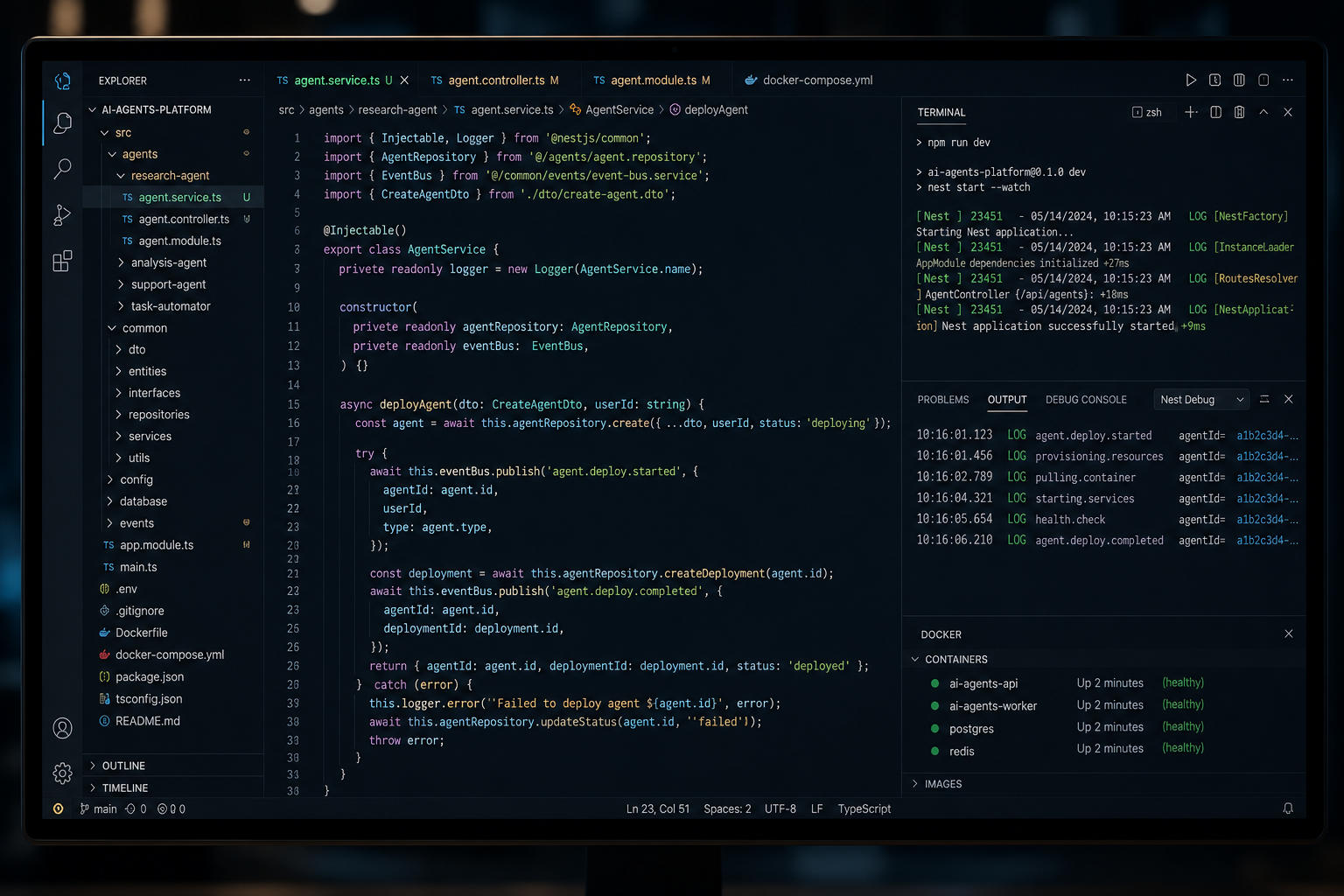
Building a prototype is the easiest stage of working with AI agents. The majority of agent project failures occur not because of a weak model but due to an underestimation of deployment requirements. Common examples are increased traffic entering the system, unpredictable behavior of users, and the possibility that an external system integration can fail.
Regardless of the specifics surrounding each deployment, there are some component parts that are consistent throughout.
- Environment setup: separating development, staging, and production environments.
- Integrations: connecting the system to APIs, databases, and business tools.
- Security configuration: managing access control and protecting sensitive data.
- Monitoring: tracking performance, errors, and system behavior in real time.
- Testing: validating workflows before release.
- Release management: controlling how updates are deployed safely.
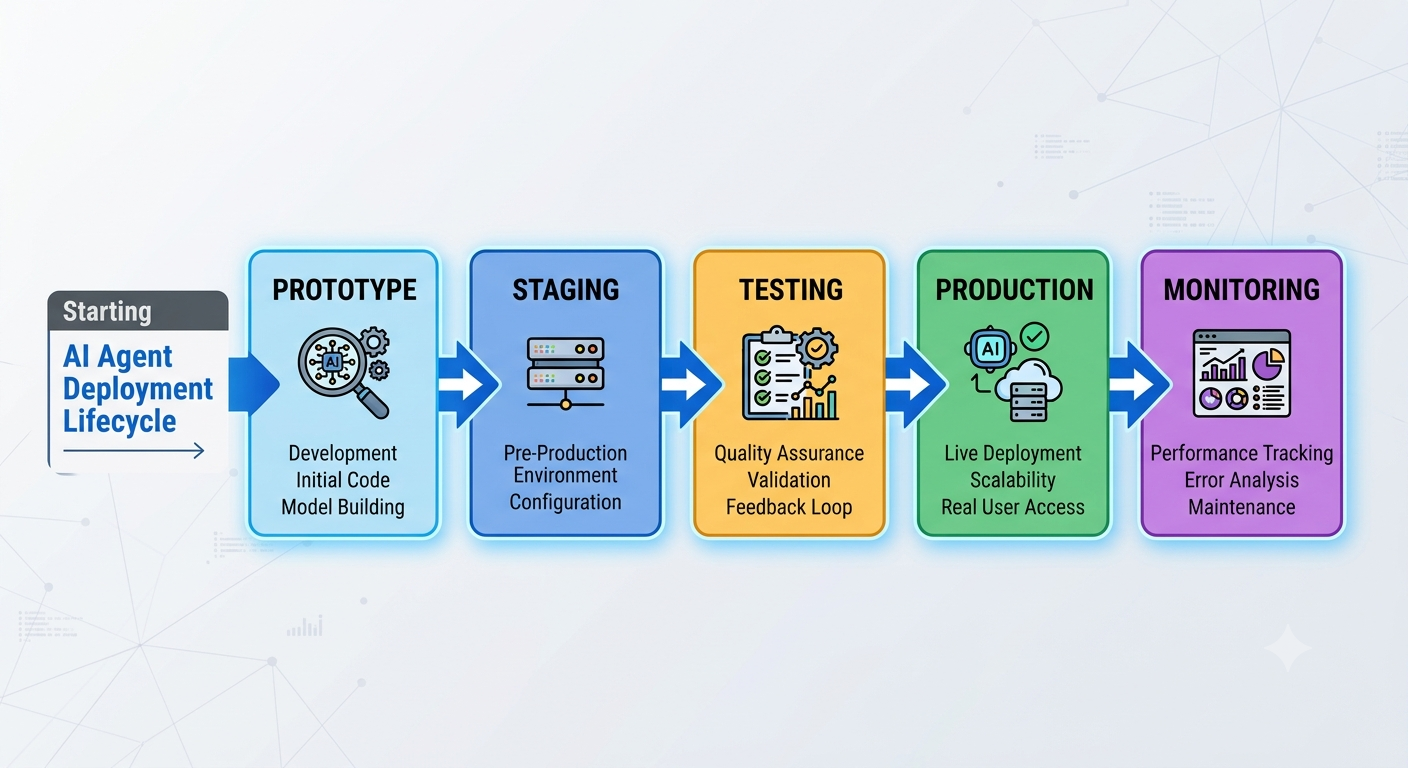
For instance, specialized agents like customer service AI agents are developed as FAQ tools in a prototype. It is tested with several integrati ons and real-life traffic during staging. It must then handle live customer data, multiple systems, and high request volume without breaking in production.
The prototype stage helps define and evaluate whether the agent is good to go. The staging environment allows engineers to conduct validation testing under real-world conditions. Finally, production environment deployment enables AI agents to serve real users.
So, if you are wondering how to build an AI agent, don’t ignore deployment planning. You must have a proper setup for infrastructure, deployment strategies, testing, security, monitoring, scaling, and long-term maintenance.
AI Agent Deployment Architecture Explained: From Agent Actions to Production Systems
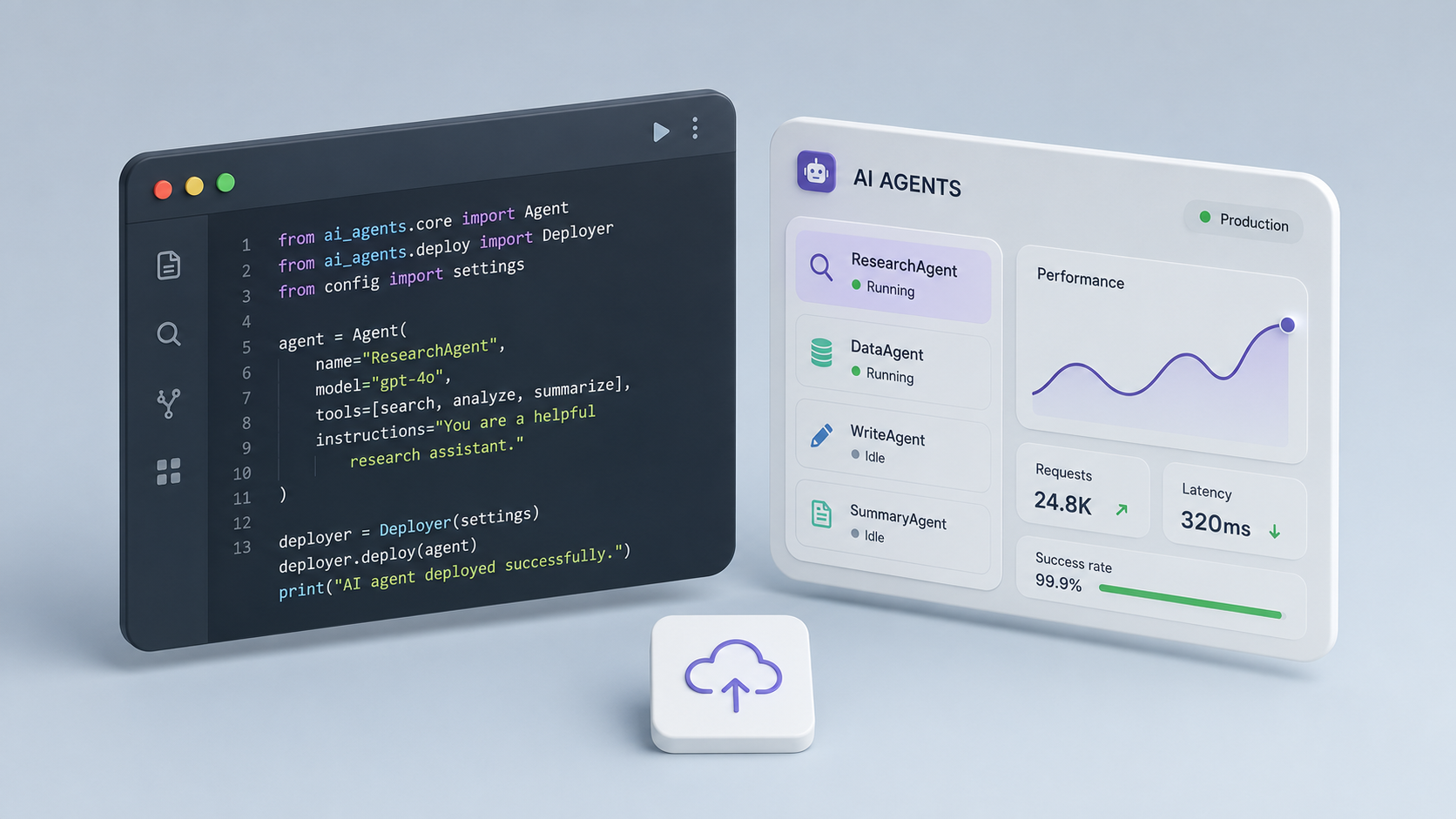
AI solution deployment requires a thorough understanding of the components of modern agent systems.
User Interfaces and Interaction Channels
User interfaces refer to how people will interact with an AI agent. Therefore, these channels serve as the entry point into the system.
Some common interfaces include chat interfaces, web applications, Slack, Microsoft Teams, customer portals, and internal dashboards. A chat interface provides a more natural way to have a conversation, unlike web applications, which typically have AI agents built in.
Microsoft Teams and Slack are great tools for employees to access the AI agents they need inside daily workflows. A customer portal is designed for external users (customers), while an internal dashboard lets teams keep track of productivity and activity, among other things.
Agent Runtime Layer
The runtime layer refers to the time or place where the agent will process requests and produce outcomes. This layer is responsible for reasoning, planning, memory, and workflow execution.
It defines agent actions. These include how agent systems interpret input, the steps they take, and how they complete tasks. It is also responsible for managing states between steps and ensuring a smooth and orderly workflow.
Some agent systems are designed as a single agent doing all that’s required. Others have multiple agents with functions distributed across several components for stability and enhanced performance.
Models and AI Services
Models provide the intelligence on which AI agents are built. Examples of commonly known models are GPT, Claude, Gemini, and several other open-source models.
GPT models are generally used for many types of reasoning tasks, while Claude is often the preferred choice for long-form analysis and structured workflow. Gemini has strong integration capabilities with Google and multimodal platforms. Teams have more flexibility when using open-source models to meet their own needs and develop their own custom integrations.
Organizations can use managed model APIs or self-hosted solutions. Managed services reduce the operational workload, while self-hosting provides an organization with more control over security and data residency. The final choice between these options should be based on your organization’s cost, compliance, and performance requirements.
Data Sources, Knowledge Systems, and Data Quality
AI agents rely on accurate, structured information to be successful. If the quality of the data is poor, so is the output. Typical data sources for AI agents are internal documentation, CRM systems, vector databases, and knowledge bases.
A vector database allows for the storage of information in a manner that supports semantic search. A CRM provides customer records, including orders, support history, and account details. Knowledge bases contain the structured company information, and internal documentation supplies knowledge about how the business operates.
External Tools and Business Integrations
Most production AI agents utilize external systems to complete tasks. Some of the major systems that integrate with agents include Salesforce, HubSpot, Jira, Zendesk, various databases, and APIs as well.
Salesforce and HubSpot are two of the largest CRMs in the world. They are both designed to help businesses manage customer interaction through their sales workflow.
Jira is primarily designed to help teams manage tasks and projects. Zendesk primarily provides solutions for organizing customer service operations. APIs connect the agent system to external software securely.
By being integrated into these systems, AI agents can perform various actions internally: updating records, retrieving data, generating reports, and triggering workflows. As the scope of integrations expands, the importance of governance and security becomes exponentially more important.

Choosing the Right AI Agent Deployment Strategy
Each organization generally requires a different approach to the deployment of AI systems based on a number of criteria: cost, security, scalability, and maintenance.
Deployment Models
| Deployment Model | Advantages | Limitations | Best For |
|---|---|---|---|
| Cloud Deployment | Fast setup, scalable, low upfront cost | Less control over infrastructure | Startups, MVPs |
| Hybrid Deployment | Balance of control and flexibility | Higher operational complexity | Growing enterprises |
| Self-Hosted Deployment | Full control over production data and infrastructure | High maintenance burden | Regulated industries |
| Managed AI Platform | Low operational effort, faster delivery | Vendor lock-in risk | Teams prioritizing speed and reduced ops |
Let’s talk about the trade-offs of using these deployment strategies:
- Cost: Cloud and managed platforms have lower upfront costs associated, while self-hosted alternatives require higher initial costs associated with infrastructure.
- Security: Self-hosted networks provide the greatest level of control, while cloud-based or managed solutions rely on the provider’s security protocols.
- Scalability: When there is growing demand, organizations utilizing cloud and managed platforms can meet such demand faster.
- Maintenance: Self-hosted models require a continuous investment of engineering resources. Managed models are generally designed to reduce operational load.
Deciding what strategy to go with should be based on your business needs, not technical preference.
Infrastructure Requirements for AI Agent Deployment
Most organizations don’t factor in proper infrastructure support for deploying agents in production. A prototype may work fine on the developer’s laptop, but in a production execution environment, many more considerations are needed.
Compute Resources
Compute resources affect how AI systems execute tasks.
Basic application-level workloads (application logic, routine backend workloads) and processes are processed by CPUs. Reasoning, embedding generation, and model inference are processed through GPUs. Cloud infrastructure provides the ability to scale resources to meet demand, thus reducing the need for upfront hardware investment.
The execution environment you select should accommodate anticipated traffic levels and provide room for growth.
Databases and Storage
Production agent systems require multiple storage types to function.
Conversation history stores previous interactions for context. Audit logs track system activity for monitoring and compliance. Vector databases assist in providing semantic retrieval for knowledge access. Application data stores structured business information that the system uses.
Long-term memory creates another decision point for organizations: what information should remain available, and for how long? Proper state management will eliminate excessive storage growth while preserving useful context.
Networking and APIs
The production agent systems are reliant on the APIs and network communication. When an integration is introduced into a production environment, there are multiple potential points of failure. By utilizing secure authentication, encryption, retry mechanisms, and rate limiting, reliability can be maintained throughout external and internal systems (although risk is not entirely removed).
Reliability and Availability
Downtime is very costly. This is why, during deployment, you must include redundancy, backup systems, failover mechanisms, and uptime monitoring. If there is a single outage to an AI agent that handles customer-facing operations, it may cause the entire production workflow to come to a halt.
For organizations planning for serious growth, it is critical to design their infrastructure from day one with the capability of supporting increased demand. This decreases operational risks and builds a solid foundation for future expansion.
Organizations that are looking for support with architecture and implementing professional AI agent development services can accelerate deployment and reduce risk compared to doing it internally.
Testing AI Agents Before Production Deployment

Most teams often test whether the AI system correctly answers the question, but that is only a surface-level examination. A production system must also be able to handle unexpected input, integration failures, and ever-changing business data, as well as user behavior that the developer did not plan for.
Functional Testing
Functional testing will verify an AI system’s ability to perform the tasks for which it has been designed. So, let’s say finance assistance performs report generation; the developer should test the accuracy of its outputs across different scenarios. The main focus of testing should be on defined inputs, expected outputs, and workflow completion.
Integration Testing
Integration testing will validate how all of the business platforms that your AI connects to are functioning. The purpose of integration testing is to ensure that the AI does not have issues with authentication, API failures, timeout issues, or other unexpected data formatting errors before the user encounters them. As organizations integrate more systems and integration complexity continues to increase, integration testing becomes all the more important.
Security Testing
Security testing will verify that all permissions, credentials, and access controls work as intended. Part of this testing involves simulating attacks such as prompt injection, unauthorized API requests, and attempts to access restricted resources.
Modern AI systems have to consider and plan against prompt injection attacks capable of manipulating an AI’s instructions or bypassing the security measures. Malicious content, unexpected requests, and compromised integrations must all be tested against to find out how the AI system will respond to them.
Human-in-the-Loop Validation
Having humans review output before important actions take place is a process known as human-in-the-loop (HITL). HITL validation is especially valuable for workflows related to health care, law, and financial services.
For example, an AI tool may draft a contract, but there must be a legal review by a human before the contract is approved. Customer communications, for instance, may go through multiple approval gates before the AI agent sends them out automatically.
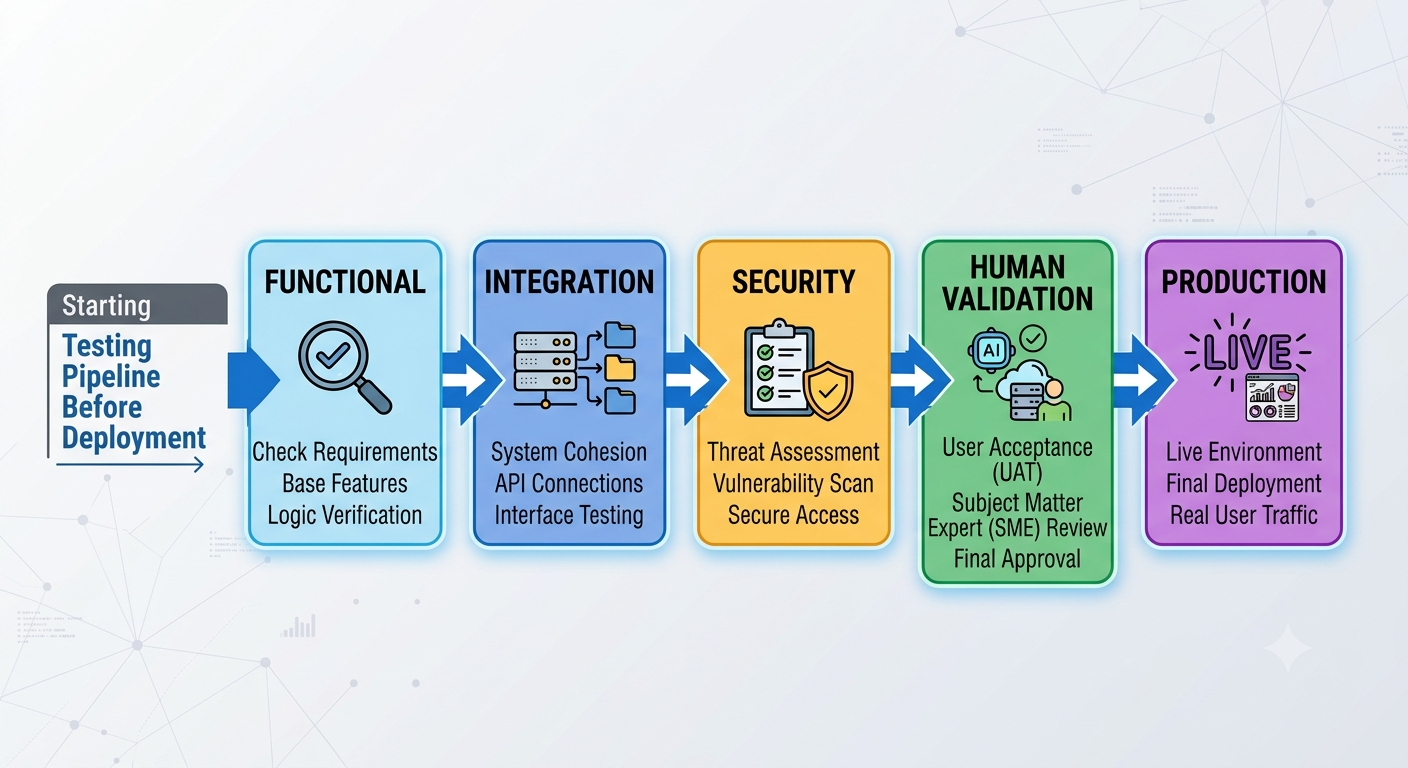
| Testing Type | Purpose | Example |
|---|---|---|
| Functional Testing | Validate workflows and actions | Ticket creation workflow |
| Integration Testing | Verify connected systems | CRM updates and API calls |
| Security Testing | Identify vulnerabilities | Testing for prompt injection attempts |
| Human Validation | Review critical outputs | Contract or policy approval |
Security, Compliance, Audit Logs, and Governance
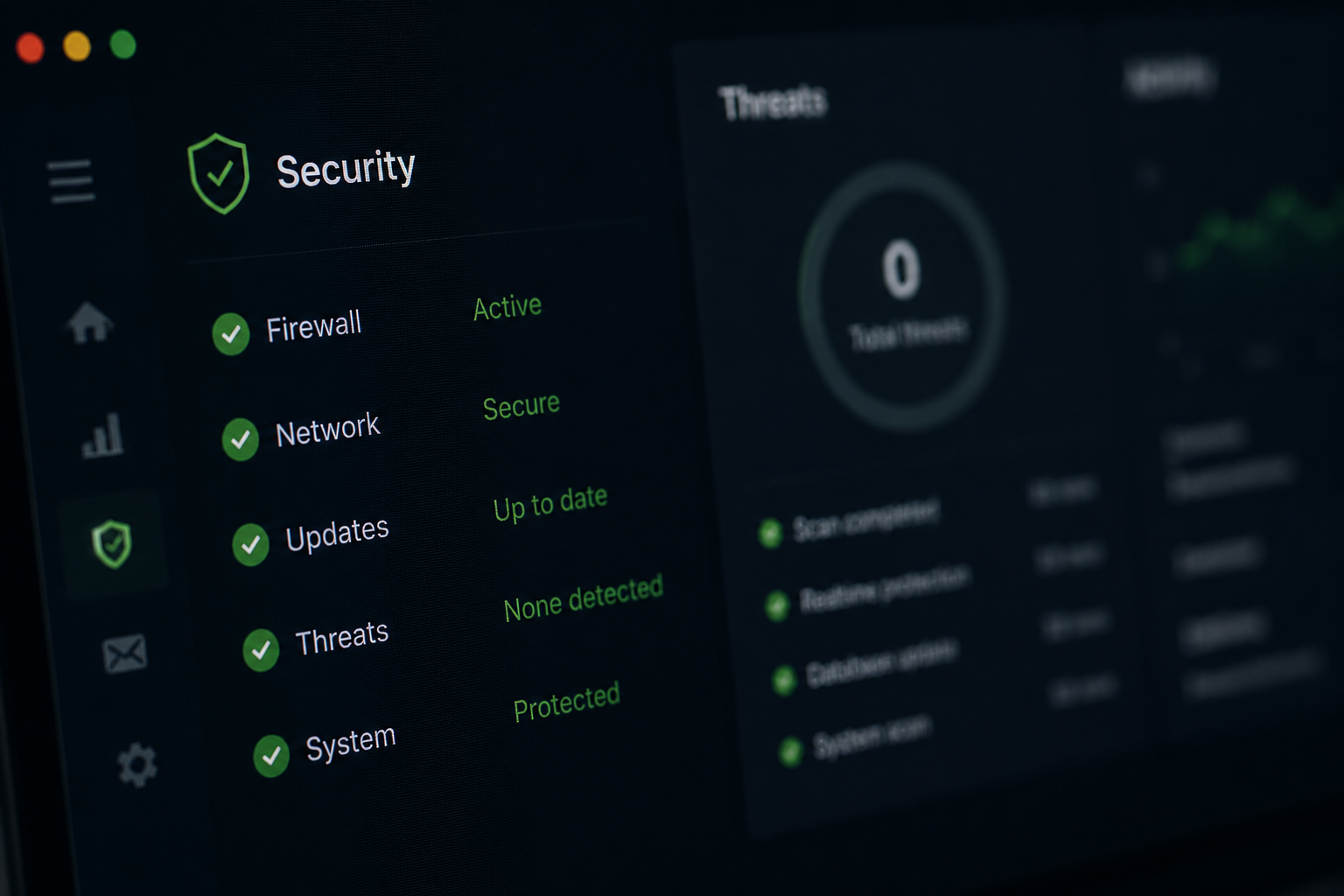
When a production AI agent starts to interact with business processes, security becomes an increasing concern. The risks to an organization from an AI system without controls could be intense, even if it has high intelligence.
Access Control and Permissions
New agents, and even existing ones, should only be granted permission to perform the task they were designed to do. Avoid giving them broader permissions than needed.
You also need to pay attention to authentication and authorization. Authentication verifies identity, while authorization determines what actions are allowed. When used together, they minimize risk and aid the development of stronger policy enforcement across an organization.
Audit Logs and Traceability
To get an insight into the actions of AI agents and why they occurred, organizations will require audit logs. These logs should contain records of all decisions made, system interactions, workflow execution, and user requests.
These strong audit trails will assist teams in incident investigation, compliance, and workflow improvements. Organizations can also implement trace storage solutions to store execution data for post-analysis and troubleshooting.
Data Privacy and Compliance
One of the major aspects of compliance for an organization is its understanding of where its information is stored, how it is processed, and to whom it is accessible. When dealing with consumer information, healthcare records, or financial data, this will only become more critical.
Governance practices should support requirements (GDPR, HIPAA, or SOC 2) in accordance with local jurisdictional laws. You should adhere to data privacy regulations using encryption.
Change Management
Effective change management requires due diligence on prompt code modifications, workflow changes, API configuration changes, and other modifications before deployment.
Many organizations have implemented both approval gates and version control processes to help mitigate associated risks. Without a structured change management process, even successful artificial intelligence services can become unstable in the long run.
Monitoring and Observability for AI Agents in Production

Continuous monitoring plays a critical role here. Unlike traditional software, AI agents leverage context, instructions, tools, and retrieved information to make decisions. Therefore, teams don’t just have to understand what has happened; it is equally important to understand why something happened.
Performance Monitoring
Performance monitoring is focused on the health of the system. Key metrics that are essential to monitor include latency, response time, uptime, and infrastructure utilization. If response time suddenly increases, then teams can investigate before users are affected.
Agent Quality Monitoring
Quality monitoring focuses on business outcomes produced and includes metrics such as task completion rates, workflow success rates, customer satisfaction, and error rates. A system may be technically healthy; however, it is considered a failure if it does not meet the business’s expectations.
Anomaly Detection
This is responsible for the detection of unusual outputs, workflow failures, and unexpected behavior before they spiral out of control. Most teams usually set alerts to be triggered when error rates exceed a defined threshold.
For example, if the AI agent starts producing incorrect ticket classifications or inaccurate recommendations, monitoring tools will alert the team to the issue immediately.
Cost Monitoring
Organizations should monitor all costs associated with AI agents, including token consumption, infrastructure costs, API expenses, and storage costs. Token usage tracking is vital due to escalating costs caused by increased user traffic, larger prompts, and the complexity of reasoning chains.
Scaling AI Agents and Agent Workloads in Production

An agent that performs well with a few hundred users might struggle when that number increases dramatically to thousands or even millions each month. That is why building with scaling in mind is important.
Handling Growing Agent Workloads
To begin scaling, you must understand what your expected demand will be. Organizations must plan for concurrent requests, traffic spikes, and seasonal demands. Resource allocation must also be assessed based on expected volume.
As workloads of your AI agent increase, so do compute resources, storage requirements, and network usage. Although most of the time, the increase happens at different rates. Therefore, capacity planning must account for all three of them.
Scaling Integrations
As deployments mature, more systems become connected. Each time you integrate a new system into your deployment, you will be introducing new dependencies, security concerns, and operational overhead as well. Your team should therefore monitor API reliability so that a failure in one platform does not impact the entire production workflow.
Multi-Agent Architectures for Scalable AI Systems
Many organizations start with a single agent for ease of development and maintenance before eventually realizing that some use cases will be better served with multiple agents working collaboratively. For instance, one may handle research, another may process customer information, while other agents execute specialized tasks.
When an organization’s responsibilities expand, a monolithic agent can eventually become a difficult, sometimes impossible system to maintain. Breaking functionality into specialized components often improves scalability and governance.
Post-Deployment Maintenance, Data Quality, and Optimization
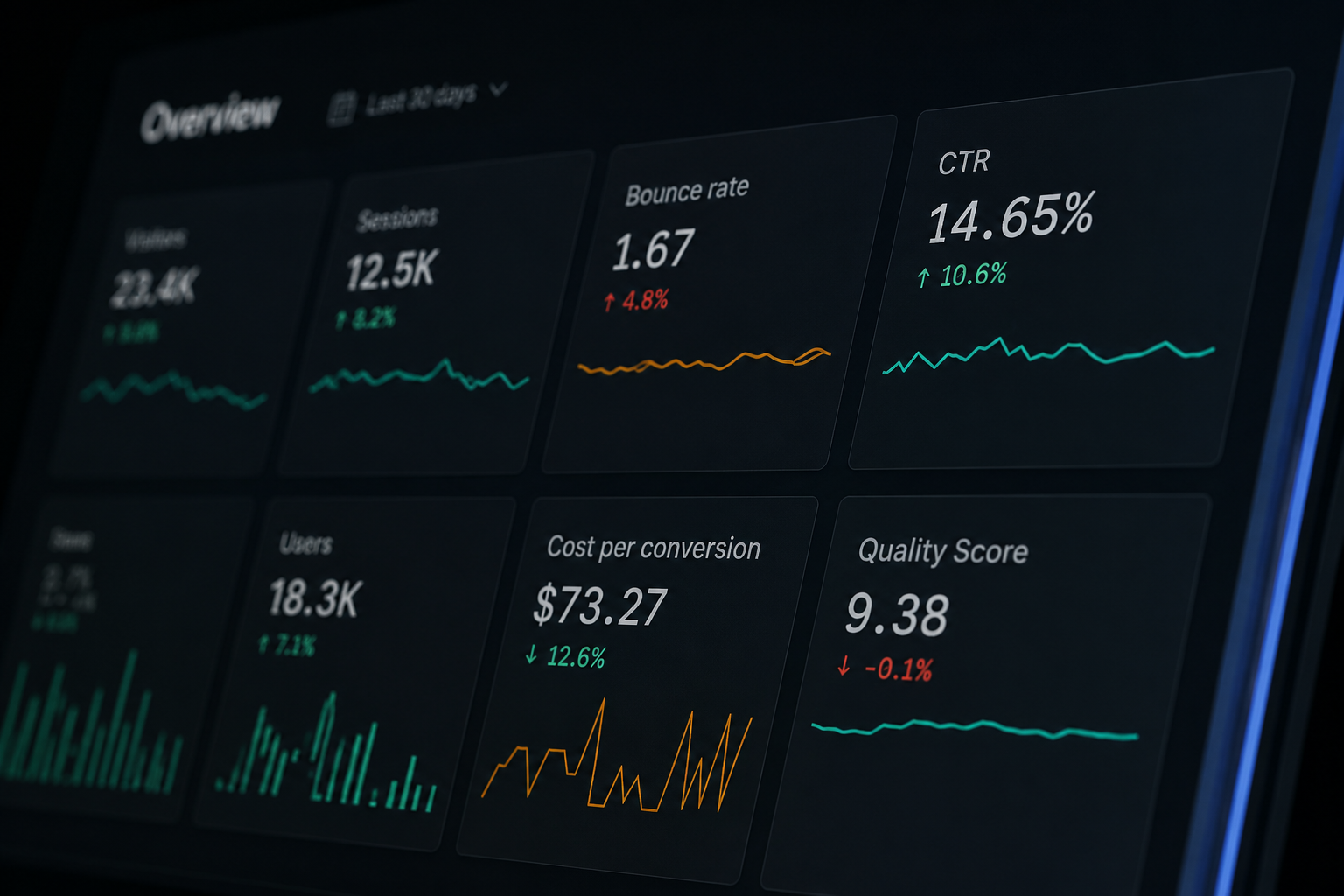
Once an AI agent is deployed, the job is not finished. In fact, it is only at this point that the pressure of production begins to appear. That’s why maintenance and optimization are important.
Improving Data Quality
High-quality data is the most effective predictor of success in agent systems. If your knowledge base has expired or inconsistent data, even the best-performing models will begin producing unreliable outputs. Therefore, teams need to continuously update their internal documentation, CRM records, knowledge base documents, and vector database embeddings.
The availability of current data enables AI agents to remain in alignment with real-time business conditions. Poor data can lead to incorrect decisions, particularly in relation to customer-facing workflows.
Updating Agent Workflows
Production environments are dynamic and change frequently. An agent workflow that was originally created during development may lose efficiency down the line. That is why updates are important.
Teams continuously refine workflow logic based on user feedback, failure cases, and any business changes and performance metrics. One area they often improve is routing logic within a single agent. Or they redistribute functions across agent systems when necessary.
Measuring Business Impact
An organization needs to track real business impacts and not just technical metrics alone. Some of the most common data quality measures are productivity improvements, cost reduction, customer satisfaction ratings, operational efficiencies, and effectiveness of report generation. In order to prove the value of an AI system, an organization needs to demonstrate measurable value and not just technical correctness. You must also establish baselines before any agent goes live to measure effectiveness.
Common AI Agent Deployment Mistakes to Avoid
There are several mistakes teams make when deploying agents that you can avoid.
Deploying Without Monitoring
There is a common assumption by engineering teams that once they deploy an agent, it will function as intended throughout its lifespan. The reality is that without monitoring task completion, latency, customer impact, failures, etc., issues can remain hidden until an end user reports a problem. Also, a lack of monitoring means you cannot track agent runs, detect failures, or understand system behavior.
Ignoring Security Requirements
Companies that treat security as an afterthought often suffer. This mistake can lead to unauthorized access to sensitive systems or malicious input to the organization’s systems. Applying role-based access, permissions, credentials, and audit logs is only a share of what can be done to ensure security.
Poor Data Quality
If the data is weak, this will likely affect the system. It does not matter how advanced the model is; weak data will lead to missing or incorrect information. Keeping systems clean, up-to-date, and structured is a surefire way to avoid poor data quality in the end.
Underestimating Agent Workloads
Many teams test with light traffic and assume linear scaling. Real-world agent workloads are unpredictable and often spike without warning. Make sure you size for real demand, add a safety margin, and test under load before rolling out the agent.
Skipping Change Management
When updating prompts, workflows, or integrations, there should be a structured change management process in place to help avoid instability in the agent systems and decrease the chance of having unexplainable production behavior. Reviewing an AI agent case study helps teams understand why every change should be tested and approved before it reaches users.
Why Partner with LITSLINK for AI Agent Deployment?

Building a functional prototype requires proper scaling, monitoring, governance, and secure integrations. At LITSLINK, 300+ engineers cover the full stack of AI agent development, delivering a PoC in 4–6 weeks and full-fledged projects in 3–6 months. LITSLINK is proud to achieve a 30–50% faster time to market — fast but quality-oriented. You can rest assured that the project will be developed in compliance with industry regulations (HIPAA, GDPR, SOC 2, CCPA).
LITSLINK helps organizations:
- Design AI agent development strategies
- Implement AI agent deployment pipelines
- Build a scalable deployment architecture
- Connect enterprise external systems securely
- Implement monitoring and observability
- Manage agent systems at scale
- Support long-term optimization and maintenance
With the right partner, your organization can reduce its overall deployment risk, shorten deployment timelines, and greatly lower the chances of making a serious mistake when scaling in execution environments.
Contact us to learn more.
FAQ About AI Agent Deployment
How Long Does It Take to Deploy AI Agents?
An AI agent’s deployment time varies depending on complexity. A simple one-agent solution can take weeks, whereas enterprise AI agent deployment requires several months due to compliance and integrations.
What Infrastructure Do AI Agents Need?
Most agent systems will require the following infrastructures: compute resources, secure storage, APIs, monitoring tools, and a stable execution environment. More advanced deployments will also require vector databases and audit systems.
What Is the Biggest Challenge in AI Agent Deployment?
The biggest challenge is reliability in real-world conditions. Once deployed, AI agents must handle unpredictable inputs, scale under pressure, and maintain performance across changing environments.
How Do You Monitor AI Agents After Deployment?
To monitor an AI agent, you’ll have to track system metrics, business outcomes, audit logs, cost usage, and anomalies.
Can Small Businesses Deploy AI Agents?
Yes, small businesses can deploy single-agent solutions and later expand to advanced agent systems as the business grows.