





Building a Social Media Automation System with n8n for Facebook Posting
- ~75% less hands-on time per post
- 2.5x more posts a month
- 81% of generated drafts approved
- ~2,100 workflow executions a month
A UK marketing agency used to spend nearly 50 hours each month manually posting to its clients' Facebook pages. We developed an n8n social media automation system which reads the content plan from Google Sheets, uses an AI agent to draft each post, sends it to an editor for one-click email approval, and then publishes it to the correct page on schedule, with a human review always being kept informed.
Project Details
A UK-based digital marketing agency looks after Facebook pages for about 14 of its client brands, the brands ranging from a regional retail chain to a B2B SaaS company and one enterprise client in the logistics sector. Two content managers used to write, schedule, and publish each post manually, and the agency now wishes to automate this work using a self-hosted stack that it has control over, without abandoning the sign-off stage which its clients had agreed to in writing. Our custom AI solutions connect the tools a team already uses while preserving its approval rules and operational requirements.


Business Challenge: Automating Facebook Posting Without Losing Editorial Control
The agency had worked out its content strategy and set down a strategy for each account. The account managers would agree with each client on monthly themes and keep in a shared Google Sheet all the posts that were planned, including the brand, topic, angle, call to action, link and publish date. There were about 120 rows a month. It was the stuff that happened after a row had been entered that took up the time.
The content manager took the brief, composed the post, checked it to make sure it matched the client’s brand voice notes, pasted it into the Meta Business Suite, attached the image file, chose a time slot and then moved the entry to the ‘done’ column. It took between twenty and thirty minutes to produce each post and, between the two of them, they spent about 50 hours a month on tasks that always followed the same six steps. The entire point of the brief had been to save time on those steps, and the posts published on Monday morning were written on Friday afternoon, with the exception of when the client sent a late change, in which case someone had to locate the scheduled post and have to redo it by hand.

Manual Posting Slows Down Content Distribution
Each post was handled by one of two individuals, and if either of them was unavailable, activity would cease. In a normal month, approximately 9% of the scheduled slots were missed, and the agency could not accept a new client unless it first hired someone.

Keeping a Human Approval Step in an Automated Flow
Since client contracts had to be signed off before anything could go live, it wasn't possible to have a completely hands-off pipeline. The approval was still necessary, but only as a two-minute task in the inbox rather than requiring a login to yet another tool.

Connecting Content Planning, Generation, and Publishing
Plans lived in Google Sheets, drafts in Docs, scheduling in Meta Business Suite, feedback in email threads. None of those systems talked to each other, so status data was tracked by hand, nobody could say which posts were waiting on whom, and the enterprise client's quarterly audit request took a full day to answer.
Technologies Behind the n8n Social Media Automation Workflow


Our n8n Social Media Automation Solution
One question shaped the build: what has to stay in human hands? Only the final read. Everything before it (pulling the brief, writing the draft, scheduling, the publish call) and everything after it (status write-back, reporting) could be automated with n8n workflows without changing how the planners worked.
What makes us choose n8n over a SaaS scheduler? The agency wanted the automation to be located on its own servers, using its own API keys and its own data, and the ability to modify the logic without having to wait for the vendor. By using a self-hosted instance of n8n within Docker, they achieved this at a lower monthly cost than the subscription that it replaced. Since our company is both an n8n automation agency and one that develops AI products, the same small team handled both the LLM aspect and the workflow aspect, keeping the stack simple: n8n, one LLM API, Google Sheets, SMTP, and the Facebook Graph API. Apart from the sheet, there was no database, and beyond one Code node containing 40 lines of code, there was no custom code.
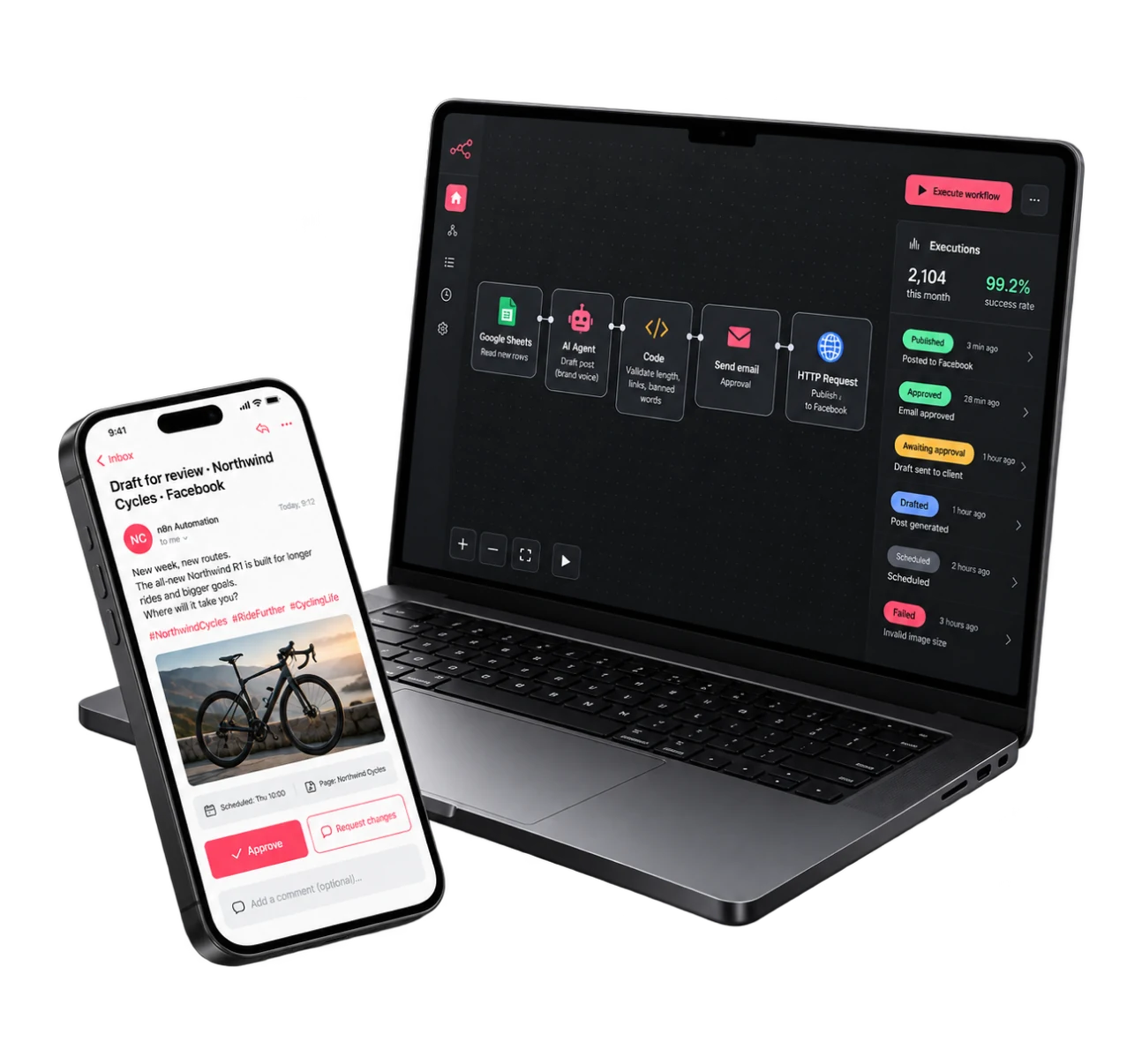
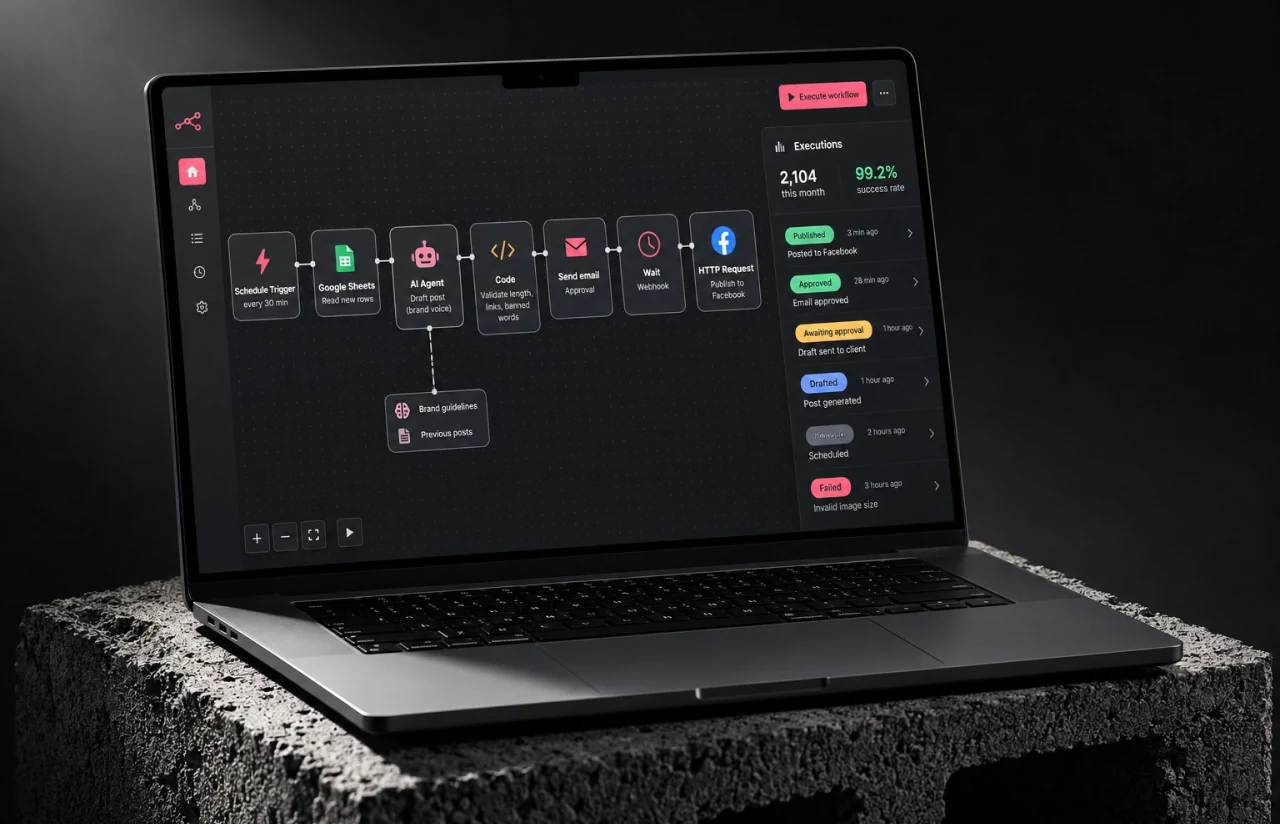
There are three workflows, totaling around 40 nodes. The first one reads new data from the planning sheet on a schedule and passes each brief to an AI agent node, using that client’s brand voice guide as context. The second one sends the draft email to the appropriate editor, waits for a webhook, and then records the decision in the row. The third one publishes the approved posts via an HTTP Request node at the scheduled time and writes the post ID back. The page credentials are stored in n8n’s credential store, meaning access is managed in a single location and is never copied into the node parameters; the model, temperature, and length settings are all located in one Set node within the production workflow, so that a single change is applied to all of the 14 clients’ prompts. The instance has only three external connections: Sheets, SMTP, and Meta.
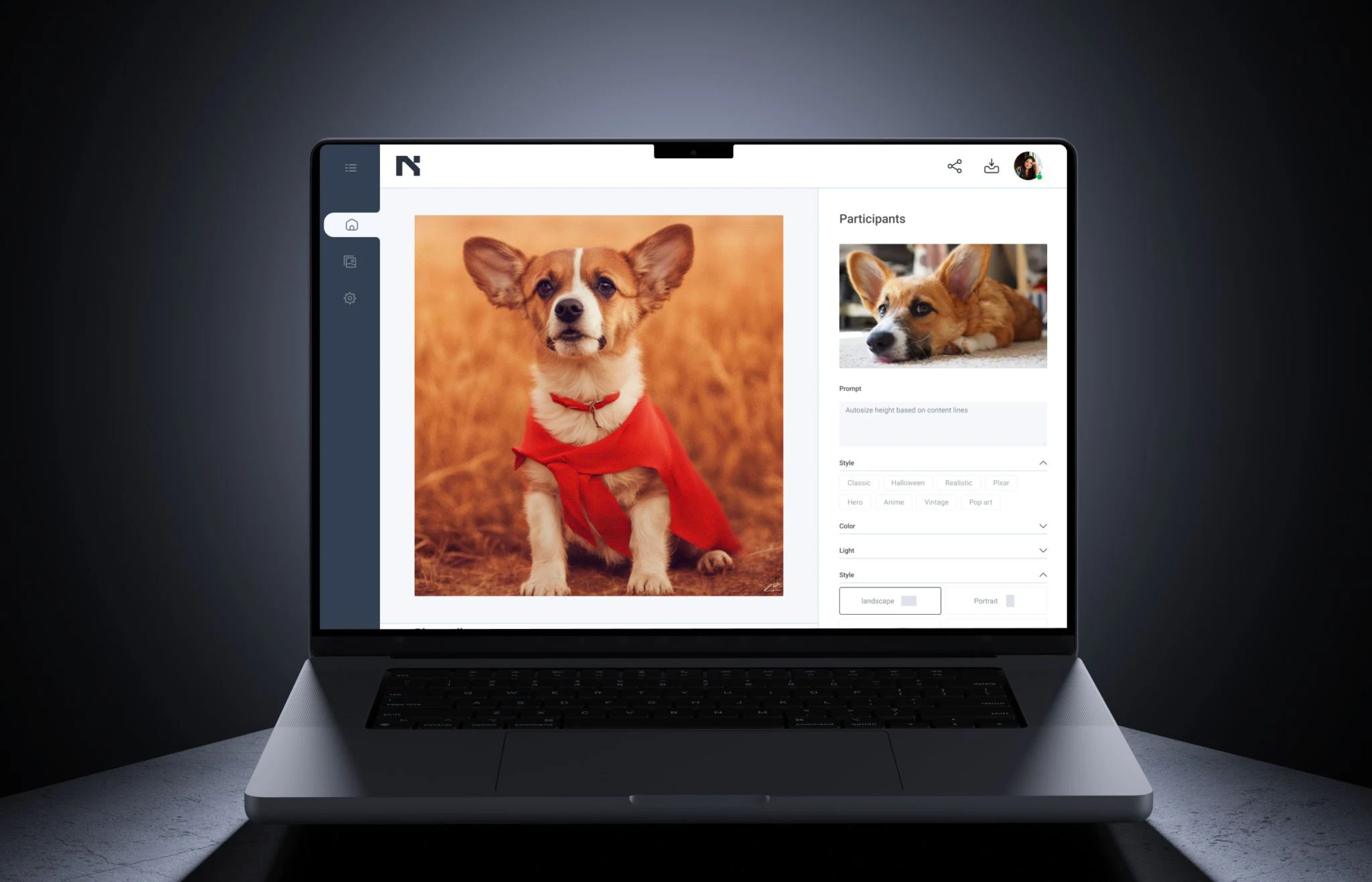
We configured AI agents for marketing to turn each client’s briefs and brand guidelines into drafts ready for editorial review. When the agent receives the brief, the brand voice document (outlining the tone, the banned words and the hashtag rules), the last five published posts, and the desired length, the output goes through a validation process consisting of checks on length, links, banned words, and a flag indicating whether the draft repeats a recent hook. If a draft fails any of these checks, it is sent back to the LLM node once, with the reason for the rejection included; in about 6% of cases, a second pass is needed. Each response is then assessed on a scale from 1 to 5 by a second, less expensive model call, and those rated below 3 are regenerated before being presented to a human.
Content Planning in Google Sheets
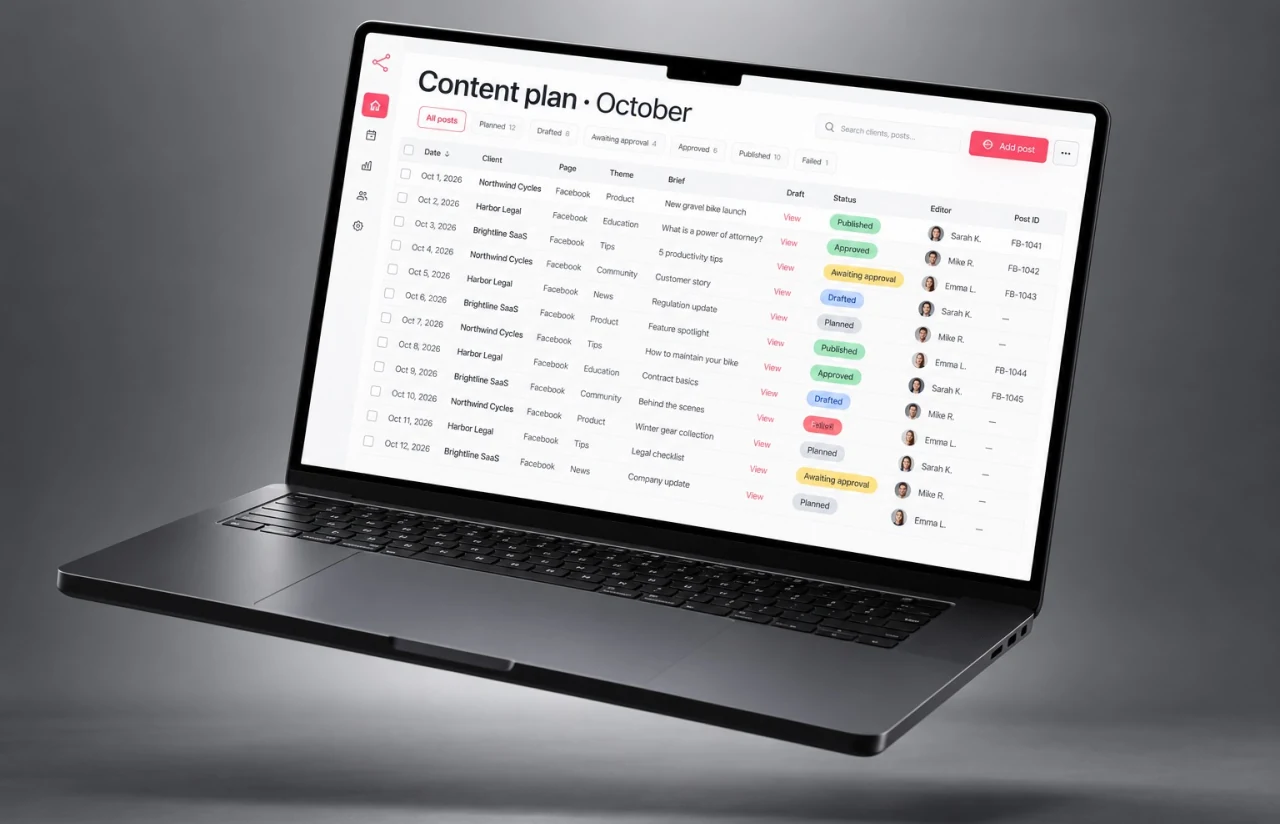
The only genuine source of truth remains the planning sheet which the agency has already been using, with twelve columns for each post, one row for each post, and a status column that is updated by the n8n workflows themselves: planned, drafted, awaiting approval, approved, published, failed. New data added to the sheet is detected within 30 minutes and the row data is never copied to any other place.
Automated Post Generation
The AI agent creates each post using the brief and the client's brand voice guide, after which it checks the post for length, links, and banned words. A draft is prepared about 20 seconds after the row is taken, and the token cost is around $0.03 per post, meaning that producing 300 posts a month costs less than one hour of a content manager's time. The quality has also been maintained across accounts in different niches, for example, with a cycling retailer and a legal services firm.
Email-Based Approval Workflow
The editor receives one email for each draft containing the text, the image, the target page, and two buttons: Approve and Request changes. The comment box on the change path sends the note directly back into the regeneration prompt. The median time taken for a decision is around 40 minutes; the human review remains necessary, although it is no longer the bottleneck.
Scheduled Publishing via the Facebook API
Approved posts are held in a queue and are sent out at the time specified in the sheet via the Graph API, with two retry attempts made if temporary errors occur; the post ID, the publish time, and any message from the API are then recorded in the row, so the sheet serves as a publication log and the publishing data is available to any team member who has access to the sheet.
Operations Digest and Alerts
A brief reporting workflow sends out a daily summary to the agency's Slack, including the number of drafts produced, the number of posts waiting for approval, those that have been published, and those that have failed. If a piece remains in the approval stage for more than 24 hours, a reminder is sent to the editor, and if a publication fails, the ops lead is informed. Each month's digest file is exported to a Drive folder, ensuring that the publication history is retained even if a record is deleted.
— Agile Development Methodology
Project Journey
The project lasted six weeks and was carried out in three two-week sprints, involving a two-member LITSLINK team consisting of an automation engineer who developed the n8n workflows and another engineer who was in charge of QA, setting up the Facebook API, and onboarding each client page. After the first sprint had ended, the generation workflow was able to produce drafts for two pilot brands, and the agency’s editors then began reviewing actual output rather than mockups.
How the n8n Facebook Automation Workflow Works
- A schedule trigger fires every 30 minutes. The Google Sheets node reads rows marked "planned" with a publish date inside the next seven days and locks each one by setting its status to "drafted".
- The brief, the brand voice guide, and recent posts go into the AI agent node. The output is checked for length, links, and banned words, then saved back to the row with a one-line note on the angle chosen.
- An email with the text, image preview, and two action links goes to the editor assigned to that brand. A Wait node holds the execution until the webhook fires with approve or request changes.
- At the planned time, an HTTP Request node calls the Graph API with the page token, creates the post, and writes the Facebook post ID back to the sheet. Errors retry twice, then alert.
Scrum Process Flow
Every sprint ended with a demo against live client briefs. Sprint one proved generation on two pilot brands, sprint two moved approval and publishing into production with the agency’s editors in the loop, and sprint three brought the remaining twelve pages in and added reporting. Both teams shared one Slack channel, so most questions got a response the same hour. Workflow automation at this scale needs a working version in front of the people who will live with it, not a long roadmap.
Delivery Process: How We Created the n8n Social Media Automation Solution
- We define the project goal together, agree on priority features, and set a realistic delivery date and budget.
- We build a ranked list of everything the product needs, starting with what matters most to the business.
- Work is broken into 2-week cycles. At the start of each, we select the next set of features to deliver.
- The team builds, tests, and integrates features throughout the sprint.
- At the end of every sprint, you see working software and give feedback that shapes the next cycle.
- Each sprint produces a shippable piece of the product. We review what worked, adjust, and move forward.
Workflow UX: Simple Interfaces for Content Creators and Approvers
Since no one at the agency was willing to learn a new tool, there isn’t an app. The content planners use the sheet they already have, which has four extra columns and includes a status column that updates automatically. The conditional formatting colors each row according to its status, so that a planner can open the sheet on a Monday and at a glance see the week’s status: green means it’s published, amber means it’s waiting on an editor, and red indicates it has failed and needs to be looked at.
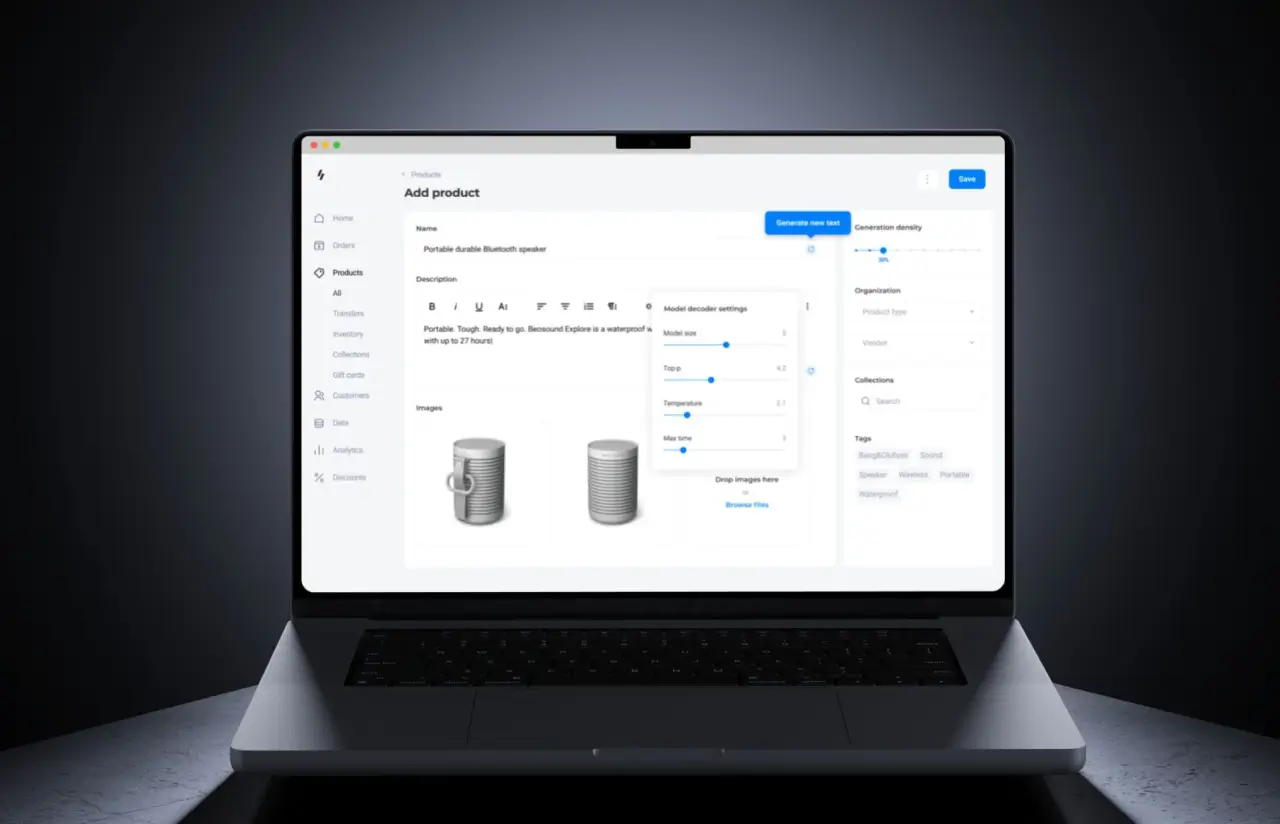
The approval process is carried out via email. Each message includes a subject line indicating its content (for example, “Brand X, draft for Oct 14, 9:00 AM, approve?”), the body text set out as it will appear on the page, an image placed below it, and two big buttons. When ‘Request changes’ is selected, a short form opens up with a comment field, and the comment entered in this field is then passed on to the following generation word for word. Editors have told us that the one-line note stating the angle that the agent had chosen helped speed up the review process since they no longer had to reread the brief in order to assess the draft. For a related example of content generation with human approval, explore our AI product description generator case study, where merchants review and approve product copy before publication.
The n8n editor itself is opened only by the agency’s ops lead. From there, she can move the schedule, swap the model, raise the retry count, or connect a new Facebook page by adding one credential, without writing code. Every node carries a sticky note explaining what it does and which column it reads or writes, which is a small thing that has kept the workflows maintainable through three handovers. Nothing in the setup exists only in someone’s head, and the ops lead created the 15th page connection herself in week eight, with no help from us.


Results
Before
- ✕~120 posts a month written and scheduled by hand, 20 to 30 minutes each
- ✕~50 hours a month of content manager time spent on posting mechanics
- ✕~9% of planned slots missed, mostly when someone was out of office
- ✕Client sign-off chased over email threads, with no record of who approved what
- ✕Plans, drafts, scheduling, and feedback split across four tools
After
- ✔~300 posts a month from the same two-person team, 2.5x the previous volume, automated publishing on every page
- ✔~6 minutes of human time per post, about 12 hours a month in total
- ✔<1% missed slots, with retries and alerts covering API failures
- ✔Every approval logged with editor, timestamp, and comment on the row
- ✔One sheet, one inbox, one n8n instance, status visible at any time
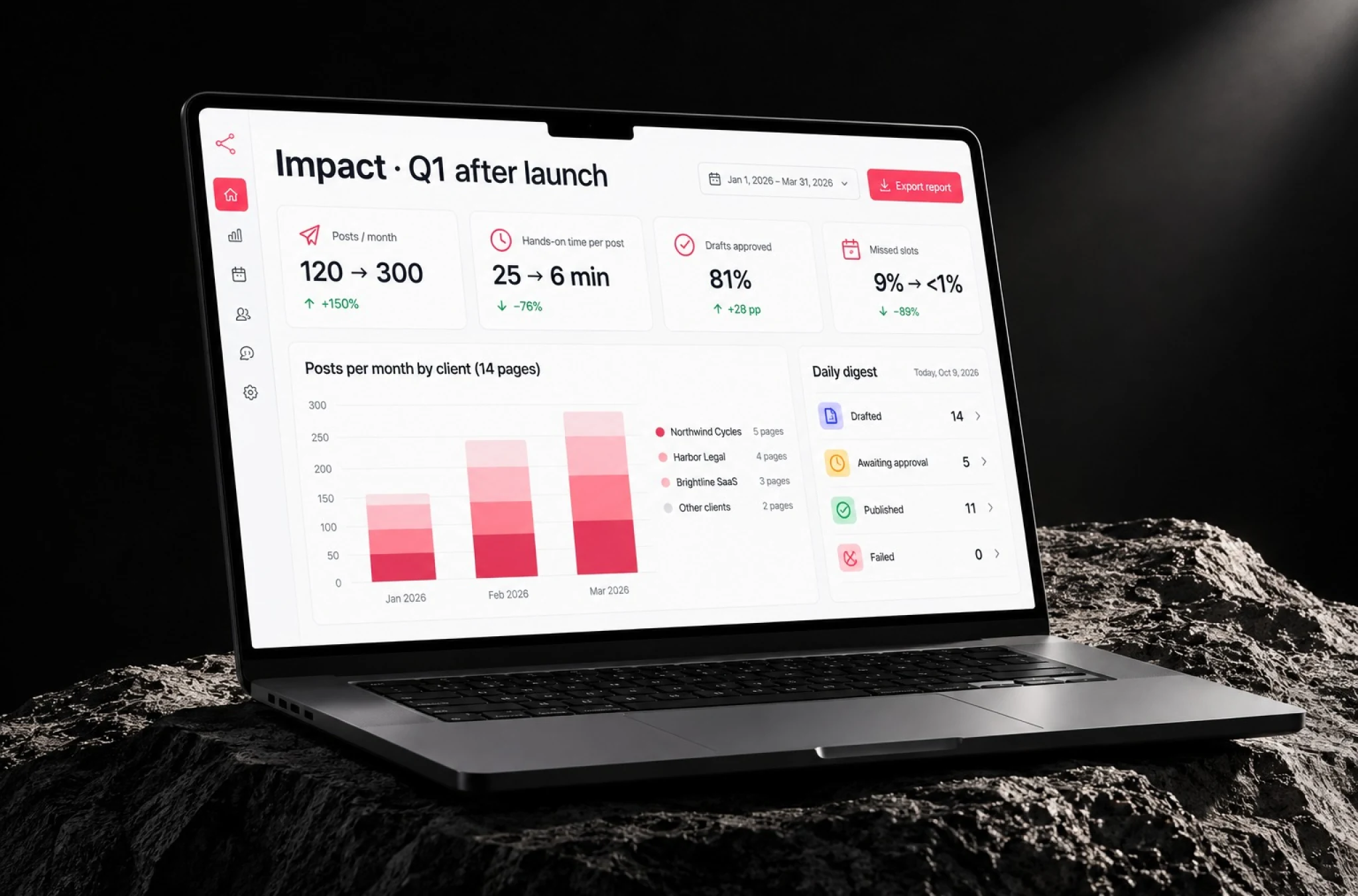
Impact of the Social Media Automation
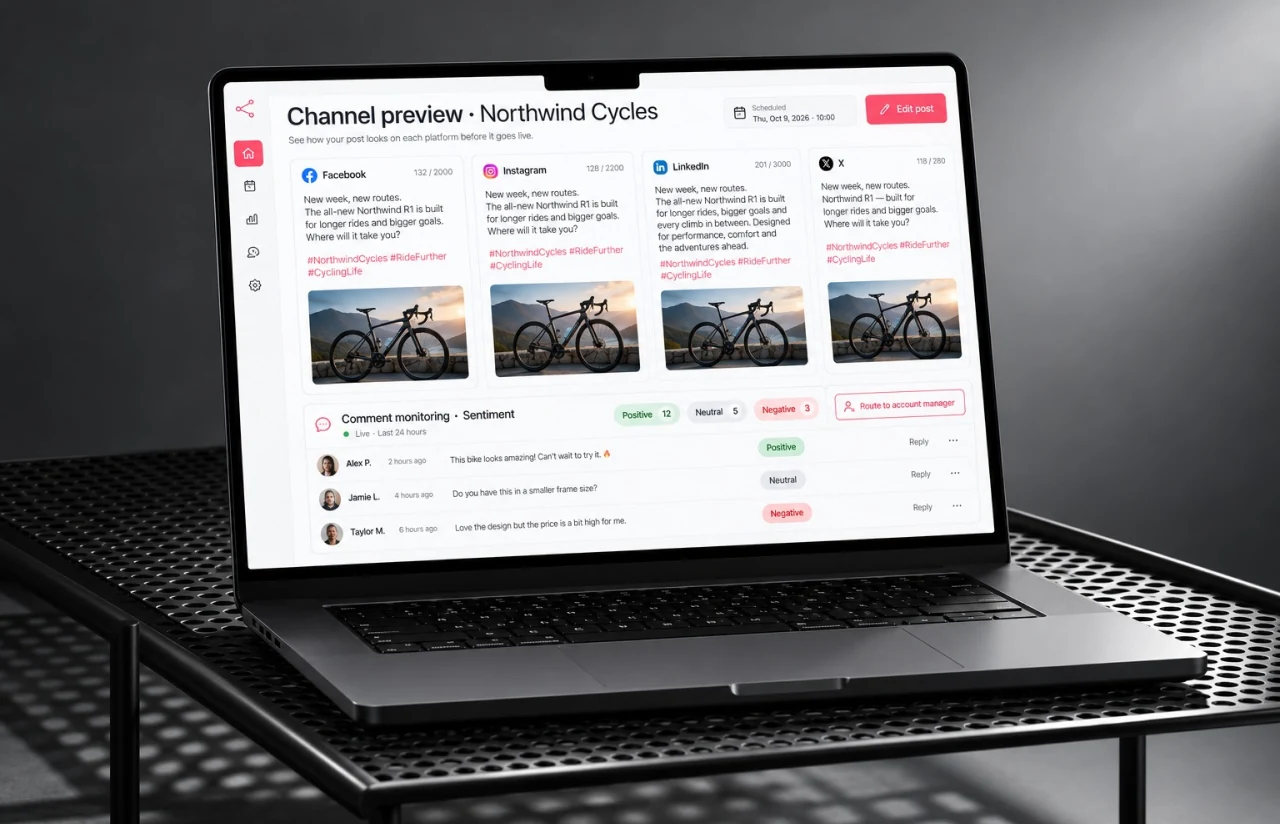
Have an n8n Automation Project in Mind?
If you want an n8n social media automation system for your agency or a workflow that links the tools your team currently uses and keeps your data on your own servers, let us know what you post, where it is approved, and how many pages you operate, and our specialist will reply to you within 48 hours with a scope and a price.
Thank you for your message. It has been sent.