




How We Built an AI-Powered IELTS Speaking Practice App
- Score returned in about 6 seconds
- 96% transcription accuracy across accents
- ±0.5 band agreement with tutors
- 500 concurrent recordings supported
Most test takers rehearse alone and never know whether their answer would earn a 6 or a 7. We built an IELTS speaking practice app that listens to a recorded answer, transcribes every word, and returns separate scores for content, pronunciation, and fluency.
Request similar solution
Project Details
The client is an international EdTech company selling English exam preparation in markets where a band score decides university admission and visa eligibility. Two in-house tutors graded practice recordings by hand, and learners waited two to three days for comments they could barely connect to their answers.
 Client
- International EdTech Company
 Industry
- Education Technology, English Language Learning
 Solution
- AI-powered IELTS speaking practice and assessment
 Service
- AI/ML Development, Speech Recognition, NLP, Mobile Development, QA
 Platform
- Mobile (iOS, Android) with web dashboard
 Scope
Scope- Discovery, ML/AI, Backend, Mobile, QA
 Duration
- ~7 months
 Location
- US
Business Challenge: Creating an Effective IELTS Speaking Assessment App
Before we started, grading happened the slow way. Two tutors listened to recordings in the evening, typed comments into a shared spreadsheet, and sent them out the next morning. Forty attempts a day was the ceiling. Every marketing push made the backlog worse, and students who had paid for the speaking section kept asking why feedback on a two-minute answer arrived after the weekend.
-

Transcription Across Strong Accents
Learners speak with regional accents, and general-purpose speech engines dropped short words or invented them outright. One bad transcript ruins every number that follows it, so ielts scoring had to start with word-level accuracy instead of sentence-level guessing.
-

Scores in Seconds, Not Days
Feedback that lands two days later does not change how anyone speaks. The result had to appear while the answer was still fresh in the learner’s head, which ruled out overnight batch jobs and any workflow with a human examiner in the middle of it.
-

Growth Without Hiring Tutors
Each new market meant more recordings and more experienced IELTS tutors on payroll. The client needed grading capacity tied to server time rather than headcount, at a per-attempt cost low enough to print on a pricing page.
Technologies Behind the IELTS Scoring App







Our IELTS Prep App Solution
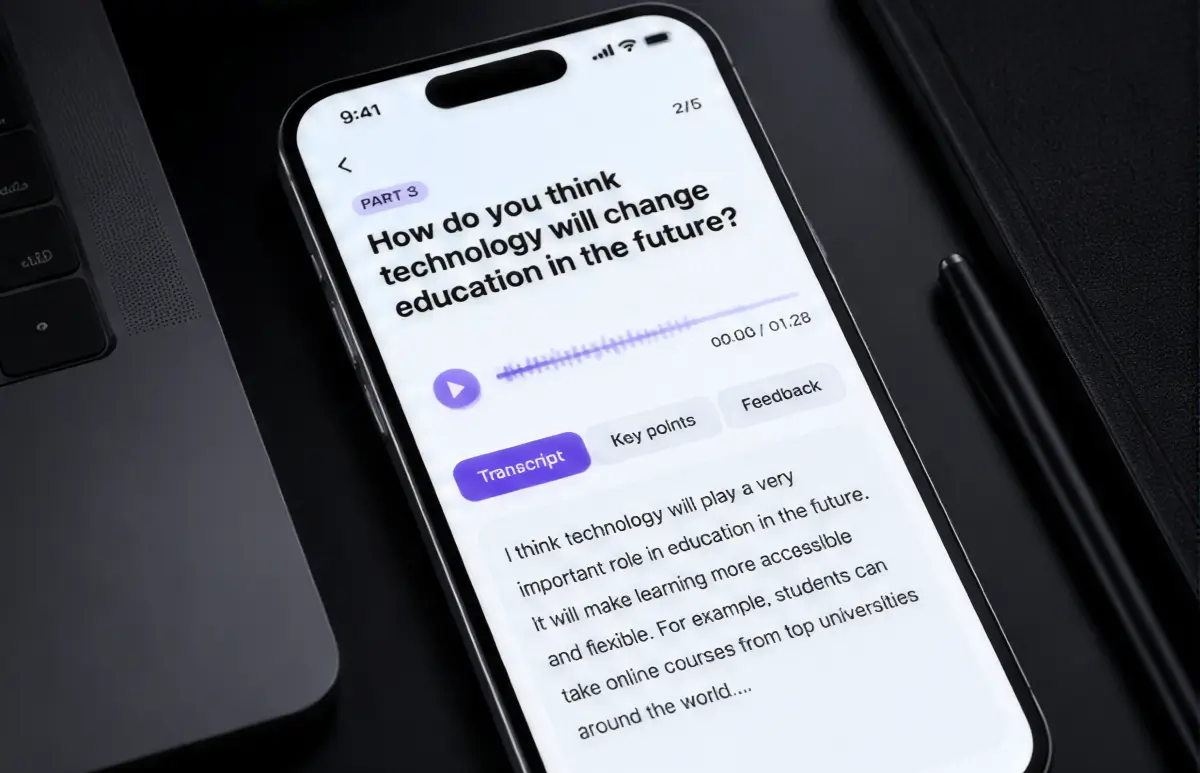
The brief was an IELTS practice test app designed as a rehearsal tool to help learners prepare, not a quiz. The app records the answer, uploads it in chunks while the learner is still talking, and starts transcription before the recording ends. By the time the stop button is tapped, most of the audio already exists as text.
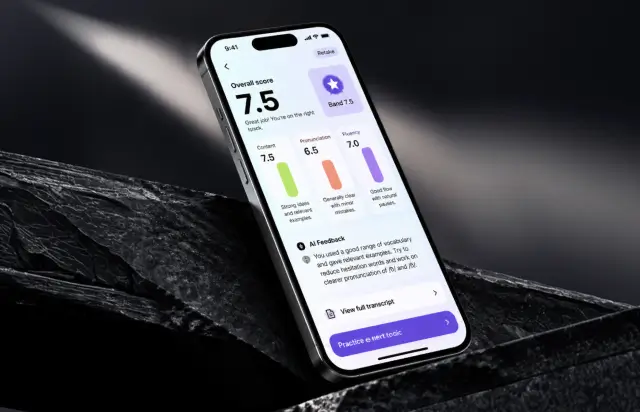
Scoring runs on three criteria that map to what an examiner weighs in the IELTS exam. Content checks whether the answer stays on the IELTS speaking topic and gives relevant and extended answers instead of one-line replies. Pronunciation reads phoneme-level clarity from the Whisper output. Fluency measures pace, pausing, self-repair, and a few other factors. Vocabulary sits inside the content score, where a thin answer and a phrase repeated four times both cost points. The three roll into one overall number from 0 to 100, which the app maps to a band score range.
-
Instant three-criteria scoring
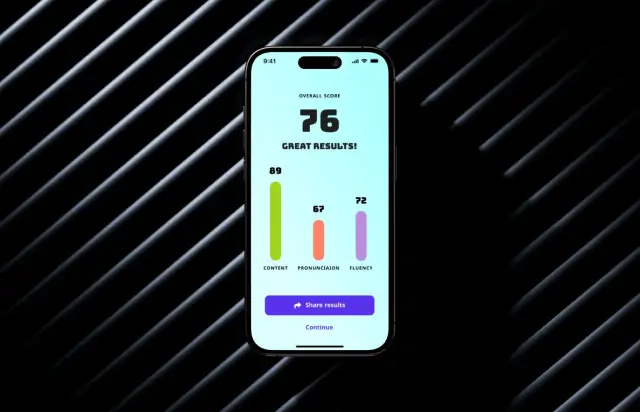
Content, pronunciation, and fluency each get their own bar on the results screen, then combine into one overall score. A learner sees at a glance which criterion is holding the band score down and what to practice next.
-
Accurate transcription of every answer
Whisper transcribes each recording at roughly 96% word accuracy across the 30-plus accents in our test set. The full transcript sits under the score, so learners read back the sentences they actually said rather than the ones they meant to say.
-
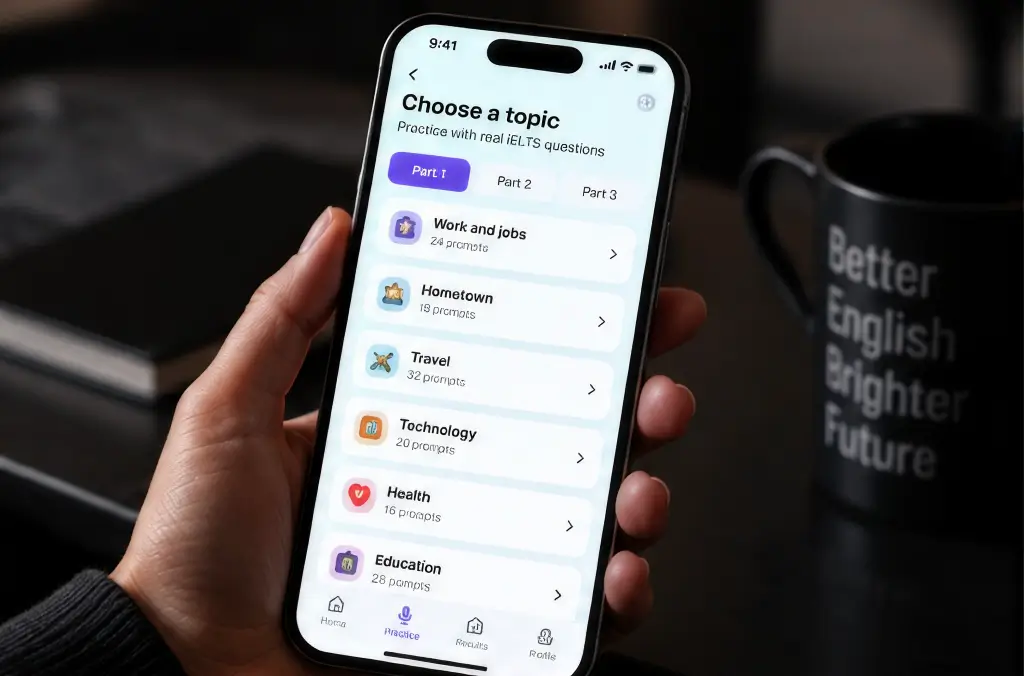
Prompt library for Parts 1 to 3
A rich collection of 600-plus prompts covers 40 IELTS speaking topics, familiar and abstract, and learners can access the set across mobile devices. Part 3 cards push for opinions and developed ideas. The app supports both quick drills and full speaking-test runs. Learners practice IELTS speaking from a text or audio prompt, which means listening first, then answering.
-
Written feedback and model answers
GPT-3.5 Turbo turns raw scores into three or four sentences of advice, then shows 700 unique model answers with useful phrases at roughly one band higher. Grammar slips and thin vocabulary get flagged with the exact phrase from the transcript, so feedback points at a real lexical resource gap instead of a generic tip.
-
Progress chart across attempts
Every attempt is stored, so the progress chart helps learners understand their estimated band score trend and find frequent mistakes over time as fluency and pronunciation move across weeks. Learners who logged 20 or more sessions gained an average of 9 points on their overall score.
-
Shareable result cards
One tap turns a result into an image for friends, study groups, or a teacher. Roughly 14% of sessions end with a share, and shared cards became the cheapest acquisition channel in the first quarter after launch.
Grading by hand does not survive growth.
Book a discovery callProject Journey
Work ran in two-week sprints with a demo at the end of each one. The first four went entirely to data: scraping, cleaning, and getting three tutors to re-grade a shared sample so the model had a consistent target to learn from. Sprints five through nine built the scoring service and the mobile client in parallel, which is where most of the schedule risk sat. The final stretch covered accent testing, latency work, and the design pass that produced the results screen.
- Week sprint cycles
- 2
- Sprints completed
- 14
- of sprints delivered on schedule
- 92%
- Team members
- 7
How the IELTS Speaking Practice App Works
-
Pick a text or audio prompt
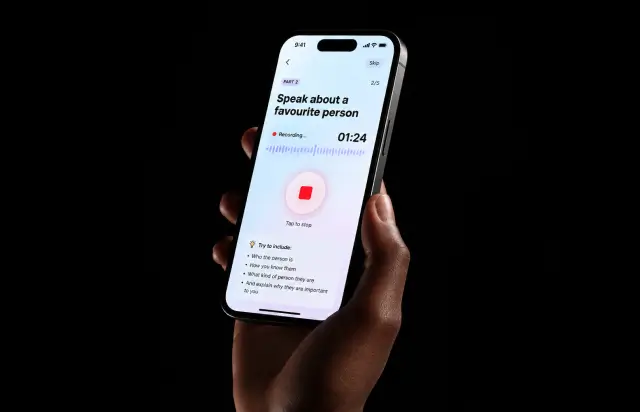
The learner opens a topic from Part 1, 2, or 3 and can work through all the questions on one card. Part 2 asks them to describe a place, a person, or an event, exactly like the actual exam.
-
Record the spoken answer
One purple button starts the mic. Audio uploads in four-second chunks while the answer is still going.
-
Whisper returns the transcript
Transcription finishes about 1.5 seconds after the recording stops. Median word error rate held near 4% in the accent test set.
-
Models grade three criteria
T5 scores content against the prompt. Acoustic features drive pronunciation and fluency. All three run in parallel, not in sequence.
-
Results appear on screen
Overall score, three bars, and written feedback land in real-time, roughly 6 seconds after the learner stops talking.
-
Progress chart updates
The attempt is saved to history, the chart redraws, and the weakest criterion suggests which speaking topics to try next.
Development Process Flow
Every sprint closed with a demo on a real recording, not a slide. Model changes shipped behind a feature flag so the academic team could compare old and new scores on the same 200-sample set before anything reached users. Our machine learning engineers kept a regression suite of graded answers that had to stay within a ±0.5 band after every retrain, and two of the fourteen sprints ended with a rollback because it did not.
Inside Each Sprint
-
Daily Scrum
15-min sync every morning
-
Retrospective
Inspect & adapt process
-
Sprint Review
Demo to stakeholders
-
Increment
Shippable product update
How We Delivered the IELTS Speaking Assistant App
-
Discovery and data audit
We counted what the client already had: about 4,000 tutor-graded recordings, most of them without a rubric attached. Two sprints went to labeling before any modeling started.
-
Model selection and benchmarking
Three transcription engines ran against the same 500 recordings. Whisper won on accented speech by a wide enough margin that the decision took one afternoon.
-
Scoring service build
Python service on GPU instances, with the three criteria as separate scorers behind one endpoint. Cold start dropped from 40 seconds to under 4 after we pre-loaded weights.
-
Mobile app build
iOS and Android from one codebase, with chunked upload and local caching so a dropped connection never costs the learner their answer.
-
Accent and load testing
Roughly 350 test cases across 25 device and OS combinations. Load tests pushed 500 concurrent recordings with p95 latency under 9 seconds.
-
Launch and monitoring
Scores, latency, and drop-off per prompt feed a dashboard the client’s academic lead checks weekly. Drift alerts fire when average scores shift more than 3 points week over week.
UI/UX Design: Intuitive Interface for IELTS Speaking Practice
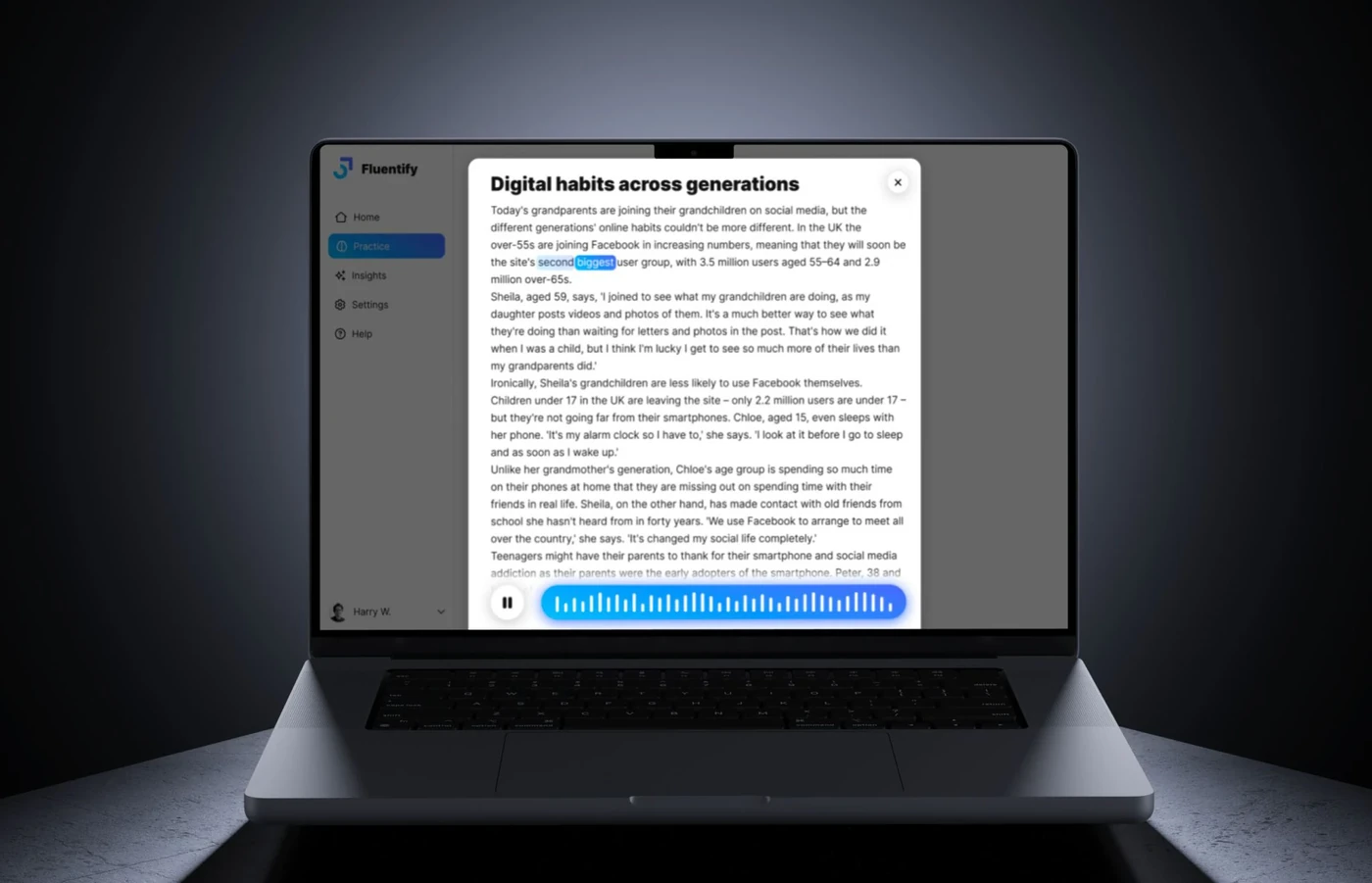
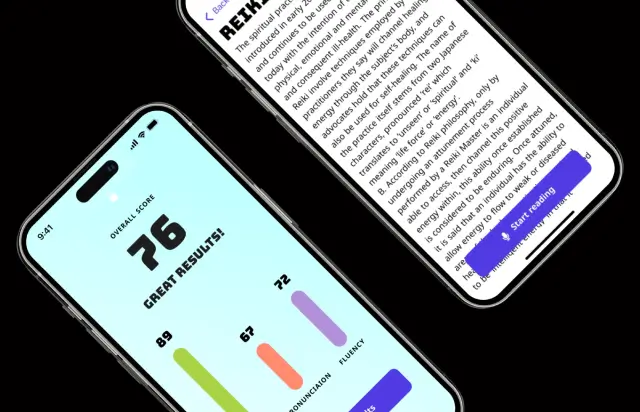
The reading screen shows one thing: the passage, set large enough to read at arm’s length, with a single purple Start reading button pinned to the bottom. No timer, no counters, no tips crowding the margin. Anxiety is the enemy of fluency, and early testing showed that on-screen countdowns made people rush the first two sentences of an answer.
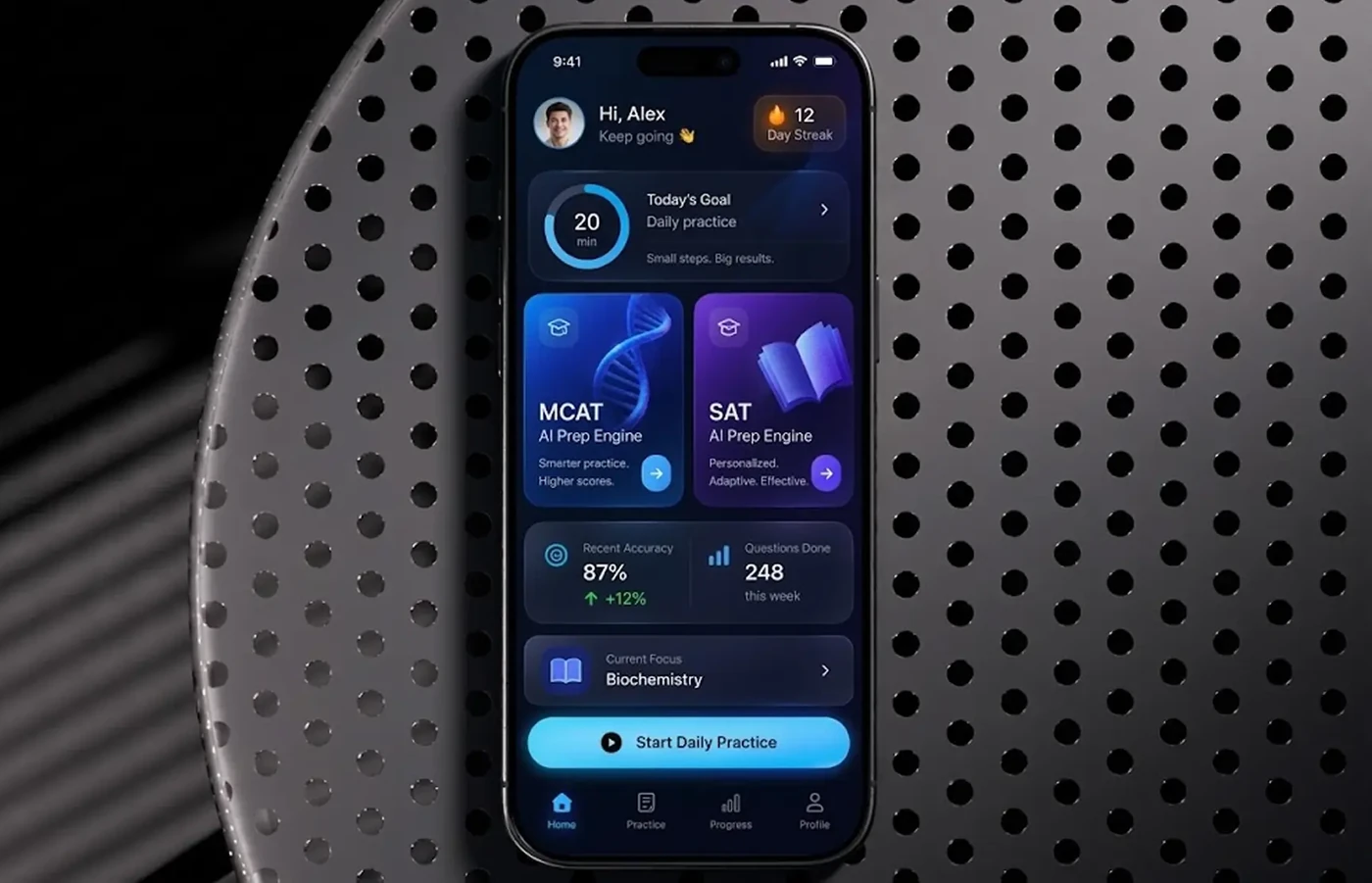
Results use a chart instead of a paragraph. The overall score sits at the top in condensed display type, then three colored bars for content, pronunciation, and fluency, each labeled with its own number. Green, coral, and lilac stay locked to the same criterion everywhere in the app, so a learner reads the shape of the result before reading any words.
Two actions close the screen: Share results and Continue. An earlier version carried four buttons, including retry and a link to the full transcript, and completion of the next attempt fell by about 11%. Cutting the options back put it right. Part 2 prompts about festivals and food, for example, also surfaced cultural differences in what counts as a complete answer, so two graders relabeled those cue cards instead of one.
Results
Before
- Feedback in 2 to 3 days
- 40 graded attempts per day
- $18 to $25 per graded attempt
- Two tutors grading every evening
- Comments buried in a spreadsheet
- Scores varied between graders
- Speaking practice sold as a paid add-on
After
- Score in about 6 seconds
- 500 concurrent recordings supported
- Under $0.20 per attempt
- Zero tutor hours per attempt
- Progress chart per criterion
- ±0.5 band agreement on 88% of samples
- Unlimited practice on the standard tier
Impact of the IELTS Speaking Test App After Launch
In the first quarter after release, learners in 133 countries recorded about 210,000 answers, roughly 480 times what the tutor pool could have handled in the same period. Median time from stop to score settled near 6 seconds, and p95 stayed under 9 seconds through the evening peak. The IELTS speaking practice app also changed who could afford to rehearse: attempts moved off the paid add-on, and repeat usage climbed to 11 sessions per active user per month.
Learners now sit a full IELTS speaking test simulation that mirrors the official IELTS speaking test structure and timing, all three parts in one run, and get feedback on each part separately. The client’s academic staff spot-check 200 results a month against their own graders, and the gap has stayed inside half a band since launch. New cue card sets and speaking topics are updated three times a year to keep practice current. Store reviews keep landing on the same phrase: a useful app for the ten minutes before bed.
Your rubric can become a model.
Talk to our AI teamVerified Reviews
Our Reputation on Top Platforms
Clutch rates LITSLINK 4.8 out of 5 across more than 70 reviews and lists us as a Top Developer. GoodFirms shows the same 4.8 across 30-plus reviews, where clients highly recommended the team for AI and machine learning work.
Have an AI EdTech Project in Mind?
Building an AI-powered learning app, speaking coach, or assessment platform? We have delivered e-learning platforms and AI solutions for EdTech companies since 2014, helping teams turn educational workflows into scalable products. Tell us what you are working with, and our specialist will get back to you within 48 hours.
Next steps:
- LITSLINK specialist reviews your request and contacts you to discuss the details;
- If needed, we can sign an NDA before moving forward;
- We send a project proposal – estimates, timeline, and team CVs included;
- After launch, we stay on for any updates your product needs.
- 48h Response
- 1540+ Projects
Thank you for your message. It has been sent.