






How much do you know about custom mechanical keyboards? We thought we knew a fair bit, until we spent a day at Mechanicon in Frankfurt and came home with a list of new favorite switches. For modern enthusiasts, a keyboard is a highly personalized engineering project. You build it, take it apart, and iterate until the acoustics and feel are perfect. The event turned ten this year. This is the longer follow-up to our LinkedIn recap. You’ll learn how custom boards feel to type on, which features matter, how the switch types compare, which six boards we’d pick, and how to build your own.
Inside Mechanicon 2026: What the LITSLINK Team Discovered
Mechanicon took place on October 17 in Frankfurt. It’s the biggest meetup for mechanical keyboard fans in Europe, and this was its tenth year. 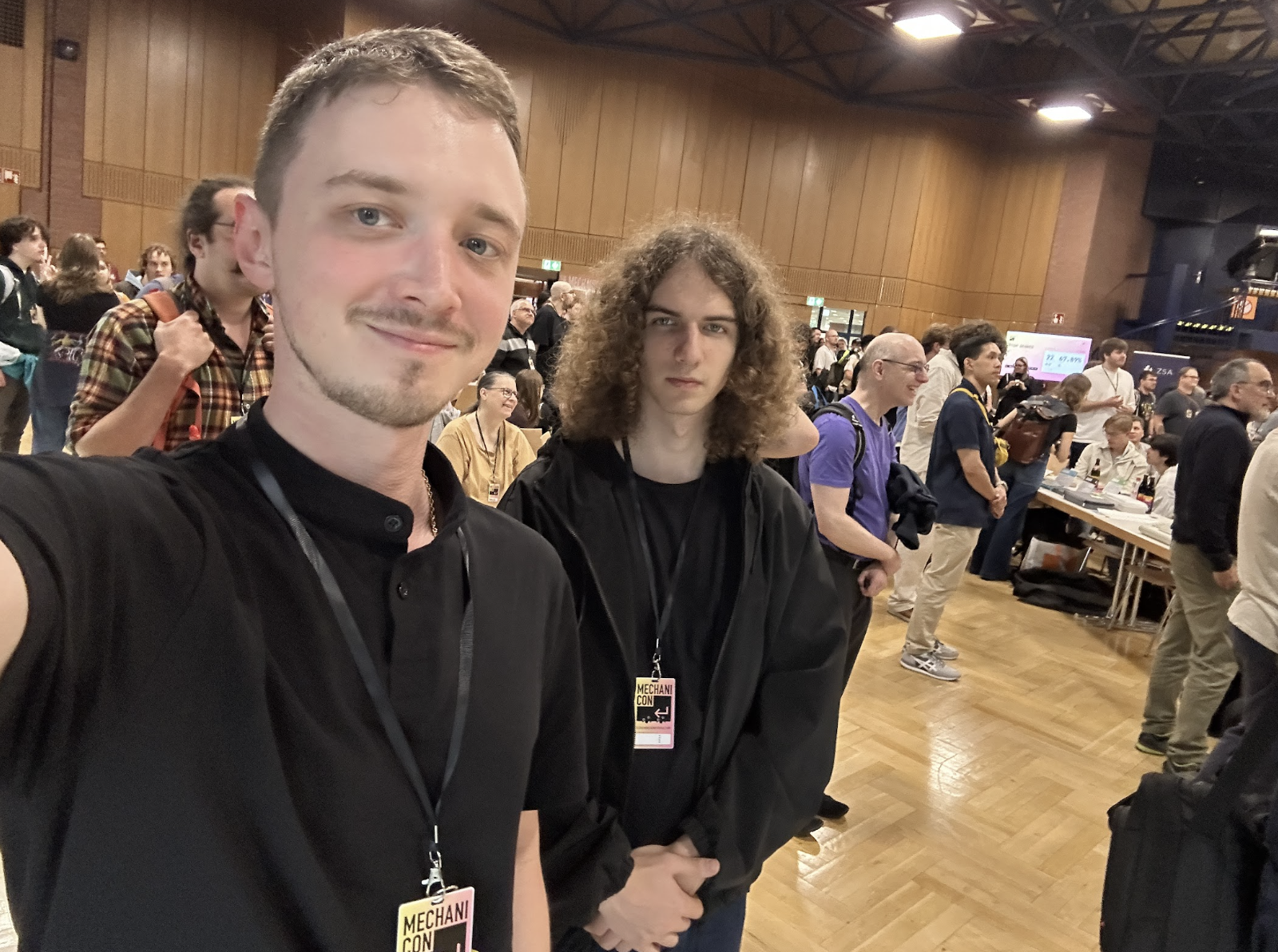
Oleksandr Pavlovskyi and Roman Haiduk of LITSLINK on the Mechanicon floor, Frankfurt, October 17, 2026.
Key Takeaways From the LITSLINK Team
A lot of engineers get hooked on keyboards, and we think we know why. A good board is a bit like clean code. Nothing’s hidden, and if something bothers you, you can open it up and fix it yourself. People in this hobby also don’t buy blind. They press one switch, then the next, then go back to the first, and only after that do they pay. Underneath much of it sits open-source firmware, mainly QMK and ZMK, and some shops, Kamo, for example, send part of what they earn back to those projects. Ready to pick your own? Here’s where we’d start.
What Is Mechanicon
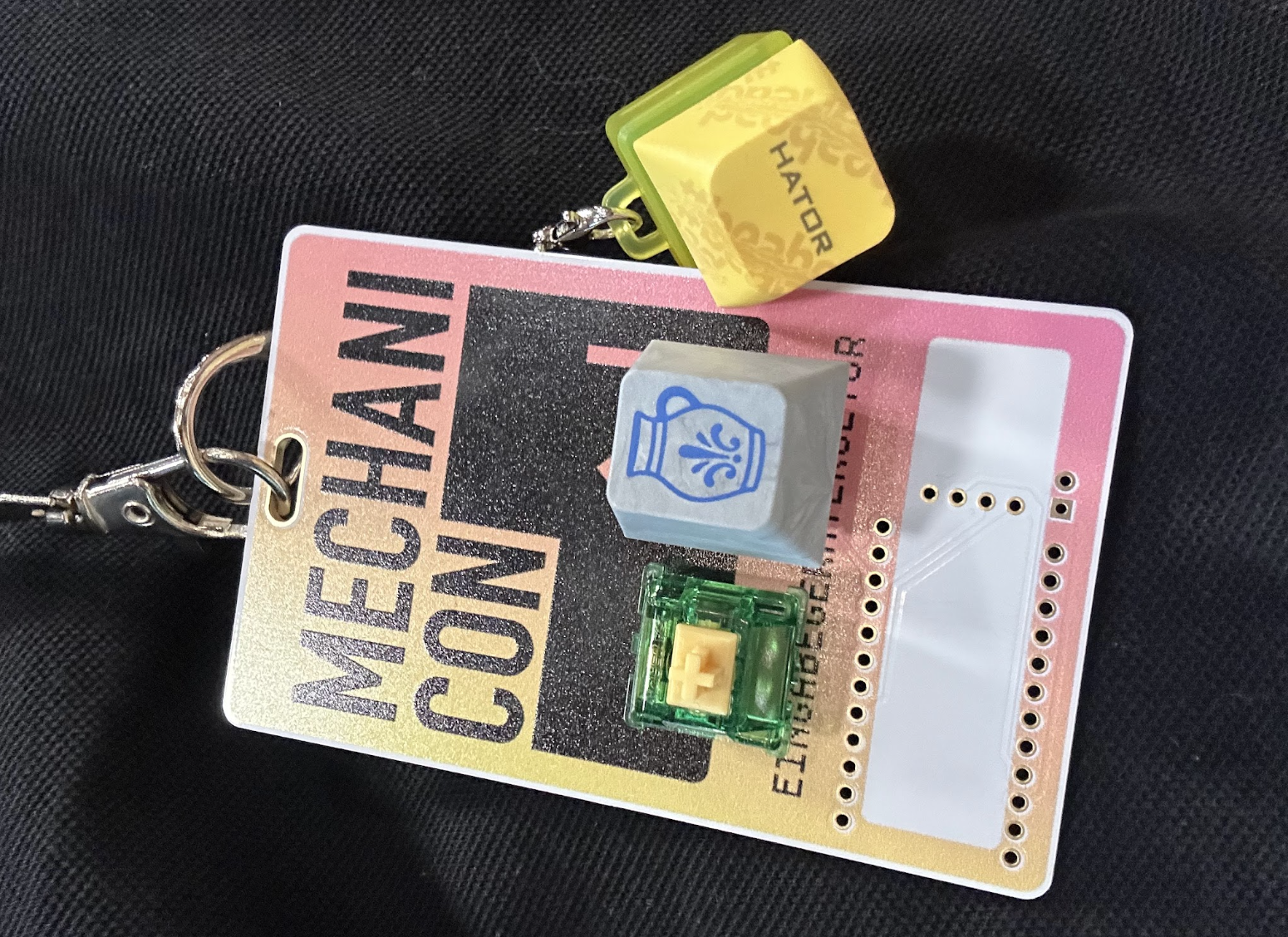
In 2016, three programmers who had just gotten into the hobby couldn’t find anyone nearby who shared it. Keyboards then had to be ordered from shops in the U.S., Japan, or South Korea, with high shipping costs, import taxes, and almost no way to return anything, so the founders wanted a place where people could try a board before buying it. They gave the first meetup the tongue-in-cheek name “Mechanicon,” expected about a dozen people, and more than 60 came.
Since then, the event has kept growing: 380 in 2023, about 400 in 2024 and about 500 in 2025. Last year’s edition set a record with 650 keyboards on the exhibition floor and 667 free tickets booked. Admission is still free, the event is run by volunteers, and since 2026 it is organized by a registered non-profit.
What We Saw and Tried
On paper, Mechanicon looks like a small event, but the hall was packed and loud, in a good way. Oleksandr Pavlovskyi and Roman Haiduk, from LITSLINK’s infrastructure and engineering teams, spent the day going from table to table. Visitors bring their own keyboards, so you can try almost everything on the spot, and that made one thing easy to feel. The keycap is only the cover, while the switch is the mechanism that decides how a key feels and sounds. The case material and the keycap plastic matter too, but the switch has the biggest effect. Oleksandr and Roman’s favorites: Akko Bittersweet (tactile), Akko CS Silver (linear), MX Blue (clicky), and KTT Kang Ash Gray (tactile).
Upstairs, in the GMK Room, the program ran talks through most of the day. Erez Zukerman of ZSA spoke about how a small company making high-end keyboards survives, and why listening to other people matters as much as believing in your own ideas. Thomas Pollak showed the PolyKybd Split72, a split keyboard where each key has a small display showing what it does, a project that took him six years to finish. Cherry also used the event to launch its MX Emerald Reef switch.
Why a Keyboard Is the Most Underrated Tool on Your Desk
Write code or text for a living, and you’ll hit keys thousands of times before lunch. Whether your wrists ache by evening, how quickly you get through the work, and even whether you enjoy it depends partly on what’s under your hands. And yet most of us type on whatever came in the box with the laptop.
Typing Experience and Comfort
Typing experience comes down to four things:
- Key travel, or how far the key goes down. On most mechanical boards, it’s about 4 mm.
- Actuation force, or how hard you press before the letter shows up. Lighter switches are kinder to your fingers.
- Tactile feedback, a small bump or click when the press counts. Not every switch has one.
- Sound profile, which can be anything from a quiet thud to a loud clack.
Each key sits on its own switch. That’s why they all feel the same, and why good switches last for tens of millions of presses.
Sound, Feel and Quality
The “feel” of a keyboard comes from several layers. Outside, there’s the case. Plastic, aluminum, brass: the heavier it is, the lower it tends to sound, and it won’t creep across the desk when you type hard. Under the keys, a plate holds the switches in place. A flexible plate gives you softer keys; a stiff one gives you firmer keys. Then there’s foam, stuffed into the gaps inside, doing roughly what a rug does in an empty, echoey room. The switches and keycaps go on last, and your fingers actually touch those parts.
Enthusiasts describe sound with two words. “Thock” is the deep, muffled one; think knuckles on a wooden door. “Clack” is brighter and snappier, more like an old typewriter. People will argue for hours about which is nicer. It’s taste, really, but it’s taste you’ll be listening to from nine to six, so it’s worth getting right.
The Community Behind Custom Keyboards
Custom keyboards are a hobby with its own vocabulary, events, and small rituals, like the “sound test” video every new build gets. Once you know words like “thock,” “lube,” and “endgame,” you can follow half the conversations online.
Group buys are how a lot of this stuff gets made. People pay in advance for a board or keycap set, and the factory starts only once there are enough orders. Many keycap sets get one production run, so if you miss it, expect to pay more on a resale site later. Advice and spare parts travel through forums and Discord, and on build streams you can watch someone put a board together switch by switch. kbd.news listed three 2026 meetups: Toronto on July 11, Copenhagen on August 8, and Bologna on October 10.
“Developers like custom boards because they can program macros, add layers of extra functions, and fit everything on a compact layout. Gamers care about speed and response, and both groups want full control over a tool they use for hours every day.”
Viacheslav Petrenko, Chief Technology Officer at LITSLINK

Customization is also a way to make the board yours. Keycap plastic comes first: PBT lasts for years without going shiny, and ABS gets brighter colors and sharper lettering. After that it’s personal. Themed sets, RGB that shows your active layer (or just matches the desk), keycaps in your own language. Type in Ukrainian and English? There are sets with both alphabets.
Mechanical Keyboard Market in 2026: Key Numbers
Keyboards like these used to be niche. Not anymore, though nobody agrees on the market size.
- Research and Markets: USD 2.04B this year, USD 3.09B by 2030 (11% CAGR). This is the more conservative starting figure but the faster growth forecast.
- Mordor Intelligence: USD 2.66B for 2026, USD 3.43B for 2031. It starts higher but expects slower growth over the long term.
- Gaming and esports buyers make up roughly 59.75–64% of revenue (2026 market overview). Gamers still drive most sales, even as more office users switch.
- Full-size boards hold the biggest slice, 41.85%, but 65% boards grow quickest, at 8.23% CAGR through 2031 (Mordor). Small boards are gaining.
That puts the 2026 market somewhere between USD 2 and 2.7 billion. The figures differ because each firm uses its own research method and draws the line around “mechanical keyboards” a little differently.
Key Features of Custom Mechanical Keyboards
A store-bought keyboard stays mostly as it came. With a custom one, you pull switches out of hot-swap sockets without soldering, swap most other parts, and remap any key in the firmware. Anyone in software knows this choice: build your own tool or buy an off-the-shelf one.
Layout and Size
Sizes go by how much of a full keyboard is left.
- Full size has everything, number pad included. Good if you work with numbers all day.
- TKL (tenkeyless) drops the number pad, which gives your mouse more room. Function keys stay.
- 75% keeps the function row and arrows but packs everything tighter. Developers who use F-keys a lot like it.
- 65% drops the function row and keeps the arrows, a popular size for people who want a small board without learning many shortcuts.
- 60% drops the arrows as well and puts them on a second layer, so it suits people who don’t mind holding a key to reach them.
Compact layouts save desk space and keep the mouse closer to your body, which is easier on the shoulder. They’re also catching on: according to the Mordor figure above, the 65% segment is the fastest-growing size, at 8.23% CAGR through 2031.
Gasket Mount and Build Materials
Mounting is how the switch plate attaches inside the case. In a simple tray mount, it’s screwed straight to the bottom of the case, so every keystroke hits something hard. In a gasket mount, rubber or foam strips hold the plate, and it moves slightly. Presses feel softer, less vibration reaches the case, and the board sounds quieter and lower. The material of the case and plate changes both sound and weight:
| Material | Weight | Sound | Feel |
|---|---|---|---|
| Polycarbonate | Light | Soft and deep | Flexible, cushioned |
| Aluminum | Medium | Balanced and crisp | Firm, the most common choice for premium boards |
| Brass | Heavy | Bright and sharp | Very stiff, mostly used for plates and weights |
Long keys like the spacebar, Shift, and Enter sit on small wire parts called stabilizers. Without them, press the spacebar near one end, and it tilts. Tune them well, and the rattle goes away too.
Programmable Keys, QMK and VIA
QMK is open-source firmware, and lots of custom boards run it. With it, you choose what each key does. VIA is the app on top, and your changes apply right away with the board plugged in, no reflashing. Developers often put IDE shortcuts on a second layer: one key comments out a line, another runs the tests. If you type in English and Ukrainian, one key can switch between them, and a macro can type out your email signature or a code template.
Wireless Connectivity
Bluetooth works with nearly anything, and many boards remember a few devices. It’s also the slowest option, and some boards stutter briefly after waking up. 2.4 GHz is almost as quick as a cable, but its USB receiver takes a port and ties you to one computer. A cable is fastest, never needs charging, and only wired boards reach the top polling rates. Our take: wireless for a clean desk or for jumping between devices, wired for competitive games.
Rapid Trigger and Hall Effect Switches
Instead of metal contacts, Hall effect switches have a magnet and a sensor, so the board can tell how far down each key is at any moment. Rapid trigger relies on that. The key resets as soon as it starts coming up, and you can hit it again without fully lifting your finger. Wooting, Keychron, and SteelSeries say their boards let you set the actuation point between roughly 0.1 and 4.0 mm. The Wooting 60HE+ polls at up to 8,000 Hz, while a typical gaming keyboard polls at 1,000 Hz. Glorious lists rapid trigger at 0.1 mm resolution and hot-swap support. Keep in mind these are the makers’ own numbers. Where does it matter? Mostly in competitive shooters, where a few milliseconds when stopping or turning can decide a fight.
Custom Mechanical Keyboards Switch Types Explained
Want a board to feel different? Change the switches. They shape both the feel and the sound of every press, and the same case and keycaps can become a different keyboard once you change the switches.
Linear, Tactile and Clicky Switches
Almost every switch falls into one of three types.
| Type | Feel | Sound | Best for | Watch out for |
|---|---|---|---|---|
| Linear (e.g. Cherry MX Red) | Smooth, no bump | Quietest of the three | Gaming, fast repeated presses | No tactile cue when the key registers, so accidental presses are easier |
| Tactile (e.g. Cherry MX Brown) | Small bump when the key registers | Medium | All-round typing and office work | Repeated presses can feel slightly slower than on linear |
| Clicky (e.g. Cherry MX Blue) | Bump plus an audible click | Loudest | Typists who like strong feedback and work alone | Noise in shared spaces |
How to Choose Switches for Your Typing Style
Start with where you work. In an open office or on calls, linear or tactile switches keep noise down, while clicky switches make more sense at home. Then think about how much you type: if you write code or text all day, a light tactile switch gives feedback without tiring your fingers. For gaming, linear switches or Hall effect boards respond fastest to repeated presses. If noise is a real concern, most switch types have silent versions with small dampers inside that soften the sound.
A hot-swap board makes this easier because its sockets let you pull switches out and swap them in without soldering. Before you buy a full set, get a switch tester, a small block with a few different switches, and press each one for a while. It costs much less than 70 switches you might end up disliking.
Best Custom Mechanical Keyboards: Our Top Picks
We chose these boards for their sound, build quality, price, software, and post-sale support. Prices change often, and many boards sell out, so check the current stock and the total cost with shipping before you order.
Best Affordable: Swagkeys Eave65 Plus
The Eave65 Plus is an entry-level 65% kit with underglow, and one of the cheapest ways into the hobby. It sells for $49.90 at one store and $59 at Divinikey, where it’s currently sold out. Divinikey ships from California and charges no tariffs at checkout, so the final price may differ from what you’d pay for an import.
Best for Beginners: Omnitype Bauer Lite
The Bauer Lite is a 65% board with an injection-molded polycarbonate case, priced at $119.99, and made in the USA. It has a hot-swap USB-C PCB, so you can try different switches without soldering. The kit does not include switches, keycaps, or stabilizers, so set aside extra money for them, and expect popular colorways to sell out.
Best Customizable: KBDfans Tofu65 3.0
The Tofu65 is a common starting point for people who like to modify their boards. KBDfans lists a custom color edition at $76.29, and Keeb Finder shows prices starting at $59, plus a dual-mode battery PCB for wireless use. Treat $59 as the starting price, since each option you add, from the color to the PCB, raises it.
Best TKL: NovelKeys Classic-TKL
The Classic-TKL is a tenkeyless board with a retro look, and you can configure it through VIA. The kit retails at $89 and comes with an injection-molded ABS case, a polycarbonate plate, a hot-swap PCB, and pre-installed foam. If you’d rather skip the build, NovelKeys has also sold it pre-assembled since August 2026 as the Underscore Edition, for $189
Best 65% Overall: Qwertykeys Neo65 Core Plus
This is the board we’d recommend to most people looking for a 65%. It has a unibody aluminum case and two mounting options, a PCB gasket mount or a gummy O-ring mount, so you can change how it feels without buying a new board. Divinikey lists it from $75, but it’s sold only as a full kit with a PCB and plate, so the final price is higher. Extras such as a copper weight are sold separately.
Premium Pick: Bowl Keyboards Oblique
The Oblique is a 60% board offered in a long list of finishes, from a maker that was also a Mechanicon 2026 sponsor. Bowl Keyboards hasn’t published a fixed price, and Milktooth estimates about $400 for one colorway, so expect to pay around $400 on the secondary market.
| Keyboard | Price | Layout | Hot-swap | Wireless | Case material |
|---|---|---|---|---|---|
| Swagkeys Eave65 Plus | $49.90–$59 | 65% | Yes | No (wired only) | Polycarbonate |
| Omnitype Bauer Lite | $119.99 | 65% | Yes | No (wired only) | Polycarbonate |
| KBDfans Tofu65 3.0 | From $59 | 65% | Optional (hot-swap or solder PCB) | Optional (dual-mode PCB) | Aluminum |
| NovelKeys Classic-TKL | $89 kit, $189 pre-assembled | TKL | Yes | No (wired only) | ABS plastic |
| Qwertykeys Neo65 Core Plus | From $75 (full kit costs more) | 65% | Optional (hot-swap or solder PCB) | Optional (tri-mode PCB) | Aluminum |
| Bowl Keyboards Oblique | Around $400 (secondary market) | 60% | Optional (hot-swap or solder PCB) | Not listed | Not listed |
Before you buy, check five things:
- Support. If your PCB arrives dead or a screw is missing, will anyone answer your email?
- Stock. Is your colorway actually available today, or is there at least a real ship date?
- Brand reputation. Product pages always look great. Recent reviews and forum threads tell you more.
- Return policy. Check whether you can return a kit you’ve already opened.
- Configuration software. See whether it works with VIA or needs the maker’s own app, and whether that app runs on your system.
How to Build Your Own Custom Keyboard
A first build is easier than it looks, especially on a hot-swap board, where nothing needs soldering. Plan on one evening for it.
Step 1: Choose a Board and Layout
Size comes first, and the layouts above should help you choose. Next is the kit itself. Barebones gets you the case, plate, and PCB and nothing else, while bigger kits throw in more. Get hot-swap for your first one: a dead switch, or one you just don’t like, comes out in seconds. An affordable kit from the picks above, such as the Eave65 Plus or the Bauer Lite, is a good place to start.

Step 2: Pick Switches, Keycaps and Stabilizers
Start with compatibility. Switches come with either 3 or 5 pins, keycap sets need to cover your layout’s key sizes, and stabilizers come in plate-mounted and screw-in versions that have to match your PCB. Then decide on budget and sound: switches and keycaps together can cost as much as the board itself. Don’t skip good stabilizers, because a rattling spacebar is the first thing you’ll hear. Lots of kits come without all three, so read the box contents first.

Step 3: Assemble and Test
Stabilizers go in before anything else, because once the board is together they’re hidden under the long keys and annoying to reach. After that come the switches. Check the pins before each one goes in, because a bent pin won’t sit right in the socket. Keycaps go on next. Now plug it in. Some boards want new firmware or a quick setup in VIA at this point, and some don’t. Before you screw the case shut, open an online key tester and hit every single key. Tools? A keycap puller, a switch puller, tweezers. That’s all. On a budget, get a cheap kit and cheap switches now and upgrade later. Shops like Divinikey, KBDfans, and NovelKeys list what’s in each kit, so there are no surprises in the box.
FAQ
Is a mechanical keyboard worth it for work?
For people who type all day, we’d say yes. Every key sits on its own switch, so they all feel the same; they keep feeling that way for years, and you choose what that feel is. Barely type, or share a quiet office? A regular keyboard or a quiet linear board is fine.
What is the difference between a mechanical and a custom keyboard?
“Mechanical” is about the switches: one under each key. “Custom” is about who chose the parts. If you picked the case, plate, PCB, switches, and keycaps yourself, then the way it looks, feels, and sounds was up to you.
Which switch type is the quietest?
Linear switches are usually the quietest, tactile switches come next, and clicky switches are the loudest. A gasket mount and foam inside the case can lower the noise even more.
What is rapid trigger and who needs it?
Rapid trigger is a feature of Hall effect keyboards that resets a key as soon as your finger starts to lift, rather than at a fixed point. It mostly helps in competitive shooters, and for typing you can live without it.
How much does it cost to build a custom keyboard?
Entry kits like the Eave65 Plus or the Bauer Lite cost about $50–120, but they often don’t include switches, keycaps, or stabilizers, so a finished build costs more. Premium boards such as the Oblique run to several hundred dollars.
We don’t make keyboards, but the care we saw on the tables at Mechanicon is the same care we try to put into the software we build. If you’re planning a product and want a team that pays attention to the small things, tell us about your project or book a free discovery call.