





Building Healthcare Workflow Automation Software with RPA
- 40+ partner facilities connected
- 6 min median patient intake
- 3 days from request to confirmed date
- 94% of sprints on schedule
A patient asks for a procedure. The next eight days go to chasing documents, quotes, and signatures. We built healthcare workflow automation software for a US care network, so every on-demand surgery request moves through one pipeline, with full RPA underneath.
Request similar solution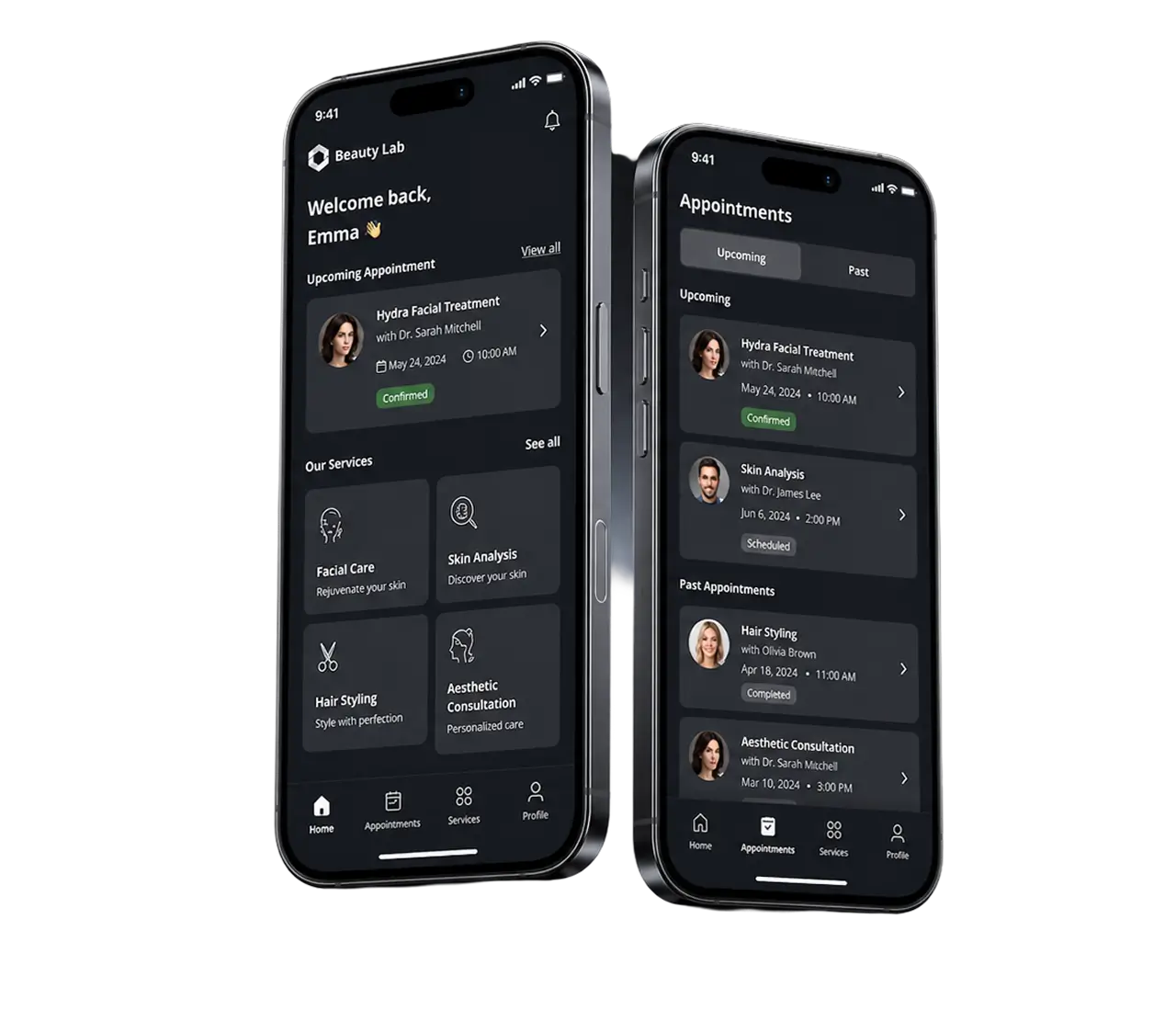
Project Details
The client runs a specialty care network headquartered in the United States, working with genetic and research institutes on both sides of the Atlantic. Their patients need procedures that no single clinic performs end to end, so every case moves between facilities, labs, and payers before anyone books a date.
 Client
- Beauty Lab
 Industry
- Healthcare & Life Sciences
 Solution
- An intelligent solution for the management of individual patients' requests, running on full RPA
 Service
- Full-Stack Dev + Product Design + Business Analysis + Full-Cycle QA + Publishing
 Platform
- Web admin panel (Vue.js), iOS and Android app (Flutter)
 Scope
Scope- Product design, frontend, backend, RPA and AI modules, QA, compliance, release
 Duration
- ~9 months across two releases
 Location
- US
Business Challenge: Administrative Bottlenecks Across a Regional Health Network
Forty-plus facilities, four coordinators, one shared spreadsheet. That was the operating model when the client walked in. Clinical workflows inside each facility ran well enough. The healthcare workflows between them did not.
A single request passed through seven people before anyone confirmed a date. The coordinator retyped the patient’s details, chased scans and ID documents, forwarded the file to two or three clinics, waited on quotes, then rebuilt the same package for finance and compliance. Median time from submission to a confirmed date sat at 11 days, and roughly half of that went to waiting on paperwork the network already held somewhere.
Leadership wanted to triple volume. Under manual processes, that meant tripling headcount, and the administrative burden was already the reason two coordinators had quit that year.
The documentation burden reached clinicians as well. In this network, physicians spend more of their admin time on consent forms and cross-border paperwork than on charting, and none of that time reaches direct patient care. Inside the operating rooms, clinical workflows had been redesigned twice in five years. The operational workflows around them, the ones that decide whether a patient waits four days or fourteen, had never been touched. Healthcare organizations that grow faster than their operational workflows all land in the same place, and health systems of every size hit that wall eventually. The cross-border piece is what made it urgent here.
-

Requests Buried in Inboxes
Three shared inboxes and a spreadsheet held every active case. About 32% of submissions arrived incomplete, and communication breakdowns between intake and the clinics added two follow-up rounds before anyone could quote a price.
-

Cross-Border Transfers Stalled
Sending one file to a partner institute in Europe took six signed forms and a legal review, so transfers ran 8 to 12 days. Regulatory compliance was manual, and when auditors asked who had opened what, nobody could produce a trail.
-

No Single Case Record
Clinicians, billing, and compliance each kept a copy of the medical history. Versions drifted, staff repeated manual data entry by hand, and human errors surfaced as double-booked rooms and invoices sent twice.
Technologies Behind the Healthcare Workflow Automation Platform


Our Healthcare Workflow Automation Solution
One question shaped the architecture. Where does a request stop moving, and why? We mapped 43 handoffs between the patient, the coordinator, the facility, the lab, and finance. Twenty-nine of them existed only because a person had to copy something from one screen into another.
So we automated those twenty-nine. The platform runs a five-step pipeline that mirrors how the network already worked, and robotic process automation handles the copying, checking, and notifying between steps. Coordinators keep the judgment calls. Bots take the repetitive workflows nobody wanted in the first place, which is the part of healthcare workflow automation that gives a team its hours back.
Two kinds of workflow live in this product. Clinical workflows belong to the facility, and we left them alone. The healthcare workflow that crosses organizations belongs to nobody, which is precisely why it breaks, so the platform took ownership of that layer: intake, routing, consent, payment, check-in. Facilities keep their clinical workflows. The network finally has a healthcare workflow between them.
Intent and action had been living in different places. A coordinator would decide that a case should go to three clinics, then spend 40 minutes making that decision real across email, a spreadsheet, and two portals. Now the decision is the action. One click routes the case, and the automated workflows behind it handle notifications, document requests, and the billing record.
None of this came from a template. Healthcare processes differ by facility, and the multi-location practices inside the network kept their own intake rules, so the rules engine is configurable per facility instead of global. Depending on who you ask, the result is clinical case management software, a medical case management system, or medical case management software with a patient app attached. The coordinators call it the dashboard, and it is the platform for healthcare providers who work across borders that the network could not buy off the shelf.
-
Five-Step Request Pipeline
Every case moves through Pending, Proposed, Accepted, Payment, and Check-in. Each status change fires automated workflows for patient communication, document checks, and billing, so care coordination no longer depends on who remembered to send an email.
-
Automation Engine for Administrative Tasks
Forty-six RPA rules cover insurance verification, prior authorization automation, patient scheduling, and lab result routing. After each step, the bots write structured clinical notes back into the case file. Scheduling automation alone took about 90 minutes of phone tag out of the average day.
-
Multi-Facility Offer Matching
A patient submits one request, and the platform routes it to facilities that match the procedure, location, and open slots. Scoring models rank the responses so patients see options for proper treatment first, with price and dates side by side.
-
Encrypted Document Vault
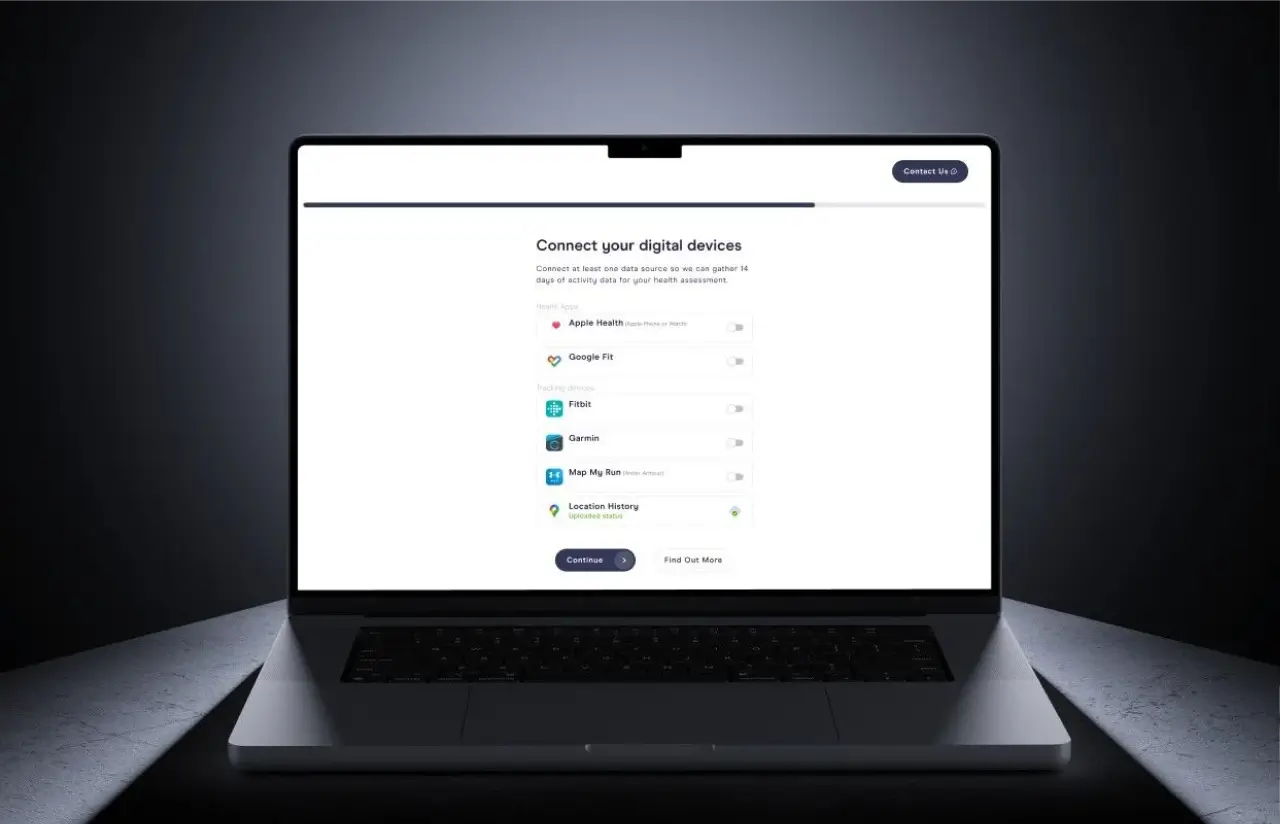
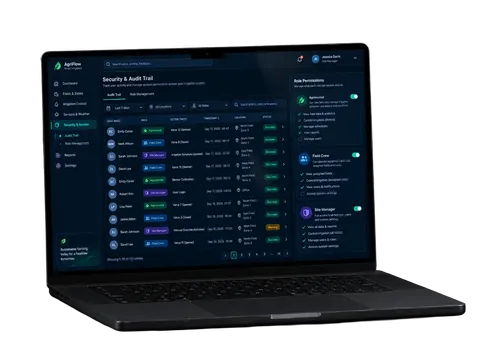
Passport, ID, insurance, and consent files upload from the phone and clear OCR validation in about 20 minutes instead of two days. Every read of patient data hits an audit log that a regulator can follow without help from an engineer.
-
Role-Based Access Controls
Eight user roles map to 35 permission sets across the patient portal and the facility side. Business associate agreements, consent records, and retention rules sit in the same case record as the clinical documentation.
-
Facility Revenue Dashboard
Facility admins track procedures per week, revenue by category, and cases awaiting payment on one screen. A supply management view flags consumables running low against next week's procedure list.
Planning a Similar Automation Platform?
Request similar solutionScrum Methodology
Project Journey
Discovery surfaced a gap in week two: the healthcare workflow described in the kickoff deck didn’t match the request data, and two of the eight user roles had to be split before development started. Sprint 7 then forced a rebuild of the consent flow after a compliance review found a cross-border scenario that needed two approvals rather than one, and even with that detour, 17 of 18 sprints closed on the date they were scoped for.
- Weeks sprint cycles
- 2
- Sprints completed
- 18
- of sprints delivered on schedule
- 94%
- Team members including healthcare domain specialists
- 10
How the Clinical Workflow Automation Platform Works
-
Patient submits a request
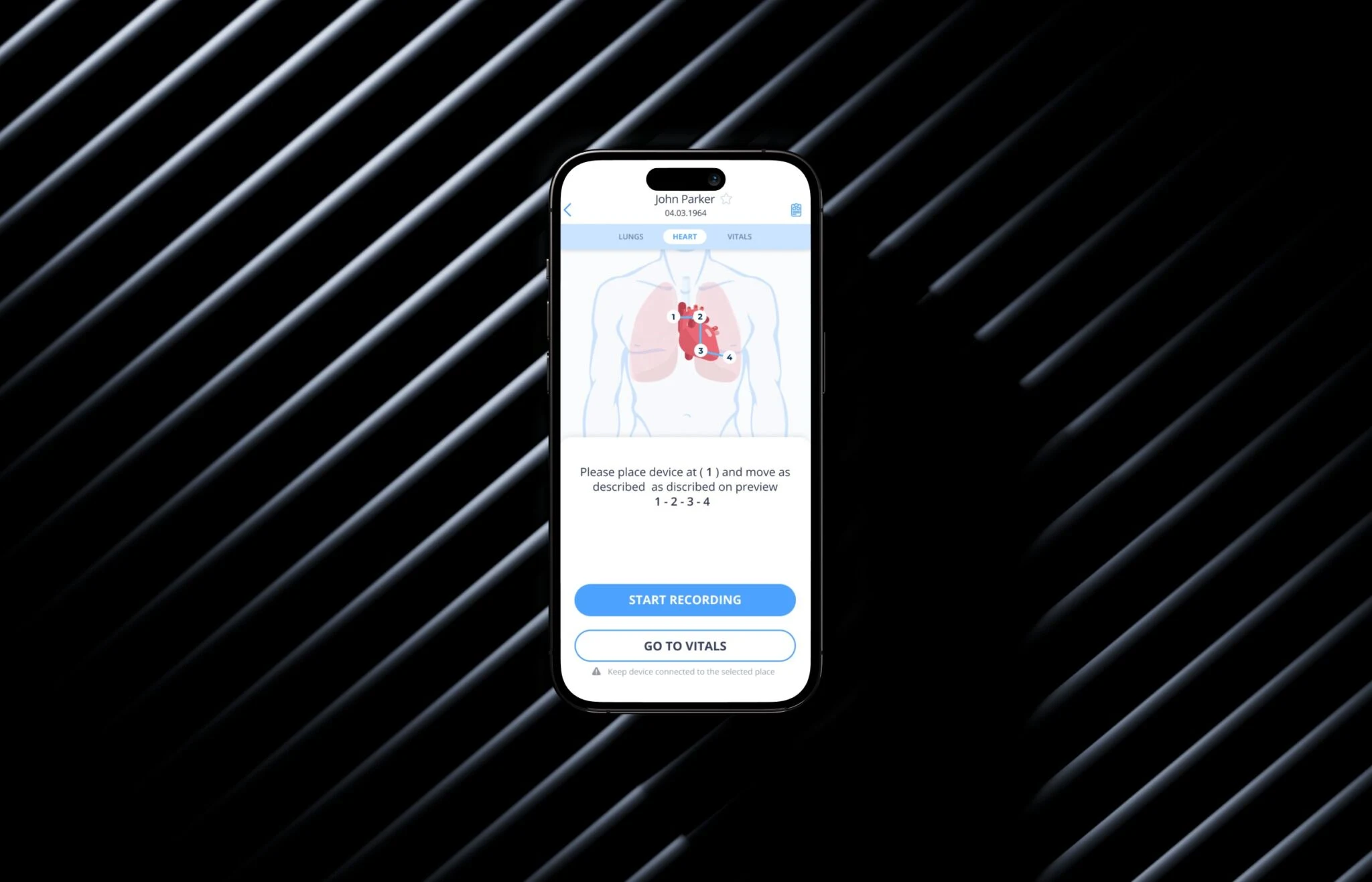
In the app, the patient picks a procedure category, adds photos and medical history, and answers a short questionnaire. Median patient intake takes six minutes.
-
Bots check eligibility and documents
The bots validate uploads, run insurance verification, and flag missing consent. Anything touching patient safety still gets a human check.
-
Request routed to matching facilities
The anonymized case goes to facilities that perform the procedure. Each returns a quote and the earliest available date.
-
Patient compares and accepts offers
Offers land in the patient portal side by side with price, location, and dates. Accepting one locks the slot and opens payment.
-
Payment and cross-border consent
Card payment clears in-app, and one consent flow authorizes the transfer of patient data to the treating facility abroad.
-
Check-in, procedure, and follow-up
A QR code handles check-in, structured clinical notes return to the case file, and automated reminders cover follow-ups and preventive care reminders.
Development Process Flow
Healthcare software development rewards short feedback loops, because a rule misread in month one becomes a rebuild in month six. Every sprint here closed with a demo to the client’s compliance officer and one practicing surgeon, not only the product owner. Reviewing operational workflows with the people who run them daily beat any spec document we could have written.
Inside Each Sprint
-
Daily Scrum
15-min sync every morning
-
Retrospective
Inspect & adapt process
-
Sprint Review
Demo to stakeholders
-
Increment
Shippable product update
How we Delivered Case Management Software for Healthcare
-
Scope & Timeline
We define the project goal together, agree on priority features, and set a realistic delivery date and budget.
-
Feature Priorities
We build a ranked list of everything the product needs, starting with what matters most to the business.
-
Sprint Kickoff
Work is broken into 2-week cycles. At the start of each, we select the next set of features to deliver.
-
Development Cycle
The team builds, tests, and integrates features throughout the sprint.
-
Review & Feedback
At the end of every sprint, you see working software and give feedback that shapes the next cycle.
-
Delivery
Each sprint produces a shippable piece of the product. We review what worked, adjust, and move forward.
UI/UX Design
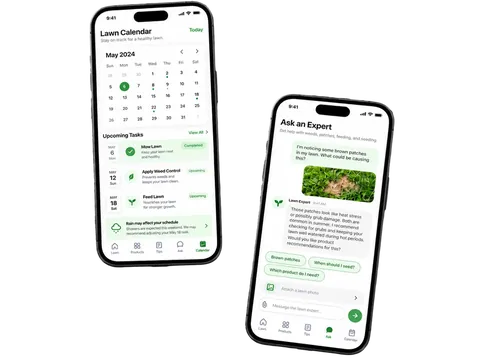
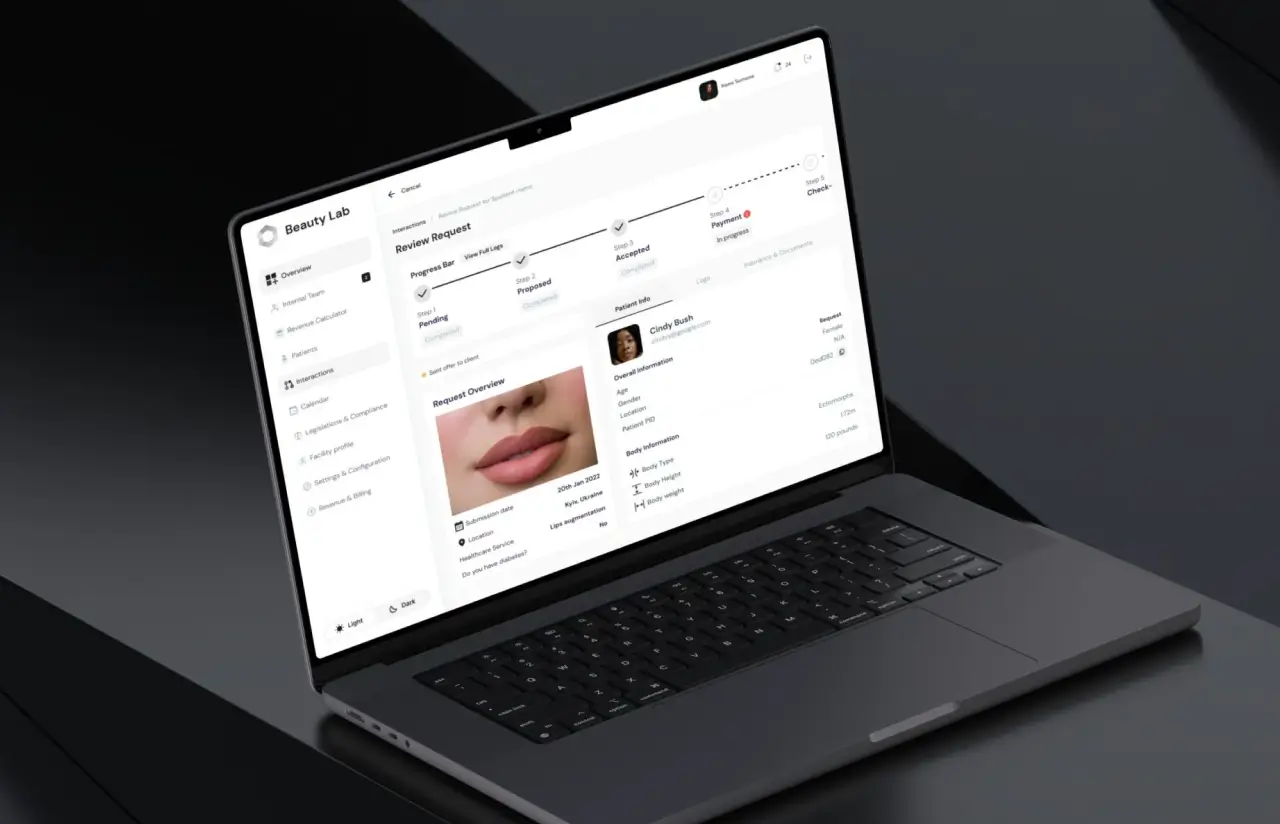
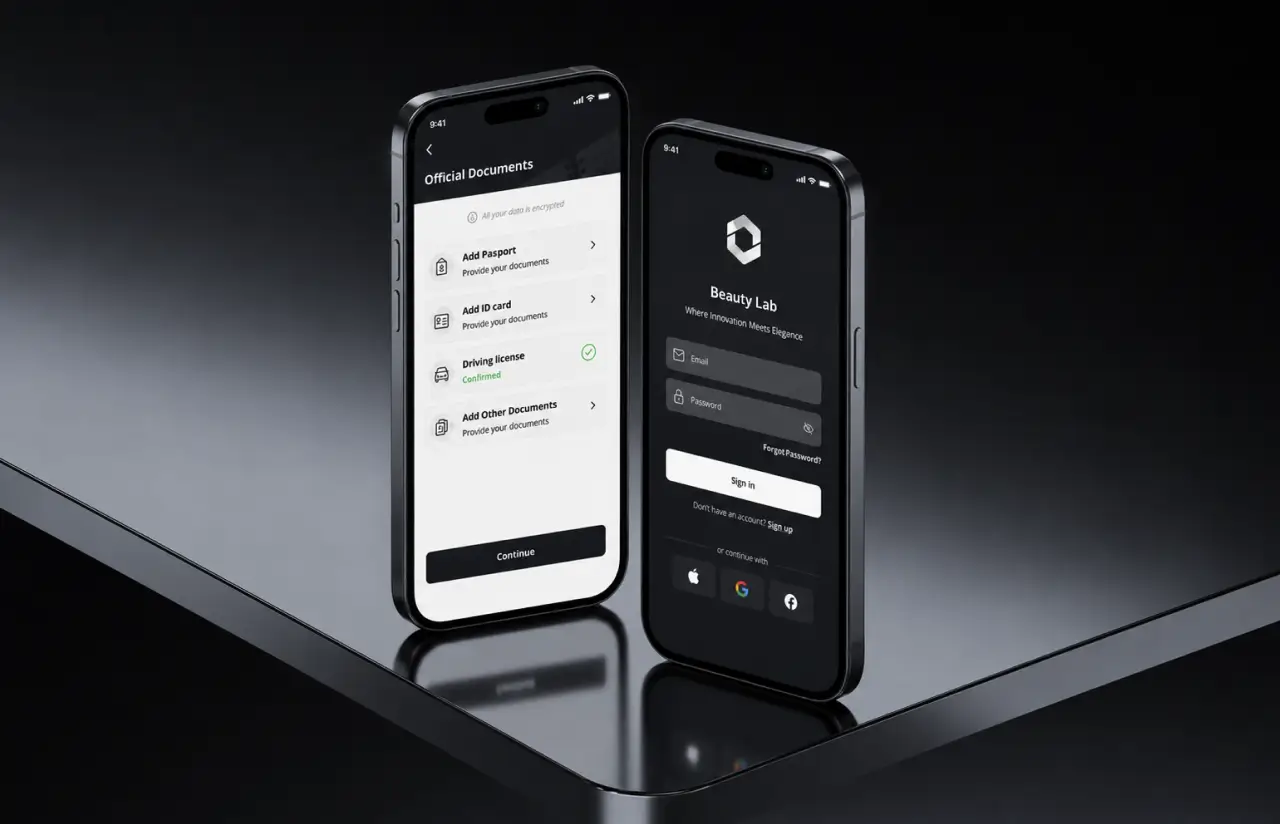
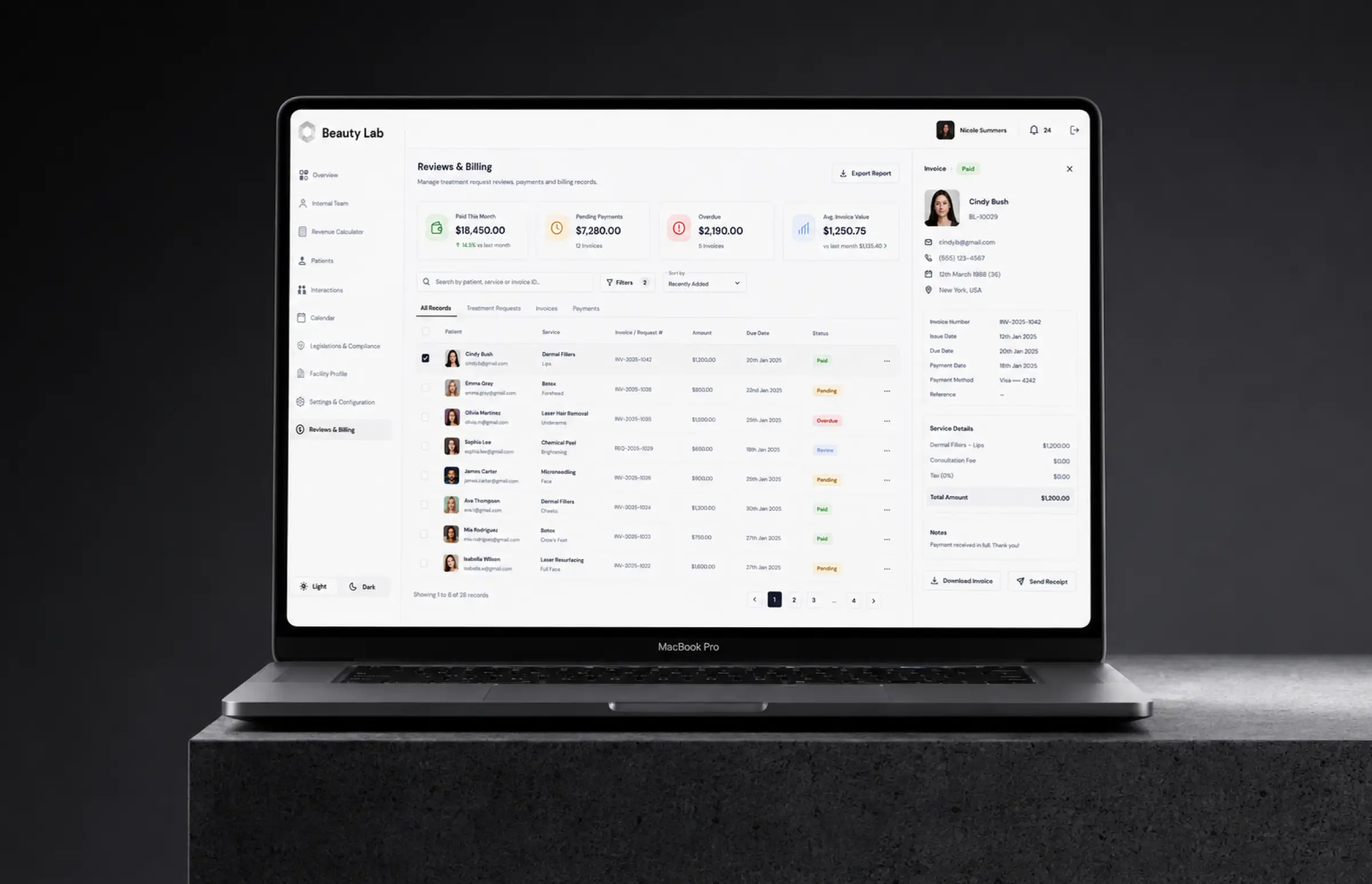
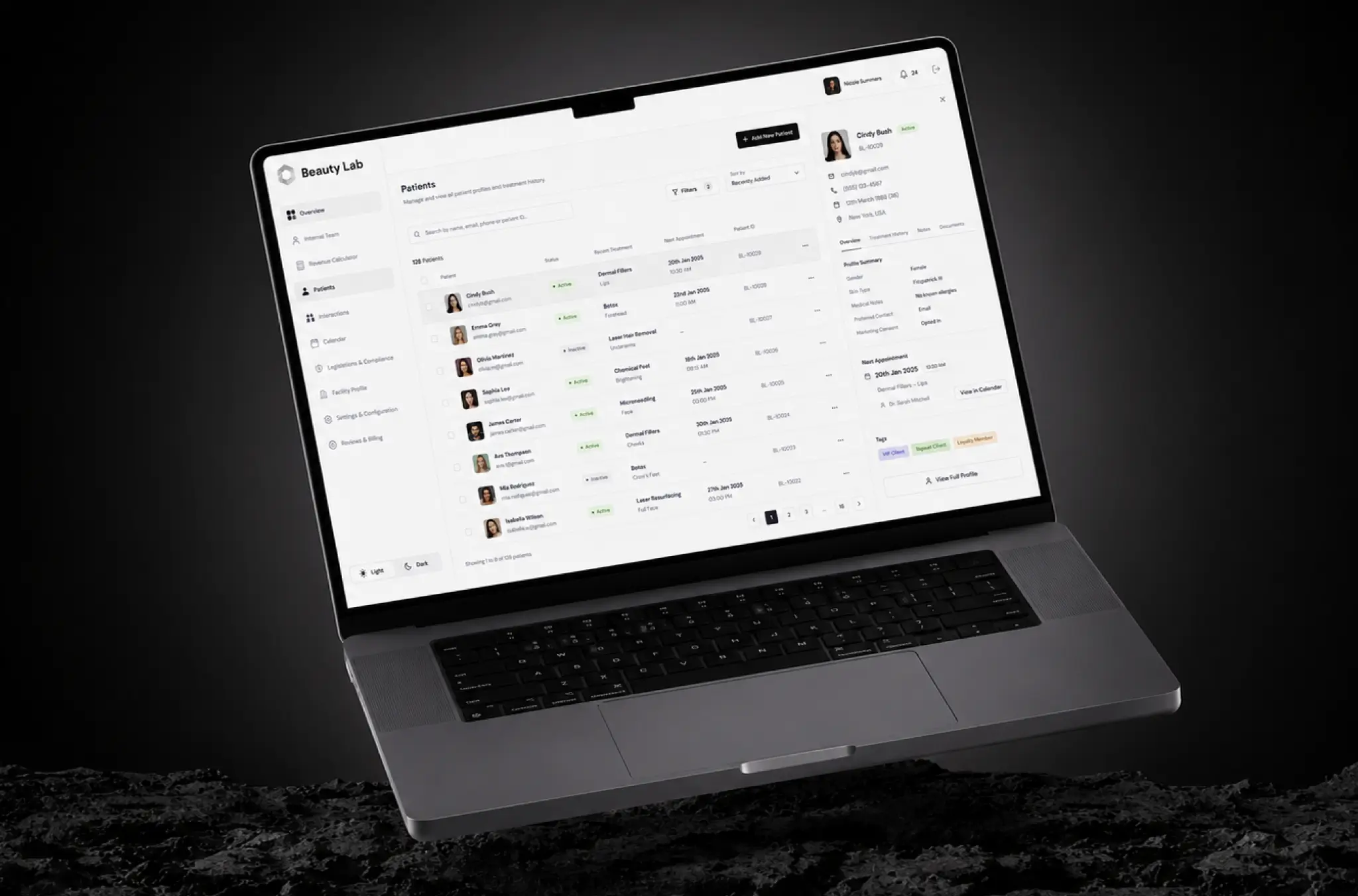
Patients and facility staff needed different experiences: a calm, simple app for people awaiting surgery and a fast, information-dense dashboard for coordinators. The design focused on status visibility first, using a consistent palette (#232428, white, #f3f3f3) and clear labels that stay readable across large case lists.
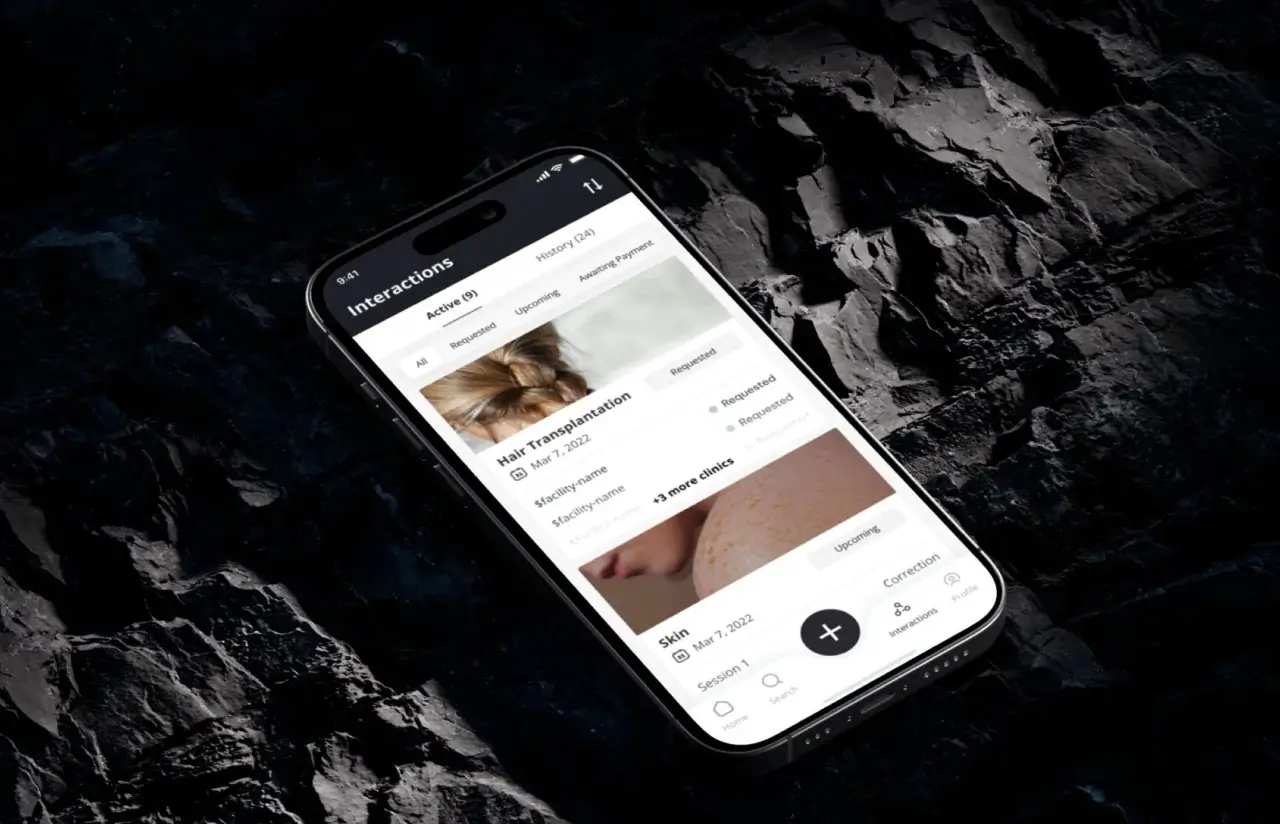
The patient app organizes requests under Interactions with clear states, while document uploads emphasize security. The facility dashboard combines progress, patient details, and request data in one view, reducing case review from three tabs to one. Testing showed new staff could complete queue tasks after a four-minute walkthrough, and moving a case from Proposed to Accepted dropped from nine clicks to three.
Results
Before
- 25 requests a day was the ceiling for a four-person intake team
- 11 days median from submission to a confirmed procedure date
- 32% of submissions incomplete, two follow-up rounds each
- 8 to 12 days and six signed forms for one cross-border transfer
- Discharge summaries re-typed by hand into Epic and Oracle Health
- Case history split across inboxes, a shared drive, and a spreadsheet, with no patient portal at all
After
- ~70 requests a day with the same four coordinators
- 3 days median from submission to a confirmed date
- 6% incomplete submissions after guided patient intake and document OCR
- Same-day cross-border approval, one consent flow, logged for HIPAA compliance
- Discharge summaries posted back automatically, with no re-typing
- One case record shared by clinicians, billing, and compliance
Impact of Healthcare Workflow Automation After Launch
Twelve weeks after launch, the intake team increased capacity from 25 to 70 requests per day without longer hours, while median confirmation time dropped to three days. Incomplete submissions fell from 32% to 6% because the platform validates documents before requests move forward.
The biggest impact was not headcount reduction but better use of staff time. Around 40% of coordinator work previously spent on copying, chasing, and re-checking information shifted to complex cases requiring human attention. Automated actions remained transparent with rule tracking and override options, helping the dashboard become an essential daily tool. Structured records now flow into existing EHR systems, reducing missing information and improving coordination between providers.
Verified Reviews
Our Reputation on Top Platforms
LITSLINK holds 4.8 on top platforms. Reviews name the same two things: senior engineers who stay on the project, and US-hours project management. In the healthcare industry, that second point matters more than it sounds.
Have a Healthcare Automation Project in Mind?
Looking for healthcare workflow automation software or solutions like patient scheduling, insurance checks, or EHR integration? Tell us how your processes work today, and our specialist will get back to you within 48 hours with a practical scope and recommendations.
Next steps:
- LITSLINK specialist reviews your request and contacts you to discuss the details;
- If needed, we can sign an NDA before moving forward;
- We send a project proposal – estimates, timeline, and team CVs included;
- After launch, we stay on for any updates your product needs.
- 48h Response
- 1540+ Projects
Thank you for your message. It has been sent.